


 Tested by
Namecheap is best known as a domain registrar, but it also sells cPanel shared hosting under the Stellar name, with three plans from $2.28/mo on a yearly term. All three come with a 30-day free trial in November 2026, and the price is the same in all four data centers: Phoenix (US), the UK, Amsterdam and Singapore.
For this Namecheap hosting review, I opened a Stellar Plus account on November 18, 2026, set up a WordPress site on it and tested it with the same tools I use for every host. I've also been a Namecheap domain customer for years, and I tested its live chat the same day.
My short verdict: Namecheap is a good cheap host for small sites, with fast LiteSpeed servers and honest, published limits. The catches are tight CPU limits on the two cheaper plans, renewals that cost more than double the first year, and an SSL setup that takes more steps than it should.
Overall score weights: Performance 30%, Price 20%, Support 20%, Features 15%, Ease of use 15%. Performance comes from my benchmark rating.
Pros
- Low first-year prices from $2.28/mo, and a 30-day free trial on every Stellar plan.
- LiteSpeed web servers, confirmed from the response headers of my own test site.
- Same price in all four data centers (US, UK, Amsterdam and Singapore).
- cPanel with Softaculous, Imunify360, Node.js and Python apps, and free email on every plan.
- Unlimited websites from Stellar Plus up, with unmetered SSD storage on Stellar Plus.
- 24/7 live chat, where a person joined in under a minute when I asked for one.
Cons
- Stellar and Stellar Plus are capped at half a CPU core, with short bursts above it.
- Renewals cost more than double the first-year price.
- The free SSL certificates cover the first year only, and setting one up took several manual steps.
- Server backups run every 3 to 7 days and are for server restores only, not for your own restores.
- No phone support, and live chat answers took 2 to 6 minutes each.
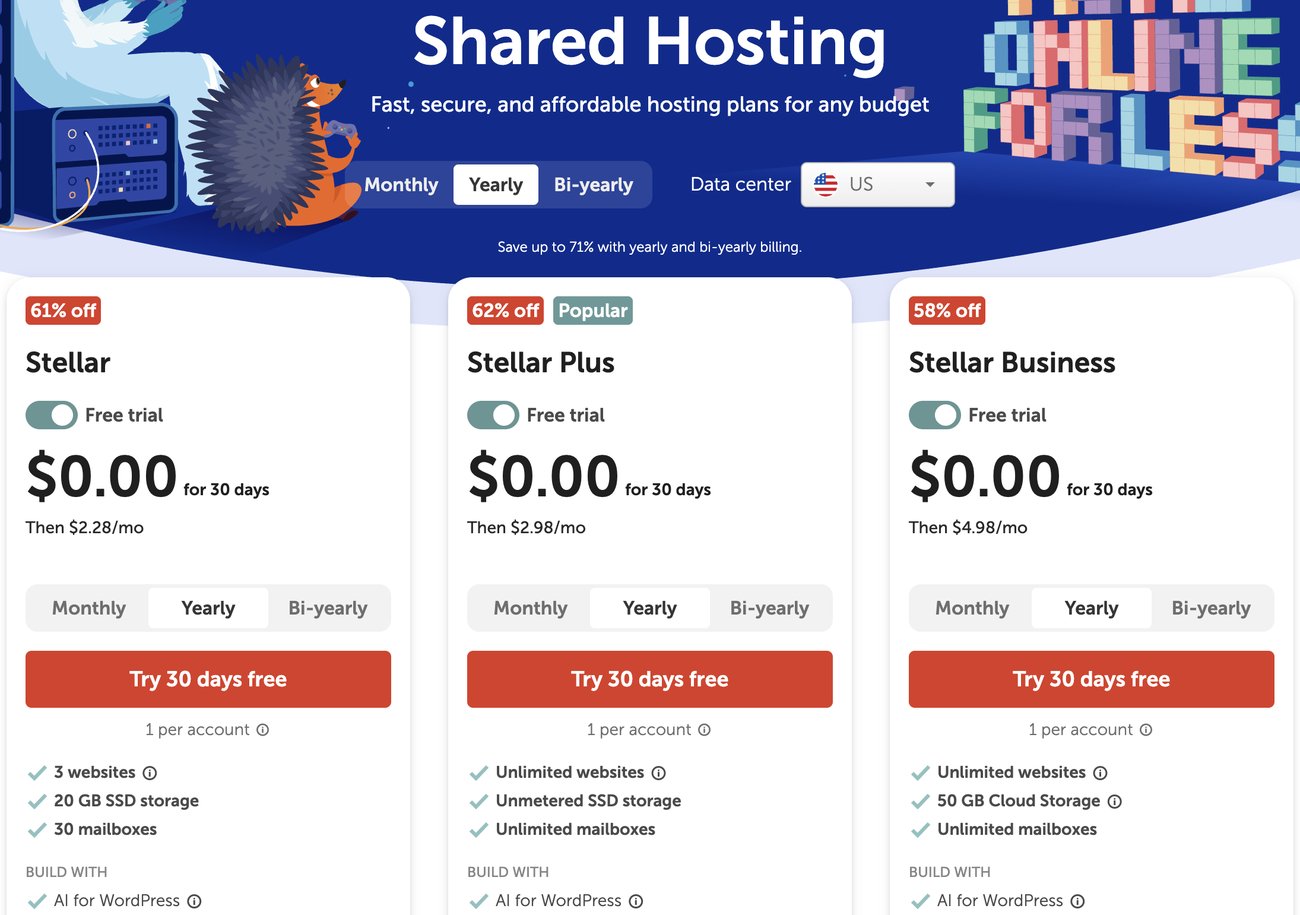
Namecheap's shared hosting page on November 18, 2026: Stellar, Stellar Plus and Stellar Business, each with a 30-day free trial.
Namecheap was founded in 2000 by Richard Kirkendall and is based in Phoenix, Arizona. In September 2025, private equity firm CVC Capital Partners agreed to buy a majority stake, and Hillan Klein became CEO in December 2025.
Contents
Technical Features

Score 4.0/5
The three Stellar plans
Namecheap's shared hosting line has three plans. They all run cPanel on the same kind of server, and the differences are the number of sites, storage, backups and CPU.
| Plan | Websites | Storage | CPU limit | RAM | Entry processes | Inodes | Yearly price, first term |
|---|---|---|---|---|---|---|---|
| Stellar | 3 | 20 GB SSD | 50% (bursts to 200%) | 1 GB | 20 | 300,000 | $2.28/mo |
| Stellar Plus | Unlimited | Unmetered SSD | 50% (bursts to 200%) | 2 GB | 30 | 300,000 | $2.98/mo |
| Stellar Business | Unlimited | 50 GB SSD | 100% (bursts to 400%) | 2 GB | 40 | 600,000 | $4.98/mo |
Limits from Namecheap's hosting support (live chat, November 18, 2026), confirmed for Stellar Plus in my own cPanel. Prices from Namecheap's shared hosting page, US data center, November 18, 2026.
On CloudLinux, 100% CPU equals one core. So Stellar and Stellar Plus get half a core, with bursts to two cores during short traffic spikes, and Stellar Business gets a full core. If you're torn between the two upper plans, my Stellar Plus vs Stellar Business comparison goes through every difference.
What my Stellar Plus account showed
The limits in my cPanel matched what the support agent told me: 2 GB of RAM, 30 entry processes, 300,000 inodes, 1,024 IOPS and 50 MB/s of disk I/O. cPanel shows the CPU cap as 200, which is the burst ceiling of two cores.
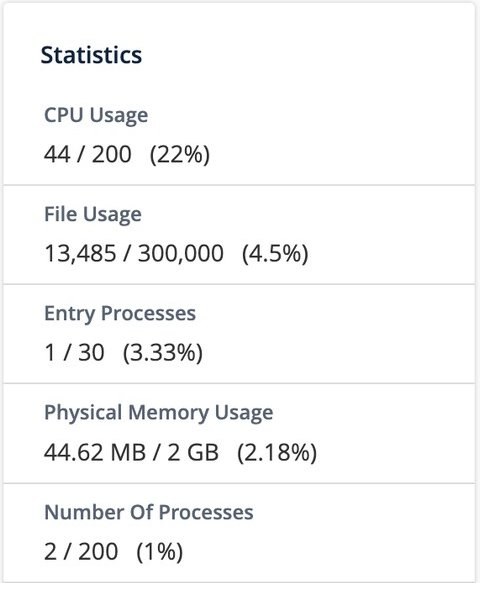
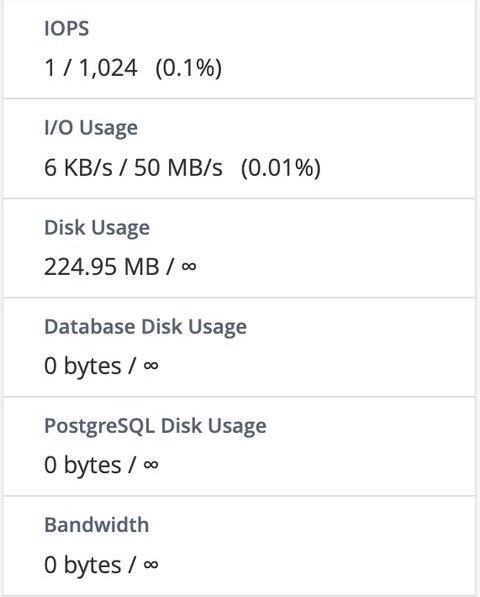
The cPanel sidebar of my Stellar Plus account right after I installed WordPress (November 18, 2026).
The inode limit is the one to watch. A fresh, empty WordPress install used 13,485 inodes, 4.5% of the 300,000 allowed, before I added a single post or plugin. That's plenty for a few sites, but "unlimited websites" really means as many as fit in 300,000 files and folders. My guide to inode limits explains how they work across hosts.
LiteSpeed, PHP and apps
Namecheap's shared servers run LiteSpeed. Its hosting agent told me so in chat, and my test site answered with a server: LiteSpeed header, even though cPanel's Server Information page lists Apache. LiteSpeed works with the free LiteSpeed Cache plugin for WordPress, which is the easiest speed win on these plans.
cPanel adds a section of Namecheap tools: Softaculous for one-click WordPress installs, the Sitejet website builder, AutoBackup, Imunify360, Jellyfish spam filtering, and setup pages for Node.js, Python and Ruby apps. You also get SSH access, Git, PostgreSQL and a PHP version selector.
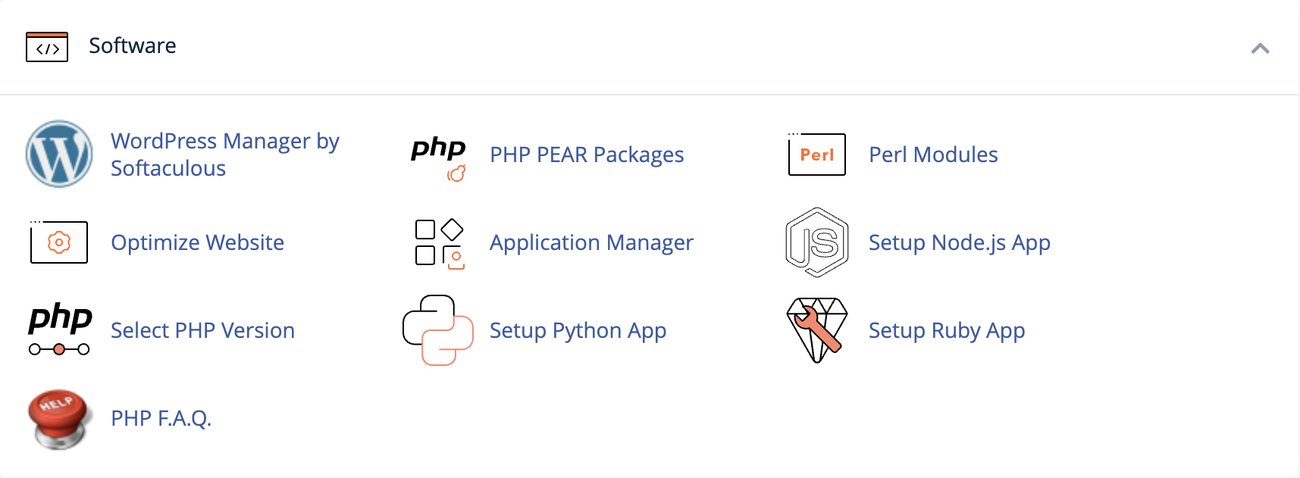
The Software section of my Stellar Plus cPanel (November 2026).
Email hosting is included on every plan: 30 mailboxes on Stellar and unlimited on the other two. You don't need to pay for a separate email service for a small business.
Data centers
You pick the data center when you order: Phoenix (US), the UK, Amsterdam (EU) or Singapore, all at the same price in November 2026. Cloud Storage is included on all plans in Amsterdam and Singapore, but only on Stellar Business in the US.
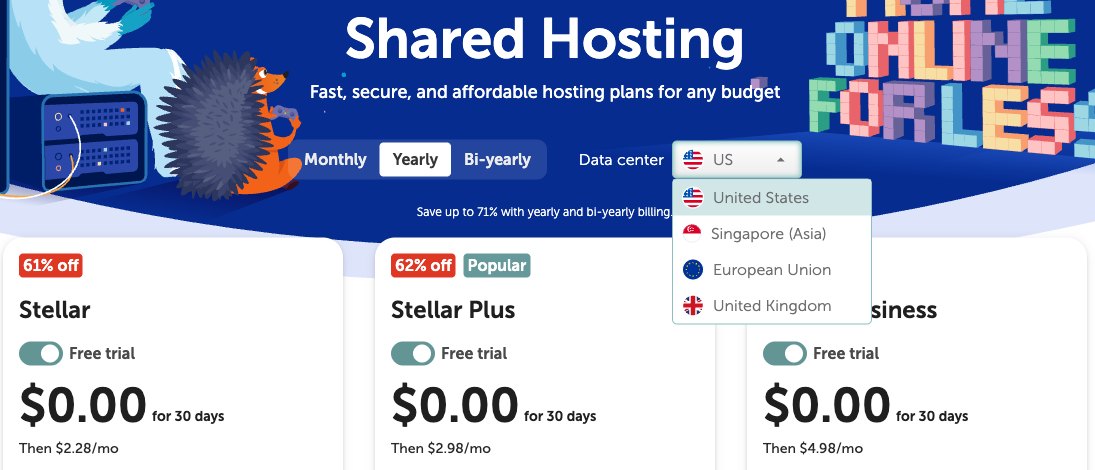
My Namecheap data centers guide covers which location to choose, and moving later is possible but can cause short downtime.
Performance and Security

Score 4.4/5
Namecheap Speed Test Results (November 2026)
In November 2026, I tested 2 live websites hosted on Namecheap shared hosting for my web hosting benchmarks. Each site's hosting was verified from its server IP, and the table notes what each site runs and where its server is.
The ranking uses server time: the uncached TTFB, with the page cache bypassed, minus the network round trip from Ashburn. A cache can hide a slow server, so the uncached figure is the one that shows the host.
| Hosting type | Website | Technology | Datacenter | Uncached TTFB | Server time |
|---|---|---|---|---|---|
| Shared | Printing shop | PHP site | United States | 208 ms | 84 ms |
| Shared | Tour company | WordPress (Elementor) | United States | 1,108 ms | 983 ms |
| Shared average | 2 sites | 658 ms | 534 ms |
Test settings, November 6, 2026: 5 virtual users for 2 minutes, at most 1 request per second, every second request with a unique query string to bypass the page cache. Live websites under light load, not a controlled benchmark of Namecheap's plans.
The two sites are far apart: 84 ms for the lighter PHP site and 983 ms for the WordPress site built with Elementor. That gap says more about the sites than the servers, since the heavier the theme and plugins, the more work each uncached page takes. Both sites answered every request without an error.
Namecheap's server time ranked 10th of 23 shared hosts, grade B. My Performance score uses Namecheap's overall benchmark rating, which is B as well.
My own Stellar Plus site
I also ran the same test on my own Stellar Plus site on November 18, 2026: a fresh WordPress install in the Phoenix data center, with no caching plugin. It's my own site, so it isn't part of the averages above.
| My test site | Uncached TTFB | Slowest 5% of responses | Failed requests |
|---|---|---|---|
| Stellar Plus, empty WordPress, Phoenix (US) | 375 ms | 724 ms | 0% |
Grafana k6 from Ashburn, USA, 5 virtual users for 2 minutes, at most 1 request per second.
An empty WordPress site came back in 375 ms without a cache, which lands between the two customer sites. With the LiteSpeed Cache plugin turned on, most visitors would get a cached page, so this is the slower, worst-case figure.
Uptime figures will be added once the monitored Namecheap site has 30 days of data.
Namecheap Under Load (November 2026)
The tests above use light traffic. In the load test, k6 raised the number of visitors from 1 to 50 over 2 minutes, and every request skipped the page cache. I only run it on sites I manage or have permission to test, at a quiet hour for their visitors.
| Hosting type | Sites | Server time at 1-10 users | Server time at 40-50 users | Failed requests | Grade |
|---|---|---|---|---|---|
| Shared | 2 | 526 ms | 4,408 ms | 0% | B |
Server time rose to about 4.4 seconds at 40 to 50 visitors at once, with no failed requests. That's a typical result for shared hosting: Krystal and Bluehost slowed to 4.9 and 5.5 seconds in the same test. The CPU limits explain it: half a core fills up fast when every page has to be built from scratch.
Real visitors mostly get cached pages, so this is the hard case. It's still the best reason to turn on LiteSpeed Cache, and to pick Stellar Business or a VPS for a busy store.
Uptime guarantee
Namecheap advertises a 100% uptime guarantee for shared hosting. A guarantee is a promise of compensation, not a measurement, so I'll add measured uptime once I have 30 days of monitoring data.
Security and SSL
Every plan includes Imunify360, which scans for malware and blocks common attacks, plus cPanel two-factor authentication and jailed SSH.
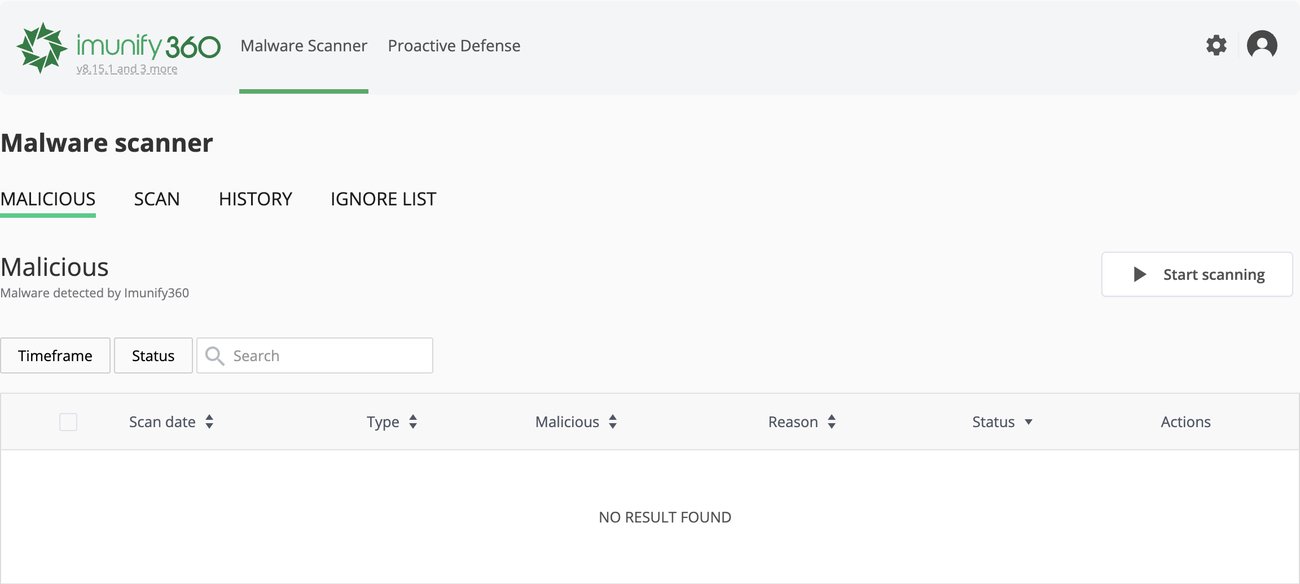
The Imunify360 malware scanner in my Stellar Plus account (November 2026).
Namecheap includes up to 50 free SSL certificates for the first year. After that, you buy renewal certificates through the Namecheap cart, so budget for them in year two. Setting up SSL on my site took more steps than on most hosts, which I cover under Ease of Use.
Backups
Namecheap backs up each server every 3 to 7 days, but those copies are for restoring the whole server after a failure, not for restoring your site. Its hosting agent told me that in chat and added that keeping your own copies is your responsibility. The plans page still says "Twice a Week", which doesn't match.
For your own restore points, Stellar Plus and Stellar Business include the cPanel AutoBackup tool. On day one, my AutoBackup page said no backups had been made yet, so I'm watching for the first ones to appear. On the basic Stellar plan, use cPanel's manual Backup tool or a WordPress backup plugin.
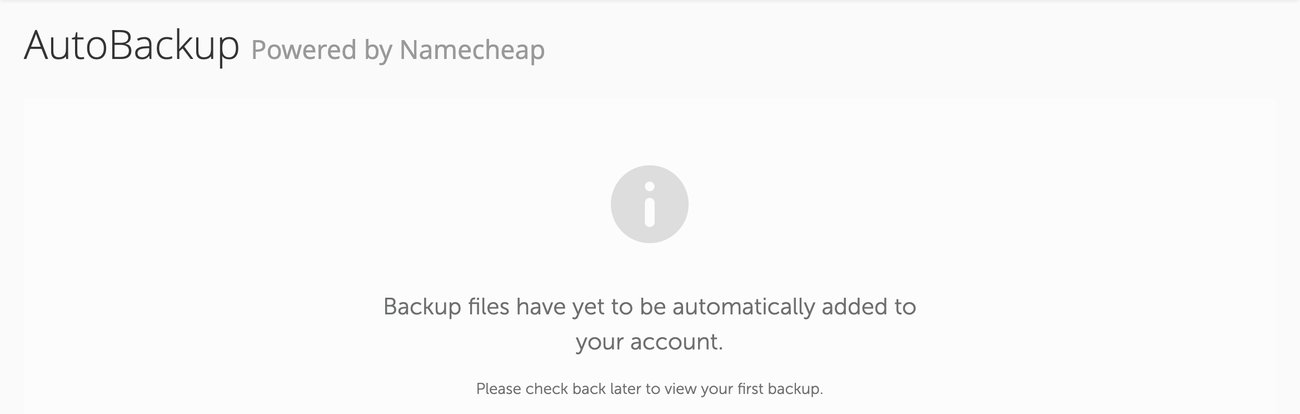
AutoBackup in my new Stellar Plus account on November 18, 2026: no automatic backups yet on day one.
Ease of Use

Score 3.8/5
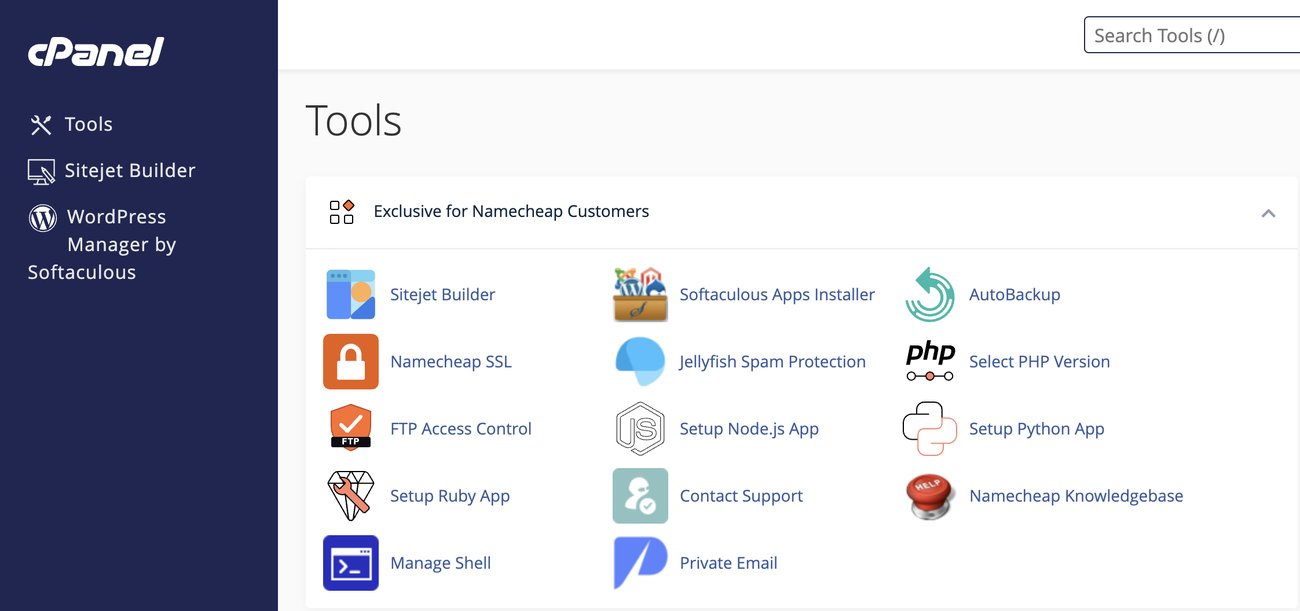
My Stellar Plus account in cPanel (November 2026): the "Exclusive for Namecheap Customers" section sits at the top.
Namecheap uses standard cPanel with the Jupiter theme, so if you've used cPanel before, you'll find everything where you expect it. WordPress installs from Softaculous, which is linked at the top of the panel.
My domain was already registered at Namecheap, so connecting it took one setting: I picked "Namecheap Web Hosting DNS" on the domain page. When I checked later that day, the domain already pointed to the new server. If your domain is elsewhere, you point it to dns1 and dns2.namecheaphosting.com.
SSL was the tedious part. Many hosts install a free certificate automatically or with one click. On Namecheap, I had to choose between a free SSL proxy in front of the site and a "server-side automation" that still meant downloading an SSL Manager plugin or a PHP file, uploading it, opening it and pasting a security token from the Namecheap dashboard.
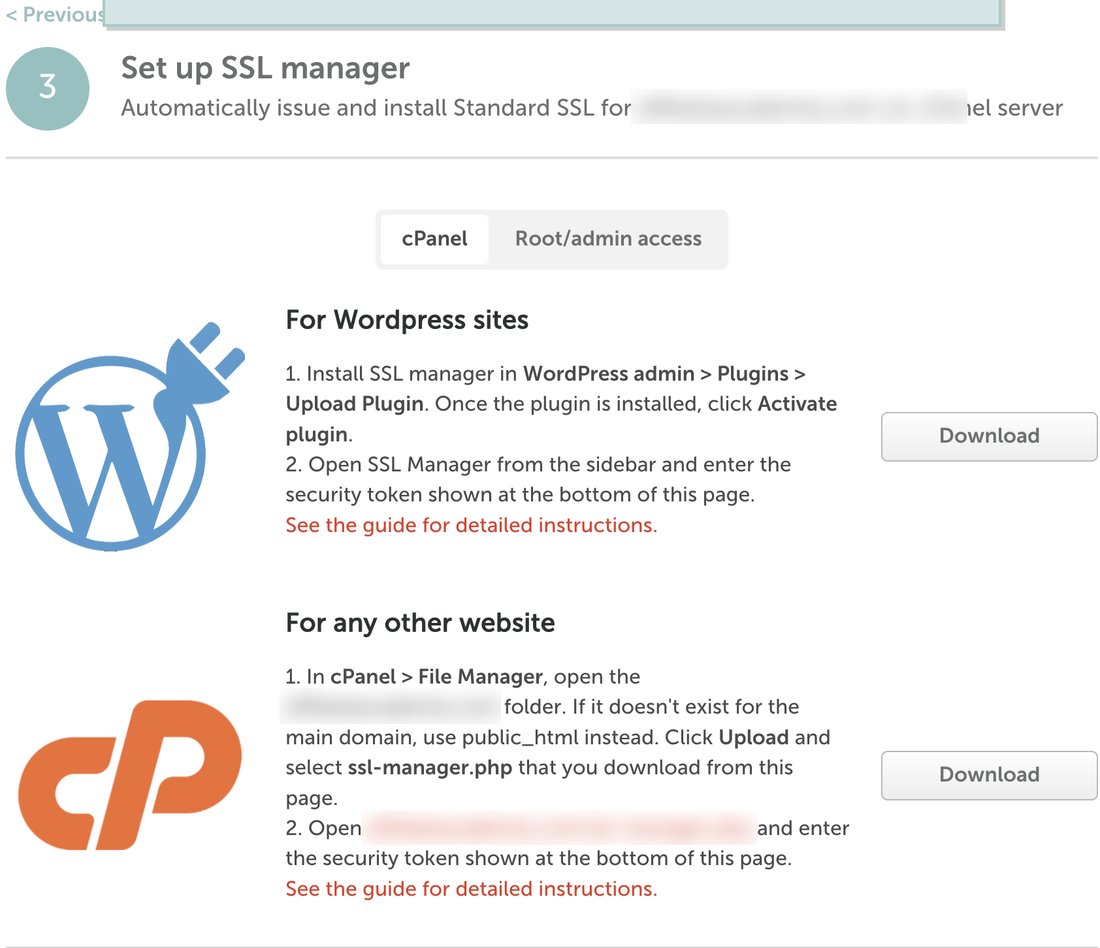
The SSL setup page in my Namecheap account (November 18, 2026).
I skipped the proxy, since it puts Namecheap's network in front of your site, which would also skew speed tests. Until a certificate is set up, cPanel shows the SSL status as Inactive with a "Your domain is at risk" warning, so do this right after you connect the domain.
Price

Score 4.3/5
Namecheap's discounts only apply to the first yearly or two-year term. Monthly billing is charged at the regular rate, and every plan renews at its regular price, which Namecheap raised on May 19, 2026.
| Plan | Yearly, first term | 2-year, first term | Monthly | Renewal, yearly term |
|---|---|---|---|---|
| Stellar | $2.28/mo | $1.88/mo | $5.88/mo | $55.88/year |
| Stellar Plus | $2.98/mo | $2.28/mo | $7.88/mo | $85.44/year |
| Stellar Business | $4.98/mo | $4.48/mo | $11.88/mo | $128.88/year |
Prices from Namecheap's shared hosting page, US data center, and its May 2026 renewal price update, checked November 18, 2026. The UK, EU and Singapore data centers had the same prices.
Stellar Plus costs about $36 for the first year on yearly billing and $85.44 for the next, so the second year is the real price. My Namecheap renewal price guide has the 2-year rates too.
Free trial
All three plans have a 30-day free trial, one per account. I started mine on November 18, 2026: the order came to $0.00, the account was active right away, and it runs until December 17, 2026.
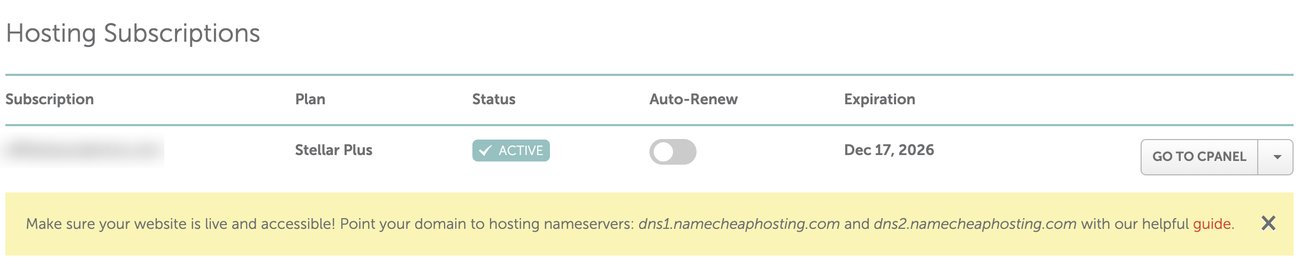
My Stellar Plus trial in the Namecheap dashboard (November 2026).
Auto-renew was off on my trial, so it won't turn into a paid plan by itself. The trial and the 30-day money-back guarantee don't combine: the refund applies to first-time customers who start without a trial.
Other costs
- A dedicated IP costs $4.00/mo extra on every Stellar plan.
- SSL renewals cost extra from the second year.
- One eligible domain is free for the first year with a yearly plan.
Namecheap accepts Visa, Mastercard, American Express, Discover, PayPal and Bitcoin, and you can pay from account funds, which is how I pay for my domains.
Reliability and Support

Score 3.5/5
Namecheap offers 24/7 live chat and a ticket system, plus a large knowledge base. There's no phone support for hosting.
On Trustpilot, Namecheap had a TrustScore of 4.2 from about 22,000 reviews in November 2026. That covers the whole company, domains included. Hosting complaints mostly mention slow sites and resource limits, which matches the CPU caps above and what I saw years ago with client sites on Namecheap's WordPress hosting. I list the common complaints in why some people say Namecheap hosting sucks.
What support told me
On Wednesday, November 18, 2026, I tested Namecheap's live chat with pre-sales hosting questions, without logging in. An AI assistant answered first, and a person joined in under a minute after I asked for one.
That first agent only sent me a link to the plans page, which doesn't list the limits I asked about. When I pushed back, he transferred me to the hosting team, and a hosting specialist joined about six minutes after I had opened the chat.
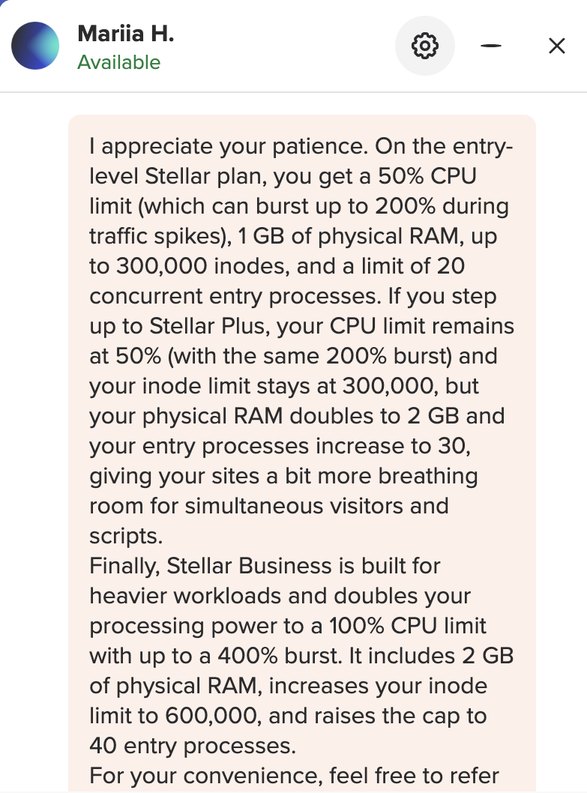
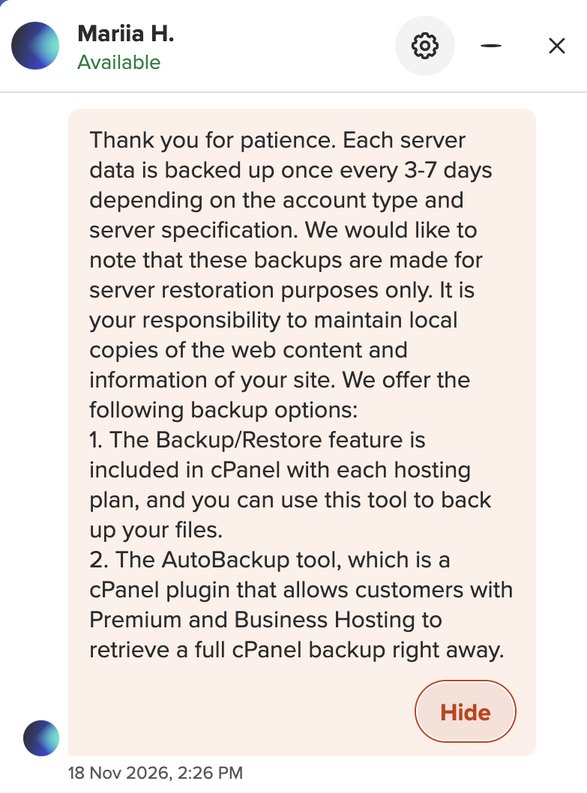
- Limits: she listed the CPU, RAM, inode and entry process limits of all three plans, which matched my cPanel later that day.
- Web server: "Our Shared servers are running on LiteSpeed."
- A slow site: support checks your account's resource usage, and if the problem lasts more than a few minutes, the processes running during the overuse.
- Moving data centers: possible through the billing team, but it can cause temporary downtime.
- Backups: every 3 to 7 days, for server restoration only.
Her answers were accurate, but each took 2 to 6 minutes, so my questions took almost an hour. That's one chat on one day: fine for a quick fix, slow for a long list of questions.
Which Stellar Plan Should You Choose?
- Stellar: one to three small sites on a tight budget. It has 1 GB of RAM, 20 GB of storage and no AutoBackup.
- Stellar Plus: the plan I'd pick for most people. Unlimited sites, unmetered storage, 2 GB of RAM and AutoBackup for $0.70 a month more.
- Stellar Business: a small store or a busier business site. It doubles the CPU limit and raises entry processes to 40 and inodes to 600,000.
If a site keeps hitting the limits on Stellar Business, it's time for a VPS rather than another shared plan.
Conclusion: Is Namecheap Hosting Good?
Yes, for small sites. Namecheap's shared hosting is cheap, fast on light traffic, and open about its limits, and the 30-day free trial lets you test it on your own site before you pay anything.
Watch the limits and the renewal price. Half a CPU core on Stellar and Stellar Plus is enough for blogs and small business sites, not for a busy store, and year two costs more than double year one.
I'd recommend Namecheap if you want a low-cost cPanel host for a few small sites, especially if your domains are already there. Start with the free trial on Stellar Plus, turn on LiteSpeed Cache, and check your resource usage in cPanel during the first month.
Your reviews are important and protected. Hosts on WebHostingAdvices can't pay or offer incentives to hide them.