



 Tested by
Founded in 2004 in Bulgaria, SiteGround now serves customers from all over the world. The company has established a strong position in the hosting world. It offers user-friendly hosting at competitive prices.
SiteGround serves all kinds of websites, from the smallest to the largest. From shared hosting to cloud servers, you can find plans for most kinds of websites with the company.
Overall score weights: Performance 30%, Price 20%, Support 20%, Features 15%, Ease of use 15%. Performance comes from my benchmark rating.
Pros
- US-based support.
- Free Domain & SSD.
- Host High Performance.
- Packs for sites of all sizes with innovative technology, including green servers and maximum speed zones.
- Site Tools, SiteGround's own easy control panel.
- Excellent live support and documentation.
- 30-day money-back guarantee.
Cons
- Renewal prices are much higher than the first-year prices.
- No plans based on Windows.
- The wide variety of plans can make choosing harder.

SiteGround is the underdog of the hosting world. With innovations in the hosting services particularly Shared Hosting solutions, SiteGround has developed a wide customer base in the last few years.
Contents
Technical Features

Score 4.5/5
Shared quality WP, as we like!

Shared hosting is an important service area for all the hosting companies. SiteGround has emerged as a leader in this field in recent years due to its exceptionally good features and services.
Main reasons that make SiteGround hosting offer stand out
- All their shared hosting plans come with easy-to-operate managed WordPress, which is sometimes provided with the premium hosting plans. SiteGround is on par with its competitors by providing various high-quality features like Hosting.com (formerly A2 Hosting), FastComet, and WPXHosting.
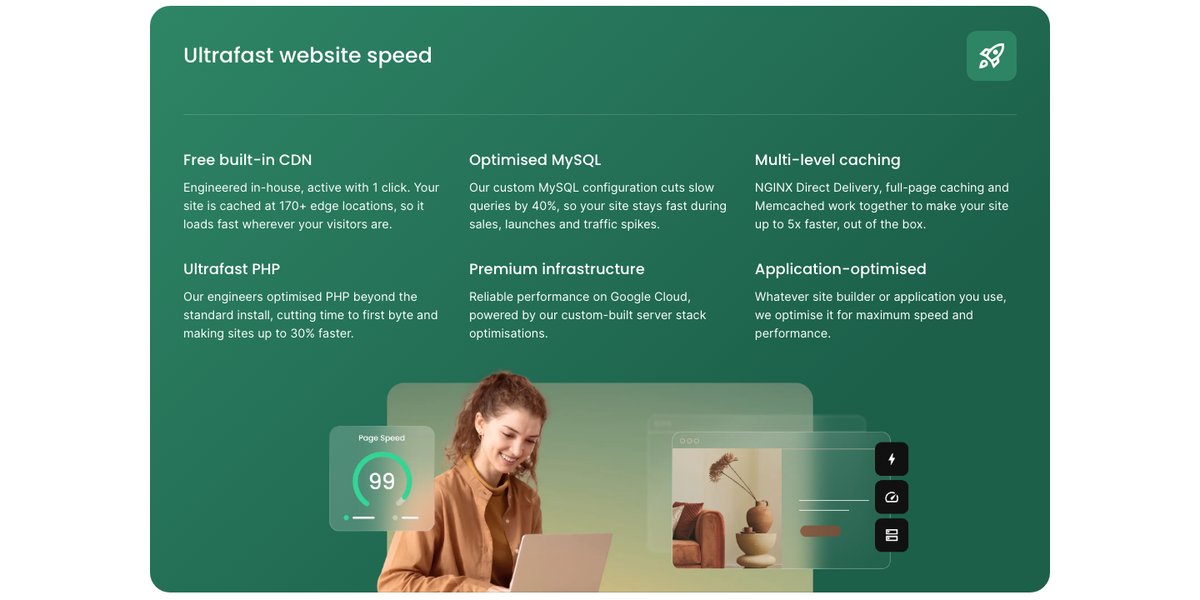
- By using NGINX, its own CDN, SSD storage, SuperCacher caching and faster PHP, SiteGround can offer high speeds for all the websites hosted with the company.
- SiteGround allocates generous bandwidth by calculating it as per the number of visitors rather than allocating a fixed amount of data. This helps you choose the correct plan for your hosting needs depending on the traffic you expect to receive on your website.
- It is easy to scale up with SiteGround as it offers several hosting plans that suit the needs of all website owners. You can upgrade to the plan where your website server is shared with fewer accounts so that it is not slowed down by your neighboring website owners.
What we like
SiteGround doesn’t claim to provide unlimited resources for your website like other hosts. You are allocated a fixed amount of disk space for your needs and the bandwidth is determined according to the page views your site receives each month. This gives you greater clarity on the availability of resources.
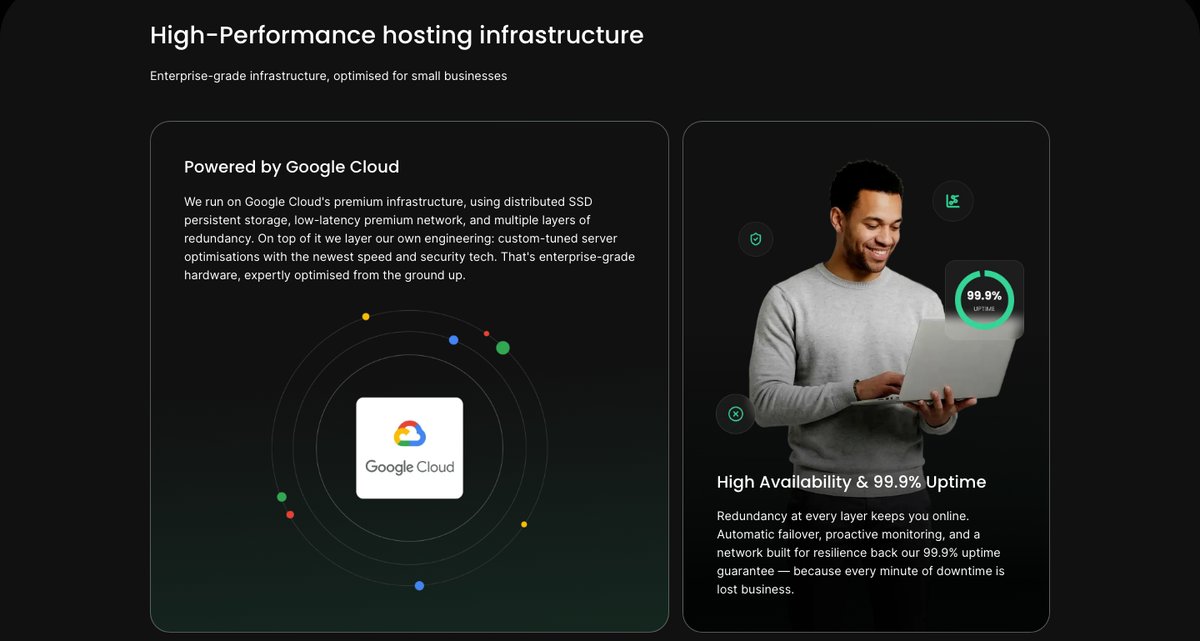
SiteGround's shared plans run on Google Cloud virtual machines with Google's distributed SSD persistent storage, according to its technology page (checked November 2026). SiteGround doesn't publish a CPU model or a CPU and RAM allocation per shared account.
What it does publish are fair-use limits in its knowledge base:
| Plan | CPU seconds (hour / day / month) | Inode limit |
|---|---|---|
| StartUp | 1,000 / 10,000 / 300,000 | 200,000 |
| GrowBig | 2,000 / 20,000 / 600,000 | 400,000 |
| GoGeek | 4,000 / 40,000 / 800,000 | 600,000 |
Each process can use up to 768 MB of RAM, and SiteGround asks you to keep each database under 1,000 MB. For dynamic sites such as WooCommerce stores, the CPU-second limit is usually the one to watch, not the storage space.
Performance and Security

Score 4.4/5
SiteGround Speed Test Results (November 2026)
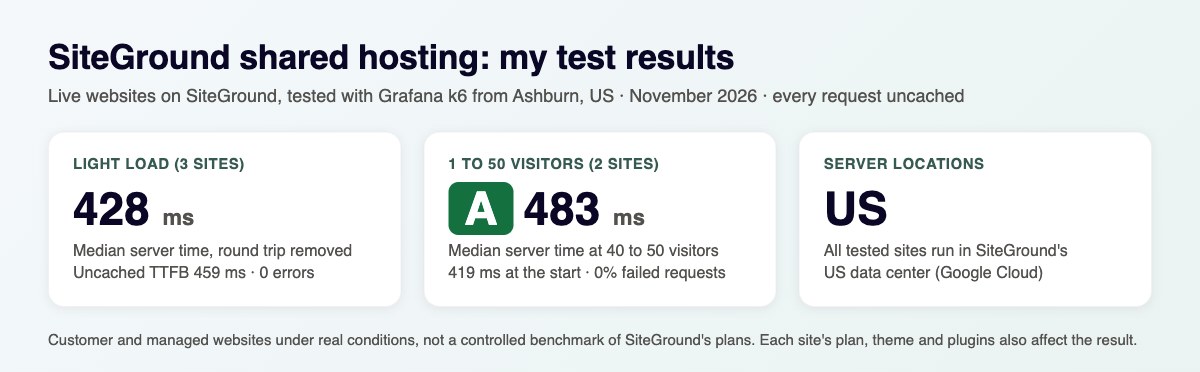
In November 2026, I load-tested 2 live websites hosted on SiteGround, both on managed hosting. Each site's hosting was verified from its server IP, and the table notes the technology each site runs on and the datacenter its server sits in, since both affect the result.
Most hosting reviews quote the cached speed, which is really the cache or CDN talking, not the host. I show both: the cached TTFB your visitors normally get, and the uncached TTFB with the page cache bypassed. The ranking uses server time (uncached TTFB minus the network round trip from the test location), because a cache can hide a slow server. Each hosting type's figure is the median of its sites.
| Hosting type | Website | Technology | Datacenter | Cached TTFB | Uncached TTFB | Server time |
|---|---|---|---|---|---|---|
| Managed | Nonprofit | WordPress | Dallas, United States | 73 ms | 459 ms | 425 ms |
| Managed | Painting company | WordPress | Kansas City, United States | 290 ms | 1,160 ms | 1,158 ms |
| Managed median | 2 sites | 182 ms | 810 ms | 792 ms |
Test settings, November 2026: 5 virtual users for 2 minutes, at most 1 request per second, every second request with a unique query string to bypass the page cache. Live websites under light load, not a controlled benchmark of SiteGround's plans.
The median server time was 791 ms across the 2 sites. Both sites had an effective page cache, where the cached page came back well under the uncached time; on the others the cached and uncached figures are close, so the cache either isn't caching or ignores the query string. Both sites answered every request without an error.
What each site runs:
- Nonprofit: WordPress, Dallas, United States
- Painting company: WordPress, Kansas City, United States
Each hosting type has only 2 tested sites so far, so its median is less reliable. My Performance score for SiteGround uses the managed result. It is ranked against every other host on my benchmarks page.
Uptime figures will be added once the monitored site has 30 days of data.
SiteGround Under Load: 1 to 50 Visitors (November 2026)
The speed tests above use light traffic. For this test, k6 raised the number of visitors from 1 to 50 over 2 minutes, and every request skipped the page cache, so the server had to build every page. It puts real load on a live website, so I only run it on sites I manage or have permission to test, normally at a quiet hour for their visitors.
Each line is one website, every request uncached · k6 load from Ashburn, USA · November 2026 · lower is faster
- managed: nonprofit (Dallas, United States)
- managed: painting company (Kansas City, United States)
Server time = average TTFB in each 12-second window minus the network round trip to the site's server. Hover or tap the chart to see each site's value and the number of visitors at that moment.
| Hosting type | Website | Technology | Datacenter | Server time at 1-10 users | Server time at 40-50 users | Failed requests |
|---|---|---|---|---|---|---|
| Managed | Nonprofit | WordPress | Dallas, United States | 471 ms | 471 ms | 0% |
| Managed | Painting company | WordPress | Kansas City, United States | 1,055 ms | 1,081 ms | 0% |
Server time as the load rose to 40 to 50 visitors at once:
- Nonprofit (WordPress, Dallas, United States): 471 ms → 471 ms
- Painting company (WordPress, Kansas City, United States): 1,055 ms → 1,081 ms
SiteGround's under-load grade: A (0.8 s at 40 to 50 visitors). Like every grade on my benchmarks page, it compares SiteGround with the other shared hosts I load-tested, split into five near-equal groups: A for the best fifth, down to E for the slowest fifth. It's relative to this round of tests, not a pass or fail mark.
Real visitors mostly get cached pages, so this is the hard case: a traffic spike on pages the cache can't answer. Each site's technology, plan and plugins also affect the result.
This load grade counts in my SiteGround score. It's one of the three grades behind the host's benchmark rating and the Performance score of this review, next to server time and the slowest 5% of requests.
SiteGround Uptime Guarantee

SiteGround guarantees you 99.9% uptime. It will also compensate you in case you experience a downtime of more than 0.1% in a year.
The most important consideration while choosing a host for your website is reliability. It is because of the negative impact of any downtime on your website’s overall ROI. This is where SiteGround keeps you covered and is a step ahead of its competitors.
Datacenters of your choice
Only a handful of hosting service providers offers you a choice of data centers for shared hosting services. Choosing the right data center while signing up with SiteGround is completely worth your time. It improves your website’s performance.
SiteGround has 11 data centers on four continents: Council Bluffs (Iowa), Ashburn, Virginia (USA), Los Angeles and Dallas in the USA, London, Eemshaven, Frankfurt, Madrid and Paris in Europe, plus Singapore and Sydney. You choose the location when you set up hosting.
With smartly chosen data centers across the world, SiteGround offers you a good global reach. With some hosts offering a choice of data centers only in the United States, SiteGround has an edge here.
Ease of use

Score 4.5/5
SiteGround provides you with a user-friendly interface and a one-click installation process. You also get various useful add-ons and free updates.
The custom user interface is easy and simple to use, in fact, a lot easier than cPanel. It carries numerous options to help the users get started, no matter what their skill level is.
It is also easy to transfer your site to SiteGround’s hosting with a free plugin they offer.
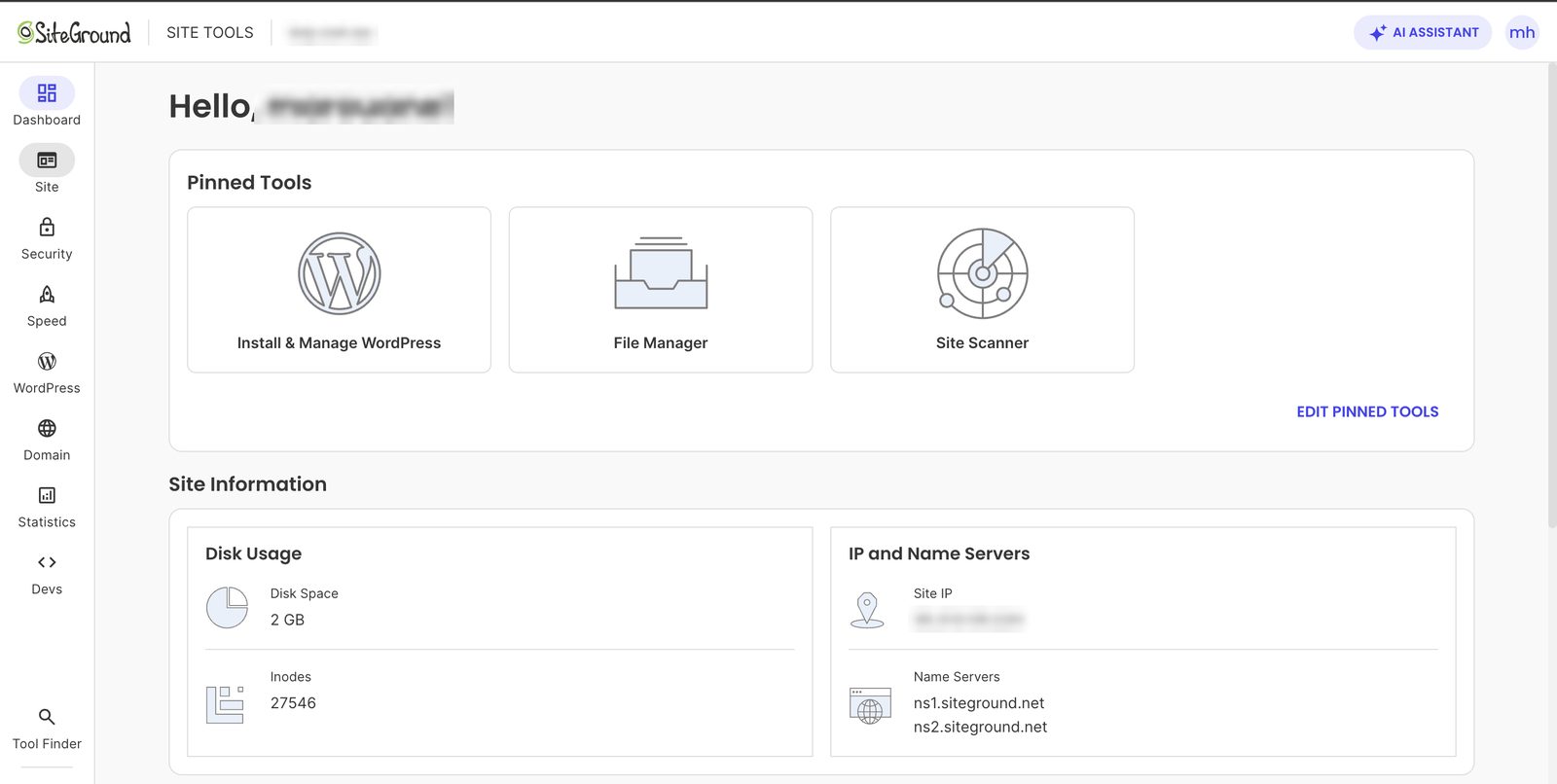
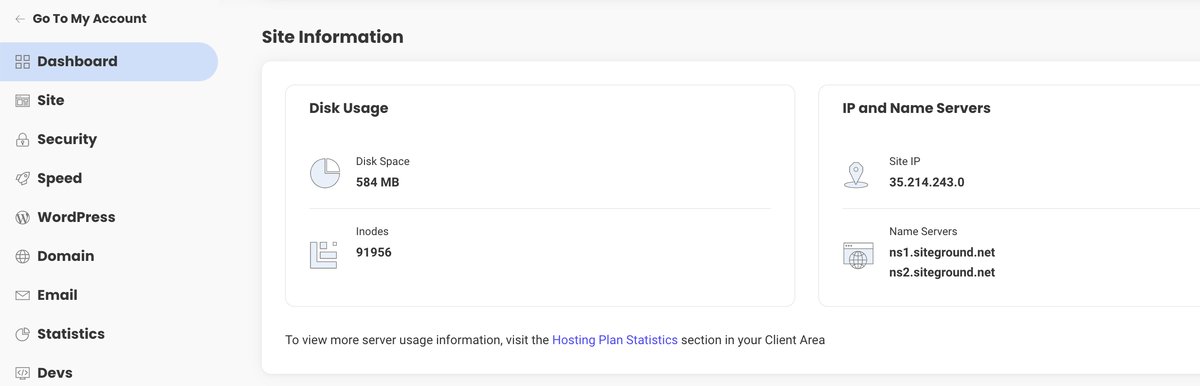
Site Tools, SiteGround's own control panel, in November 2026: pinned tools on top, then disk space, inodes and name servers.
Price

Score 3.4/5
SiteGround has a wide variety of hosting plans for shared hosting needs as well as Dedicated Server and Cloud hosting requirements. You will find that their hosting plans come equipped with all the essential features including MySQL databases, website transfer service, email accounts, application installation, 30-day money-back guarantee, and 24/7 support. The host offers free daily backups, a free CDN, great user interface, and guaranteed exceptional uptime.
Depending on your plan, you will receive 10 GB, 50 GB or 100 GB of storage, sized for about 10,000, 100,000 or 400,000 monthly visits respectively. The “StartUp” plan is the best if you wish to host a single website and are in the starting phase of your growth.
The “GrowBig” and “GoGeek” plans are suitable for advanced users at higher levels of website growth or for those who are looking to develop multiple sites. You receive automatic daily backups and free CDN and SSL with all these plans. However, the biggest plan also offers you priority support services for additional value.
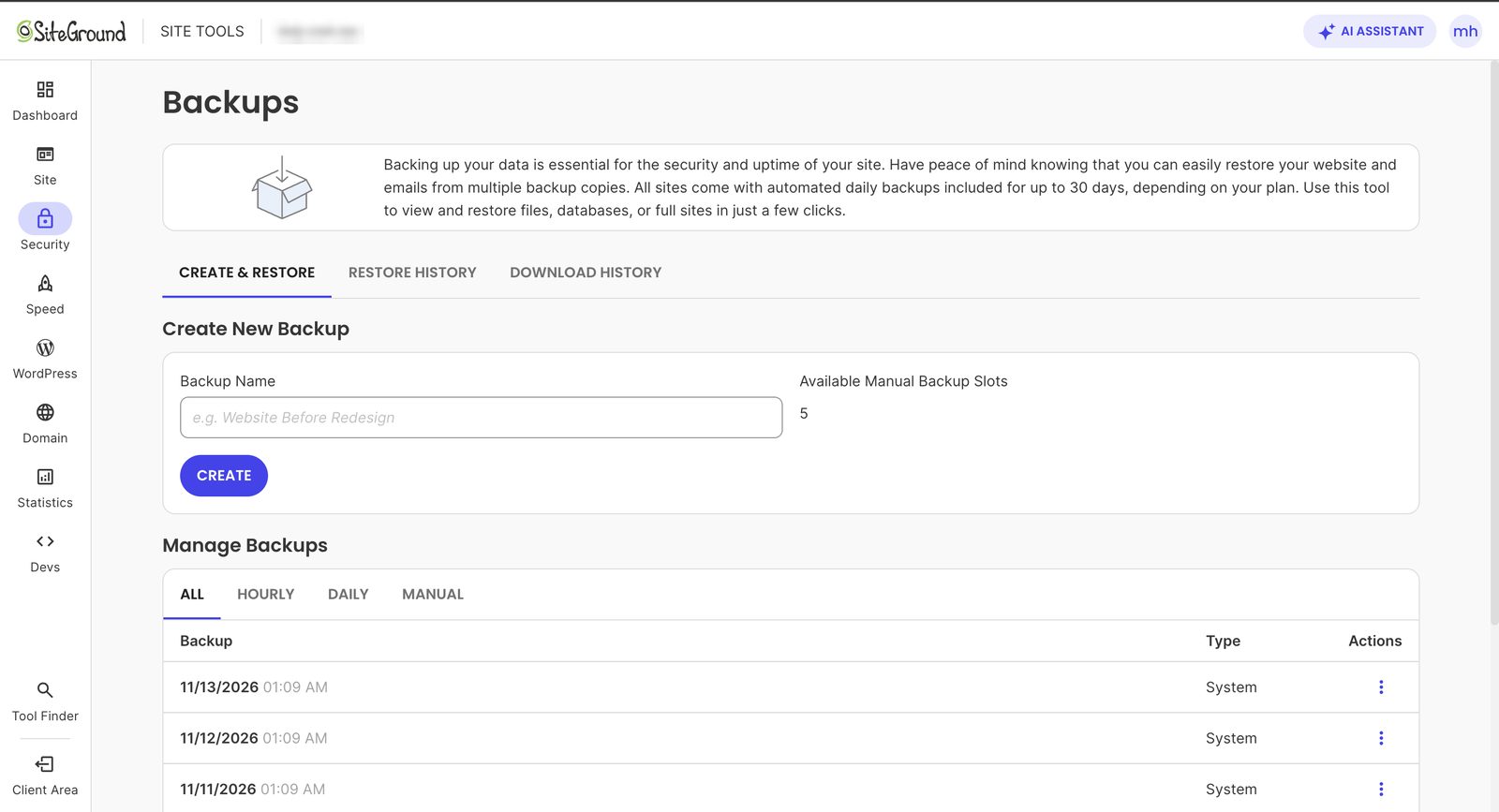
The Backups tool in Site Tools (November 2026): a system backup runs every day, and 5 free manual backup slots let you save a copy before big changes.
SiteGround has been keeping the pricing of all these plans at par with its competitors for years, until 2019, when they decided to increase their prices.

You must also note that the host offers special discounts for the first 12 months which can save you huge sums during the initial phase of your website.
Reliability and support

Score 4.3/5
SiteGround offers 24/7 support by live chat, phone and ticket, answered by people rather than a bot. It says its agents resolve more than 90% of requests at first contact. Customers reach all three channels from the Help Center in their account: you pick a topic first, SiteGround suggests a help article, and then it shows the contact options. Before you buy, the sales chat on SiteGround's website is open around the clock too.
Every chat and ticket stays in your account under Support History, with the full transcript, so you can go back to an answer months or years later. My own history there goes back to 2019.

What standard support doesn't cover
Free support covers hosting-related issues: server errors, email, DNS, SSL certificates, the tools in Site Tools and similar questions. Hands-on work on the website itself is a paid service called Expert Care, and it includes tasks many beginners expect their host to handle:
- Malware cleanup of a hacked site: 2 credits
- Performance audit to find out why a site is slow: 1 credit
- Backup restore by an expert, plugin or theme fixes and WordPress updates: 1 credit each
One credit covers up to 30 minutes of expert work on one task. Credits come with a monthly Expert Care plan: Essential costs $60 a month for 1 credit, Plus $150 for 3 credits and a free site audit, and Pro $200 for 5 credits and 2 audits. Unused credits don't carry over to the next month. Without a plan, a single credit costs $65, so a one-time malware cleanup comes to $130.
Expert Care sits among the normal contact topics in the account. So when you describe a problem like a hacked or slow site, the contact form leads you to the paid option. The plans still include free daily backups you can restore yourself and a free, pre-installed security plugin that helps block hacks and malware.
What support told me
On Friday, November 6, 2026, at about 5 am Kuala Lumpur time, I opened a pre-sales chat from my SiteGround account and asked five questions about the GrowBig plan.


- Speed: a person answered within about 15 seconds, with no bot first. The first agent passed me to a colleague after 5 minutes, and the handover took a few seconds. She answered all five questions within 11 minutes of my first message, with replies 1 to 2 minutes apart.
- Malware and slow sites: she confirmed that support can't remove malware or speed up a site for free, since both are Expert Care work. For a malware cleanup plus a speed audit she suggested Expert Care Plus at $150 for that month, which includes 3 credits and a site audit and can be canceled afterwards. The smaller Essential plan costs $60 a month for 1 credit, which isn't enough for a 2-credit malware cleanup.
- Renewal prices: $17.99, $29.99 and $44.99 a month for StartUp, GrowBig and GoGeek, the same as listed above.
- Free migration: included for new customers and done by SiteGround's team, as the plans' "free site migrations" says.
- CPU and RAM: SiteGround doesn't give a fixed amount per shared plan. She said sites run in LXC containers that get resources based on use, with a PHP memory limit of 768 MB per process. That limit applies to each PHP process, so it doesn't tell you how much RAM the whole account gets.
- Who answers: the chat shows each agent's name, job title and the date they joined SiteGround. The agent who answered my questions had been there since 2016.


That's one chat at one hour. My older contacts with SiteGround, two chats and two tickets in 2019, were also handled by people, but one chat was handed to another team and one ticket waited 36 hours for its first reply.
Conclusion: Is Siteground Right for YOu?
SiteGround is a leading web host. I had a great experience with the most important features of a host, namely, speed, uptime, customer support, and technical features.
While all their plans perform well in terms of speed and uptime, you will have to be careful about choosing the correct plan as per your needs. Selecting a wrong plan can negatively impact your site’s performance and speed to a great extent.
You can expect to receive excellent support with all the plans with the quality of service remaining the same at all levels. The speed, however, varies when you purchase their “GoGeek” plan as the high-paying customers are served faster.
SiteGround is the appropriate hosting service provider for all the website owners with varying hosting needs. To find out whether they are a perfect match for your website, head over to Siteground.com and give them a try. With 30-day money-back guarantee with all their plans, you can try it risk-free.
SiteGround is praised as the best host for startups and small businesses. I tested the services offered by the host on various grounds and found it to be an excellent service provider. It exceeded my expectations in the tests conducted for speed, support, uptime, and features offered.
SiteGround focuses on providing an excellent user experience. The host believes in delivering high-quality customized solutions to its customers. They are also known for their superb customer support and have skilled staff to handle all the technical issues.
For creating WordPress sites, SiteGround is certainly a champion that can serve all your needs and help you build a feature-rich website with ease.
Your reviews are important and protected. Hosts on WebHostingAdvices can't pay or offer incentives to hide them.