



 Tested by
DreamHost was founded in 1997 as a hosting site in the US. It was started by four dedicated students who wanted to provide hosting services built on open source technologies.
DreamHost provides you with cloud services and services to help register your domain name. From its origin as a small hosting site, it has grown into a well-known name in the US and worldwide.
Pros
- Unmetered bandwidth on every shared plan, with up to 100 websites on the Scale plan.
- NVMe SSD storage on every shared plan (built-in caching system)
- Excellent uptime (99.99%).
- Free domain name for the first year.
- Officially recommended by WordPress.org.
- Free CDN & SSL.
- 24/7 live chat and email support.
- 30-day money-back guarantee.
Cons
- No free migration service.
- Higher renewal fees.
- No call-in phone line (phone help is a paid callback only).
- Doesn't use a cPanel control panel.
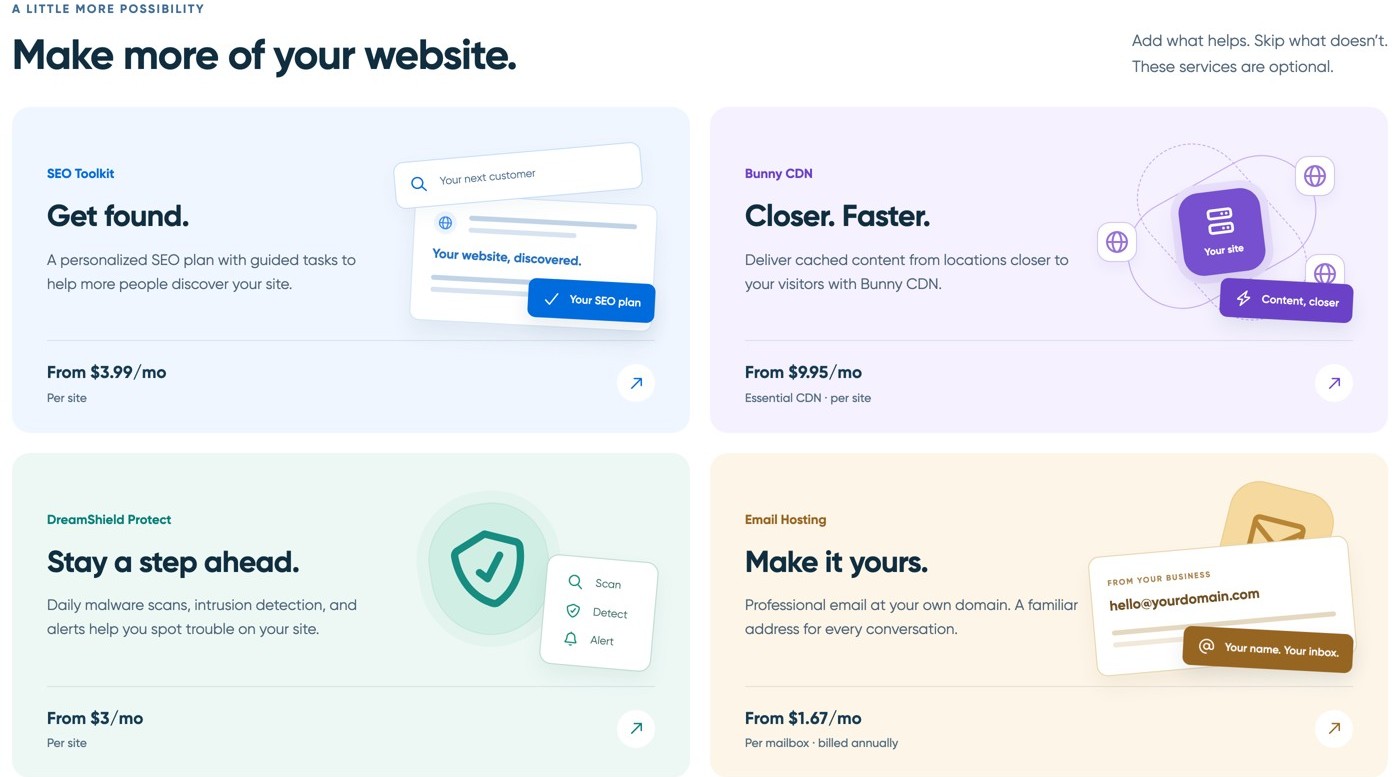
- No free email: mailboxes are free only during a 3-month trial, then cost from $1.67/month each.
The wide variety of hosting services that Dreamhost provides attracts people who want to use shared hosting to build their presence online. For those who wish to use a high-quality CMS (content management system), WordPress hosting is the ideal solution.
Contents
Technical Features

Score 3.9/5
DreamHost Website Builder

dreamhost templates Website coding is a demanding task that takes skill and patience. Even expert developers often struggle to write custom code for an online business.
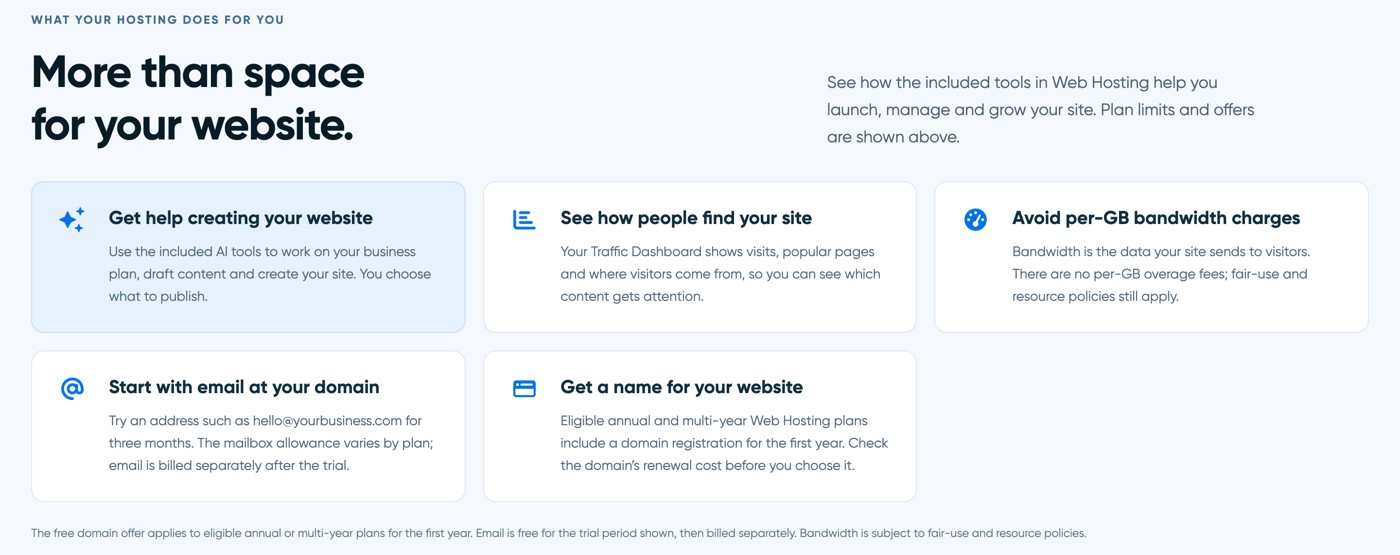
If you want to skip all this hassle, DreamHost’s website builder, Remixer, is the solution. It will help you skip all the difficult and detailed coding and get exactly where you wish to be. Remixer will help you design a customized website without having to spend a single second working on coding.
The first step in this process of designing your own website will be to find and then finalize the theme you want for your website. Online stores have a variety of prepared themes that fit many categories. These themes include all the usual features of e-commerce websites.
DreamHost’s themes and layouts adapt to the visitor’s device, so nobody gets a layout their device can't display.
Not only will DreamHost assist you in designing your own website and making it user-friendly, but it will also help you get over the first step to increase user traffic. Its SEO (search engine optimization) feature helps adjust and improve your site to get more traffic.
Most of the essential work in designing a website involves making adjustments to each page. DreamHost lets you handle this as well. With DreamHost, you can arrange the different elements and make changes to the size, font, colors, etc.
Domain name
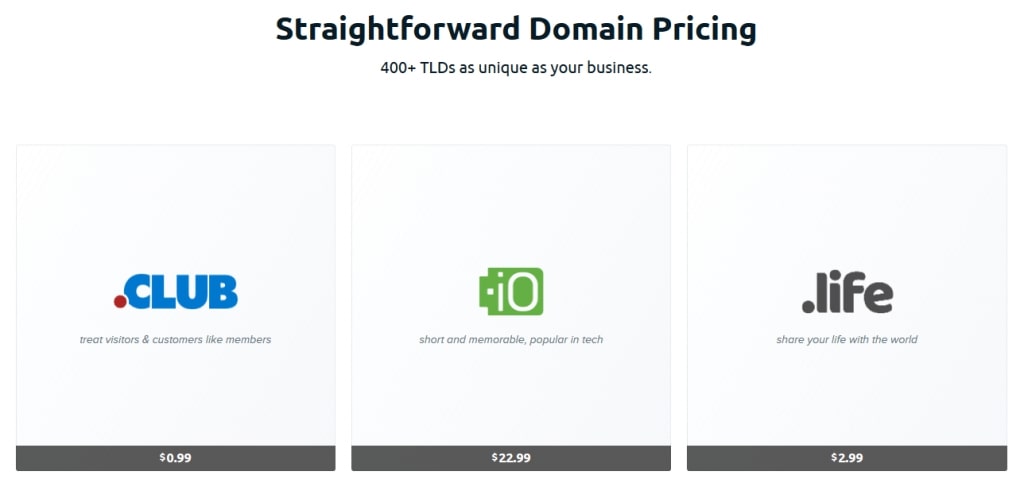
DreamHost will also provide you with a domain name, free of charge if you register for DreamPress or for an annual shared plan. The domain is free for the first year only.
The free domain doesn't come with DreamHost's VPS, Dedicated or Cloud plans, and it isn't unique to DreamHost.
Bluehost also gives you a domain name for free for the first year. Fastcomet shared hosting program also provides free domain names and this offer is valid for a lifetime.
You can, however, also use the option of getting a domain name whenever you need it. You can obtain a domain name for .net as well as .com and prices start at $7.99/year.
Disk space
According to DreamHost's pricing page (checked November 2026), the shared Web Hosting plans come with 25 GB of NVMe SSD storage on Launch, 50 GB on Growth and 100 GB on Scale, with 25, 50 and 100 websites. The managed WordPress plan DreamPress 1 lists 15 GB of NVMe storage.
If you need more room, the VPS plans add more, such as 60 GB of NVMe storage on the Managed VPS Business plan.
DreamHost Server Specs
DreamHost doesn't publish a CPU model, CPU cores or RAM for its shared plans. Instead, a process monitor stops scripts that use too much processor power or memory, counting all of your processes together. The exact limits aren't published, and Managed VPS, Dedicated and DreamPress plans aren't covered by this monitor.
If you outgrow shared hosting, the Managed VPS Business plan lists 2 cores and 2 GB of RAM with 60 GB of NVMe storage. The self-managed Stack 4 VPS lists 2 vCPU on AMD EPYC processors, 4 GB of RAM and 75 GB of NVMe storage.
E-mail addresses
DreamHost's web hosting plans don't include free email. Each plan comes with a 3-month trial of Professional Email (20 mailboxes on Launch, 40 on Growth and 60 on Scale), and after the trial, email is billed separately from $1.67 per mailbox a month, billed annually. Many cPanel hosts include email accounts in the plan, so count this cost when you compare prices. Next, let’s look at databases.
Databases
The number of databases is not limited with this provider. Usually, each site that needs a database gets one.
The provider makes use of MySQL, which is one of the most popular open-source database systems. This database system is suitable for different web applications. It is quite popular among web developers
Performance and Security

Score 3.0/5
DreamHost Speed Test Results (November 2026)
In November 2026, I load-tested 4 live websites hosted on DreamHost: 2 on shared hosting and 2 on VPS/cloud. Each site's hosting was verified from its server IP, and the table notes the technology each site runs on and the datacenter its server sits in, since both affect the result.
Most hosting reviews quote the cached speed, which is really the cache or CDN talking, not the host. I show both: the cached TTFB your visitors normally get, and the uncached TTFB with the page cache bypassed. The ranking uses server time (uncached TTFB minus the network round trip from the test location), because a cache can hide a slow server. Each hosting type's figure is the median of its sites.
| Hosting type | Website | Technology | Datacenter | Cached TTFB | Uncached TTFB | Server time |
|---|---|---|---|---|---|---|
| Shared | Game studio | WordPress | Ashburn, United States | 4 ms | 242 ms | 239 ms |
| Shared | Creative agency | WordPress | Hillsboro, United States | 346 ms | 4,515 ms | 4,447 ms |
| Shared median | 2 sites | 175 ms | 2,378 ms | 2,343 ms | ||
| VPS | Camping resort | WordPress | Ashburn, United States | 2,374 ms | 2,230 ms | 2,228 ms |
| VPS | Marketing agency | WordPress | Ashburn, United States | 56 ms | 1,266 ms | 1,263 ms |
| VPS median | 2 sites | 1,215 ms | 1,748 ms | 1,746 ms |
Test settings, November 2026: 5 virtual users for 2 minutes, at most 1 request per second, every second request with a unique query string to bypass the page cache. Live websites under light load, not a controlled benchmark of DreamHost's plans.
On server time the VPS/cloud sites answered faster, a median of 1,746 ms compared with 2,343 ms on shared. 3 of the 4 sites had an effective page cache, where the cached page came back well under the uncached time; on the others the cached and uncached figures are close, so the cache either isn't caching or ignores the query string. All 4 sites answered every request without an error.
What each site runs:
- Game studio: WordPress, Ashburn, United States
- Creative agency: WordPress, Hillsboro, United States
- Camping resort: WordPress, Ashburn, United States
- Marketing agency: WordPress, Ashburn, United States
Each hosting type has only 2 tested sites so far, so its median is less reliable. My Performance score for DreamHost uses the shared result, the plan type I recommend from DreamHost. The other type is shown for comparison and ranked separately on my benchmarks page.
Uptime figures will be added once the monitored site has 30 days of data.
DreamHost Under Load: 1 to 50 Visitors (November 2026)
The speed tests above use light traffic. For this test, k6 raised the number of visitors from 1 to 50 over 2 minutes, and every request skipped the page cache, so the server had to build every page. It puts real load on a live website, so I only run it on sites I manage or have permission to test, normally at a quiet hour for their visitors.
Each line is one website, every request uncached · k6 load from Ashburn, USA · November 2026 · lower is faster
- shared: game studio (Ashburn, United States)
- shared: creative agency (Hillsboro, United States)
- VPS/cloud: camping resort (Ashburn, United States)
- VPS/cloud: marketing agency (Ashburn, United States)
Server time = average TTFB in each 12-second window minus the network round trip to the site's server. Hover or tap the chart to see each site's value and the number of visitors at that moment.
| Hosting type | Website | Technology | Datacenter | Server time at 1-10 users | Server time at 40-50 users | Failed requests | Grade |
|---|---|---|---|---|---|---|---|
| Shared | Game studio | WordPress | Ashburn, United States | 293 ms | stopped at 36 users | 2.7% | E |
| Shared | Creative agency | WordPress | Hillsboro, United States | 2,015 ms | stopped at 32 users | 7.9% | E |
| VPS (comparison) | Camping resort | WordPress | Ashburn, United States | 3,527 ms | stopped at 23 users | 0% | E |
| VPS (comparison) | Marketing agency | WordPress | Ashburn, United States | 6,165 ms | stopped at 23 users | 0% | E |
Server time as the load rose to 40 to 50 visitors at once:
- Game studio (WordPress, Ashburn, United States): 293 ms → stopped at 36 users, grade E
- Creative agency (WordPress, Hillsboro, United States): 2,015 ms → stopped at 32 users, grade E
- Camping resort (comparison) (WordPress, Ashburn, United States): 3,527 ms → stopped at 23 users, grade E
- Marketing agency (comparison) (WordPress, Ashburn, United States): 6,165 ms → stopped at 23 users, grade E
Sites marked comparison run a different plan type and are not counted in the shared grade.
Grades use fixed limits on server time at 40 to 50 visitors:
- A: under 0.5 s
- B: under 1 s
- C: under 2 s
- D: under 4 s
- E: 4 s or more, more than 1% failed requests, or a test k6 had to stop
Real visitors mostly get cached pages, so this is the hard case: a traffic spike on pages the cache can't answer. Each site's technology, plan and plugins also affect the result.
This load grade counts in my DreamHost score. It's one of the three grades behind the host's benchmark rating and the Performance score of this review, next to server time and the slowest 5% of requests.
DreamHost Speed and Caching
At DreamHost, gzip and caching compression are on by default, so you don't have to change any settings.
If you experience any issues with the speed, you can check this article on how to speed up DreamHost.
Ease of Use

Score 3.8/5
DreamHost has a panel of its own and does not rely on any external panel for control. This panel comes free with every hosting package.
You can only use DreamHost's own panel, so it's worth learning how it works before you start.
You can move a site from cPanel, but only manually: DreamHost's panel can't import a cPanel backup, and its support won't do the import for you, so you upload the files and import the databases yourself.
That takes more work than moving a cPanel site to Bluehost or Hosting.com, which both use cPanel, so keep it in mind before you sign up.
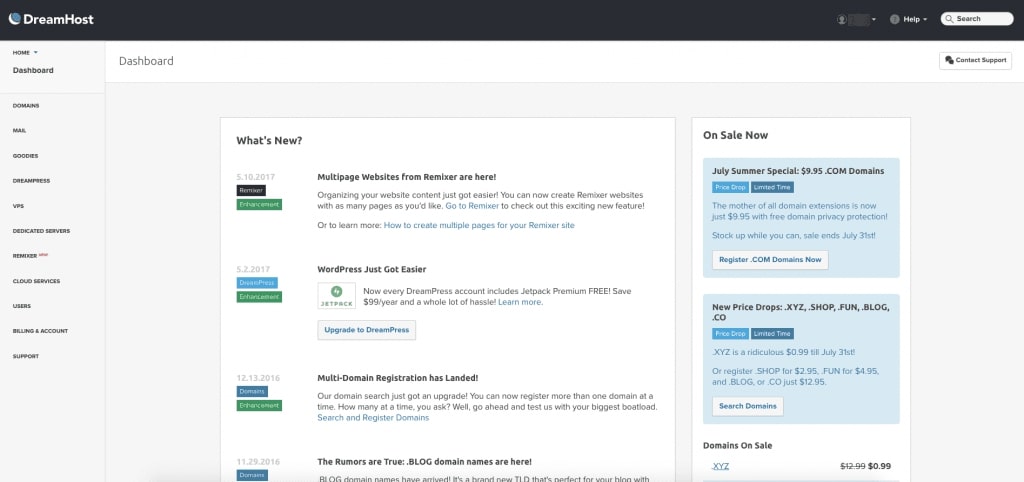
It can be a little trickier to use the custom panel of DreamHost for those who usually use cPanel, but not because the custom panel is any less intuitive.
Despite the slight difficulty, the provider is efficient, and with its ‘search function,’ you can easily do the basic work.
Price

Score 3.9/5
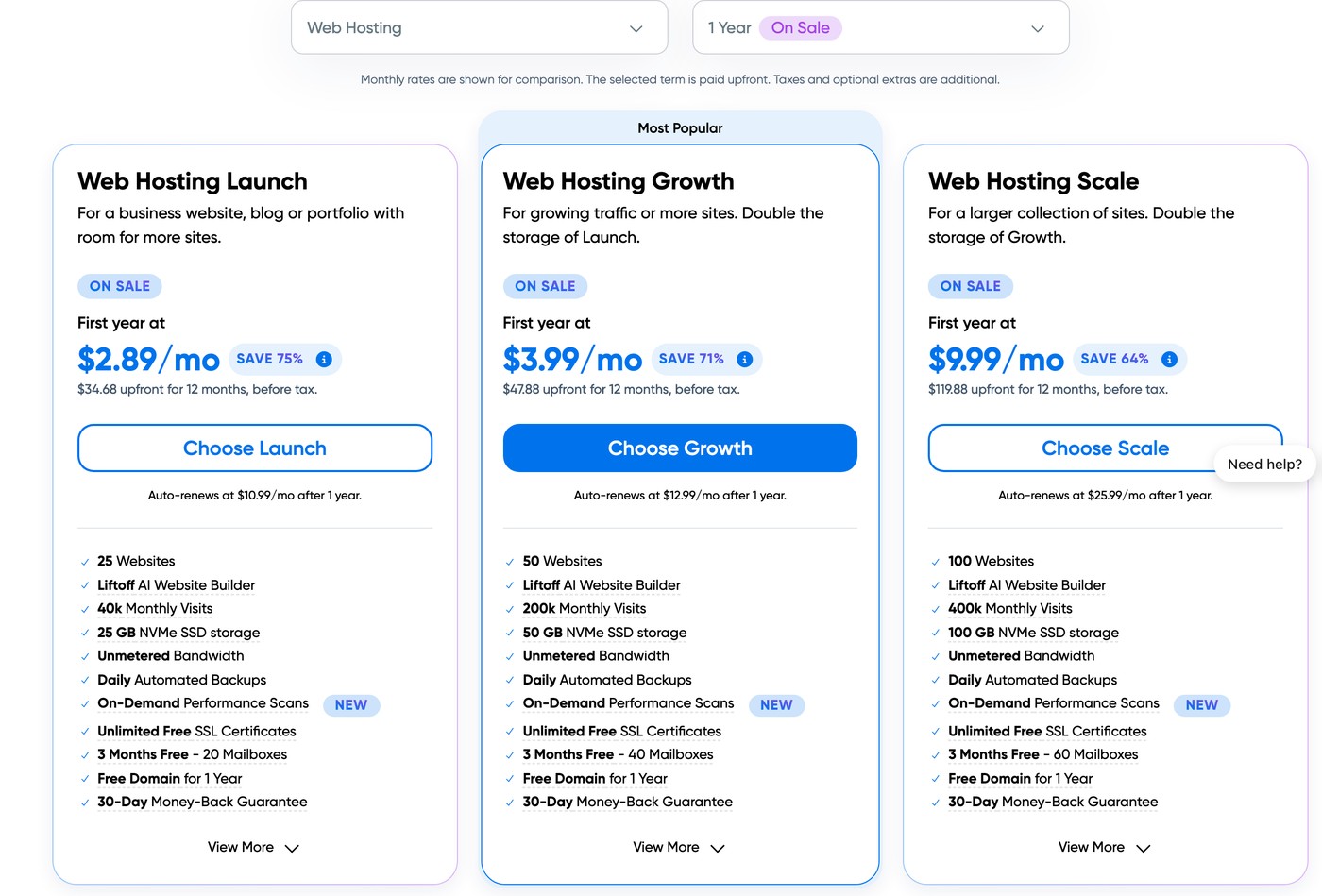
DreamHost has many hosting plans to choose from. The rates begin at $2.89 a month for the first year on the shared Launch plan, which renews at $10.99 a month, and go up to dedicated servers. At DreamHost, you can find plans for most budgets between these costs.
dreamhost pricing
dreamhost pricing details
Reliability and Support

Score 3.8/5

dreamhost live chat
DreamHost runs its support 24/7 by live chat and email, and in my own pre-sales chat (November 2026) a real agent joined within seconds. You can also open a ticket from the panel.
Live chat is open to customers and to pre-sales questions alike. There is no call-in phone line; phone help is a paid callback ($9.95 once, or $14.95 a month for three), available to customers in the US and Canada.
Customers comment that email can still be improved and they are not fully satisfied. They consider DreamHost still not as good as Hosting.com in this respect.
One security incident is worth knowing about: in 2021, security researchers reported an exposed DreamHost database with about 815 million records, including customer names and usernames (CyberTalk report). Whatever host you use, keep your own off-site backups.
What DreamHost support told me

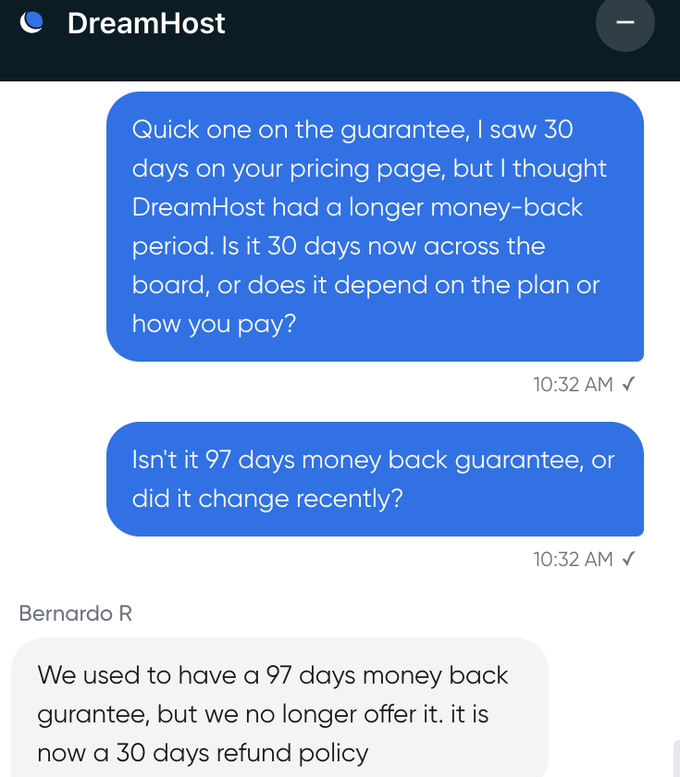
I opened a pre-sales chat with DreamHost in November 2026. A real agent joined within seconds and answered clearly, and where DreamHost's website and its current terms disagreed, the agent flagged it and linked the official page. A few things worth knowing from that chat, each checked against DreamHost's own pages:
- Data centers: DreamHost now runs four, not two. Alongside Ashburn (Virginia) and Hillsboro (Oregon), it opened Amsterdam in 2025 and Singapore in 2026, and you can ask support to move your account to any of them at no extra cost.
- VPS: the Managed VPS gives no root access and DreamHost handles its backups, while the newer self-managed Stack VPS adds full root and Docker but leaves backups to you.
- Money-back: the old 97-day guarantee is gone. It is now 30 days on website hosting paid by card or PayPal; VPS is excluded, though you get the unused time back as account credit.
- Phone: there is no call-in number. Phone help is a paid callback, for customers in the US and Canada.
Conclusion: Is Dreamhost Right for You?
DreamHost is very good at what it does. The prices are very reasonable, as well.
This provider, however, is not suitable for a very small budget and if it is your first time, you might have trouble. If you need a hosting option for one domain only, even in the future and you are on a tight budget, Hostinger or Bluehost might be a better option. Both offer good service with cheaper single-domain plans than DreamHost.
Dreamhost is a hosting site for individuals or businesses. It offers high-quality services at attractive rates. Its main strengths are strong uptime and a WordPress.org recommendation, not raw server speed.
Your reviews are important and protected. Hosts on WebHostingAdvices can't pay or offer incentives to hide them.