



 Tested by
HostGator is a reasonable budget host for US-focused small business sites and WordPress beginners who want cPanel and phone support on a cheap plan. Its cheapest plan, Hatchling, starts at $3.75/month on a 36-month term and now allows 10 websites, with a first-year domain, Cloudflare CDN and SSL thrown in.
The catch is the same as with most budget hosts: Hatchling renews at $10.99/month, and you can't move your site to another data center after signup. In this review, I look at what each HostGator plan includes today, what it costs after the first term, how support works, and who should pick another host.
Pros
- Low first-term prices, with a free domain for the first year.
- Free SSL, Cloudflare CDN and malware scanning on every shared plan.
- cPanel on shared hosting, plus SSH and WP-CLI access.
- Phone support from the Baby plan up.
- Cheap NVMe VPS plans with AMD EPYC processors.
- 10 data centers to choose from at checkout, from Virginia to Sydney.
Cons
- You can't change the data center after signup.
- In my support chat, two answers were written about Bluehost, not HostGator.
- Renewal prices are about 2 to 4 times the first-term rate.
- The best shared prices require a 36-month term.
- Hatchling has chat support only.
- No Windows shared hosting or Windows VPS.
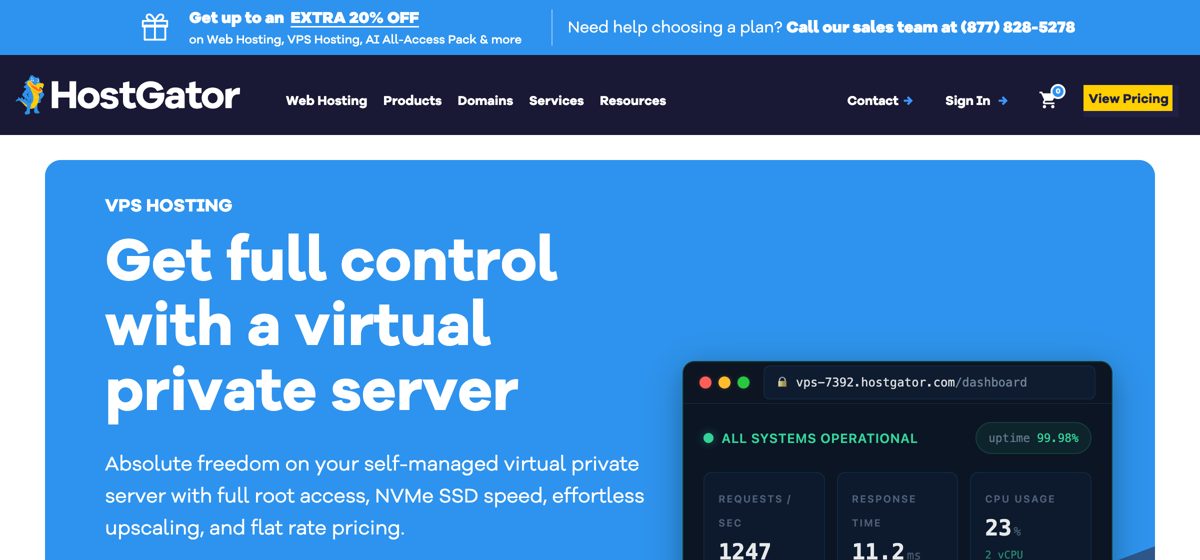
HostGator sells shared web hosting, WordPress hosting, eCommerce hosting, VPS servers, dedicated servers and reseller hosting from one customer portal. Shared plans still use cPanel, which keeps the setup familiar if you have hosted a site before.
Contents
Technical Features

Score 3.8/5
Disk space
Shared hosting is no longer unlimited. Hatchling gets 10 GB of SSD storage, Baby 20 GB, Business 50 GB and Pro 100 GB, and the WordPress plans follow the same steps.
The VPS plans use NVMe storage, from 50 GB on Snappy 1000 to 450 GB on Snappy 8000. Dedicated servers go up to 3 TB of NVMe storage on the Enterprise plan.
File count matters too. HostGator's terms say accounts with more than 200,000 inodes can affect server performance, and its automatic backups only cover accounts under 100,000 inodes. My guide to inode limits in shared hosting explains why. When I asked a HostGator sales agent in November 2026, she gave yet another figure, a 50,000 soft limit, in an answer written about Bluehost.
HostGator doesn't publish CPU cores or RAM for its shared plans. Its help center (checked November 2026) sets a 25% CPU limit per shared account instead. If a site stays above it for more than 90 seconds, HostGator starts serving a cached copy of the site until usage drops, so updates can take a while to appear.
In my November 2026 chat, a sales agent confirmed the 25% limit and added that each account can run 25 processes at once, with up to 512 MB of memory per PHP process. There's no total RAM figure for the account.
The VPS and dedicated servers use AMD EPYC processors with DDR5 RAM, according to HostGator's plan pages. The dedicated plans list 8, 16 or 32 CPU cores, but HostGator doesn't name the exact EPYC model or generation.
Email addresses
Shared plans include standard cPanel email: POP3 and IMAP mailboxes with SMTP, webmail, SpamAssassin and unlimited aliases and forwarders. HostGator also lists 25 mailing lists on its plan comparison.
Each plan also comes with a free trial of Professional Email, which renews at $2.99/month unless you cancel it. On shared hosting, outgoing mail is capped at 500 emails per hour, so use a dedicated email service for newsletters.
Bluehost and DreamHost offer similar email features on their shared plans. Next, let's look at databases.
Databases
HostGator's shared plans come with MySQL databases and phpMyAdmin in cPanel, and HostGator advertises updated PHP and MySQL versions. Its terms set practical limits: no more than 5,000 database tables, 10 GB of total database usage or 5 GB in a single database.
The plans support SSH, WP-CLI and cron jobs for scripts and maintenance tasks. If you run Node.js apps, read my article on whether HostGator supports Node.js first, because shared plans aren't the right fit.
Complete backups and advanced security

HostGator makes weekly courtesy backups of shared accounts that stay below 20 GB of data and 100,000 files (inodes). Each new backup replaces the last one, and its terms leave keeping your own backups up to you. A sales agent confirmed in November 2026 that Hatchling gets one backup a week, and that restoring it is free. Self-managed VPS plans have no HostGator backup schedule at all.
For more, HostGator sells a paid backup add-on. It used to be CodeGuard, and HostGator is moving those customers to a new partner, Xcitium, at their next renewal.
On the security side, every shared plan includes malware scanning and removal, a web application firewall and DDoS protection. Baby and higher plans get HostGator's AI-based malware defense, which adds brute-force login protection.
Website builder
HostGator's website builder is now powered by Bluehost, and you sign in to it through Bluehost's account page. The shared plans focus on WordPress, with free Yoast SEO and one-click installs.
If you want a drag-and-drop builder, the WordPress tools are where HostGator puts its effort now. A separate builder account makes sense only if you don't plan to use WordPress.
Performance and Security

Score 4.0/5
HostGator Speed Test Results (November 2026)
In November 2026, I load-tested 2 live websites hosted on HostGator, both on shared hosting. Each site's hosting was verified from its server IP, and the table notes the technology each site runs on and the datacenter its server sits in, since both affect the result.
Most hosting reviews quote the cached speed, which is really the cache or CDN talking, not the host. I show both: the cached TTFB your visitors normally get, and the uncached TTFB with the page cache bypassed. The ranking uses server time (uncached TTFB minus the network round trip from the test location), because a cache can hide a slow server. Each hosting type's figure is the median of its sites.
| Hosting type | Website | Technology | Datacenter | Cached TTFB | Uncached TTFB | Server time |
|---|---|---|---|---|---|---|
| Shared | Student care center | WordPress | Phoenix, United States | 200 ms | 420 ms | 364 ms |
| Shared | Physio & fitness studio | WordPress | Ashburn, United States | 233 ms | 221 ms | 219 ms |
| Shared median | 2 sites | 216 ms | 320 ms | 292 ms |
Test settings, November 2026: 5 virtual users for 2 minutes, at most 1 request per second, every second request with a unique query string to bypass the page cache. Live websites under light load, not a controlled benchmark of HostGator's plans.
The median server time was 292 ms across the 2 sites. One of the two sites had an effective page cache, where the cached page came back well under the uncached time; on the other the cached and uncached figures are close, so the cache either isn't caching or ignores the query string. Both sites answered every request without an error.
What each site runs:
- Student care center: WordPress, Phoenix, United States
- Physio & fitness studio: WordPress, Ashburn, United States
Each hosting type has only 2 tested sites so far, so its median is less reliable. My Performance score for HostGator uses the shared result. It is ranked against every other host on my benchmarks page.
Uptime figures will be added once the monitored site has 30 days of data.
HostGator Under Load: 1 to 50 Visitors (November 2026)
The speed tests above use light traffic. For this test, k6 raised the number of visitors from 1 to 50 over 2 minutes, and every request skipped the page cache, so the server had to build every page. It puts real load on a live website, so I only run it on sites I manage or have permission to test, normally at a quiet hour for their visitors.
Each line is one website, every request uncached · k6 load from Ashburn, USA · November 2026 · lower is faster
- shared: student care center (Phoenix, United States)
- shared: physio & fitness studio (Ashburn, United States)
Server time = average TTFB in each 12-second window minus the network round trip to the site's server. Hover or tap the chart to see each site's value and the number of visitors at that moment.
| Hosting type | Website | Technology | Datacenter | Server time at 1-10 users | Server time at 40-50 users | Failed requests | Grade |
|---|---|---|---|---|---|---|---|
| Shared | Student care center | WordPress | Phoenix, United States | 220 ms | 8,263 ms | 0.3% | E |
| Shared | Physio & fitness studio | WordPress | Ashburn, United States | 206 ms | 3,982 ms | 0% | D |
Server time as the load rose to 40 to 50 visitors at once:
- Student care center (WordPress, Phoenix, United States): 220 ms → 8,263 ms, grade E
- Physio & fitness studio (WordPress, Ashburn, United States): 206 ms → 3,982 ms, grade D
Grades use fixed limits on server time at 40 to 50 visitors:
- A: under 0.5 s
- B: under 1 s
- C: under 2 s
- D: under 4 s
- E: 4 s or more, more than 1% failed requests, or a test k6 had to stop
Real visitors mostly get cached pages, so this is the hard case: a traffic spike on pages the cache can't answer. Each site's technology, plan and plugins also affect the result.
This load grade counts in my HostGator score. It's one of the three grades behind the host's benchmark rating and the Performance score of this review, next to server time and the slowest 5% of requests.
HostGator Uptime Guarantee
HostGator's homepage advertises 99.9% uptime, and its VPS page mentions a 99.99% uptime guarantee. Its current Terms of Service (last modified June 10, 2026) don't spell out a credit for missed uptime, so ask support how compensation works before you rely on it.
A guarantee isn't measured uptime, so check independent monitoring or reviews if uptime matters a lot to you.
For location, HostGator.com now lets you pick from 10 data centers at checkout, in North America, South America, Europe, Asia and Australia, so choose the one closest to your visitors. You can't change it after signup. My guide to HostGator's data center locations covers the country brands that run their own servers.
Ease of use

Score 4.2/5
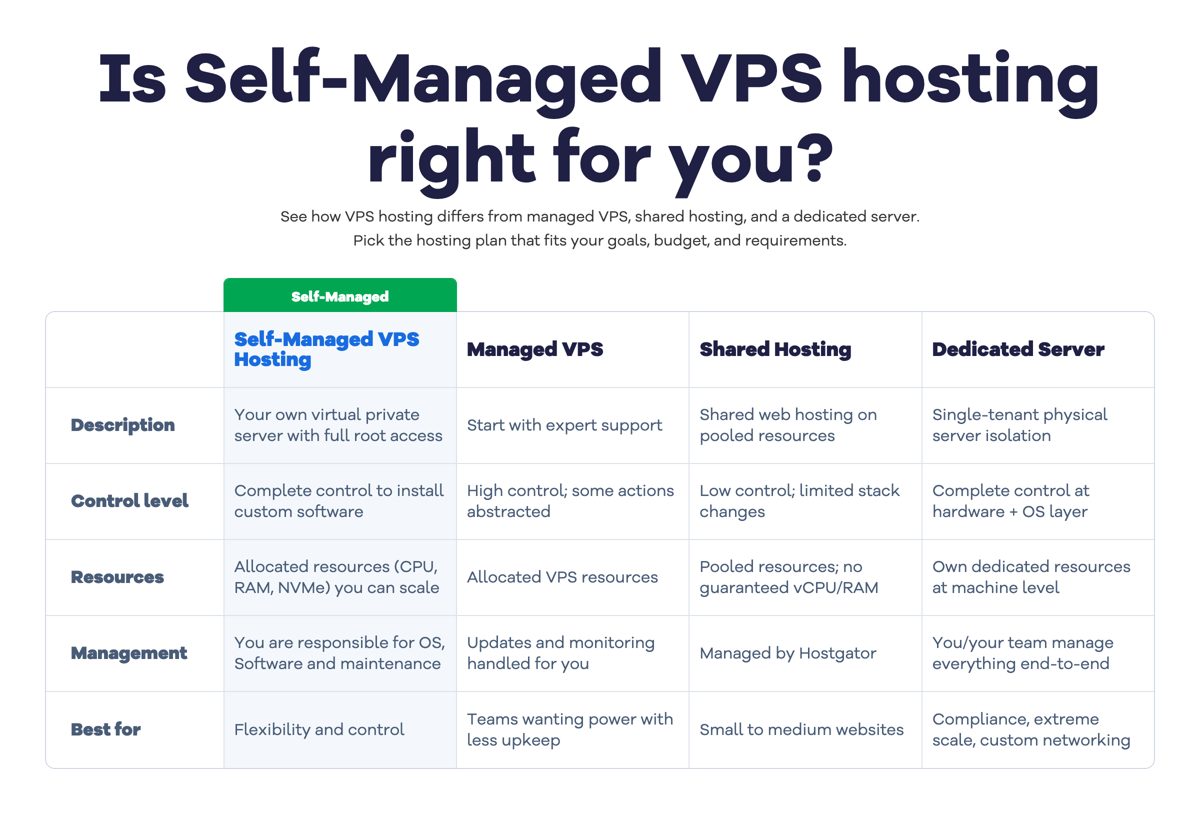
HostGator is easy for beginners on shared hosting. You manage billing and domains in the HostGator Portal, and the website itself in cPanel, with one-click installs for WordPress and other apps.
If you have questions, the knowledge base and video tutorials cover most setup tasks. Phone support from the Baby plan up helps if you prefer to talk to someone.
The VPS is a different story. Self-managed plans give you root access and one-click templates for apps like Claude Code, n8n and Ghost, or panels like cPanel and CloudPanel, but you maintain the server yourself. If that's new to you, the Managed VPS is the safer choice.
Price

Score 3.7/5
Details
HostGator shows its lowest prices on long terms paid upfront: 36 months for shared hosting and 24 months for VPS. The discount applies to the first invoice only, and the plan then renews at the regular rate.
There's no free trial. Instead, hosting fees are covered by a 30-day money-back guarantee, which doesn't apply to monthly terms.
Hostgator has the following shared hosting plans:
| Plan | Websites | Storage | 36 months | Renewal |
|---|---|---|---|---|
| Hatchling | 10 | 10 GB SSD | $3.75/mo | $10.99/mo |
| Baby | 20 | 20 GB SSD | $4.50/mo | $16.49/mo |
| Business | 50 | 50 GB SSD | $6.25/mo | $21.99/mo |
| Pro | 100 | 100 GB SSD | $13.95/mo | $29.69/mo |
The 36-month Hatchling term costs $135 upfront. Baby is the better value for most people, since it adds phone support, AI malware defense and twice the space for $0.75/month more.
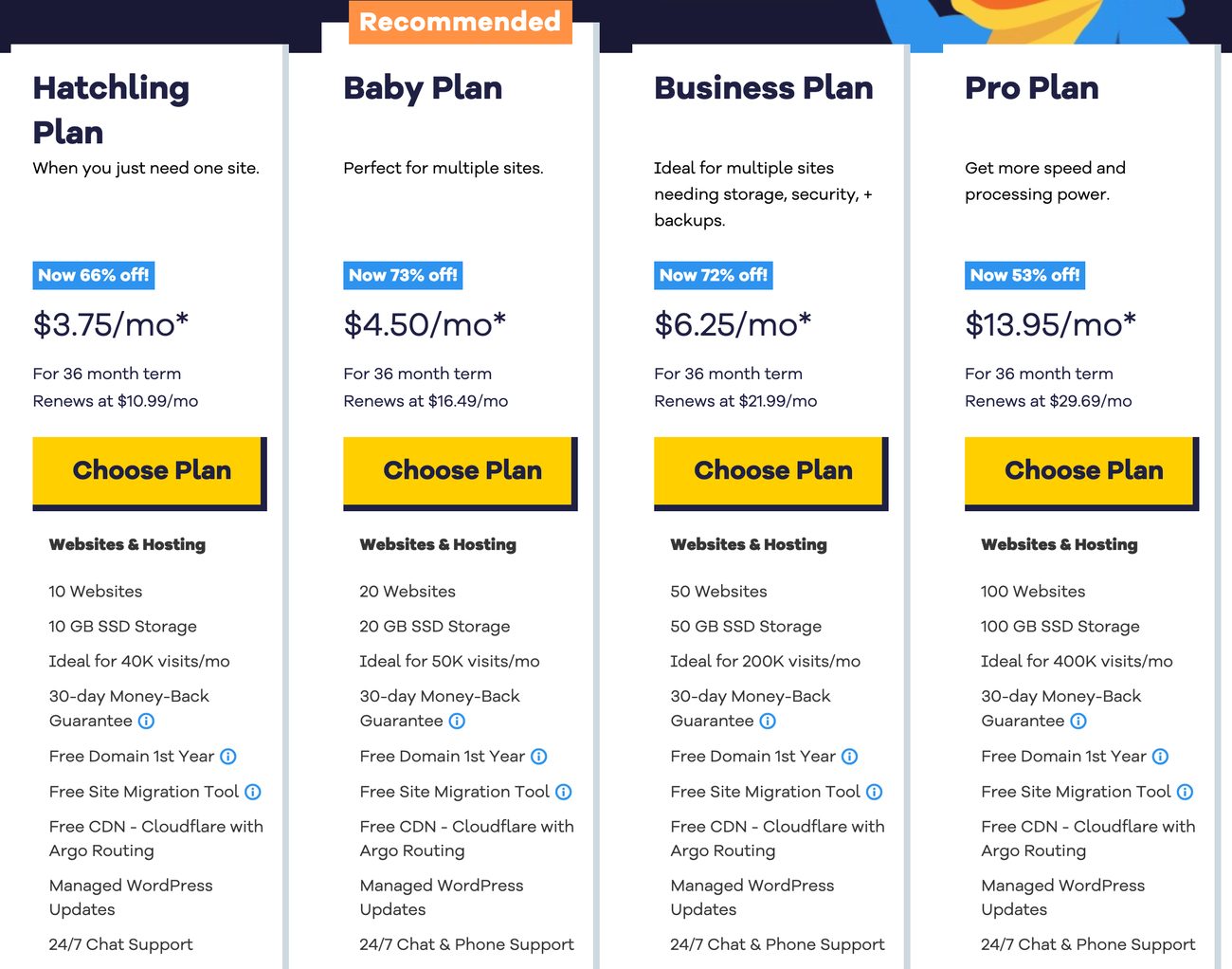
HostGator shared hosting plans (November 2026).
HostGator VPS plans (24-month term):
| Plan | Resources | 24 months | Renewal |
|---|---|---|---|
| Snappy 1000 | 1 vCPU, 2 GB RAM, 50 GB NVMe | $3.82/mo | $4.95/mo |
| Snappy 2000 | 2 vCPU, 4 GB RAM, 100 GB NVMe | $8.49/mo | $9.35/mo |
| Snappy 4000 | 4 vCPU, 8 GB RAM, 200 GB NVMe | $12.49/mo | $18.70/mo |
| Snappy 8000 | 8 vCPU, 16 GB RAM, 450 GB NVMe | $25.99/mo | $39.53/mo |
The VPS renewals are much closer to the first-term price than on shared hosting. Remember that cPanel isn't included on the self-managed VPS.
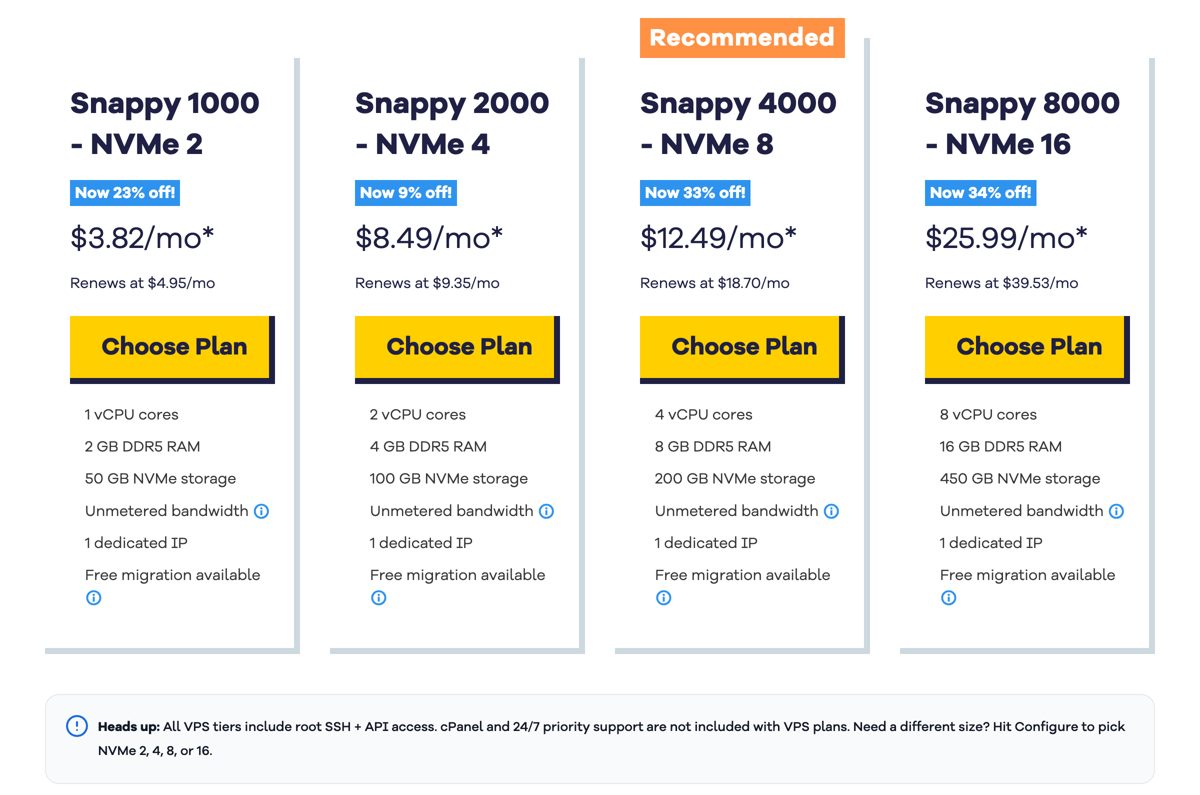
HostGator self-managed VPS plans (October 2026).
HostGator dedicated servers (36-month term):
| Plan | Resources | 36 months | Renewal |
|---|---|---|---|
| Value (NVMe 32) | 8 cores, 32 GB DDR5 RAM, 1 TB NVMe | $144.19/mo | $191.79/mo |
| Power (NVMe 64) | 16 cores, 64 GB DDR5 RAM, 2 TB NVMe | $205.52/mo | $279.37/mo |
| Enterprise (NVMe 128) | 32 cores, 128 GB DDR5 RAM, 3 TB NVMe | $294.77/mo | $401.77/mo |
Every plan runs on AMD EPYC processors and includes unmetered bandwidth and 3 dedicated IPs. You choose Linux with cPanel/WHM or Windows with Plesk, the only Windows option HostGator still sells.
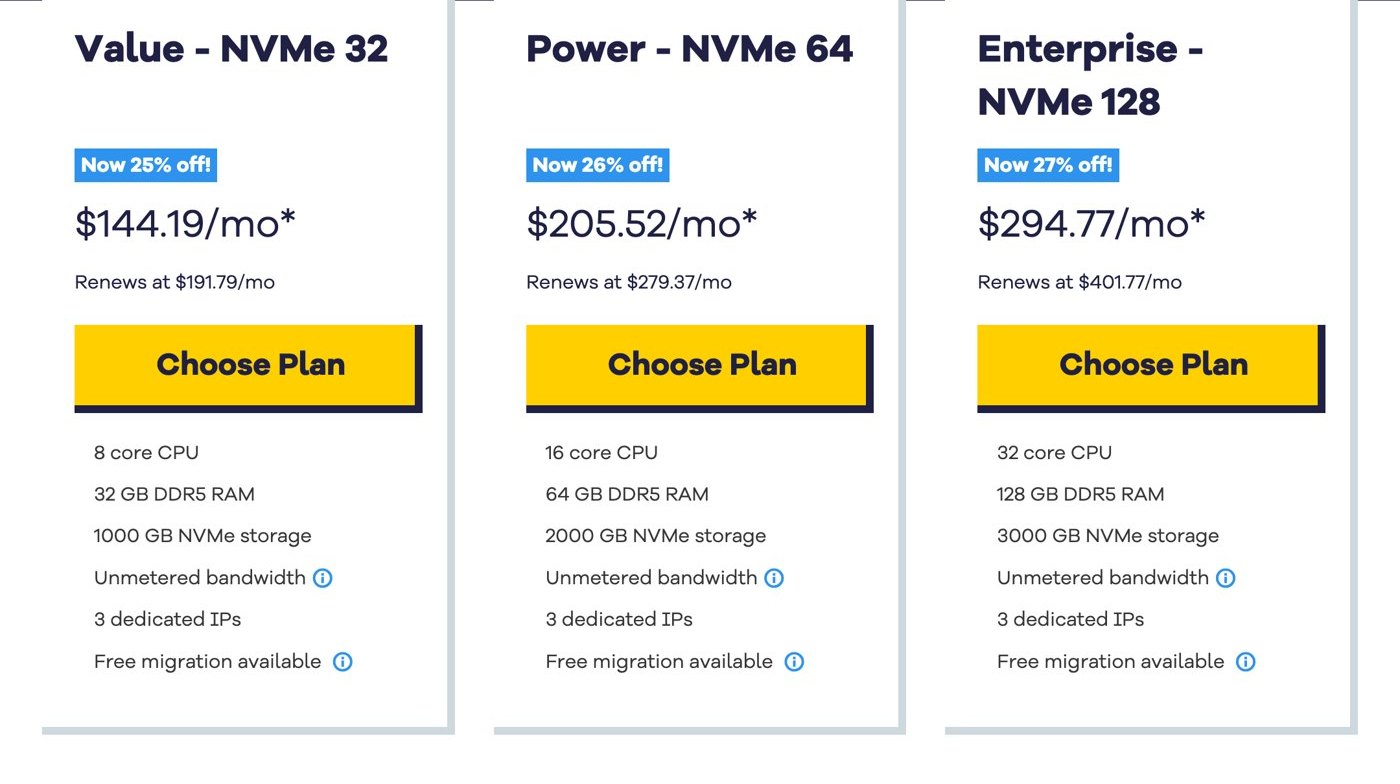
HostGator dedicated server plans on November 14, 2026.
Other features and options:
- Easy registration: you pick a plan, a term and a domain, and the add-ons are shown before payment.
- Payment methods: the money-back guarantee applies to credit card and PayPal payments.
- Hidden Fees and Clauses: shared accounts may not use 25% or more of system resources for longer than 90 seconds. Cancel during the first year and the domain fee comes out of your refund.
- Inode limit: accounts with more than 200,000 inodes can affect server performance, and backups stop at 100,000.
- Deals: HostGator runs frequent promotions, such as the "extra 20% off" banner on its site in late October 2026, so the first-term price changes often.
- Control panel: cPanel on shared hosting, plus the HostGator Portal for billing.
- Installing software and CMS such as (WordPress, Joomla, etc.): one-click installs from cPanel.
- SEO Tools: HostGator sells paid SEO tools and SEO services. GoDaddy sells a similar service, covered in my GoDaddy SEO review.
There are a couple of other features you will get with Hostgator:
- Free domain for the first year on 12, 24 and 36-month terms. My page on the HostGator free domain explains the conditions.
- Free site migration tool on shared plans, and free cPanel-to-cPanel migration on VPS and dedicated orders of 12 months or more.
- Free Yoast SEO plugin and a free trial of Professional Email.
Reliability and support

Score 3.4/5
HostGator offers 24/7 live chat on every shared plan. Phone support is included from the Baby plan up, while Hatchling customers get chat only.
The contact page lists a toll-free US line, a local number and an international number, plus the knowledge base and video tutorials. HostGator also has an X account, @HGSupport.
Support scope depends on the product. Self-managed VPS plans are self-supported, and HostGator sells premium support separately, while the Managed VPS includes 24/7 support from its team.
On Trustpilot, HostGator had a 4.6 TrustScore from about 18,000 reviews on October 29, 2026, and many recent reviews praise quick fixes from chat agents. Older reviews there mention long waits during harder troubleshooting and confusing renewal charges.
Keep in mind how many of those reviews start. At the end of my own chat, the agent asked me to rate her 5 out of 5, and the Trustpilot link only appeared after I had given top ratings.
My support test (November 2026)
On November 14, 2026, I asked HostGator's sales team nine questions in live chat before signing up. The assistant only asked my name, and an agent, Chaya, joined 15 seconds later.
That fast start didn't mean fast answers. Her first replies were a welcome message, a request to enable sound and a hold. The first real answer came more than 5 minutes after my question, and later answers took between 1 and 6.5 minutes.
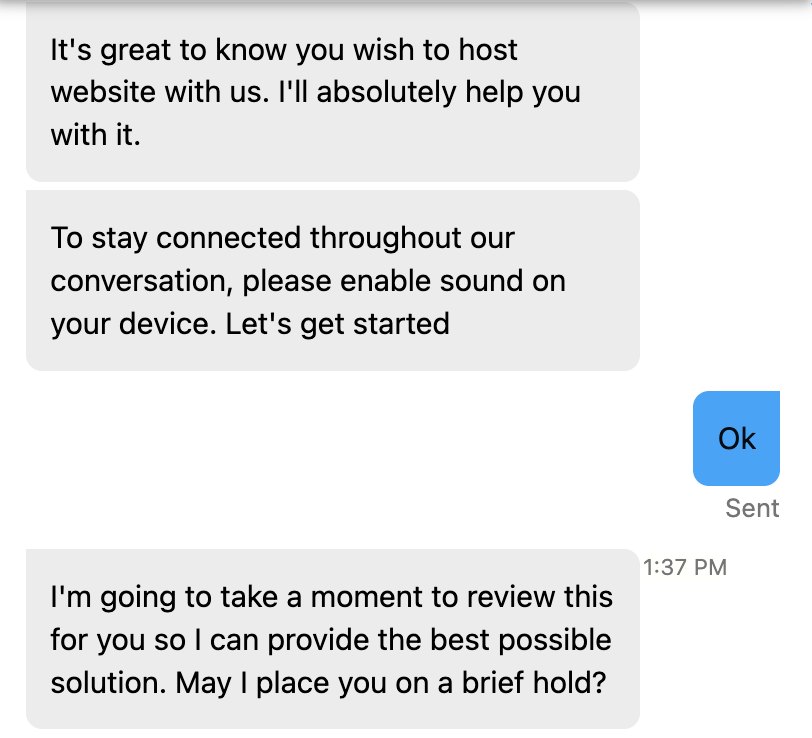
The agent's first replies to my inode question: a welcome line, a request to enable sound, then a hold (chat time shown in UTC+7).
Two answers were about the wrong company. Asked about HostGator's inode limit and its bandwidth policy, she replied with text that named Bluehost, HostGator's sister brand, twice each time. The second came after I had already pointed out the first, so nobody checked those replies before sending them.
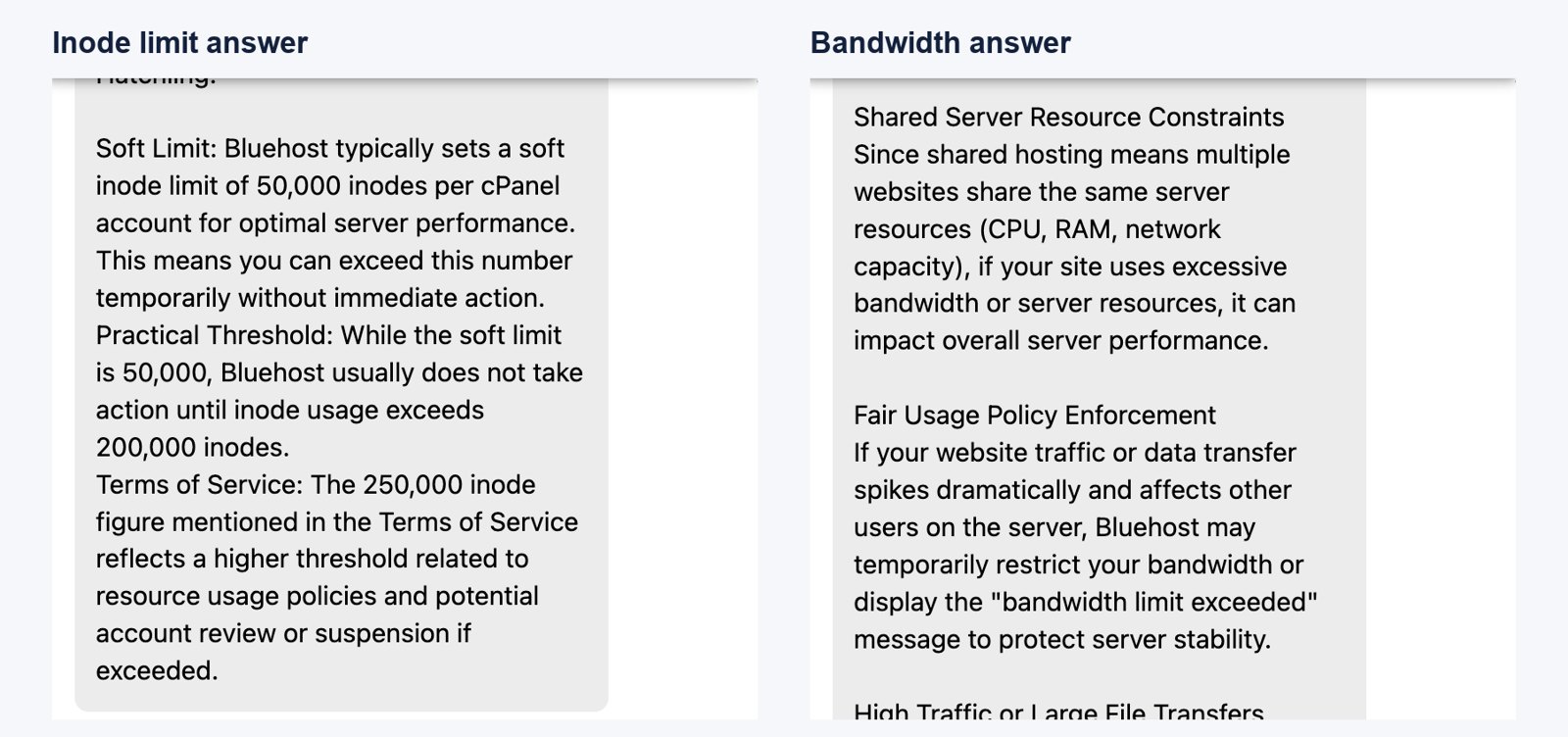
Two of the agent's answers in my HostGator chat, both naming Bluehost instead of HostGator (November 14, 2026).
| Question | Answer |
|---|---|
| Inode limit (Hatchling) | 50,000 soft, action above 200,000 (answer written about Bluehost) |
| CPU and processes | 25% of the server for up to 90 seconds, 25 processes at once |
| Memory | 512 MB per PHP process, no total RAM figure |
| Backups | One backup a week, free to restore |
| Data center | Chosen at signup, can't be changed later |
| New accounts | Set up right away, with a background fraud check that can block the account |
She also asked twice whether there was "anything else" while one of my questions was still open. The answers on CPU, backups and data centers were useful, but I wouldn't rely on HostGator's chat for limits without checking the help center too.
Conclusion: Is Hostgator Right for You?
HostGator is a fair choice for small business sites, first WordPress projects and cPanel users on a budget. Baby is the plan I'd look at first, because phone support and the extra space are worth the small price difference over Hatchling.
The main drawbacks are renewal prices that are 2 to 4 times the first-term rate and support answers you should double-check. The data center choice is better than it used to be, with 10 locations at checkout, but you can't change it after signup.
If you need faster support or more advanced WordPress tools, compare HostGator with SiteGround or Bluehost before you commit to a long term.
I recommend HostGator mainly for its low first-term prices, cPanel and 24/7 chat support. Just plan for the renewal price from the start.
Your reviews are important and protected. Hosts on WebHostingAdvices can't pay or offer incentives to hide them.