


 Tested by
Cloudways is a managed cloud hosting platform owned by DigitalOcean. You pick a server on DigitalOcean, Vultr, Linode (Akamai), AWS or Google Cloud, and Cloudways installs, patches, secures and supports it for you. This Cloudways review is written for people whose sites need more than a shared plan, but who would rather not manage a server.
Prices start at $11 per month for a 1GB DigitalOcean server, billed by the hour with no contract. Cloudways itself recommends 2GB or more for live sites, so most people will actually start at $24 to $28 per month. I use Cloudways on Vultr for my Canadian clients and for some of my own sites, so parts of this review come from that work.
Overall score weights: Performance 30%, Price 20%, Support 20%, Features 15%, Ease of use 15%. Performance comes from my benchmark rating.
Pros
- Choice of 5 cloud providers and about 135 server locations.
- No website limit per server.
- Hourly, pay-as-you-go billing with no contract.
- 5-day free trial without a credit card (a phone check instead).
- Free staging, Let's Encrypt SSL, Redis and server firewall.
- 24/7 live chat and tickets on every plan.
Cons
- 1GB servers are meant for testing only.
- AWS and Google Cloud get expensive fast.
- No email hosting, no cPanel, no file manager.
- Backup storage, CDN and malware cleaning cost extra.
- Phone support only on the $500/month Premium add-on.

Cloudways sits between shared hosting and a self-managed cloud server. You get your own cloud server with its own allocation of RAM and vCPUs, and Cloudways handles the operating system, web stack, firewall and backups through its own control panel.
Prices, plans, support chats and test results on this page were checked in November 2026.
Contents
Technical Features

Score 4.4/5
A real server instead of a shared account
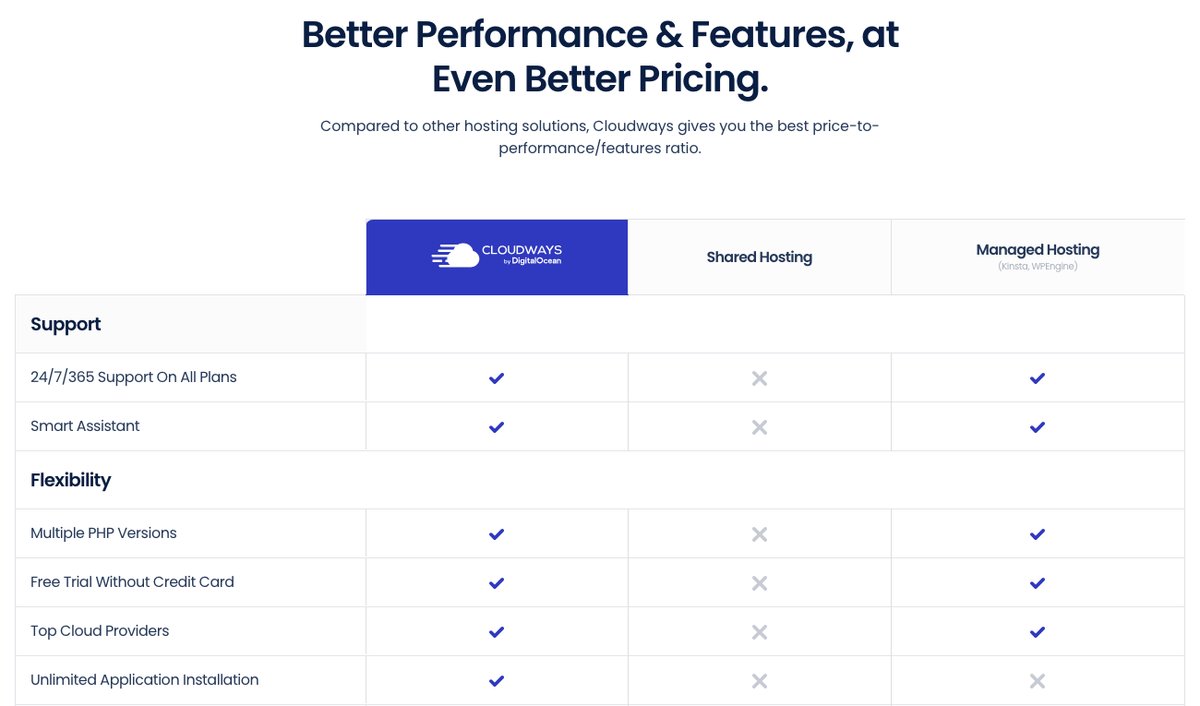
The main difference from shared hosting is that your sites run on their own cloud server. Nobody else's site uses the RAM and vCPUs you pay for (on Standard and High Frequency servers, those vCPUs run on shared host CPUs at the cloud provider), and there are no inode or CPU-second limits like on a shared plan.
That is why I moved some of my clients from SiteGround to Cloudways. They kept hitting resource limits on their shared plans, and on a Cloudways server the only limit is the size of the server you choose.
The Lightning Stack
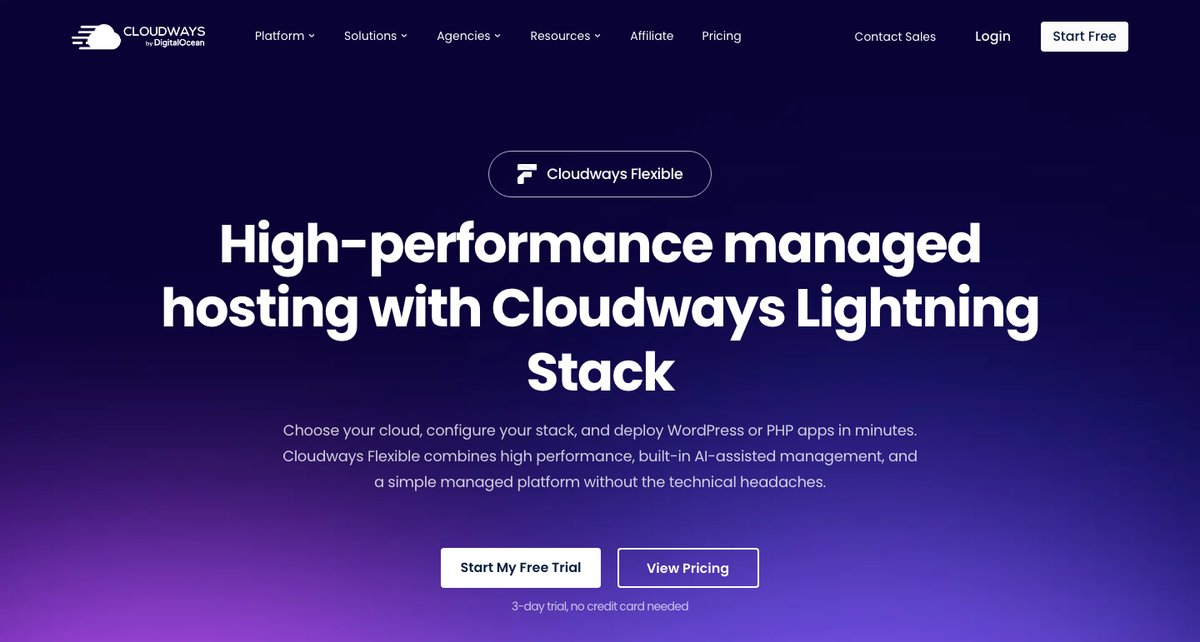
In November 2025 Cloudways launched the Lightning Stack, an NGINX + PHP-FPM setup that replaces the older NGINX + Apache hybrid. It is free, available on every Flexible server, and aimed at dynamic sites like WooCommerce stores, membership sites and LMS platforms.
The catch is that .htaccess files no longer work on Lightning. Cloudways added Web Rules, a panel for redirects, rewrites and headers, which it says covers about 80% of real-world .htaccess use. Sites that depend on complex Apache rules can stay on the Hybrid Stack.
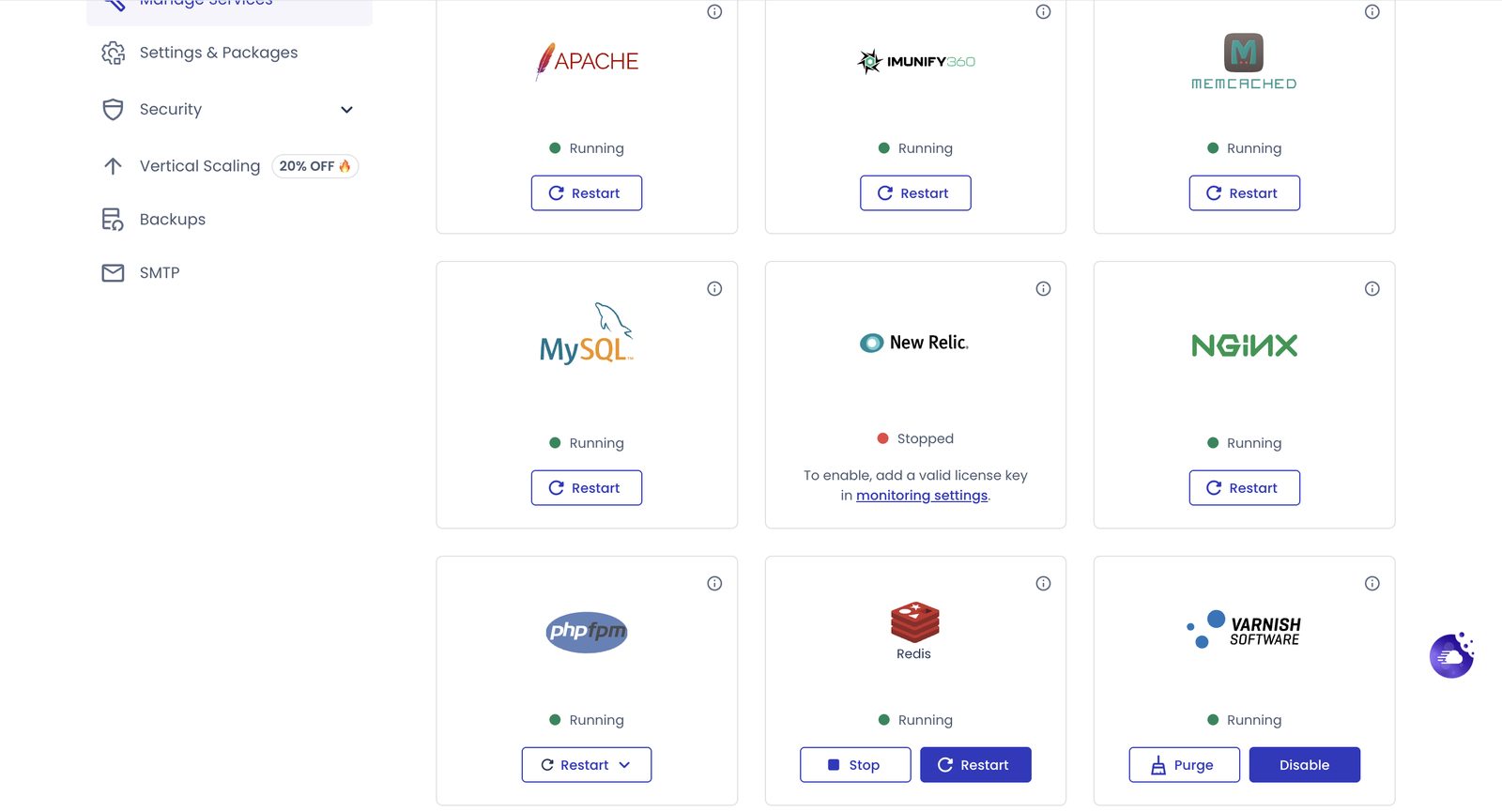
On one of my own servers, the Manage Services page lists each part of the stack with its status: Nginx, Apache, PHP-FPM, MySQL, Varnish, Redis, Memcached and the Imunify360 firewall, each with its own restart button.
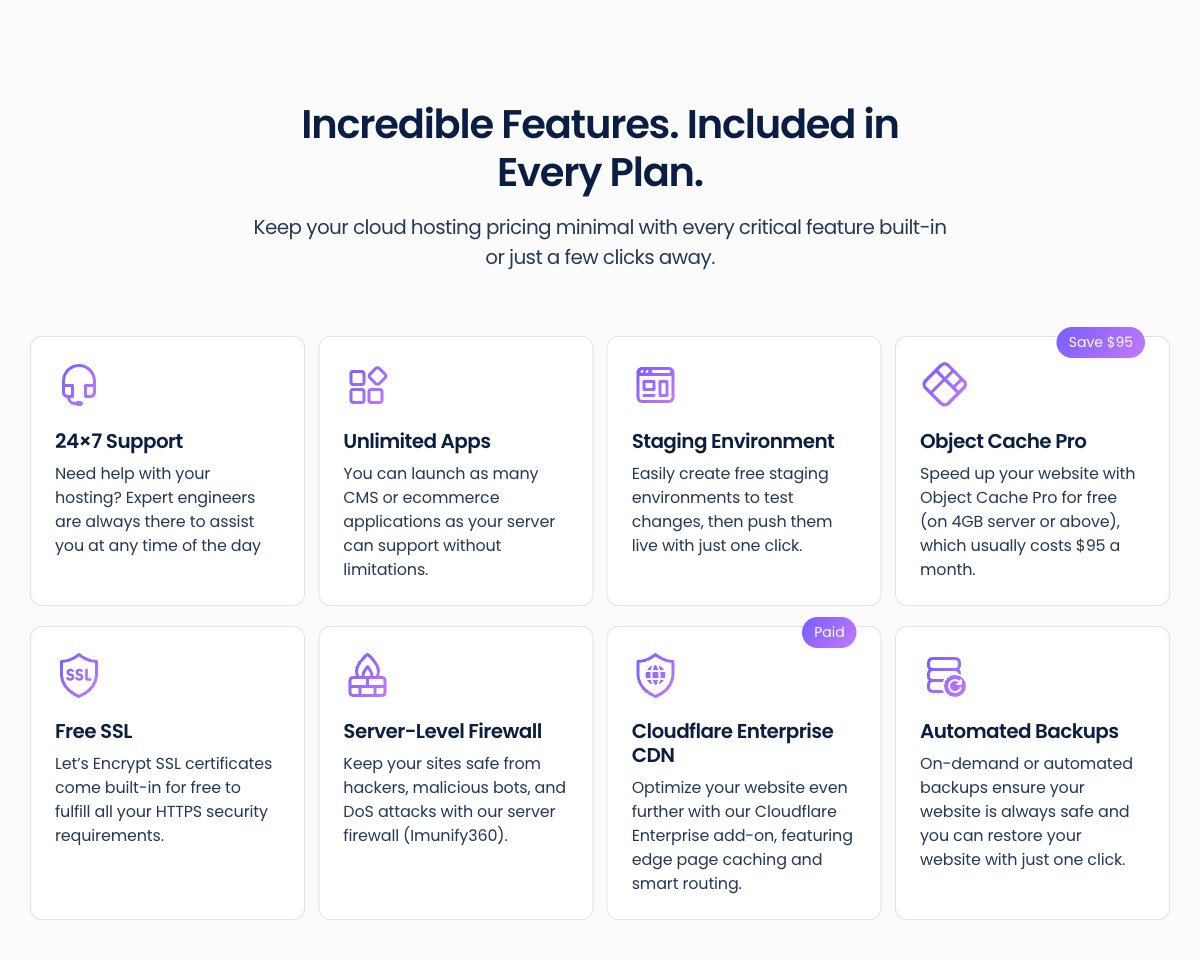
Features included on every Flexible server
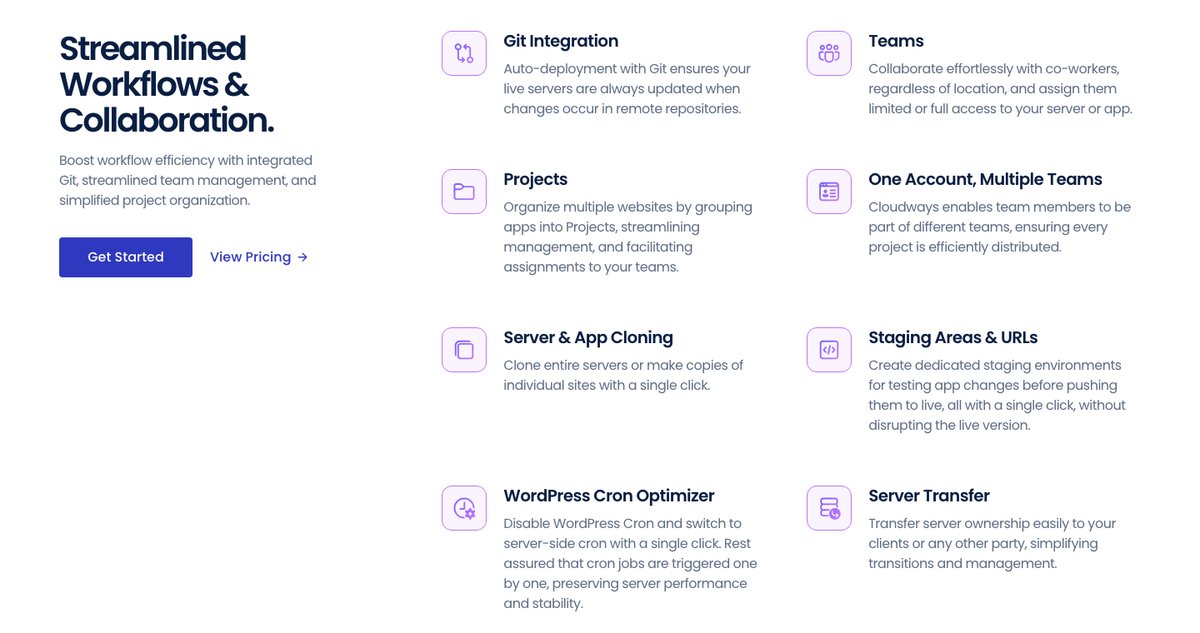
- Unlimited applications per server
- One-click staging and cloning
- Free Let's Encrypt SSL
- Redis and Object Cache Pro, free and pre-installed on Cloudways-optimized WordPress and WooCommerce apps
- Imunify360 server-level firewall with IP and country blocking
- Automated and on-demand backups
- Vertical scaling in a few clicks
- Free WordPress vulnerability scanner
- Git deployment, SSH and SFTP access
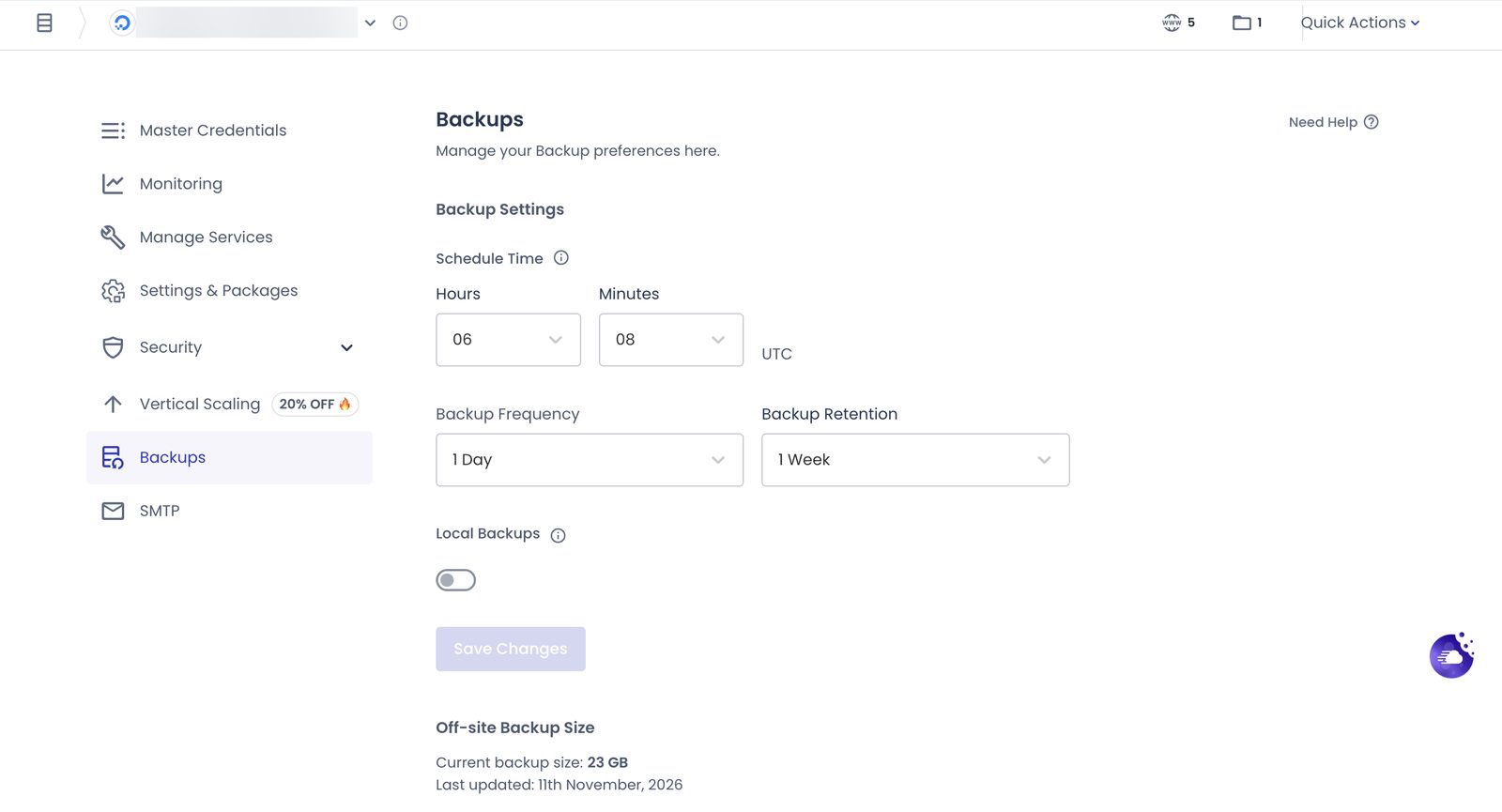
On my servers, backups run once a day at a time I set (in UTC) and are kept for 1 week. A Take Backup Now button makes an extra copy before big changes.
Paid add-ons
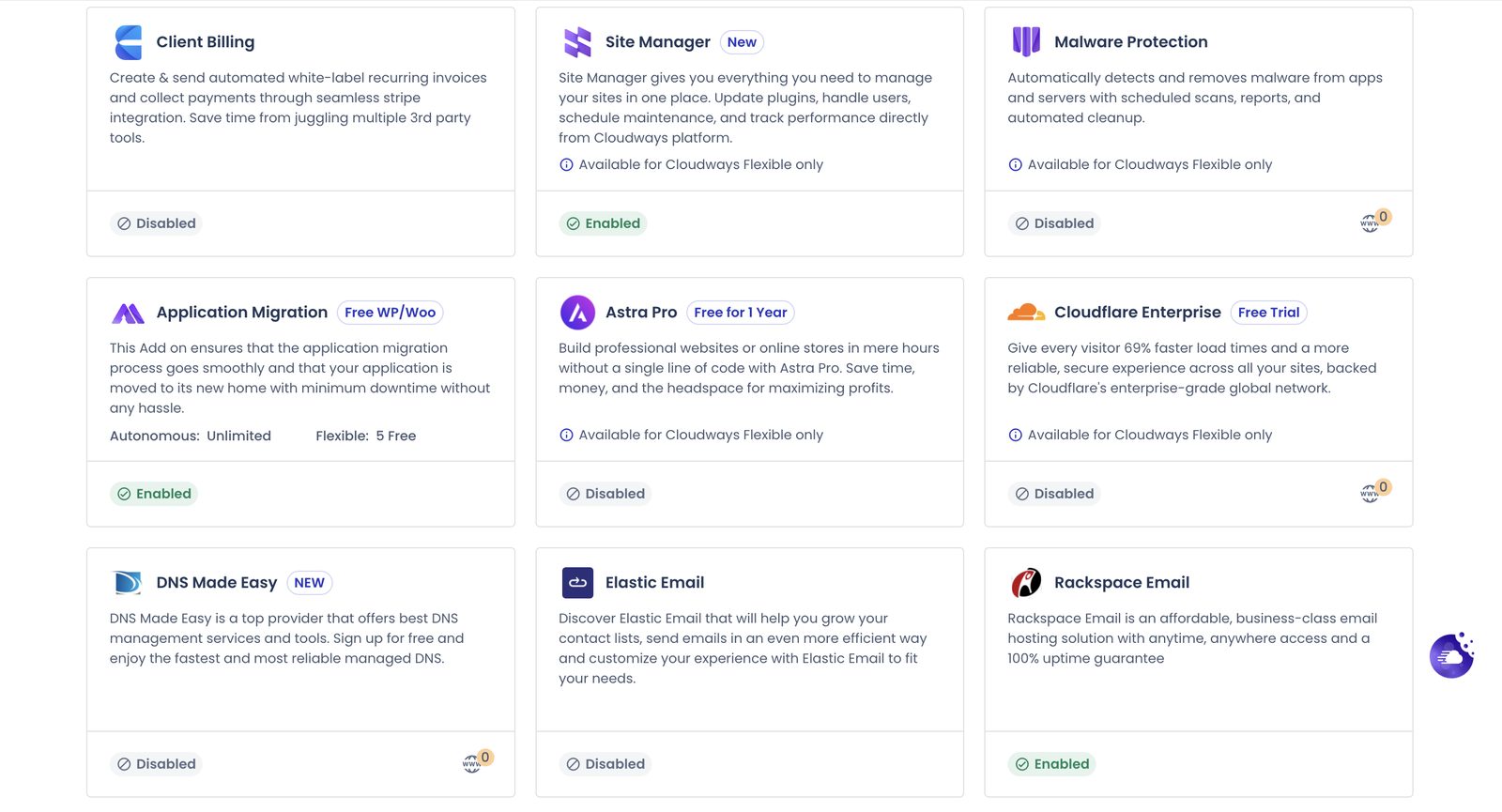
Several things that other hosts bundle are add-ons here. Cloudflare Enterprise costs $4.99 per domain per month for fewer than 5 domains, dropping to $1.99 per domain at 25 or more, plus $0.20 per 10GB of CDN overage.
- Email: Rackspace Email at $1.50 per mailbox per month (Cloudways has no built-in email hosting)
- Malware Protection: $4 per app per month (1-5 apps), $3 (6-15 apps), $2 (15+ apps)
- SafeUpdates: automated WordPress updates with testing, $3 per app per month ($2 from 6 apps)
- Site Manager: multi-site WordPress dashboard, Basic plan free, Pro $3 per app per month ($2 per app from 5 apps)
- DNS Made Easy: $0.50 per domain per month
For developers, Cloudways now also offers Velocity for Node.js apps and a free migrator plugin for WordPress. If you compare it with a panel that only manages your own server, my Cloudways vs ServerPilot comparison explains where each one fits.
Performance and Security

Score 3.8/5
Cloudways Speed Test Results
In November 2026, I tested 2 websites on Cloudways, both on managed hosting: a customer's WordPress site on a Cloudways server at Vultr, and my own Cloudways server, which I set up on the free trial (DigitalOcean, New York, 4 GB RAM, a fresh WordPress install with Cloudways' default settings: Varnish and the Redis-based Object Cache Pro switched on). The customer site's hosting was verified from its server IP, and the table notes the technology each site runs on and the datacenter its server sits in, since both affect the result.
Most hosting reviews quote the cached speed, which is really the cache or CDN talking, not the host. I show both: the cached TTFB your visitors normally get, and the uncached TTFB with the page cache bypassed. The ranking uses server time (uncached TTFB minus the network round trip from the test location), because a cache can hide a slow server. Each hosting type's figure is the median of its sites.
| Hosting type | Website | Technology | Datacenter | Cached TTFB | Uncached TTFB | Server time |
|---|---|---|---|---|---|---|
| Managed (DigitalOcean) | My own trial server | WordPress | New York, United States | 19 ms | 278 ms | 270 ms |
| Managed (Vultr) | Financial firm | WordPress | San Jose, United States | 111 ms | 339 ms | 272 ms |
| Managed median | 2 sites | 65 ms | 308 ms | 271 ms |
Test settings, November 2026: 5 virtual users for 2 minutes, at most 1 request per second, every second request with a unique query string to bypass the page cache. Live websites under light load, not a controlled benchmark of Cloudways' plans.
The median server time was 271 ms across the 2 sites, and the two servers were almost level (270 and 272 ms). Both sites sit behind Cloudways' Varnish cache, and on both the cached page came back far faster than the uncached one (19 and 111 ms). Both sites answered every request without an error.
My trial server runs a fresh WordPress install with no visitors, so it shows what a new Cloudways server can do. The uncached figure skips Varnish but still uses Object Cache Pro, which Cloudways switches on by default for new WordPress apps. A busy site with a heavy theme and many plugins needs more time per page.
What each site runs:
- My own trial server: WordPress (fresh install, Cloudways defaults: Varnish and Object Cache Pro on), DigitalOcean, New York, United States
- Financial firm: WordPress, San Jose, United States
Each hosting type has only 2 tested sites so far, so its median is less reliable. My Performance score for Cloudways uses the managed result. It is ranked against every other host on my benchmarks page.
Cloudways Uptime
I monitor one Cloudways customer site, an online store on a DigitalOcean server in Canada, with UptimeRobot every 5 minutes. The graph below shows its daily uptime and updates every day.
In its first 30 days (to November 20, 2026), the store went down many times for a few minutes rather than once for hours: 47 outages, the longest 43 minutes. One store is one server, so its own setup can cause outages too. You can compare it with the other hosts in the uptime ranking.
One e-commerce store on Cloudways, checked every 5 minutes by UptimeRobot. Monitored by WebHostingAdvices.
Cloudways Under Load: 1 to 50 Visitors
The speed tests above use light traffic. For this test, k6 raised the number of visitors from 1 to 50 over 2 minutes, and every request skipped the page cache, so the server had to build every page. It puts real load on a live website, so I only run it on sites I manage or have permission to test, normally at a quiet hour for their visitors.
Each line is one website, every request uncached · k6 load from Ashburn, USA · November 2026 · lower is faster
- managed: my own trial server (New York, United States)
- managed: financial firm (San Jose, United States)
Server time = average TTFB in each 12-second window minus the network round trip to the site's server. Hover or tap the chart to see each site's value and the number of visitors at that moment.
| Hosting type | Website | Technology | Datacenter | Server time at 1-10 users | Server time at 40-50 users | Failed requests |
|---|---|---|---|---|---|---|
| Managed (DigitalOcean) | My own trial server | WordPress | New York, United States | 369 ms | 4,450 ms | 0% |
| Managed (Vultr) | Financial firm | WordPress | San Jose, United States | 465 ms | stopped at 42 users | 0% |
Server time as the load rose to 40 to 50 visitors at once:
- My own trial server (WordPress, New York, United States): 369 ms → 4,450 ms
- Financial firm (WordPress, San Jose, United States): 465 ms → stopped at 42 users
Cloudways's under-load grade: D (the customer site's test stopped at 42 users). My trial server finished the test, but its server time climbed from about 0.4 s to 4.5 s as visitors rose to 50, so even a 4 GB server leans on its page cache during a traffic spike. Like every grade on my benchmarks page, it compares Cloudways with the other managed hosts I load-tested, split into five near-equal groups: A for the best fifth, down to E for the slowest fifth. It's relative to this round of tests, not a pass or fail mark.
Real visitors mostly get cached pages, so this is the hard case: a traffic spike on pages the cache can't answer. Each site's technology, plan and plugins also affect the result.
This load grade counts in my Cloudways score. It's one of the three grades behind the host's benchmark rating and the Performance score of this review, next to server time and the slowest 5% of requests.
Speed depends on the server you pick
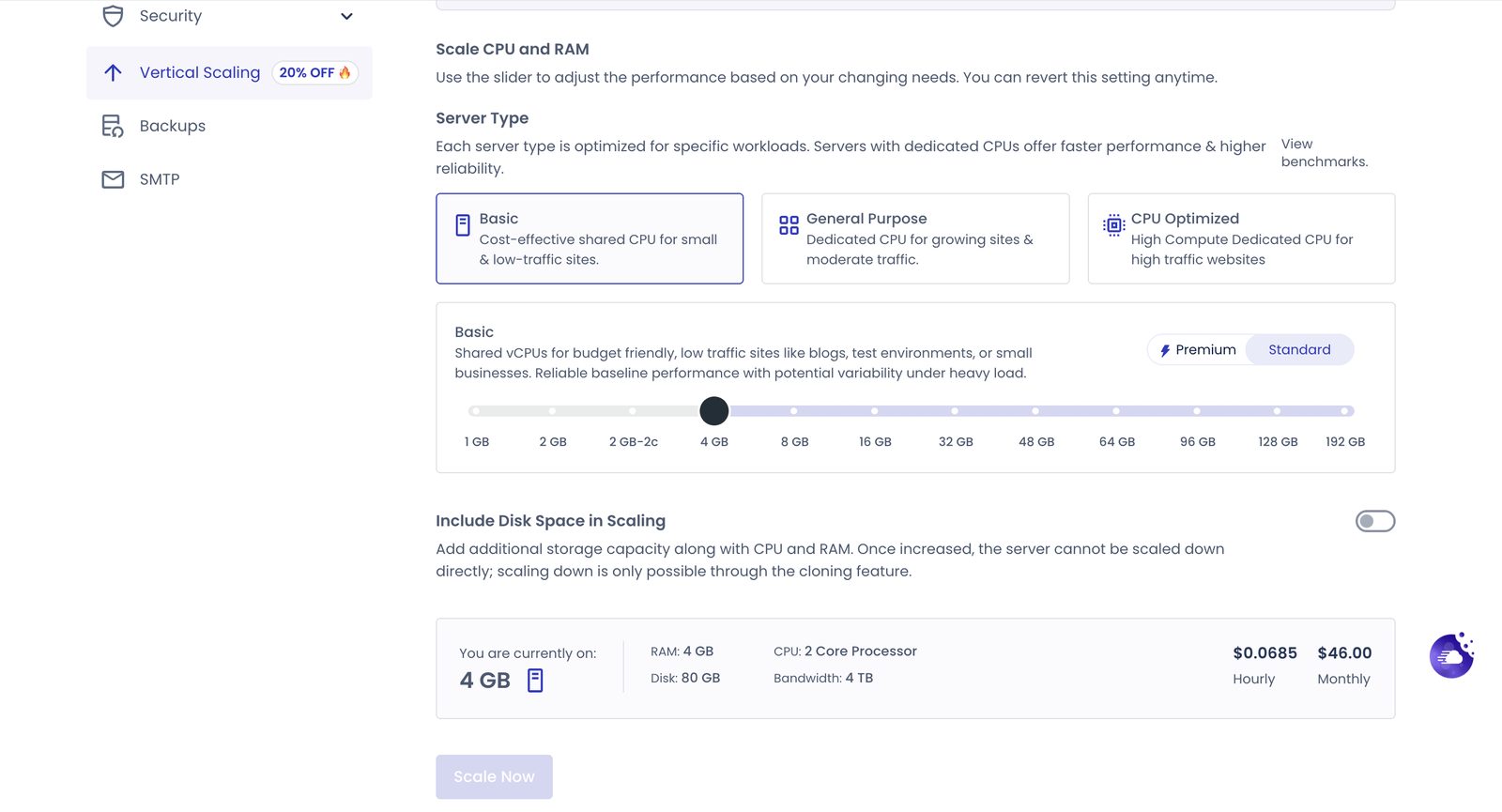
My own DigitalOcean 4GB Basic server (2 cores, 80GB disk, 4TB bandwidth) shows $46 per month ($0.0685 per hour) in the scaling panel, where you move the slider to a bigger or smaller size.
Cloudways performance is mostly the cloud provider and server size you choose, plus the stack on top. DigitalOcean Premium and Vultr High Frequency servers use NVMe storage, while the cheaper Standard tiers use SSD.
Cloudways names the CPUs for only some server types (pricing page and help center):
| Server type | CPU, according to Cloudways | 2 GB server |
|---|---|---|
| DigitalOcean Standard | 2nd generation or earlier Intel CPUs | 1 vCPU, 50 GB SSD, $24 |
| DigitalOcean Premium | 2nd or 3rd Gen Intel Xeon Scalable | 1 vCPU, 50 GB NVMe, $28 |
| Vultr Standard | not stated | 1 vCPU, 55 GB SSD, $28 |
| Vultr High Frequency | 3.8 GHz CPUs | 1 vCPU, 64 GB NVMe, $30 |
CPU models for Linode, AWS and Google Cloud aren't stated. Cloudways only calls its General Purpose and CPU Optimized servers dedicated, and Vultr says its regular cloud instances run on shared AMD and Intel CPUs. A 1 vCPU server has little headroom when several sites need the CPU at once.
Cloudways commissioned Koddr.io to benchmark the Lightning Stack against its old hybrid stack (published November 2025). The report claims up to 65% faster dynamic response times and up to 58% more WooCommerce checkouts under load. That is a vendor-commissioned test, not an independent review, so treat the numbers as Cloudways' own claim.
What I Found Inside My Cloudways Server
I logged in to my own 4GB DigitalOcean Premium trial server over SSH and ran the same hardware and network checks I use on every host.
| What I checked | Result |
|---|---|
| CPU | Intel, labeled only "DO-Premium-Intel"; its CPU ID points to the Xeon Scalable Cascade Lake generation, about 2.0 GHz |
| Usable cores | 2 vCPUs, both usable at the same time |
| RAM and disk | 3.9GB, 79GB ext4 |
| Disk writes | 427 MB/s for a large file, 521 small synced writes per second |
| Download speed | 1.8 to 1.86 Gbit/s from New York, Ashburn and Montreal |
| Software | Debian 12, PHP 8.2, MariaDB 10.11, Apache, Nginx, Varnish, Redis, Memcached |
The CPU matches Cloudways' own description of DigitalOcean Premium servers. The network stopped at about 1.85 Gbit/s whether I ran one download or 16 at once, so this server type has a cap of roughly 2 Gbit/s per server, not the "up to 10 Gbps" Cloudways lists for its Velocity plans. That's plenty for a WordPress site.
The weaker number is small synced writes: my own Vultr and Kamatera servers handled two to eight times as many. That matters more for a busy database or WooCommerce store than for cached pages.
What I have seen on client sites
One project I host on Cloudways is an online forum with members around the world. I measured it with Google PageSpeed Insights and ran an uptime monitor on it, which is the kind of check I'd recommend for any site you move.
A forum is a good test because most pages are dynamic and can't be fully cached. What you get from any host still depends on your theme, plugins and where your visitors are, so pick a data center close to most of them.
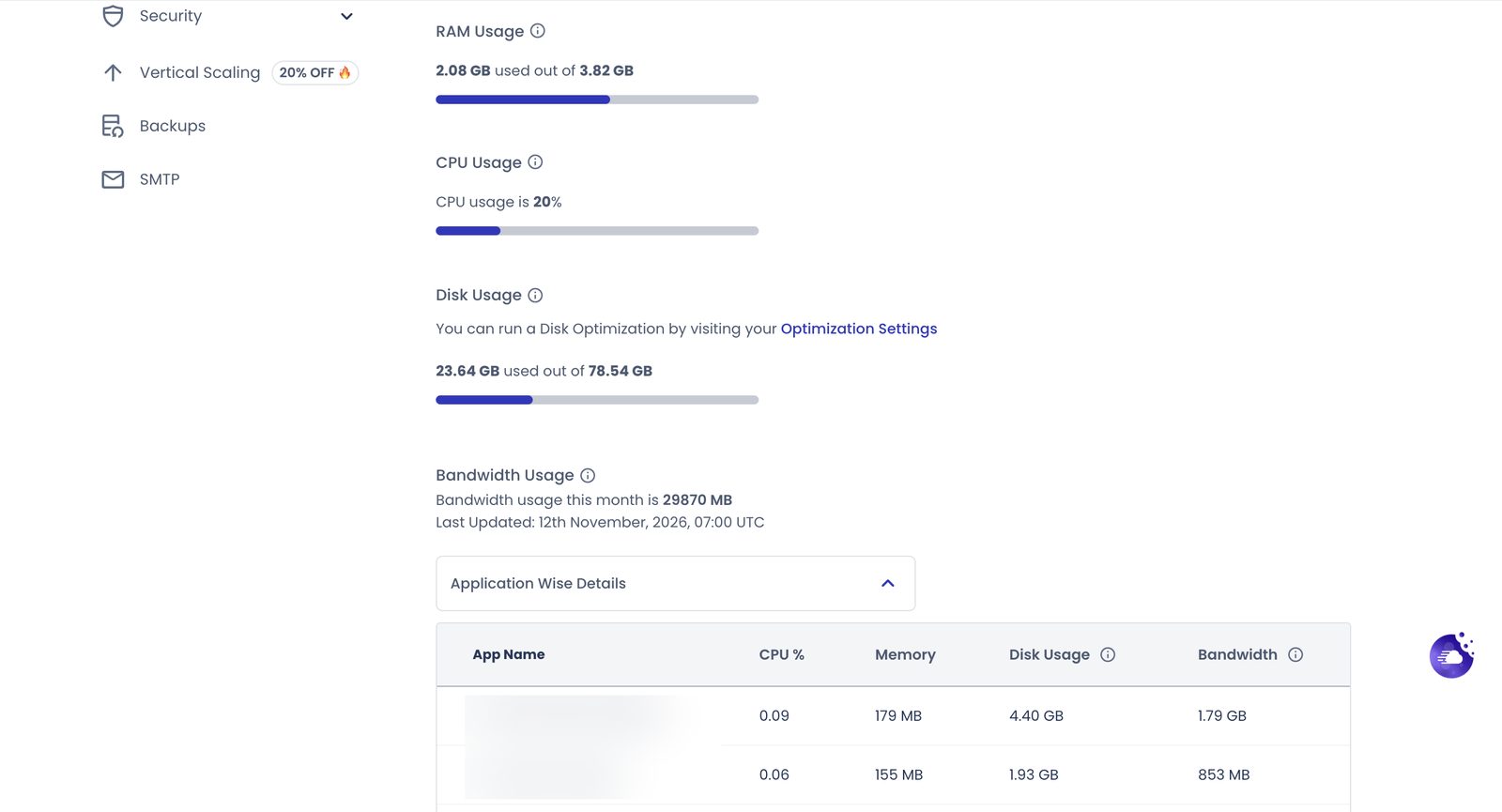
The panel's Monitoring page shows each server's RAM, CPU, disk and bandwidth use, with a breakdown per application, so you can see which site uses the most before you scale.
Security
Every server gets the Imunify360 firewall, bot and brute-force protection, IP and country blocking, and free SSL certificates. Cloudways patches the operating system and server software for you.
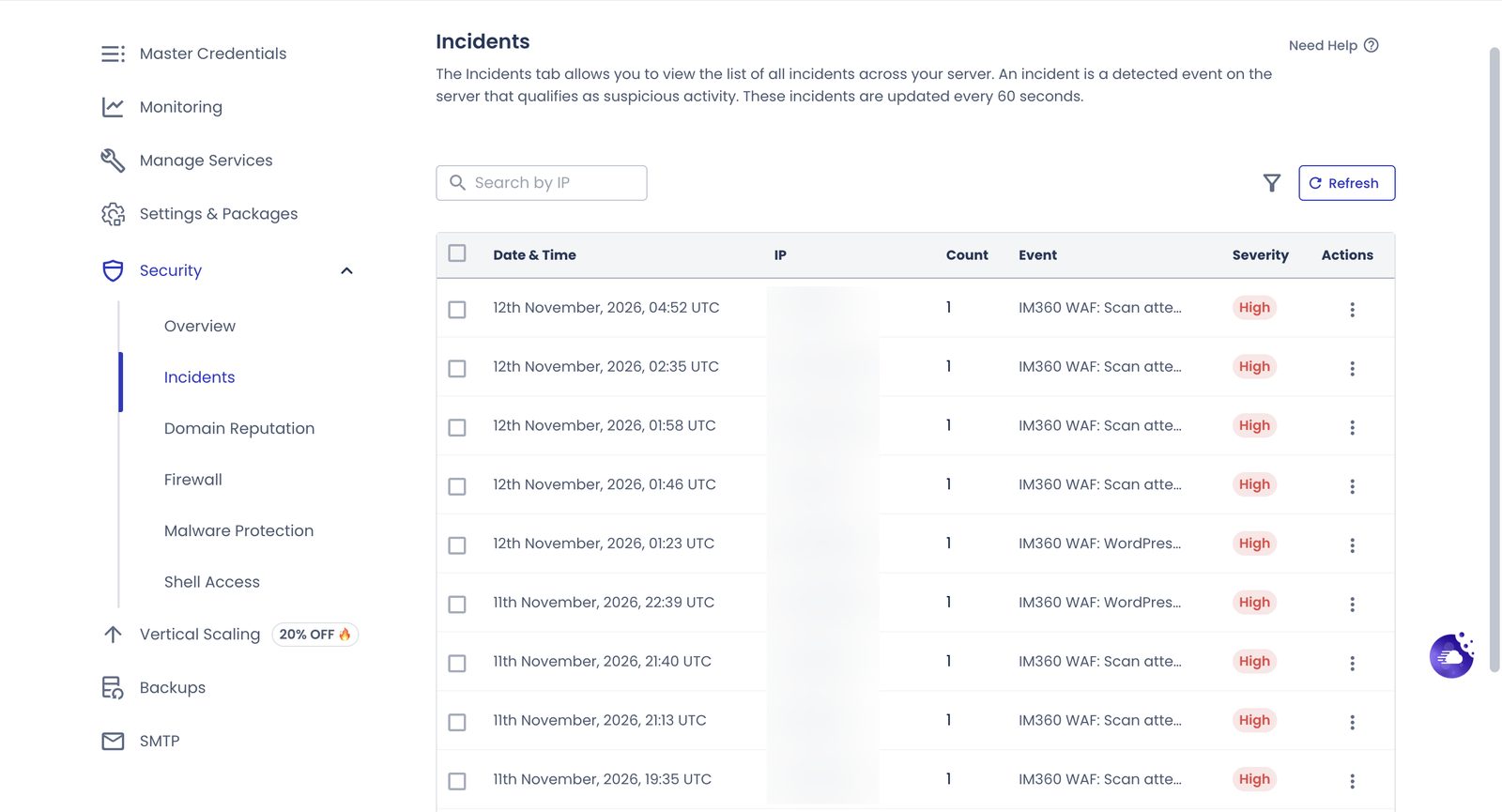
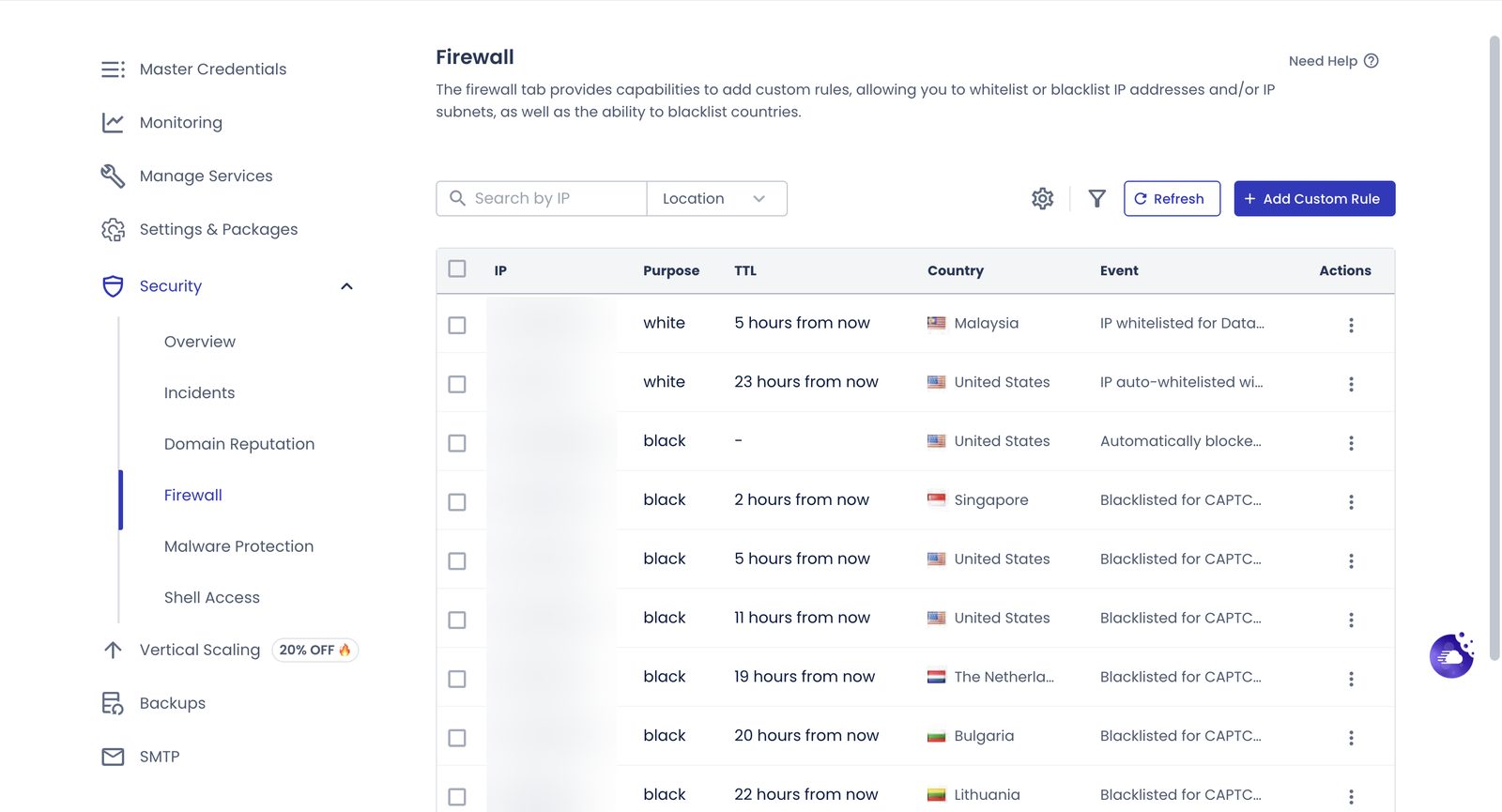
The Incidents log on my server lists every request the firewall stopped. On November 11 and 12, 2026, it was mostly scan attempts and WordPress attack patterns, all marked High. The Firewall tab shows the IPs it blocked or sent to a CAPTCHA, and you can add your own allow and block rules or block whole countries.
That mattered for the clients I moved from Bluehost. They had security vulnerabilities and hacked sites, and a managed, isolated server with a firewall was a better fit than another shared account. Automated malware cleanup, though, is a paid add-on on Flexible and only included on Autonomous.
Backups run automatically off the server, with a frequency and retention period you set. Offsite backup storage costs $0.033 per GB per server, so heavy sites with long retention will see it on the invoice.
Ease of Use

Score 4.0/5
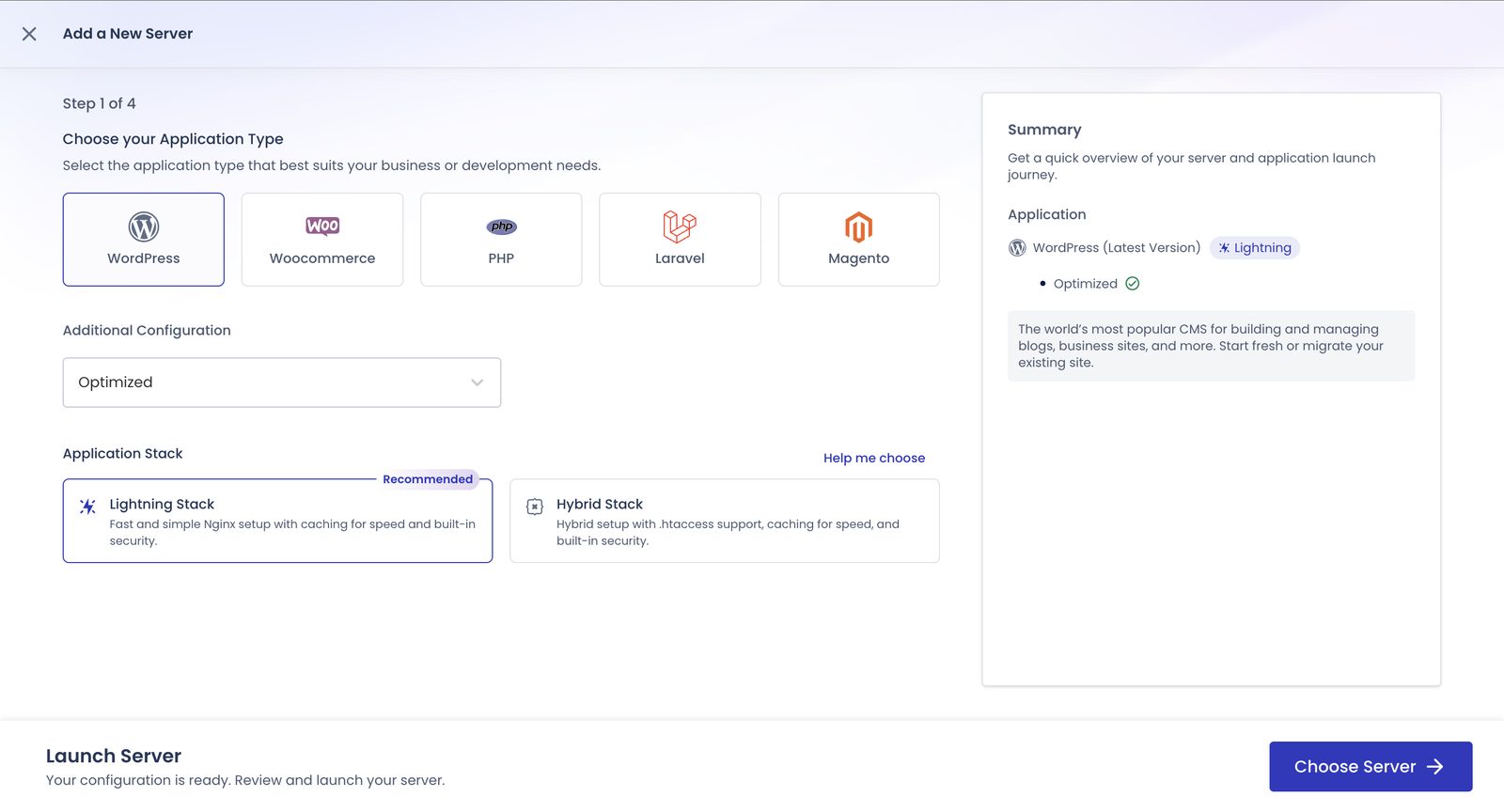
Cloudways uses its own control panel, not cPanel. Launching a server is a few clicks: choose the application, cloud provider, server size and location, and the server is ready in minutes with the stack already tuned.
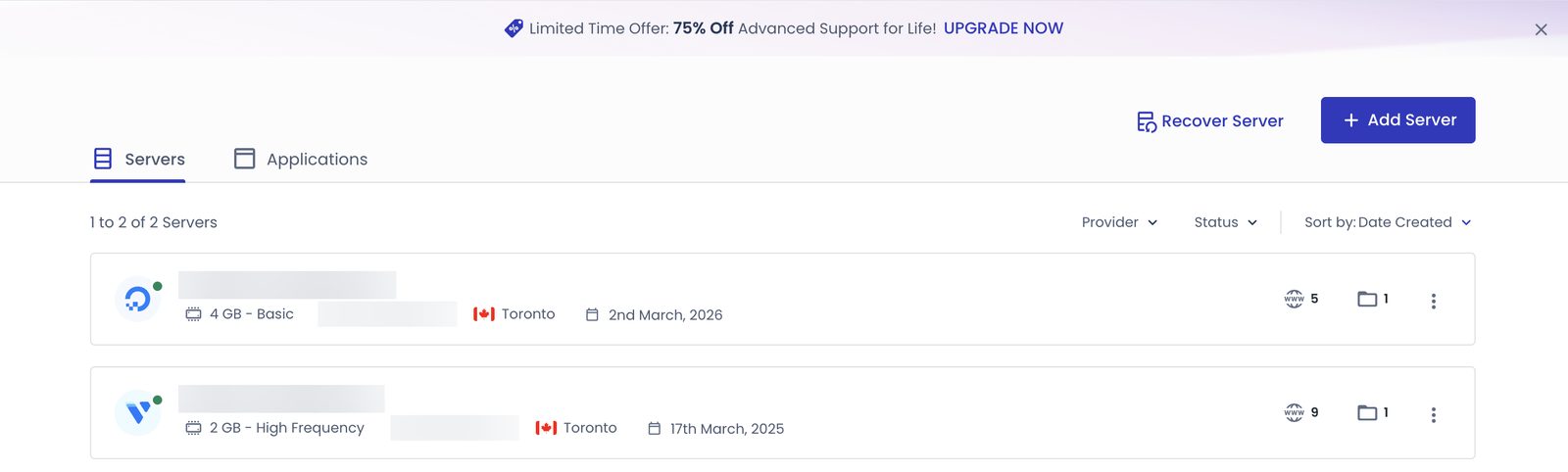
The server list shows each server's cloud provider, size, location and number of apps. Mine are a DigitalOcean 4GB server and a Vultr 2GB High Frequency server, both in Toronto.
Before Cloudways, I also worked on self-managed Vultr servers as a freelancer. On a self-managed server, OS updates, the firewall, PHP versions, caching and backups are your job. Cloudways on Vultr runs on the same infrastructure but takes that work off your plate, which is why I use it for clients who just want their site online.
The trade-off is control. You work through master and application credentials instead of a full sysadmin setup, there is no file manager (you use SFTP or SSH), and only some server settings can be changed from the panel. People used to cPanel will need a few days to find their way around.
Migration is simple. On Flexible, the Application Migration add-on in my panel lists 5 free managed migrations by the Cloudways team (unlimited on Autonomous), and the free WordPress migrator plugin handles the rest. I migrated the clients who agreed to the move to Cloudways myself, and you can request the managed migration through the Cloudways migration service.
Price

Score 3.8/5
Cloudways bills by the hour and charges in arrears: you get an invoice in the first week of each month for the previous month's usage. There are no 1-year or 3-year contracts and no renewal price jumps.
| Provider | 1GB server | 2GB server | 4GB server |
|---|---|---|---|
| DigitalOcean (Standard) | $11 | $24 | $46 |
| Vultr (Standard) | $14 | $28 | $54 |
| Linode | $14 | $28 | $59 |
| AWS | $20.56 | $38.56 | $91.84 |
| Google Cloud | $37.33 (1.7GB) | $84 (3.75GB) | $152.02 (7.5GB) |
Monthly prices from Cloudways' pricing page in October 2026. Taxes not included.
The low entry price comes with a condition. Cloudways says 1GB servers are meant for testing and staging, so a real starting budget is $24 to $28 per month. You also pay $0.033 per GB of backup storage and any add-ons you use.
A server costs the same whether you host 1 site or 10 on it. For an agency or a freelancer with several small sites, that makes a 2GB or 4GB server cheaper per site than buying separate managed WordPress plans.
There is a 5-day free trial on Flexible (3 days on Autonomous) with no credit card. When you upgrade, Cloudways verifies your card with a temporary $1 charge that is reversed.
My Cloudways Free Trial Test
I opened a fresh trial account with a new email address to see what the trial really includes.
- Sign-up checks: an email code, an SMS code to a real phone number (online temporary numbers were blocked), and a form asking for my website, role, team size, LinkedIn profile and plans. The form said review could take 2 to 3 business days; the approval email came about 8 minutes later.
- No card at any step. After approval, Cloudways opens the billing page with an "add a payment method" banner, but you can go back to the platform and launch a server without one.
- Trial limits: one server on DigitalOcean, Vultr or Linode, up to 4GB. AWS and Google Cloud are locked, Clone Server is greyed out, the free managed migration is only available after you upgrade, and only full accounts can open tickets, so trial users get live chat.
- My server: a 4GB DigitalOcean server in New York with WordPress was ready in about 5½ minutes, with Varnish and Object Cache Pro switched on. Its results are in the speed tests above.
- After the trial: the billing team told me the server's data is kept for 14 days after the trial ends, and upgrading keeps the same server and sites. You can ask for an extension by emailing [email protected].
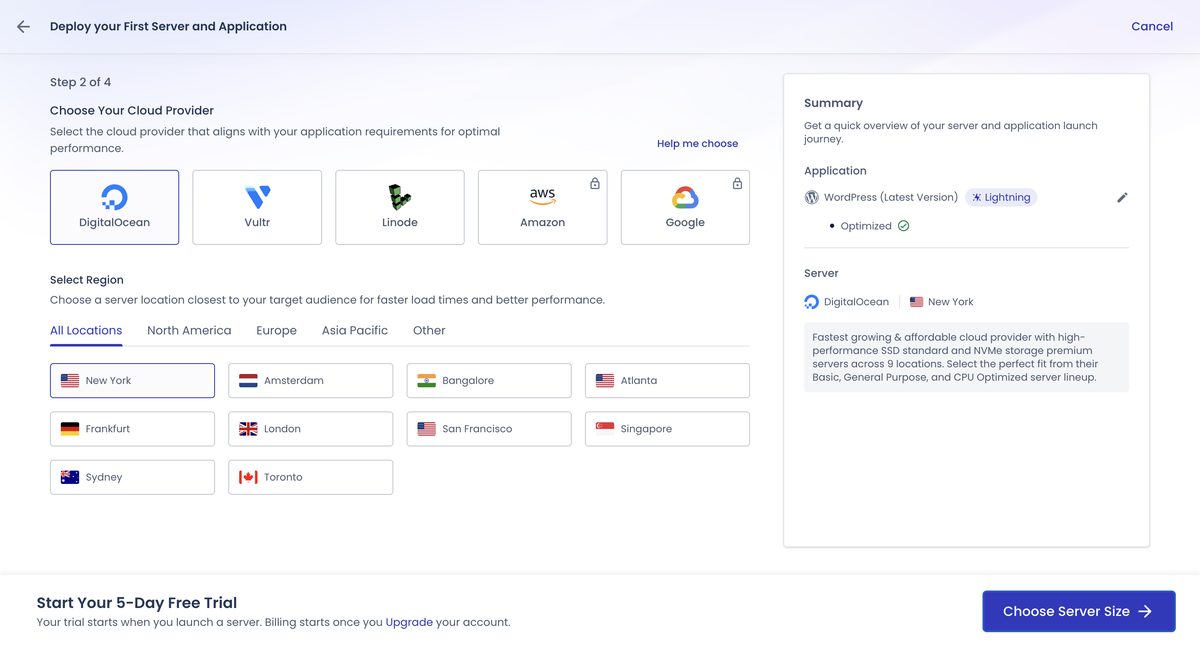
Step 2 of the server wizard on my trial account: Amazon and Google stay locked until you upgrade.
You can pay by credit card (Visa, Mastercard or American Express) or PayPal. PayPal only works once you've upgraded from the trial, and adding it takes a $5 PayPal payment that Cloudways applies to your first bill. You can also prepay credit with either method and let invoices draw from your balance. Billing is pay-as-you-go, so server time you've already been charged for is generally not refunded, but when we asked Cloudways support, the agent said unused prepaid credit can be refunded to your original payment method if you stop using Cloudways or close the account. My guide to cloud server free trials without a credit card compares it with other trials.
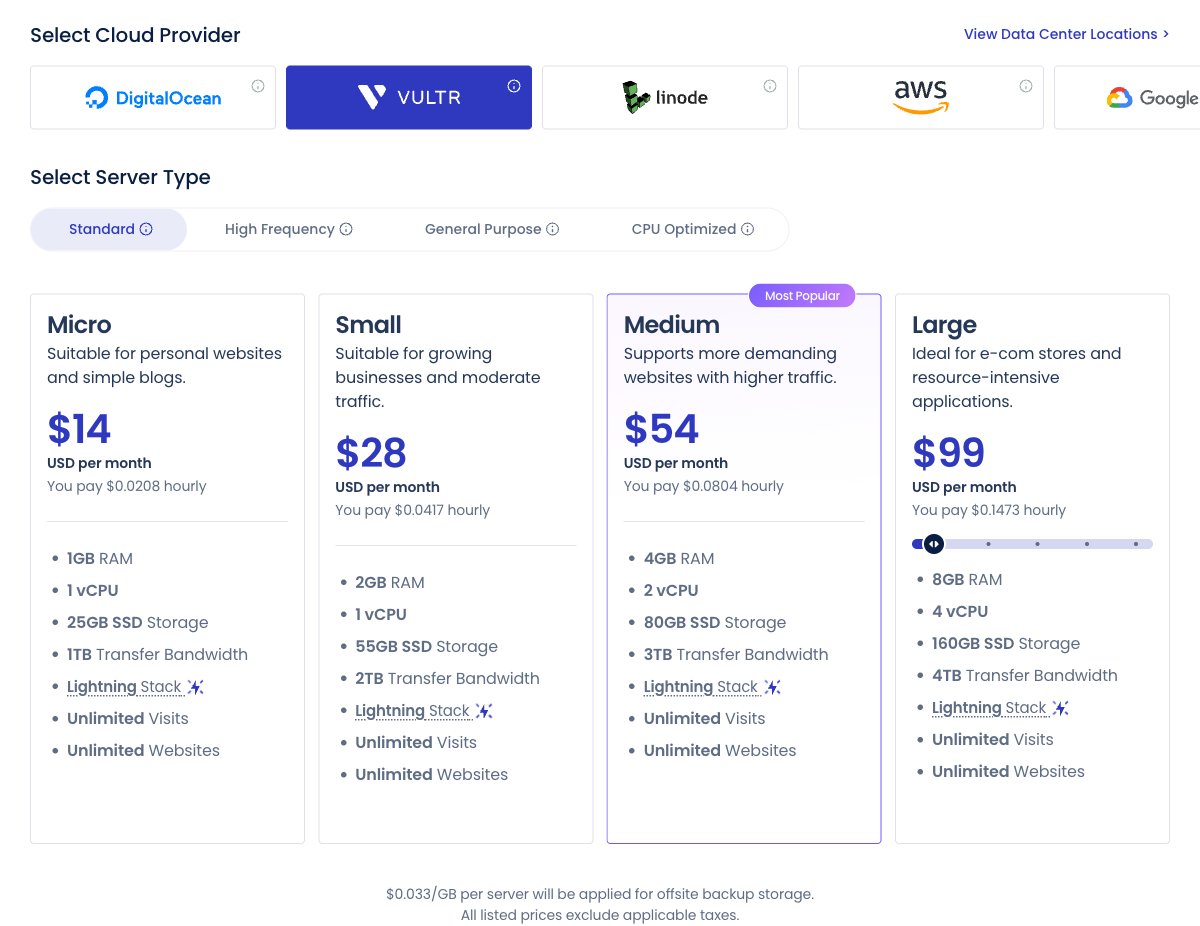
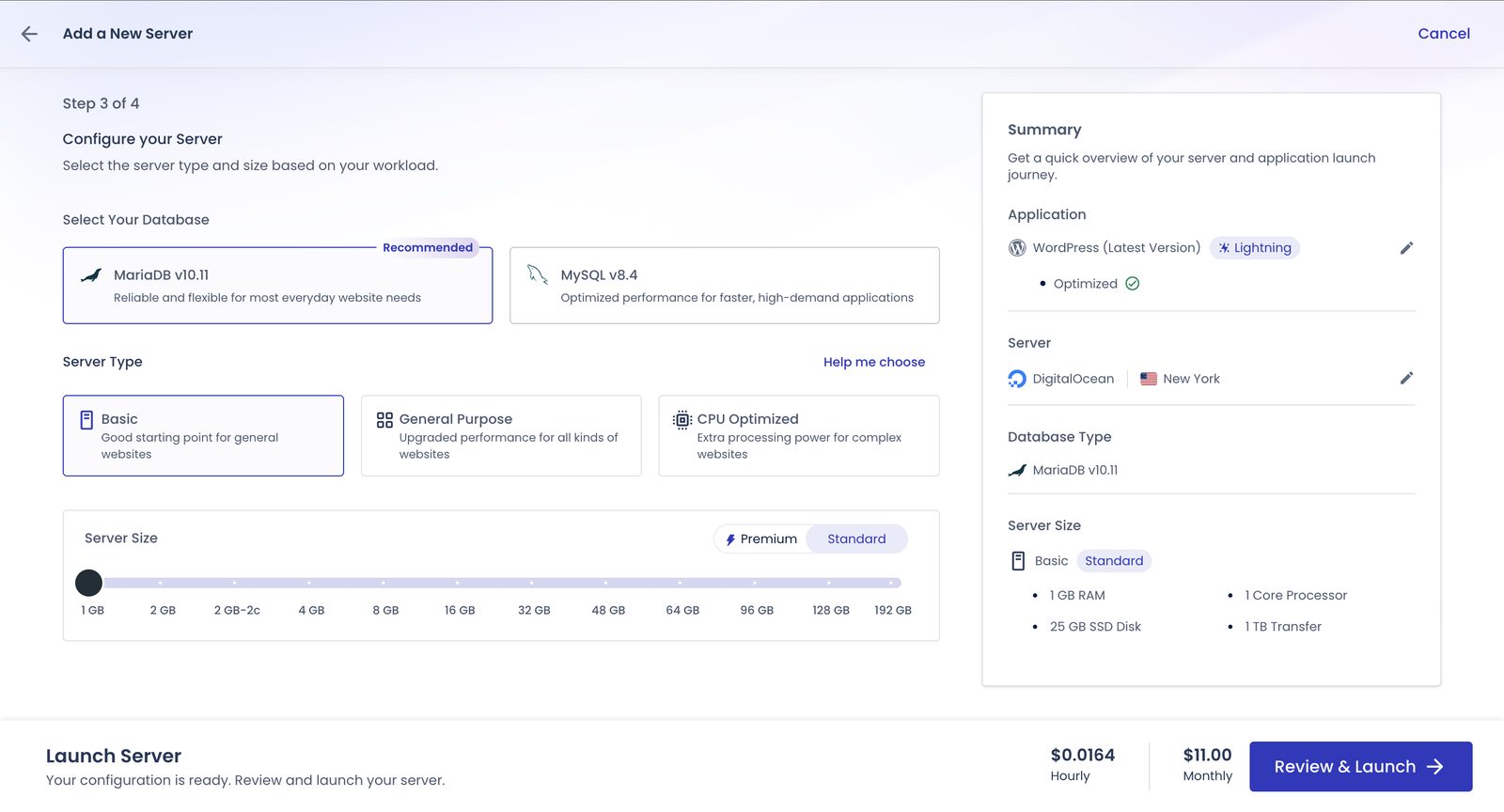
The cheapest server at checkout in my account was a DigitalOcean 1GB Standard server at $11 per month ($0.0164 per hour).
Cloudways Coupon Code
WebHostingAdvices has its own Cloudways coupon for new accounts. It gives you 25% off for the first 2 months. Enter it when you sign up: Coupon: WHA25
Cloudways also runs its own promotions. On October 27, 2026, its pricing page advertised 30% off for 3 months on all plans, a bigger discount than WHA25.
Check the pricing page before you sign up and use whichever offer saves you more. When no public promotion is running, WHA25 still takes 25% off your first 2 months.
Reliability and Support

Score 4.4/5
Every full account includes 24/7/365 live chat and tickets; trial accounts get live chat only. Cloudways advertises a 90-second average response time and a 95% CSAT score on its support page, which are its own figures.
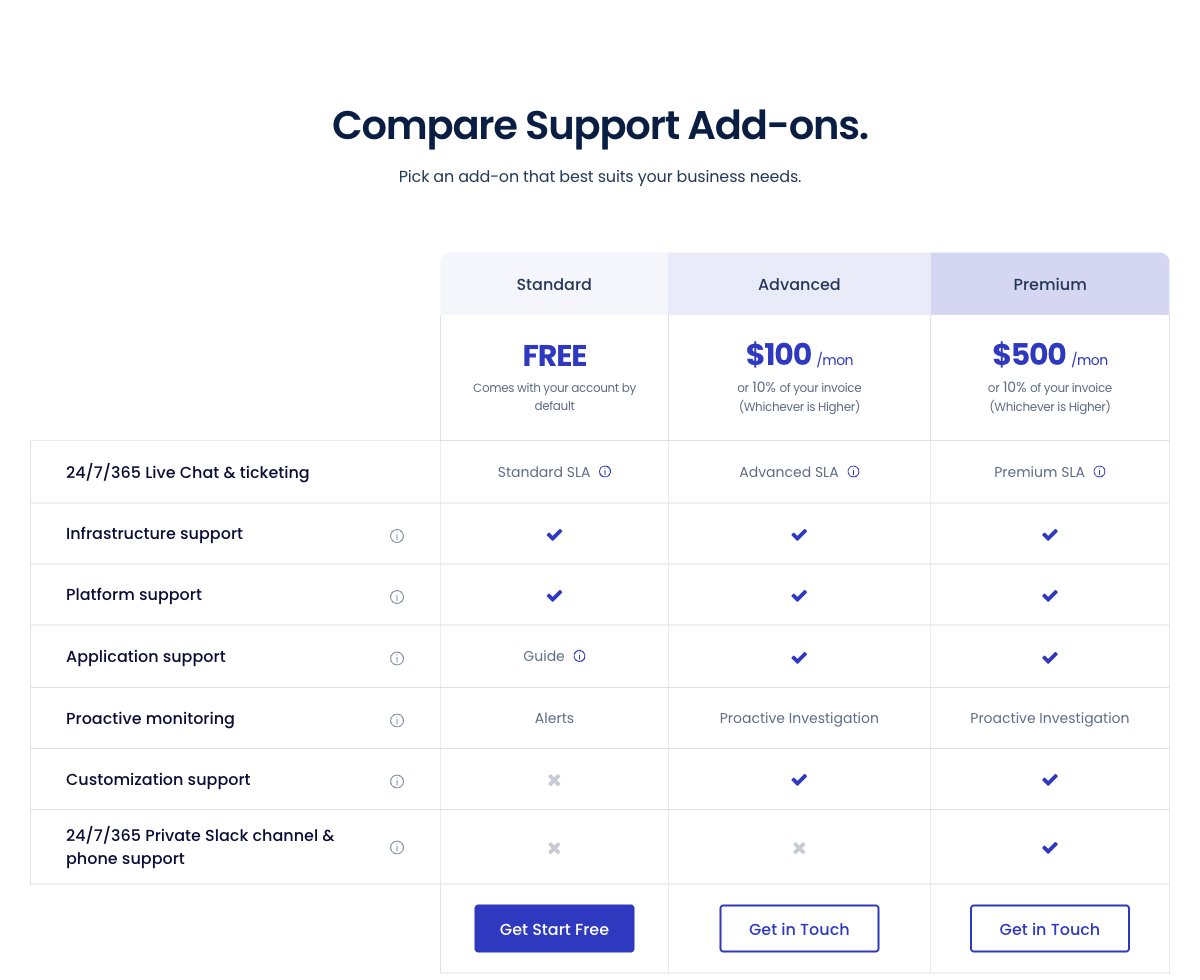
Standard support has limits. Cloudways' support page says chat issues still unsolved after 15 minutes are turned into tickets, and help with themes and plugins is limited to guides. Advanced Support is listed at $100 per month, but my trial account showed it at $25 per month flat, marked "75% off for life", with no 10%-of-invoice charge. It adds application and customization help, proactive monitoring and a dedicated account manager. Both paid support tiers need a 6-month commitment.
Premium Support costs $500 per month or 10% of your invoice and adds a private Slack channel and phone support. Phone support is not available on any lower tier.
On uptime, the homepage advertises 99.99%, but the published SLA is narrower. It covers the availability and response times of Cloudways support, with a credit of 5% of your monthly fee per hour missed, and refers to DigitalOcean, AWS and Google Cloud for the infrastructure SLAs.
What Cloudways Support Told Me
I contacted Cloudways support from inside a customer account on Tuesday, October 27, 2026, at 16:22 UTC. My questions were about choosing a server for a WooCommerce store with traffic spikes during sales.
| What I checked | Result |
|---|---|
| Reaching a person | 4 minutes after asking (an AI agent answers first) |
| Reply speed with a person | 1 to 3 minutes per message |
| AI agent reply speed | About 6 seconds |
| Server advice for a WooCommerce store | Start with 4GB |
| Downtime when scaling up | About 10 to 20 minutes |
Reaching a person. The chat opens with an AI agent, and there's no button to reach a person. I typed that I wanted a real agent, and one joined 4 minutes later.
Live chat with Cloudways support, October 27, 2026.
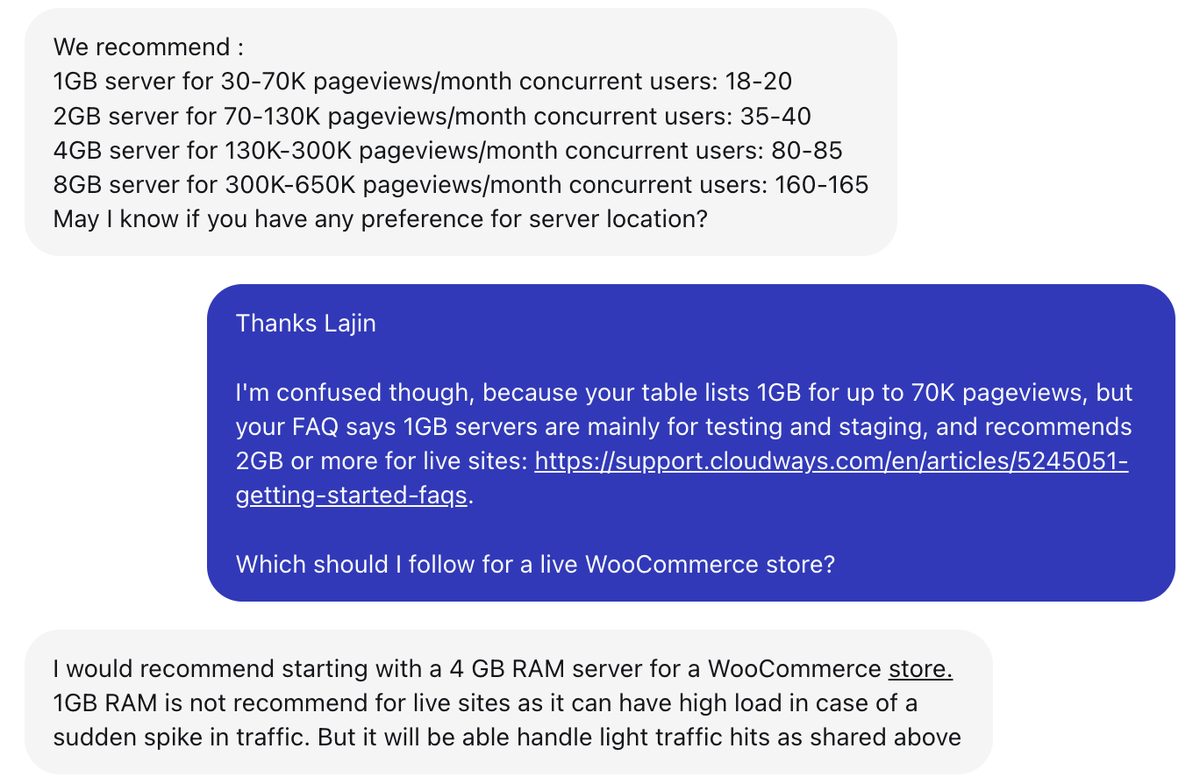
Server sizing. Before recommending anything, the agent asked how many visitors I expected at the same time and how much disk space I needed. Then the agent shared Cloudways' sizing table, which lists 1GB servers for up to 70,000 pageviews a month.
Cloudways' own FAQ says 1GB servers are mainly for testing and staging, so I pointed that out. The agent then recommended starting with 4GB for a WooCommerce store, and agreed 1GB isn't meant for live sites.
The AI agent. The next day, I asked the AI agent the same question twice. It answered in about 6 seconds and also recommended 4GB, but its wording changed: one answer gave 2GB as the minimum for live sites, the other didn't mention it.
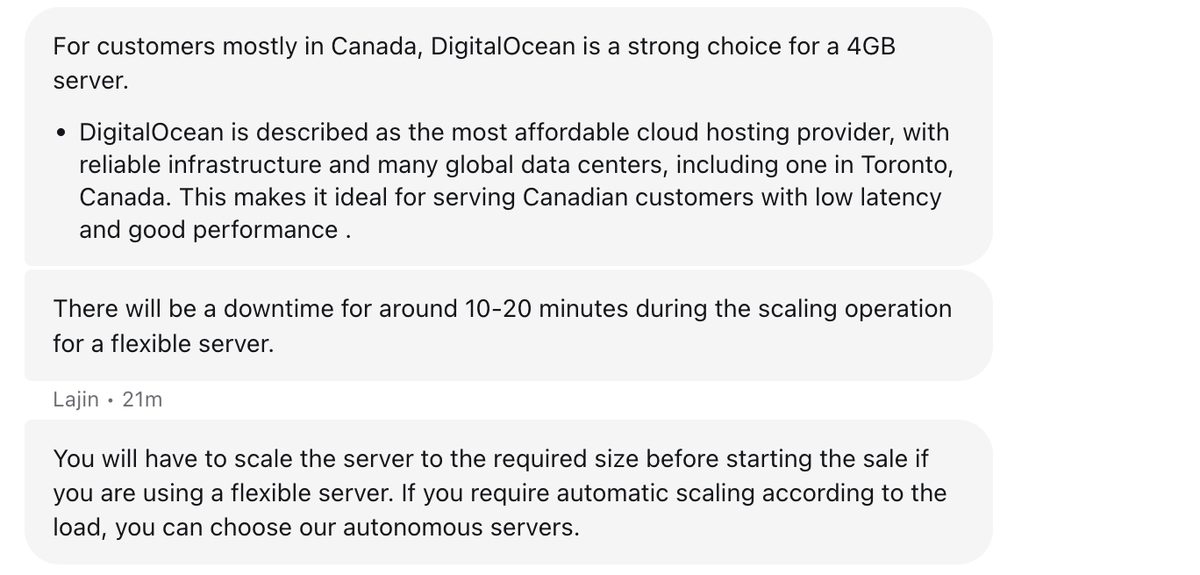
Scaling. On a Flexible server, scaling up means about 10 to 20 minutes of downtime, so the agent advised resizing before a sale starts, or choosing Autonomous for automatic scaling. Cloudways' scaling guide gives no figure, but warns that sites may be unavailable while it runs.
The agent's answer on scaling a Flexible server, October 27, 2026.
One weaker answer. Asked whether DigitalOcean or Vultr suits Canadian visitors better, the agent recommended DigitalOcean's Toronto data center without comparing it with Vultr, which also has a Toronto location. DigitalOcean owns Cloudways.
What you only notice as a customer:
- Chat history: every past chat stays in the chat's Messages tab, and you can export a transcript.
- Server status: the chat's home screen shows the status of your servers, so you can spot an outage before asking.
- Tickets: they need an existing server or app. Without one, you can still use live chat, the contact form or a scheduled call with the sales team. Cloudways doesn't publish a phone number, and phone support is only part of the $500/month Premium add-on.
- Email replies: ticket replies arrive by email, you can answer from your inbox, and you can follow up on a ticket even after it's closed.
The limits of one chat. My chat with the agent lasted 26 minutes and was never moved to a ticket. It was one weekday chat during US business hours, so it doesn't show how support handles nights or weekends.
A second chat, from my trial account. A month later, I asked about the free trial from a brand-new trial account:
| What I checked | Result |
|---|---|
| Reaching a person | About 2 minutes (the AI agent answers first) |
| Billing agent's replies | From about 6 seconds to 2 minutes |
| Transfer from billing to the tech team | About 15 minutes |
| Tech agent's replies | 1 to 3 minutes |
The tech agent's answers were clear and matched what I saw in the panel. The billing agent's weren't: asked how long the Flexible trial lasts, the agent first agreed it's 5 days, then said 3 days, then "3 days overall for all plans", while my panel was counting down from 5 days and Cloudways' own FAQ says 5. Check the countdown in your panel rather than relying on chat for the trial length. Those mixed answers and the 15-minute wait for the tech team are why I lowered my support score from 9.0 to 8.7.
Conclusion: Is Cloudways Right for You?
Cloudways is a strong choice when shared hosting starts to hold you back. You get a real cloud server from a provider you choose, a tuned stack, staging, backups and 24/7 support, without having to manage the server yourself.
It is what I use for my Canadian clients on Vultr and for some of my own sites, and it solved the resource limits and security problems my clients had on SiteGround and Bluehost. Agencies and freelancers with several sites get the most value, because one server can host all of them.
It is not the cheapest option for a single small blog, since a usable server starts around $24 per month and email, CDN and malware cleaning cost extra. If you need cPanel, built-in email or phone support on a small budget, look elsewhere.
Cloudways suits website owners who want cloud performance and control over their server choice, without the sysadmin work.
Your reviews are important and protected. Hosts on WebHostingAdvices can't pay or offer incentives to hide them.