



 Tested by
WordPress.org officially recommends only three web hosts today, and Bluehost is one of them, alongside Hostinger and Pressable. WordPress.org calls it its longest-running recommended host.
Bluehost sells shared hosting (which it also markets as WordPress hosting), managed cloud hosting for agencies and stores, VPS and dedicated servers. Shared plans start at $3.99/month on a 36-month term, then renew at $9.99/month.
Pros
- Free domain for the first year and free SSL.
- Officially recommended by WordPress.org.
- NVMe storage on every shared plan.
- Self-managed VPS from $4.69/month.
- 24/7 chat support.
- 30-day money-back guarantee on shared, VPS and dedicated hosting.
Cons
- Renewal prices are much higher than the first term.
- Backups on shared hosting aren't guaranteed, though you can restore them yourself for free.
- No phone support on the Starter plan.
- Email is only included as a one-month trial.
- No money-back guarantee on cloud hosting or monthly terms.

Bluehost is an American host, founded in 2003 and owned today by Newfold Digital. It is best known for beginner-friendly WordPress hosting aimed at the US market.
Contents
Technical Features

Score 4.0/5
Reputation and customer support
Beginners need support they can reach, and Bluehost offers 24/7 live chat, plus phone support on most plans. It doesn't offer a general ticket system, so chat and phone are the main ways to get help.
Bluehost is recommended by WordPress.org, one of only three hosts on its official hosting page. That recommendation has lasted longer for Bluehost than for any other host.
Domains, email and backups
Shared plans include a free domain for the first year on 12- and 36-month terms, plus a domain manager for transfers, DNS and renewals. Domain privacy is free for the first year on the Business and eCommerce plans.
The dashboard pushes Pro Email, a paid add-on that starts with a one-month trial. You don’t need it. Bluehost’s cPanel still has the classic Email Accounts tool, so you can create free mailboxes on your own domain.
If you want Gmail and Google’s apps on your domain, Bluehost also resells Google Workspace. When I checked out, a Business Starter seat cost $42 per user for the first year. Google’s standard price is higher, so expect the renewal to cost more.
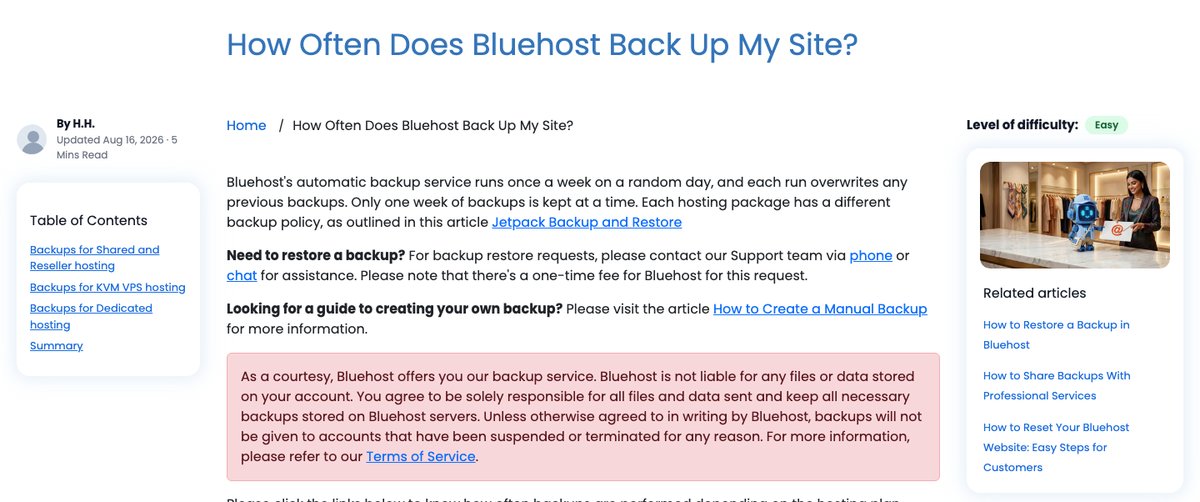
Bluehost’s backups are better than they used to be. Every plan gets a free weekly backup, and Bluehost creates it automatically.
The bigger change is self-service restore. On the Basic plan I manage, I can roll the whole site back to any saved date, or restore and download just the files or the database. Doing that used to mean contacting support. You can’t start a backup yourself, but you can restore on demand.
Bluehost still calls these backups a courtesy, not a guarantee, and they only cover accounts under about 20 GB and 100,000 inodes. For a larger site, keep your own copies with a WordPress backup plugin. I don’t recommend paying for Bluehost’s Xcitium Backups add-on, which replaced CodeGuard, when a plugin covers the same need.
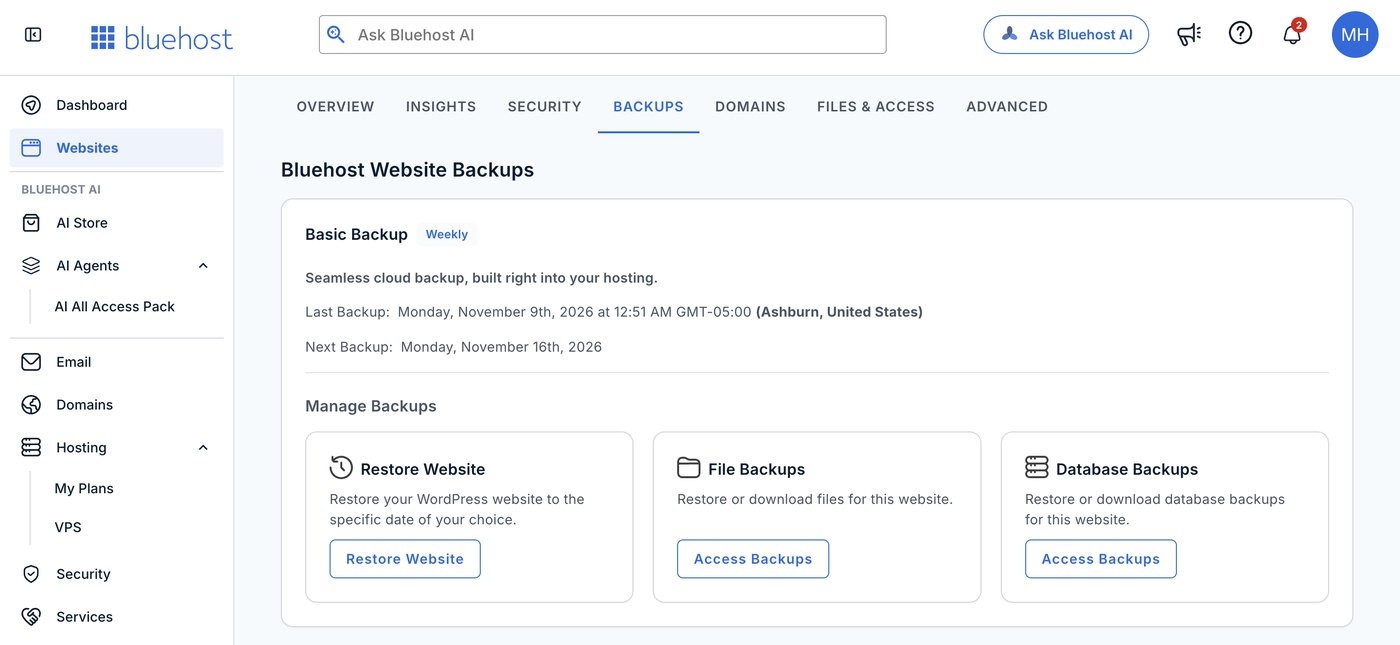
the free weekly backup and self-service restore on my Bluehost Basic plan
Easy upgrade for all products

As your website grows, Bluehost makes it easy to move up to a dedicated server or a VPS. The prices for these upgrades depend on the plan you choose and the term you commit to.
The dashboard and tools keep site management simple. You can install WordPress and other popular applications in a few clicks.
Current hardware
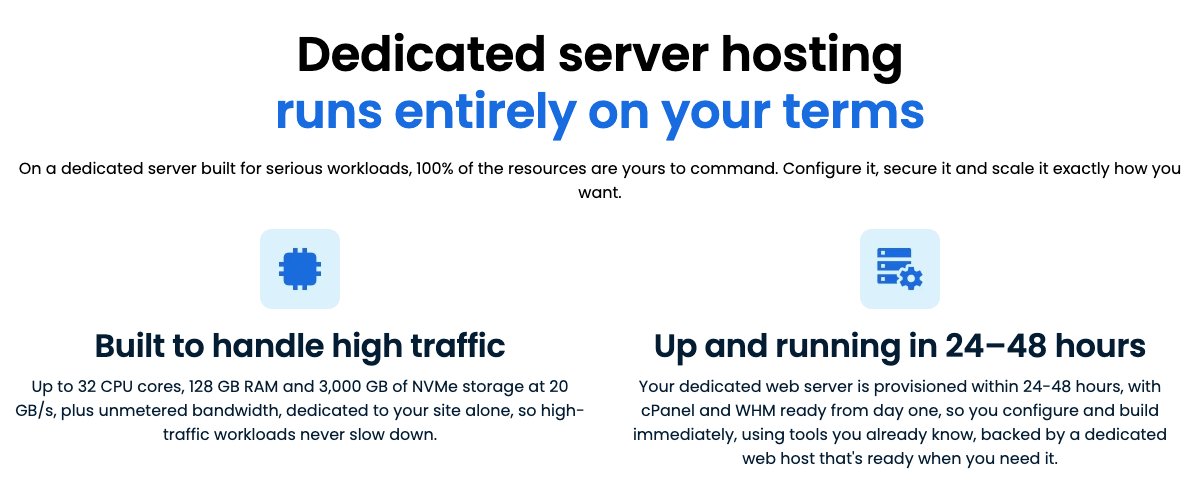
Bluehost now uses NVMe storage on its shared, cloud, VPS and dedicated plans, and DDR5 memory on its VPS and dedicated servers. NVMe helps database-heavy WordPress pages load faster than older SSD or HDD storage.
According to Bluehost's plan pages (checked November 2026), the VPS and dedicated servers run on AMD EPYC processors, and the dedicated servers are built on Dell rack-mount hardware. Bluehost Cloud lists 20, 75 or 150 vCPU threads on Cloud 10, 25 and 50, with up to 10 vCPUs per site.
The shared plans list no CPU or RAM figures. Bluehost's help center caps each shared account at 25 active processes and 200,000 inodes.
Bluehost's owner, Newfold Digital, said in November 2025 that Bluehost customers are moving to Oracle Cloud Infrastructure, with the move due to finish in 2026. It doesn't say which plans already run there.
Hardware is only part of the speed story, though. Caching, the theme and plugins usually matter more for a shared-hosting site, which is why the speed test below looks at a real site.
Performance and Security

Score 3.6/5
Bluehost Speed Test Results (November 2026)
In November 2026, I load-tested 4 live websites hosted on Bluehost: 2 on shared hosting and 2 on VPS/cloud. Each site's hosting was verified from its server IP, and the table notes the technology each site runs on and the datacenter its server sits in, since both affect the result.
Most hosting reviews quote the cached speed, which is really the cache or CDN talking, not the host. I show both: the cached TTFB your visitors normally get, and the uncached TTFB with the page cache bypassed. The ranking uses server time (uncached TTFB minus the network round trip from the test location), because a cache can hide a slow server. Each hosting type's figure is the median of its sites.
| Hosting type | Website | Technology | Datacenter | Cached TTFB | Uncached TTFB | Server time |
|---|---|---|---|---|---|---|
| Shared | Book blog | WordPress | Phoenix, United States | 303 ms | 296 ms | 236 ms |
| Shared | Photo-booth service | WordPress | Phoenix, United States | 549 ms | 438 ms | 366 ms |
| Shared median | 2 sites | 426 ms | 367 ms | 301 ms | ||
| VPS | Software blog | WordPress | Phoenix, United States | 218 ms | 221 ms | 154 ms |
| VPS | Advertising agency | WordPress | Phoenix, United States | 238 ms | 216 ms | 149 ms |
| VPS median | 2 sites | 228 ms | 218 ms | 152 ms |
Test settings, November 2026: 5 virtual users for 2 minutes, at most 1 request per second, every second request with a unique query string to bypass the page cache. Live websites under light load, not a controlled benchmark of Bluehost's plans.
On server time the VPS/cloud sites answered faster, a median of 152 ms compared with 301 ms on shared. None of the 4 sites showed a strong page cache: cached and uncached came back close together, so visitors lean on the server as much as the test does. All 4 sites answered every request without an error.
What each site runs:
- Book blog: WordPress, Phoenix, United States
- Photo-booth service: WordPress, Phoenix, United States
- Software blog: WordPress, Phoenix, United States
- Advertising agency: WordPress, Phoenix, United States
Each hosting type has only 2 tested sites so far, so its median is less reliable. My Performance score for Bluehost uses the shared result, the plan type I recommend from Bluehost. The other type is shown for comparison and ranked separately on my benchmarks page.
Uptime figures will be added once the monitored site has 30 days of data.
Bluehost Under Load: 1 to 50 Visitors (November 2026)
The speed tests above use light traffic. For this test, k6 raised the number of visitors from 1 to 50 over 2 minutes, and every request skipped the page cache, so the server had to build every page. It puts real load on a live website, so I only run it on sites I manage or have permission to test, normally at a quiet hour for their visitors.
Each line is one website, every request uncached · k6 load from Ashburn, USA · November 2026 · lower is faster
- shared: book blog (Phoenix, United States)
- shared: photo-booth service (Phoenix, United States)
- VPS/cloud: software blog (Phoenix, United States)
- VPS/cloud: advertising agency (Phoenix, United States)
Server time = average TTFB in each 12-second window minus the network round trip to the site's server. Hover or tap the chart to see each site's value and the number of visitors at that moment.
| Hosting type | Website | Technology | Datacenter | Server time at 1-10 users | Server time at 40-50 users | Failed requests | Grade |
|---|---|---|---|---|---|---|---|
| Shared | Book blog | WordPress | Phoenix, United States | 219 ms | 3,587 ms | 0% | D |
| Shared | Photo-booth service | WordPress | Phoenix, United States | 413 ms | 7,454 ms | 0% | E |
| VPS (comparison) | Software blog | WordPress | Phoenix, United States | 114 ms | 539 ms | 0% | B |
| VPS (comparison) | Advertising agency | WordPress | Phoenix, United States | 141 ms | 858 ms | 0% | B |
Server time as the load rose to 40–50 visitors at once:
- Book blog (WordPress, Phoenix, United States): 219 ms → 3,587 ms, grade D
- Photo-booth service (WordPress, Phoenix, United States): 413 ms → 7,454 ms, grade E
- Software blog (comparison) (WordPress, Phoenix, United States): 114 ms → 539 ms, grade B
- Advertising agency (comparison) (WordPress, Phoenix, United States): 141 ms → 858 ms, grade B
Sites marked comparison run a different plan type and are not counted in the shared grade.
Grades use fixed limits on server time at 40 to 50 visitors:
- A: under 0.5 s
- B: under 1 s
- C: under 2 s
- D: under 4 s
- E: 4 s or more, more than 1% failed requests, or a test k6 had to stop
Real visitors mostly get cached pages, so this is the hard case: a traffic spike on pages the cache can't answer. Each site's technology, plan and plugins also affect the result.
This load grade counts in my Bluehost score. It's one of the three grades behind the host's benchmark rating and the Performance score of this review, next to server time and the slowest 5% of requests.
Uptime guarantee
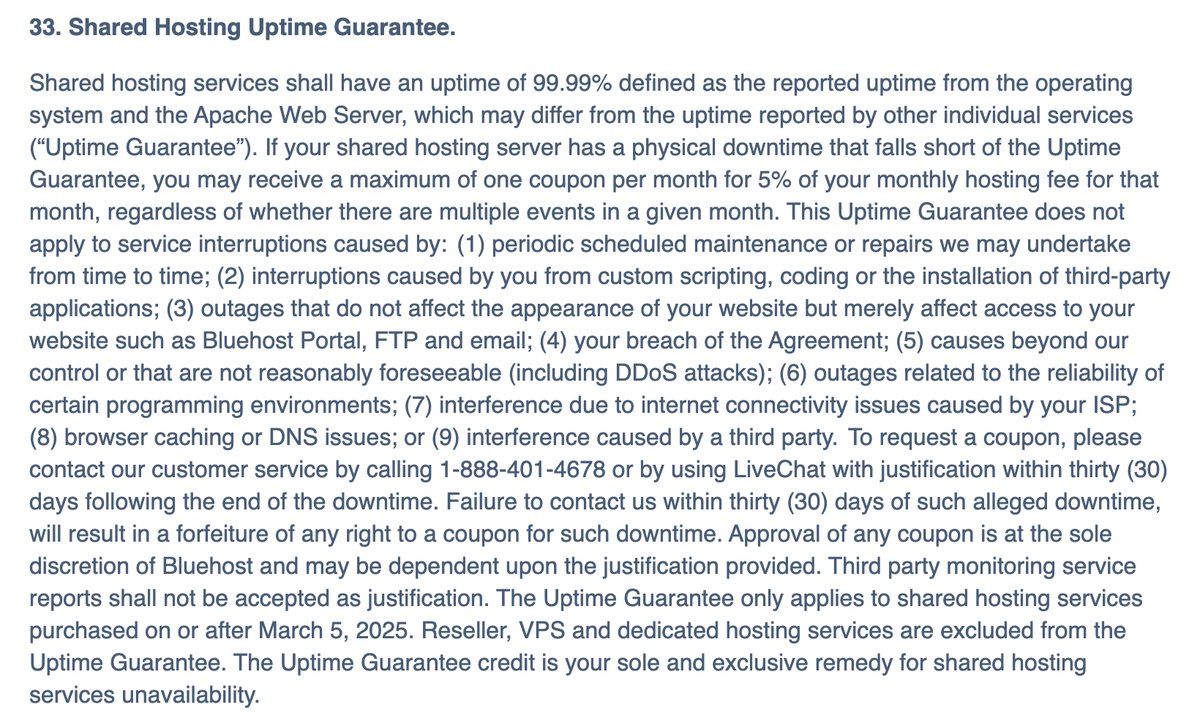
Bluehost's terms include a 99.99% uptime guarantee for shared hosting, measured on the server's operating system and web server. For plans bought since March 2025, the compensation is at most one 5% coupon per month.
VPS and dedicated servers are excluded from that guarantee in the terms, even though their sales pages mention 99.99%. Cloud hosting has its own 100% data center availability SLA, with a credit of 5% of the monthly fee for every 30 minutes of downtime.
Security
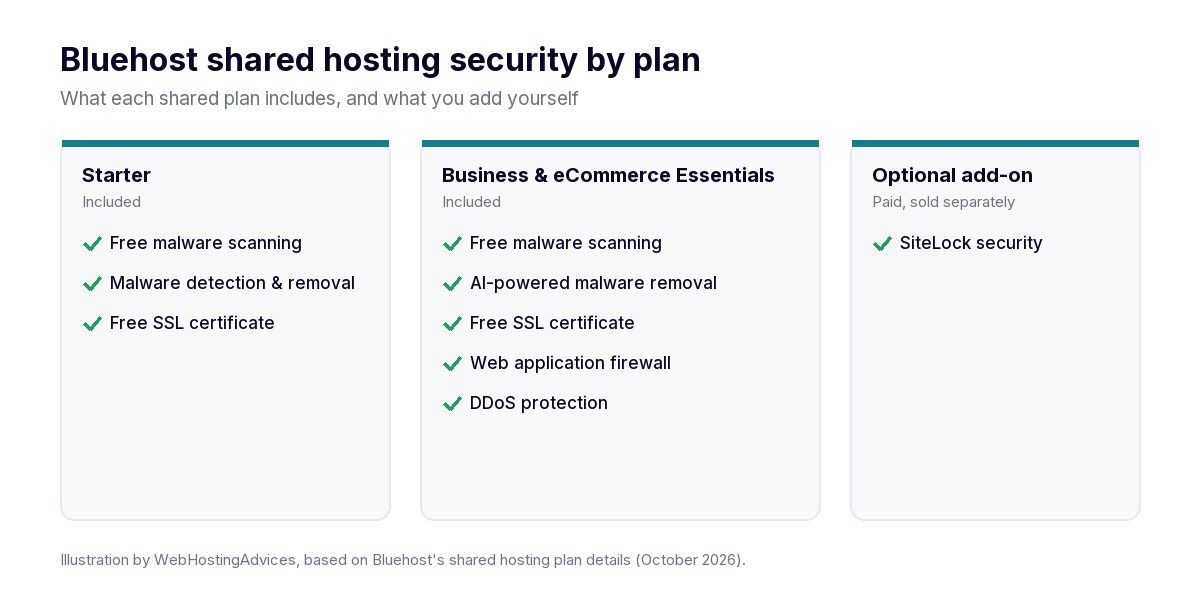
Every shared plan includes free malware scanning and removal and SSL. The Business and eCommerce plans upgrade to AI-powered malware removal and add a web application firewall and DDoS protection, which is worth having for a store or a busy site.
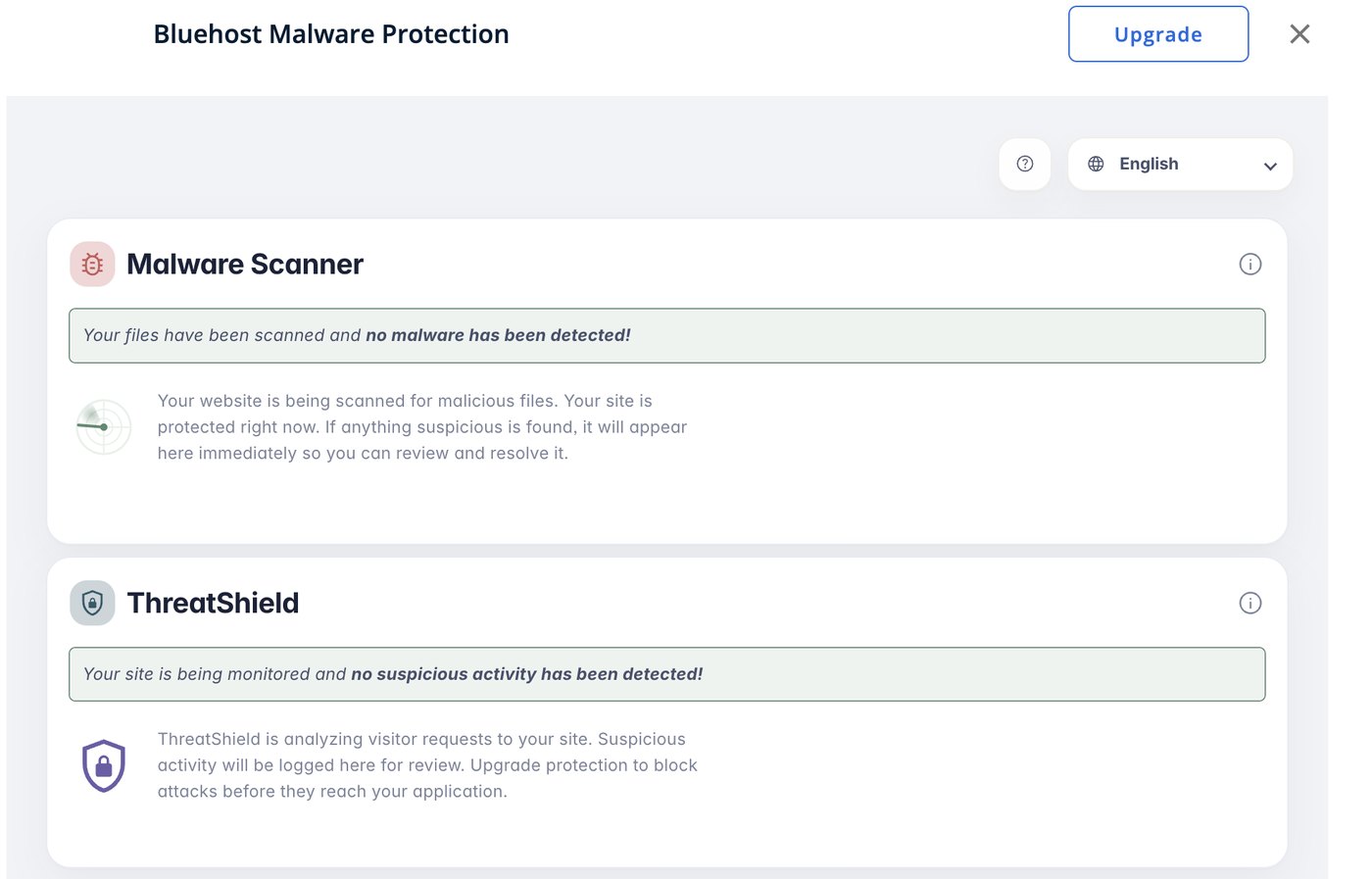
Bluehost Malware Protection on my Bluehost Basic plan, no threats detected
Bluehost stopped selling SiteLock in 2026. Its paid security upgrades are now Bluehost Malware Protection tiers and a Website Security add-on at checkout ($5.99 a month, billed yearly in November 2026). See what replaced SiteLock before you buy one.
Ease of use

Score 4.5/5
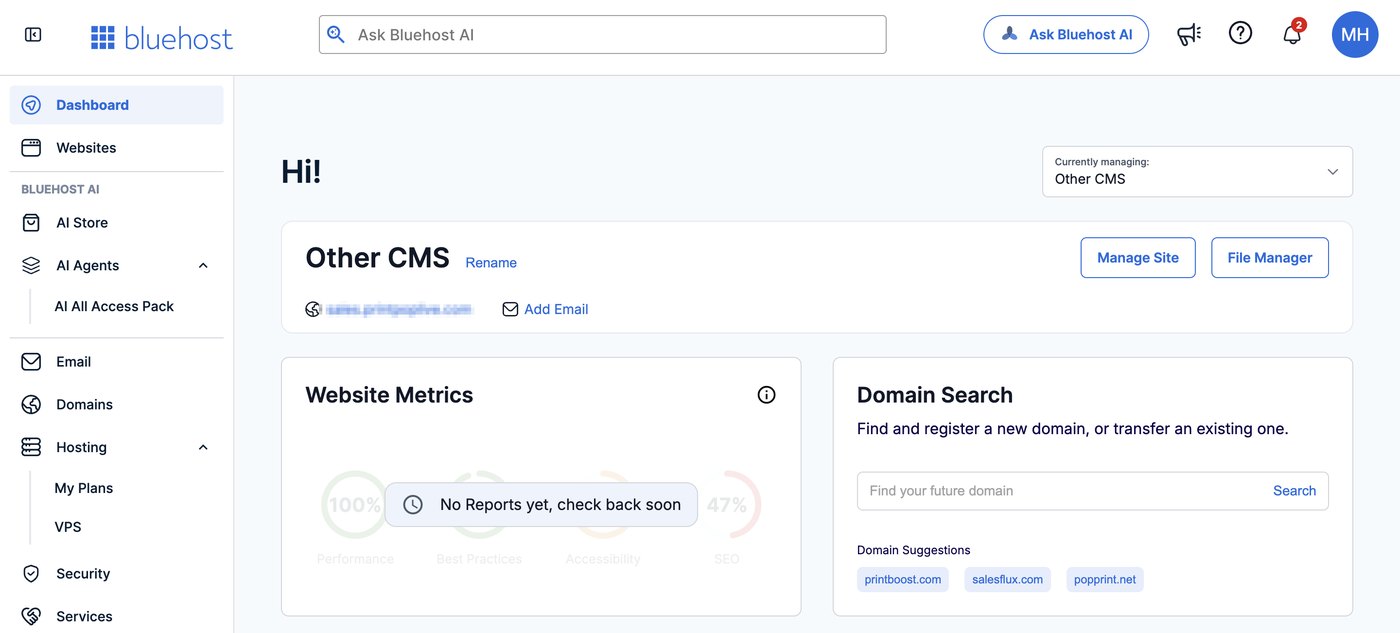
Bluehost is one of the easiest hosts for beginners. Its own dashboard brings your sites, domains, email and billing together. Bluehost's help center also explains how to open cPanel from the account manager, although the sales pages for new plans focus on the Bluehost dashboard.
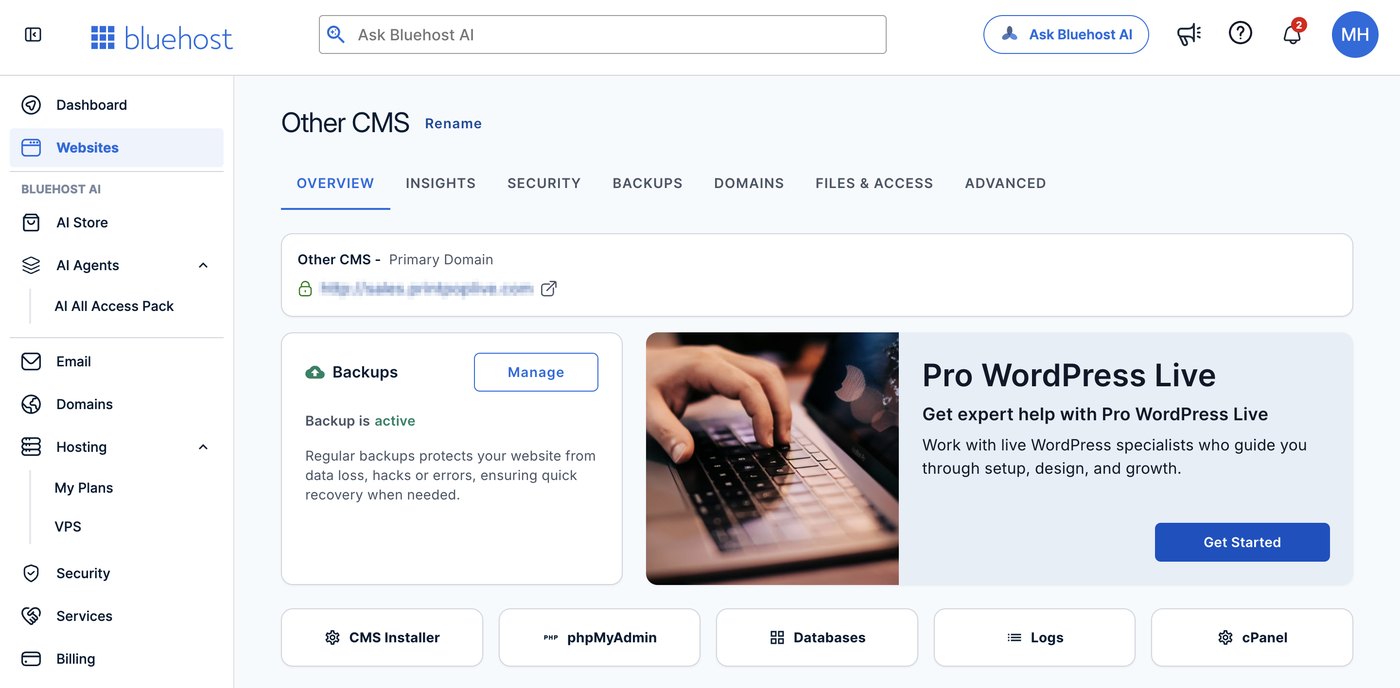
the cPanel and database shortcuts in my Bluehost account
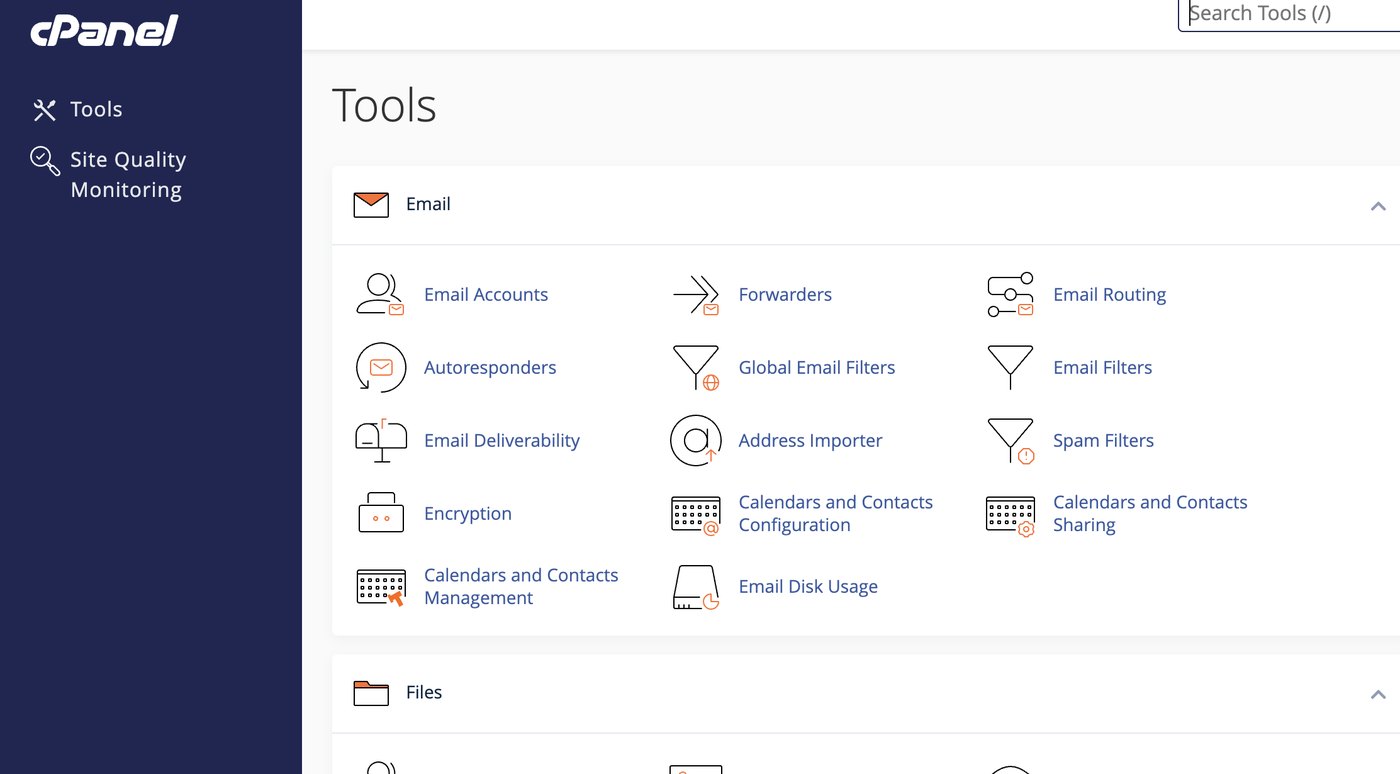
Bluehost still gives you full cPanel
Installing WordPress takes a few clicks, and the AI site-creation tools can build a first draft of a site for you. You can then connect your domain and turn on SSL from the same dashboard.
For online stores, the eCommerce Essentials plan comes with the store tools already in place, so you can start adding products right away.
Price

Score 3.9/5
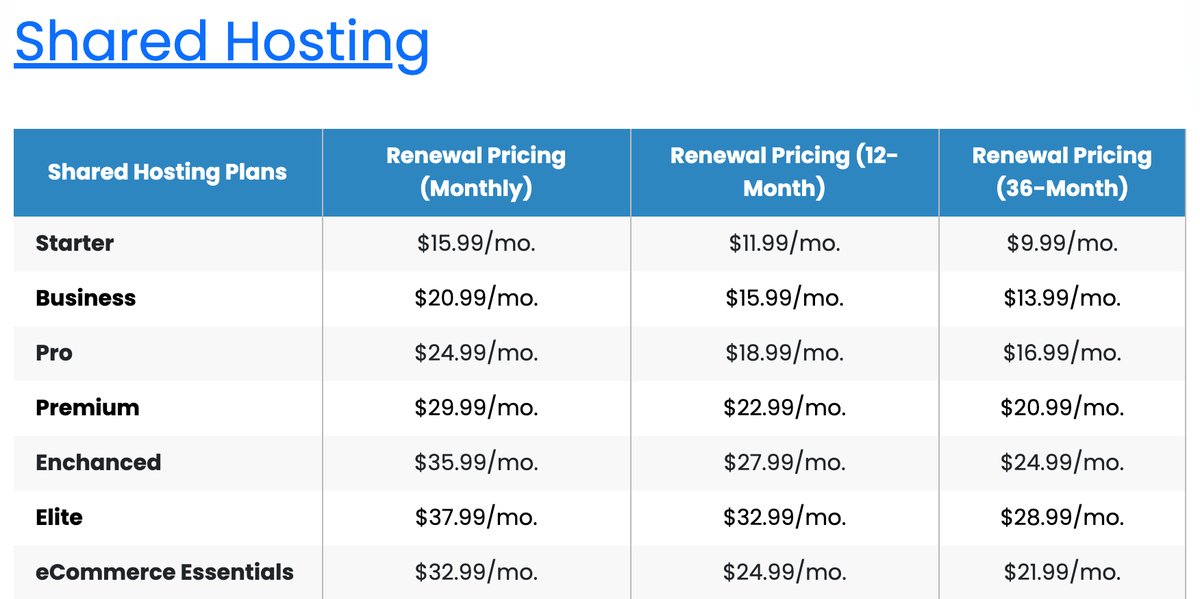
Bluehost's first-term prices are low, but renewals are where the real cost is. The best prices need a three-year term paid upfront, and shorter terms renew at higher monthly rates.
| Shared plan | First term (36 months) | Renewal, 36 months | Renewal, 12 months | Renewal, monthly |
|---|---|---|---|---|
| Starter | $3.99/month | $9.99/month | $11.99/month | $15.99/month |
| Business | $6.99/month | $13.99/month | $15.99/month | $20.99/month |
| eCommerce Essentials | $14.99/month | $21.99/month | $24.99/month | $32.99/month |
Starter Plan: It hosts up to 10 websites with 10 GB of NVMe storage, for sites with up to about 40,000 visits a month.
Bluehost pricing for the Starter plan: first-term rate of $3.99 a month, then $9.99 at renewal on a 36-month term
Business Plan: It hosts up to 50 websites with 50 GB of NVMe storage and adds phone support, AI-powered malware removal and a firewall.
Bluehost pricing for the Business plan: first-term rate of $6.99 a month, then $13.99 at renewal on a 36-month term
eCommerce Essentials plan: It hosts up to 100 websites with 100 GB of NVMe storage and adds online store features.
Bluehost pricing for the eCommerce Essentials plan: first-term rate of $14.99 a month, then $21.99 at renewal on a 36-month term
What is included in the Bluehost shared hosting plans?
- Free domain for the first year (12- or 36-month terms).
- Free SSL certificate and free CDN.
- Free malware scanning and removal on every plan.
- AI-powered malware removal, a firewall and DDoS protection on Business and eCommerce Essentials.
- Free domain privacy for the first year on Business and eCommerce Essentials.
- A free site migration tool for WordPress.
My guide to Bluehost renewal prices shows how much each plan costs after the first term.
Bluehost offers no free trial, but it has a 30-day money-back guarantee on shared, VPS and dedicated hosting. It doesn't cover cloud hosting, monthly terms or domain fees, and a free domain's standard price is deducted from the refund.
Reliability and support

Score 3.9/5
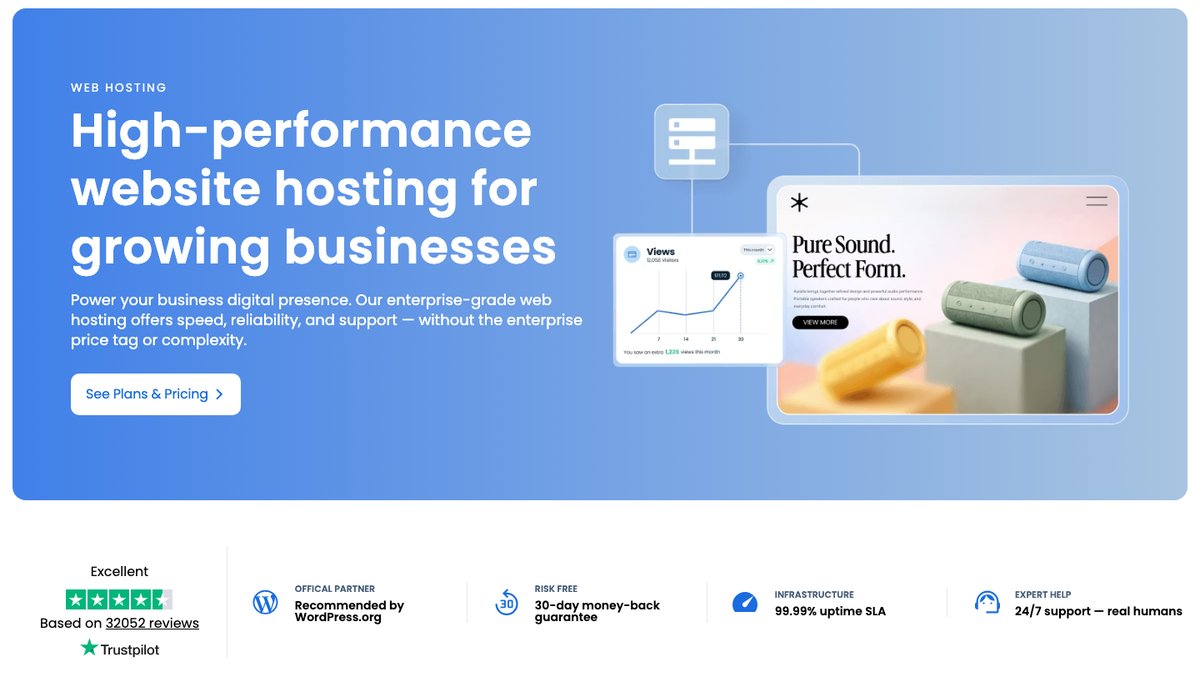
Bluehost is owned by Newfold Digital, the company formed when Endurance International Group merged with Web.com. It has been in the industry since 2003 and offers 24/7 live chat support, phone support and an extensive knowledge base.
Customer feedback is mostly positive. On Trustpilot, Bluehost had a 4.5 rating from 32,052 reviews as of October 27, 2026, with praise for helpful agents who fix problems quickly.
Negative reviews mention long holds and transfers between agents, the AI chatbot, upsells and surprise charges. Those are individual reports, but check every add-on in your cart before you pay.
Bluehost can also migrate your website for you. Its paid migration costs $149.99 for one website, and moving email costs $99 per mailbox, while shared plans include a free WordPress migration tool and cloud, managed VPS and dedicated plans include free migration.
- 24/7 live chat
- Phone support (from the Business plan on shared hosting)
- Knowledge base and guides
- Blog and user resources
What Bluehost support told me
On Saturday, November 7, 2026, I contacted Bluehost's live chat from the account I use to manage a client's WordPress Basic plan, with questions readers of my Bluehost guides ask.
| What I checked | Result |
|---|---|
| Reaching a person | AI assistant first, then a "Chat with a Live Agent" button |
| Wait for an agent | 9 minutes (the queue estimated 7) |
| Reply speed | 1 to 6 minutes per answer |
| Moving a site to another data center | Not possible: you buy a new plan there |
| Monthly billing at renewal | Available on request: $15.99 a month vs $143.88 a year |
| File (inode) limit on WordPress Basic | "Unlimited", but Bluehost's help article says 200,000 |
| Transferring a .co.uk domain in | Not supported |
Getting to a person. The help menu opens Bluehost AI first. When I typed that I'd like to speak with a person, it offered a live agent straight away. While I waited, the chat showed an ad for Bluehost's $20-a-month AI bundle and an automatic notice about a server security update from two weeks earlier. An agent joined after 9 minutes.
Clear answers on data centers and billing. An existing plan can't be moved to another data center: to change location, you buy a new plan there. The client's plan is in Ashburn, USA. At renewal, support can switch a plan to monthly billing, at $15.99 a month, compared with $143.88 for 12 months ($11.99 a month), the same figures as my renewal price guide.
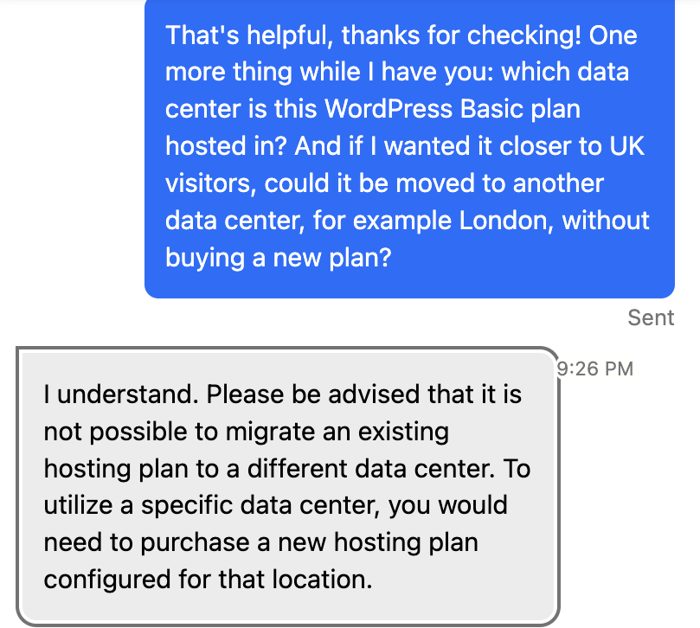
My live chat with Bluehost support, November 7, 2026.
One wrong answer. The agent said the plan has an "unlimited file allowance" and that going over the file count wouldn't interrupt the service. Bluehost's own help article on server resource limits (updated July 9, 2026) sets a maximum of 200,000 inodes per account, and accounts that keep exceeding it can be suspended.
The agent also rounded the yearly price to "$11 per month", when it works out to $11.99.
The limits of one chat. One chat on a Saturday morning, US time, doesn't show how support handles busy hours or an urgent problem on your site.
Conclusion: Is Bluehost Right for You?
If you're new to blogging, Bluehost is a good choice. For a new customer locking in for 3 years, Bluehost pricing is low, and one-click WordPress installs and 24/7 chat support help you set up a site quickly.
The tradeoffs are the renewal price and backups. Budget for the renewal rate after the first term, and add your own backups, since shared-hosting backups aren't guaranteed. The 30-day money-back guarantee covers you if Bluehost turns out not to be the right fit.
This review covers Bluehost pricing, hosting plans and features. Bluehost has options for bloggers, businesses, WordPress agencies and people who need a VPS or a dedicated server.
If your site outgrows shared hosting, Bluehost Cloud and the managed VPS plans let you upgrade without changing hosts, though they cost noticeably more than the entry-level plans.
Your reviews are important and protected. Hosts on WebHostingAdvices can't pay or offer incentives to hide them.