


 Tested by

Hosting.com is the new name of A2 Hosting, which rebranded as Hosting.com in April 2025. It is a hosting company built around speed, with shared plans from $1.99 a month on a 4-year term and a clear upgrade path to managed servers and bare metal.
Its plans go from shared hosting to VPS and dedicated servers for large or growing websites. The company started in 2001 in Ann Arbor, Michigan, and now serves customers in more than 180 countries.
Hosting.com lists data centers in the USA, London, Frankfurt, Singapore, Mumbai and Sydney for its shared and cloud server plans. Its intro prices are fair for the quality you get, but renewal prices are much higher, so check them before you pick a long term.
Contents
Data sheet of the host
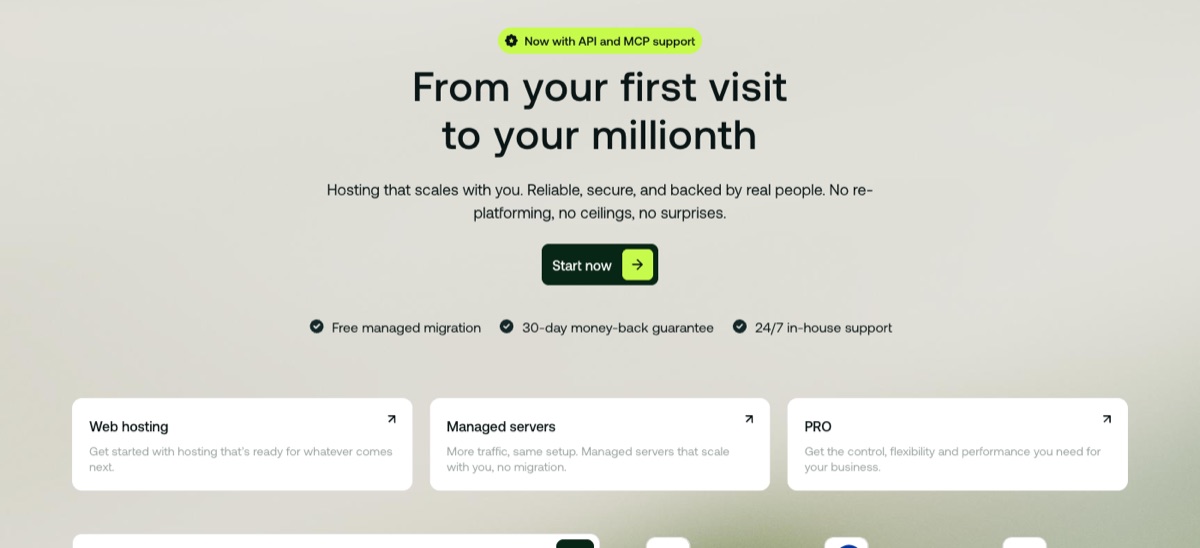
Hosting.com is fast, scalable hosting for developers, webmasters and bloggers with no technical knowledge. Whether you need shared hosting, a managed server or a bare metal machine, the range covers most requirements.
If your top priorities are speed, support and security, Hosting.com should be on your shortlist.
Hosting Types
- Shared
- Dedicated
- VPS
- WordPress
- Reseller
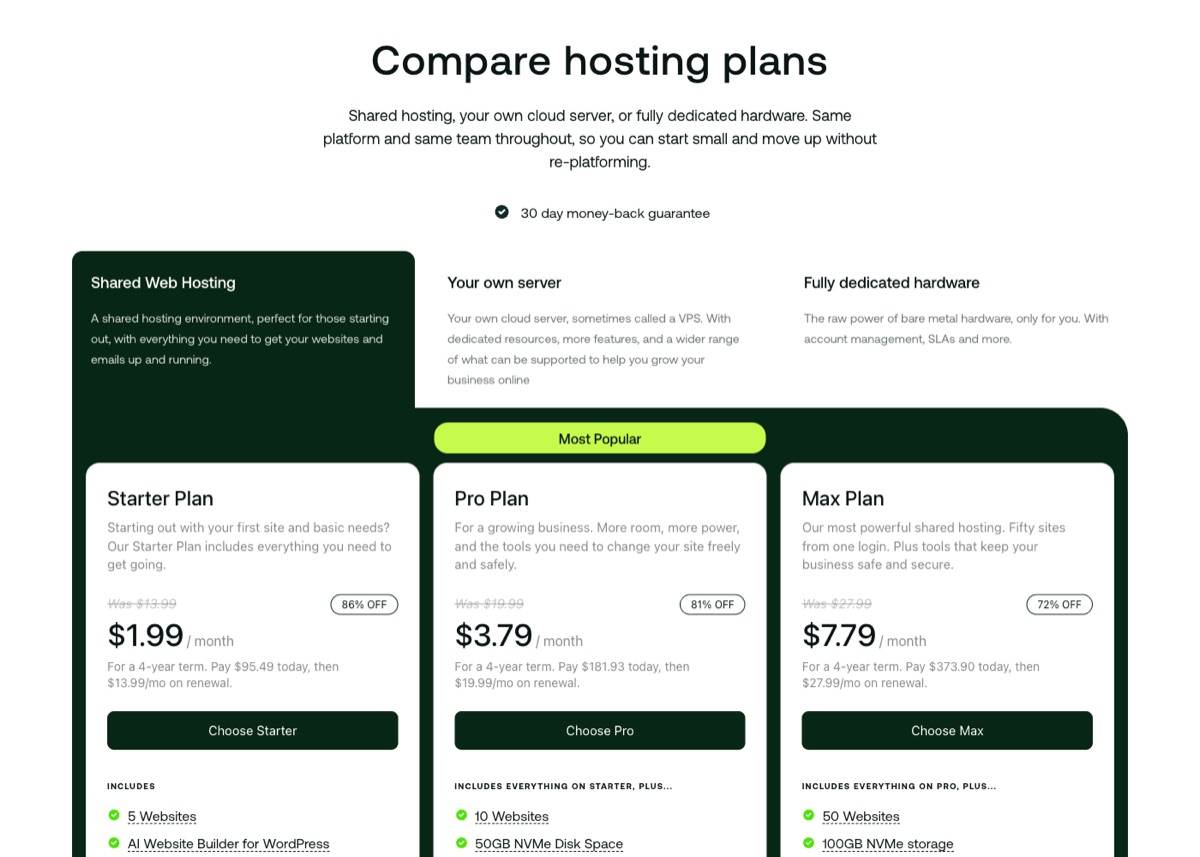
Hosting.com sells three shared plans: Starter, Pro and Max. Starter costs $1.99 a month on a 4-year term ($2.99 on a 1-year term) and covers 5 websites with 15 GB of NVMe storage, 5 mailboxes, and 2 vCPU with 2 GB of RAM.
Pro costs $3.79 a month on the 4-year term and raises the limits to 10 websites, 50 GB of NVMe storage, 4 vCPU and 4 GB of RAM. It also adds staging sites, Redis object caching and Node.js support.
Max costs $7.79 a month on the same term and covers 50 websites, 100 GB of NVMe storage, 4 vCPU and 8 GB of RAM. Bandwidth is listed as unlimited on all three, with page view guidelines of 50,000, 150,000 and 500,000 a month.
Linux Shared Hosting
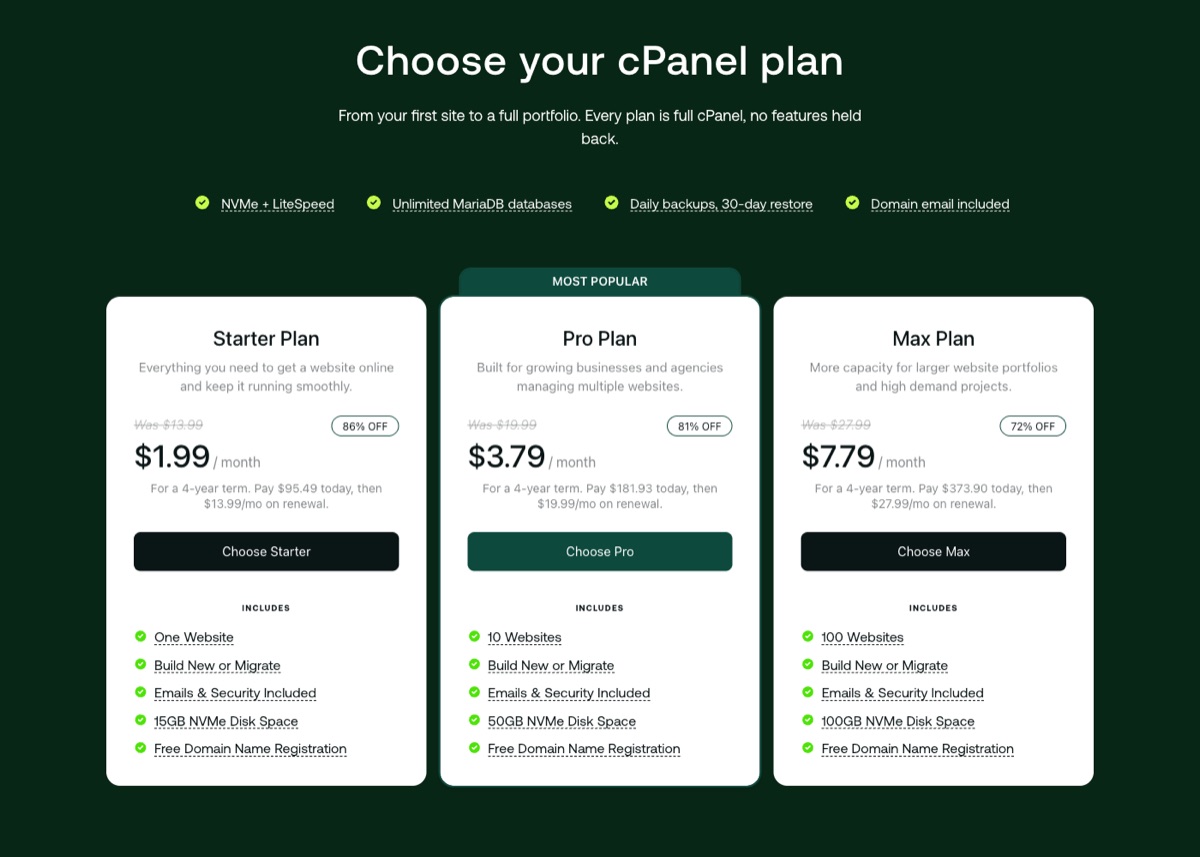
Hosting.com's own Hosting Panel is the default on shared plans, which comes with API and MCP support for AI tools. If you prefer cPanel, Hosting.com sells cPanel versions of Starter, Pro and Max at the same prices, with 1, 10 and 100 websites and the same 15, 50 and 100 GB of NVMe storage.
Site migration is free, and the shared plans now include a free domain for the first year. You also get SSH access, a free SSL certificate and NVMe storage on every package, features that some hosts charge extra for.
Windows Hosting
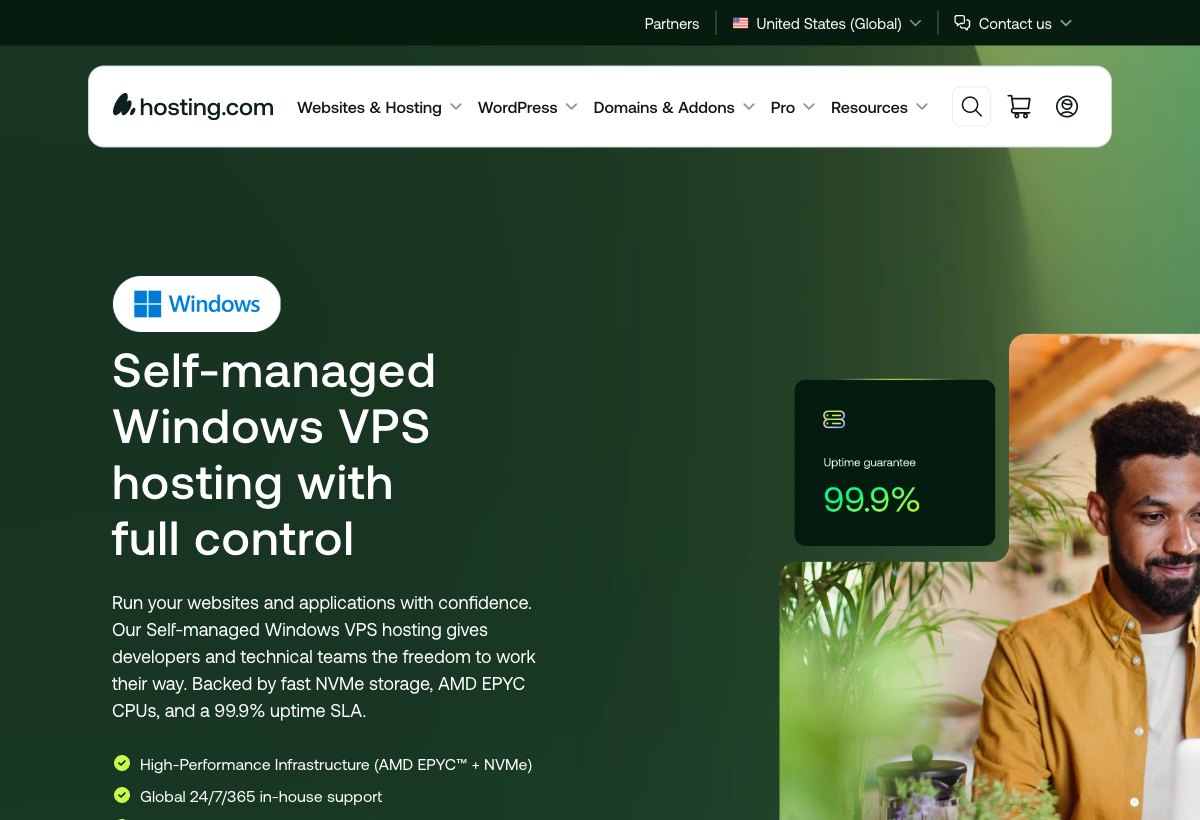
Hosting.com has dropped Windows shared hosting, so a Windows site now needs a Windows VPS. The self-managed version is advertised from $15 a month and runs Windows Server 2022 with the Plesk control panel.
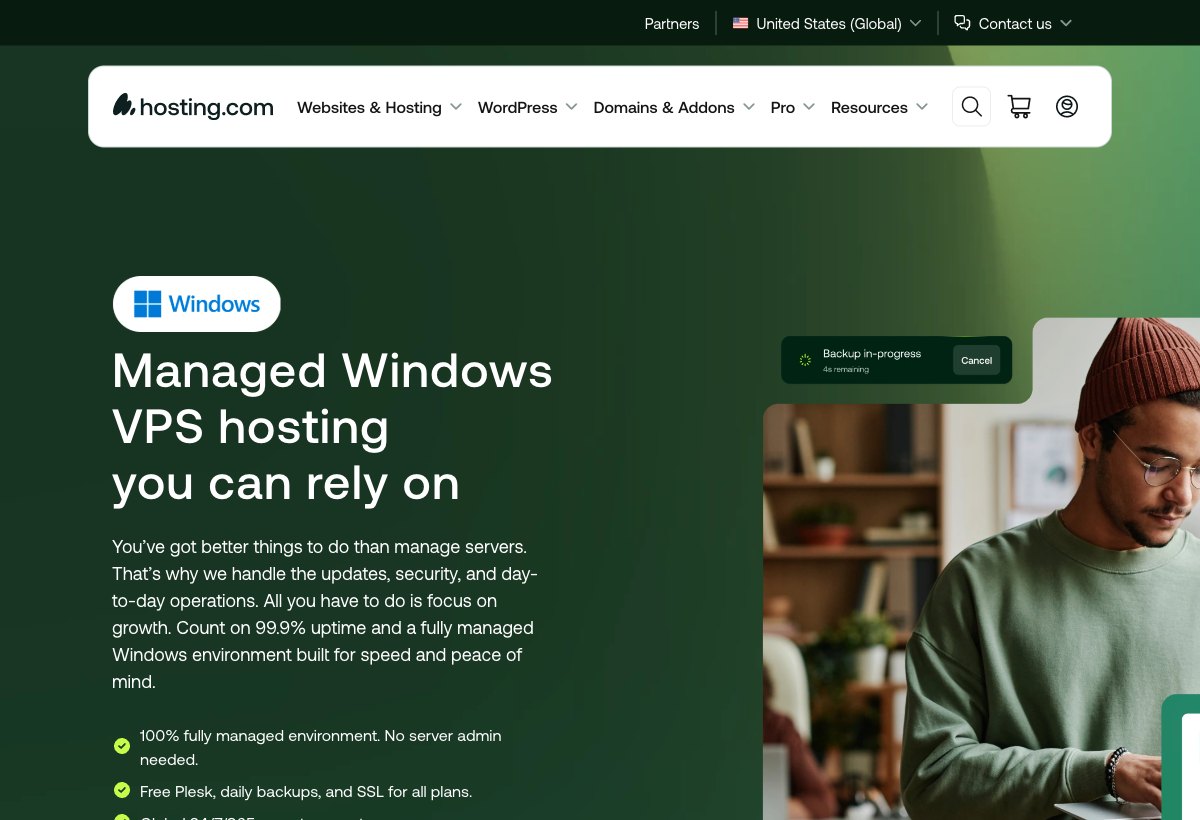
The managed Windows VPS starts with 2 CPU cores, 4 GB of RAM and 80 GB of NVMe storage, and goes up to 16 cores and 32 GB. Plesk, daily backups and SSL are included, and Hosting.com handles the updates and security.
You can run WordPress in two ways at Hosting.com. The shared plans install it in one click and leave updates and plugins to you, while Managed Hosting for WordPress is a separate platform built with Rocket.net.
The managed platform costs more than shared hosting, but it adds Cloudflare Enterprise CDN, full-page caching, WP Rocket and Object Cache Pro. The Small plan costs $4.49 a month on a 1-year term and covers 1 WordPress install, 20 GB of NVMe storage, 100 GB of bandwidth and about 30,000 visitors a month.
According to Hosting.com's WordPress hosting page (checked November 2026), the managed WordPress platform runs on Dell servers with the latest AMD EPYC CPUs and Samsung NVMe drives. The nodes typically have 512 GB of RAM or more, and each site runs in its own isolated container with no inode limit.
That RAM belongs to the whole node, not to your site, so the plan's visitor and storage limits still decide what you get. Sites can be placed in the UK, the USA, Canada, Mexico, Germany, Singapore, India, Australia or the UAE.
SelfManaged WordPress
Managed WordPress
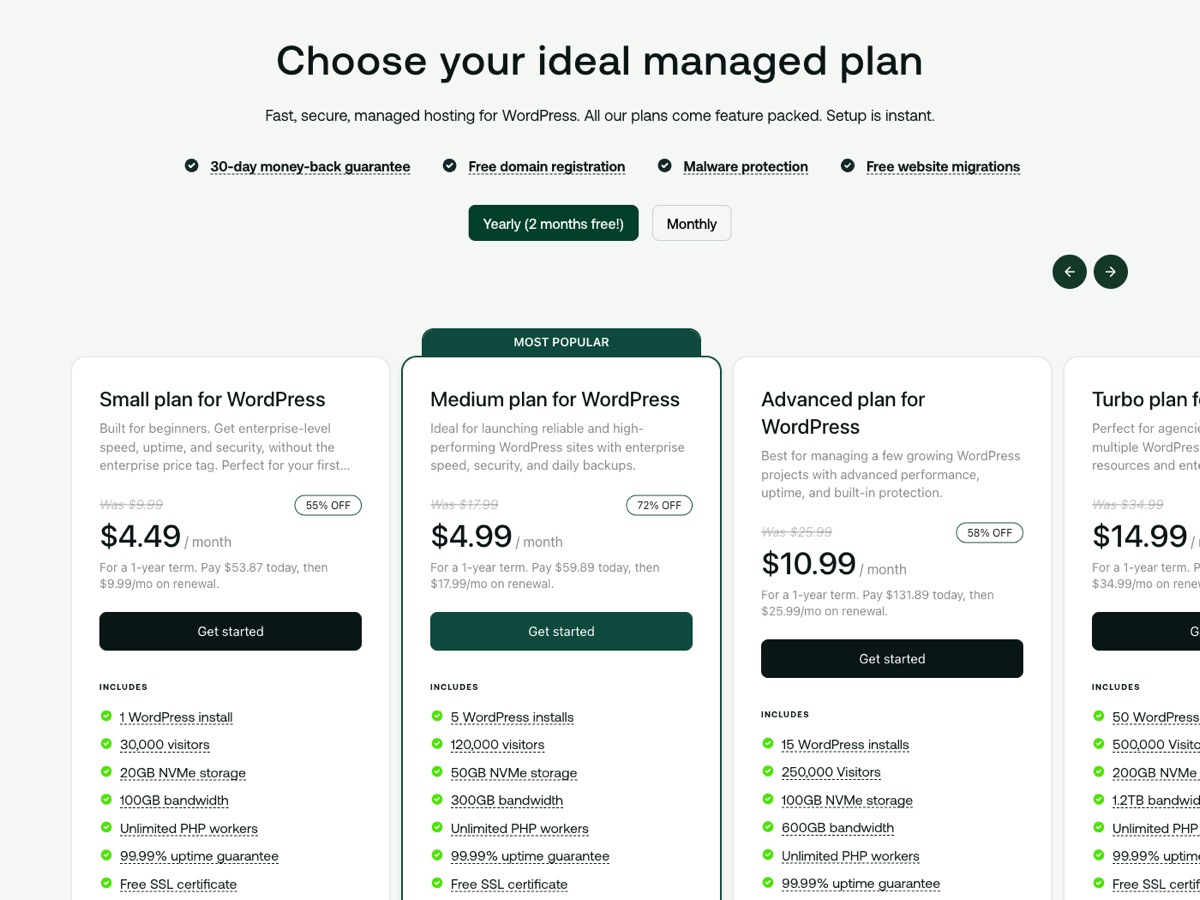
The introductory prices are lower than the renewal prices.
Hosting.com sells unmanaged (self-managed) Linux VPS plans from 1 CPU core, 2 GB of RAM and 40 GB of NVMe storage up to 16 cores, 32 GB and 640 GB. The 2 CPU core, 4 GB RAM server with 80 GB of NVMe storage costs $6.49 a month on a 3-year term and renews at $19 a month.
Managed VPS plans start with Managed cPanel 4GB: 2 CPU cores, 4 GB of dedicated RAM, 100 GB of NVMe storage and a dedicated IP. It costs $23.20 a month on a 1-year term, then $58 a month on renewal.
The managed plans include WHM with cPanel, LiteSpeed (from the 16 GB plan), CloudLinux and Monarx, and Hosting.com handles OS patching, firewall upkeep, backups and monitoring. Root access is not provided on managed plans, so pick an unmanaged VPS if you need full control.
Unmanaged VPS Plans
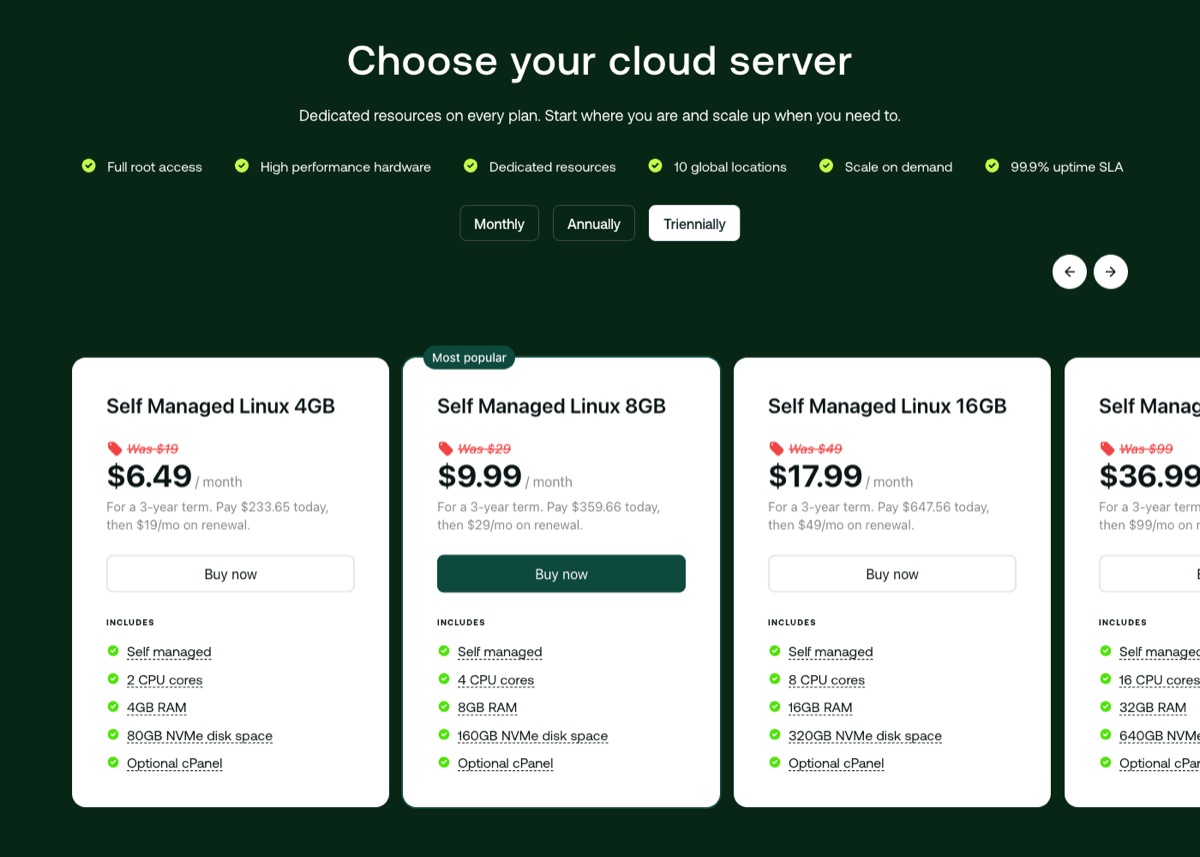
Managed VPS Hosting

The unmanaged VPS comes with root-level control, so you can install Ubuntu, Debian or AlmaLinux yourself, with optional cPanel licenses. Hosting.com also sells a self-managed Windows VPS with Plesk, which its page advertises from $15 a month.
Hosting.com puts its VPS plans on hardware RAID with redundant power and network uplinks. You can configure CPU, RAM and storage, then scale individual resources later without rebuilding the server.
The whole VPS range uses AMD EPYC processors with NVMe drives. Managed plans from 16 GB of RAM up switch the web server from Apache to LiteSpeed, and Magento stores can add LiteMage page caching.
Fast caching no longer needs a separate Turbo plan. LiteSpeed serves cached pages without running PHP on each request, and it works with SSL out of the box.
The support team, which Hosting.com still calls the Guru Crew, is available 24/7/365. Security on managed servers comes from CloudLinux account isolation, Monarx malware scanning that checks uploads and edits as they happen, and a firewall that stops repeated login attacks.
The introductory prices are lower than the renewal prices.
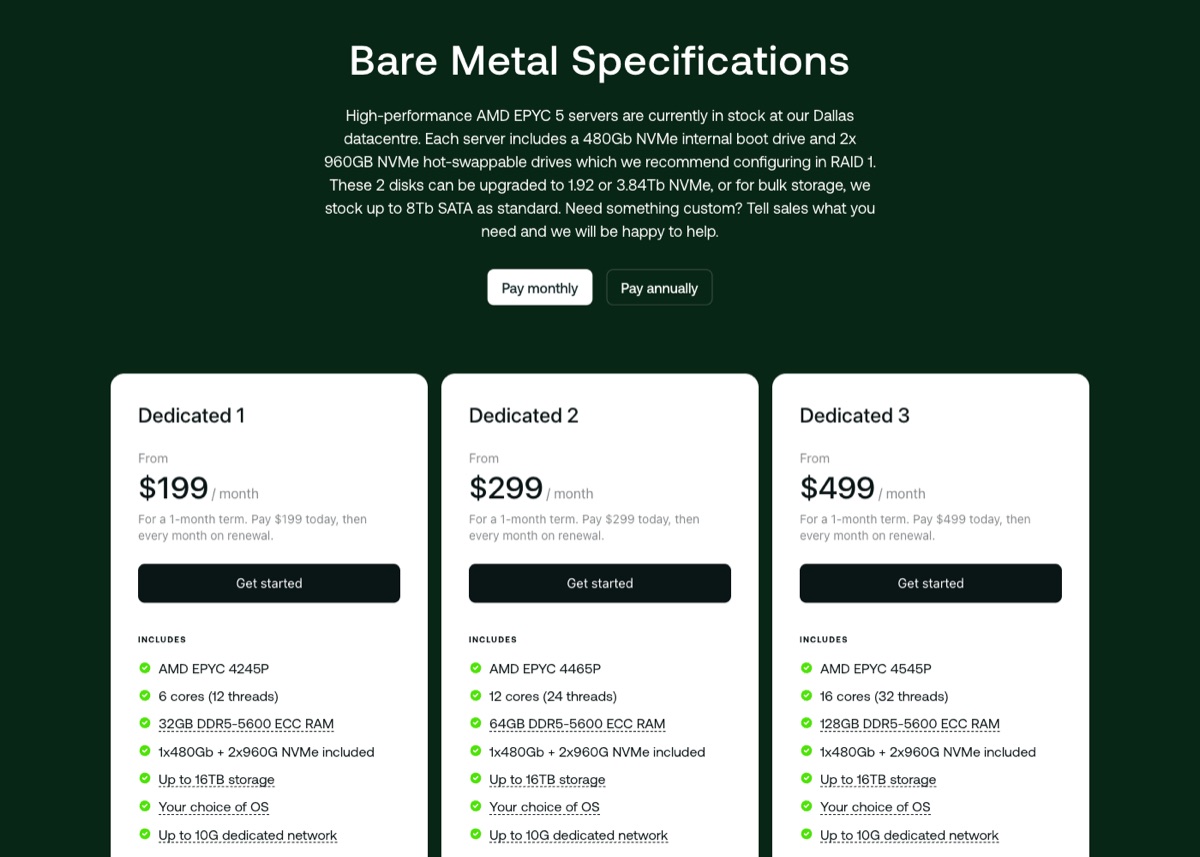
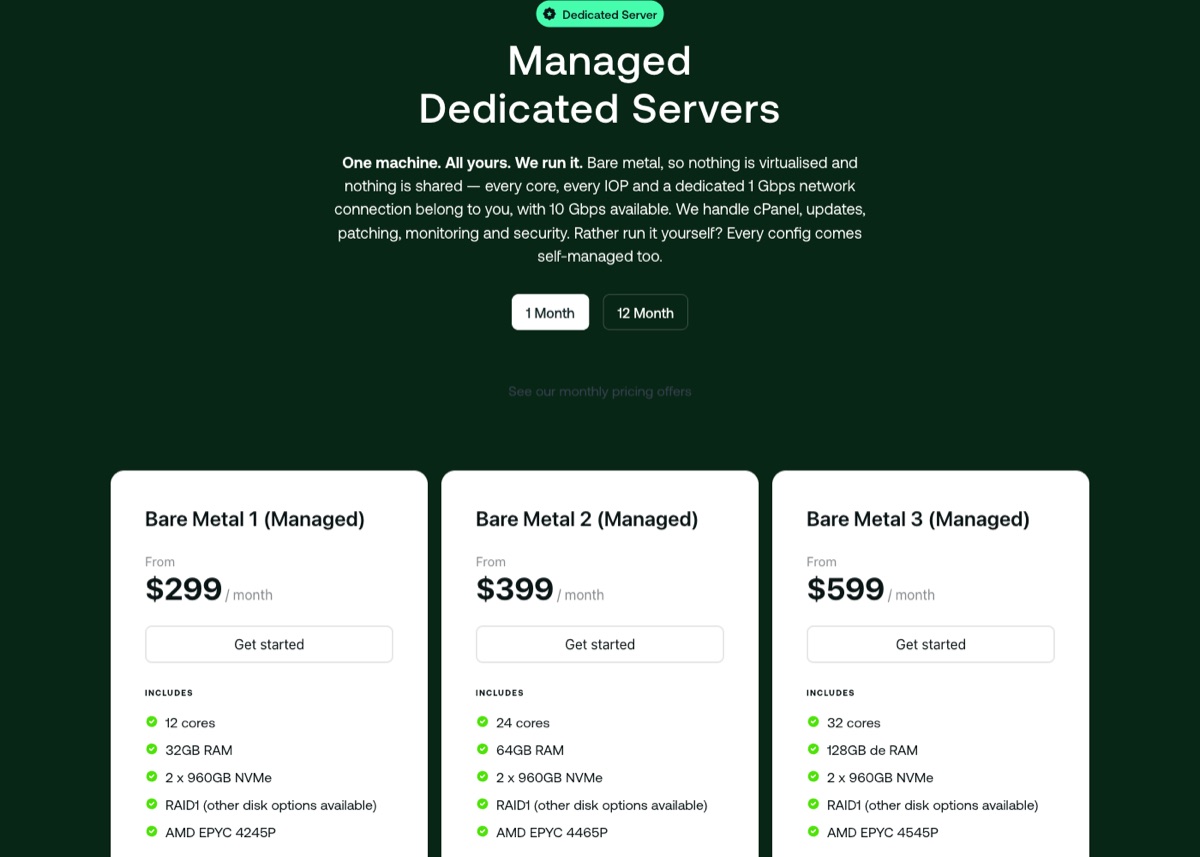
Hosting.com sells bare metal dedicated servers in two versions: unmanaged and managed. Unmanaged servers start at $199 a month for Dedicated 1, and the managed Bare Metal 1 starts at $299 a month on monthly billing.
There is no semi-dedicated plan anymore. The entry server uses an AMD EPYC 4245P with 6 cores (12 threads) and 32 GB of DDR5 ECC RAM, and the top configuration has an EPYC 4545P with 16 cores (32 threads) and 128 GB of RAM.
Unmanaged Dedicated Hosting
Managed Dedicated Hosting
With the unmanaged dedicated server, you choose the operating system and get root-level control over it. Hosting.com's engineers watch the network 24/7 and look after the hardware, while patching, the software stack and security are up to you.
The same hardware powers the managed dedicated plans. Hosting.com handles cPanel, updates, patching, monitoring and security for you.
Every server includes a 480 GB NVMe boot drive plus 2 x 960 GB NVMe drives, which Hosting.com recommends setting up in RAID 1. Storage can grow to about 16 TB, and each server gets its own 1 Gbps port, which can be upgraded to 10 Gbps.
Dedicated servers are hosted in Dallas by default, and Hosting.com says other locations can be arranged on request with a short lead time. CPU, memory and disk options can be combined within available stock, and the sales team confirms the final setup.
Security on the managed servers covers patching, a firewall and 24/7 monitoring. On an unmanaged server those jobs are yours, so plan for backups and updates before you go live.
Hosting.com gives you control at every level you need. Both versions suit websites that have outgrown a VPS and need consistent performance without noisy neighbors.
The introductory prices are lower than the renewal prices.
For those of you who want to start a hosting business without dealing with infrastructure, look at the Hosting.com reseller plans. The flagship range runs on the Enhance control panel and is fully white-label.
Reseller E30 costs $21.99 a month and includes 30 accounts, 100 GB of NVMe storage and 1 vCore with 2 GB of RAM per account. If you prefer WHM with cPanel, the cPanel reseller plans start at $24.50 for the first month on Reseller 30, then $49 a month, with WHMCS for $5 or Blesta free.

The introductory prices are lower than the renewal prices.
Operating Systems
- Unmanaged VPS: Ubuntu 22.04 LTS, Debian 12 or AlmaLinux 9
- Managed VPS: cPanel on AlmaLinux, with CloudLinux account isolation
- Windows VPS: Windows Server, managed through Plesk
DataCenters
- USA
- London
- Frankfurt
- Singapore
- Mumbai
- Sydney
About Hosting.com
As mentioned before, the company was founded back in 2001 as A2 Hosting. At first, it mainly served developers and webmasters, but the platform has grown into one that non-technical users can handle easily.
Hosting.com now brings A2 Hosting and World Host Group together under one brand. It says it hosts more than 3 million websites for about 700,000 customers.
On the technical side, Hosting.com's shared plans support multiple PHP versions up to PHP 8.5, as well as multiple Node.js versions.
AMD EPYC processors power the shared plans, with published per-plan limits: 2 vCPU and 2 GB of RAM on Starter, 4 vCPU and 4 GB on Pro, and 4 vCPU and 8 GB on Max. Storage is NVMe with a fixed allowance per plan: 15 GB on Starter, 50 GB on Pro and 100 GB on Max for shared hosting. The package comparison also lists a concurrent visitor capacity of 30 on Starter, 60 on Pro and 120 on Max.
Every shared plan also includes the LiteSpeed web server with LiteSpeed Cache for WordPress, OPcache and Memcached. Pro and Max add Redis object caching.
A2 Hosting also had a green angle: in 2007, it started buying carbon offsets through Carbonfund.org to balance its server emissions. Hosting.com's about and plan comparison pages don't say whether that program still runs, so ask before treating it as a reason to sign up.
The hosting suits most needs, with specific setups for WordPress and eCommerce. Hosting.com advertises a 99.9% uptime commitment, and its plan comparison lists 99.95% for shared and cloud server plans and 99.99% for bare metal.
Pros
- Flexibility: Hosting.com supports PHP, Node.js, MySQL, MariaDB and PostgreSQL, with SSH and Git on every shared plan.
- LiteSpeed, OPcache and Memcached on every shared plan, plus Redis on Pro and Max.
- Published resource limits for CPU, RAM, IOPS and storage.
- AMD EPYC CPUs and NVMe storage across the range.
- 99.9% uptime commitment.
- Support 24/7/365 by live chat, phone and tickets.
- Free daily backups with 30-day restore on shared hosting.
- 30-day money-back guarantee on shared, WordPress and reseller plans.
Cons
- Complexity: Hosting.com offers a lot of options, which can sometimes be complex for someone looking for a simple, easy-to-use web host.
- Renewal prices are several times the intro price, for example $1.99 to $13.99 a month on Starter.
- Shared storage is capped at 15 to 100 GB, and the shared plans don't include a CDN.
Technical Features

Score 4.6/5
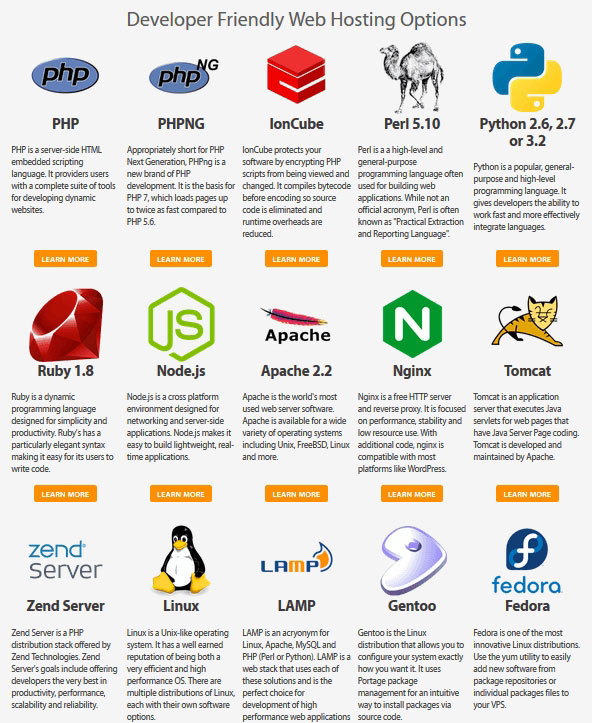
Historical screenshot: A2 Hosting's developer software page before the rebrand. The versions shown are old; the current stack is listed below.
Web applications, e-commerce and marketing
The shared plans support PHP (multiple versions up to 8.5) and Node.js, and you can switch the PHP version per site. They work with MySQL, MariaDB and PostgreSQL, including pgvector, and you get SSH access, Git, Composer, WP-CLI and cron jobs. So, if you are a developer, Hosting.com is an easy recommendation.
Further, if you have an eCommerce store, you can use Woocommerce, Magento, Prestashop, or Opencart. The cPanel plans install these and 400+ other apps through Softaculous, and the Hosting Panel has its own one-click installs.
For marketing, Hosting.com sells a separate Marketing Suite with SEO and marketing tools for small businesses. Every shared plan also includes an AI website builder for WordPress.
Domains, Databases and Benefits for Developers
The number of websites depends on the plan: 5, 10 or 50 on the Hosting Panel plans, and 1, 10 or 100 on the cPanel plans. Shared plans include a free domain for the first year, and you can also transfer your current domain to Hosting.com.
The cPanel plans include unlimited MariaDB databases. On the Hosting Panel plans, a single database can be up to 1 GB on Starter and 5 GB on Pro, and you manage databases with phpMyAdmin.
Storage is NVMe on RAID, and the shared plans are available in all six data center locations. Dedicated servers are hosted in Dallas by default, with other locations on request, and they run the operating system you choose, while CloudLinux is part of the managed cPanel server stack.
You get SSH access on every shared plan, which is pretty much required if you are a developer. File limits are published too: 200,000 inodes on Starter, 400,000 on Pro and 1 million on Max.
"Green" infrastructure
The next part of this review is the green angle. A2 Hosting used to describe itself as 100% carbon neutral, said it reused old servers instead of trashing them, and let staff telecommute to cut commuting emissions.
Hosting.com's current pages don't repeat those claims. Its about page only says it wants to be reliable and sustainable, so ask Hosting.com directly if a green host matters to you.
Performance and Security

Score 3.6/5
Hosting.com (A2) Speed Test Results (November 2026)
In November 2026, I load-tested 4 live websites hosted on Hosting.com (A2): 2 on shared hosting and 2 on VPS/cloud. Each site's hosting was verified from its server IP, and the table notes the technology each site runs on and the datacenter its server sits in, since both affect the result.
Most hosting reviews quote the cached speed, which is really the cache or CDN talking, not the host. I show both: the cached TTFB your visitors normally get, and the uncached TTFB with the page cache bypassed. The ranking uses server time (uncached TTFB minus the network round trip from the test location), because a cache can hide a slow server. Each hosting type's figure is the median of its sites.
| Hosting type | Website | Technology | Datacenter | Cached TTFB | Uncached TTFB | Server time |
|---|---|---|---|---|---|---|
| Shared | Web design agency | WordPress | Phoenix, United States | 609 ms | 629 ms | 572 ms |
| Shared | Travel blog | WordPress | Singapore | 1,588 ms | 1,583 ms | 1,356 ms |
| Shared median | 2 sites | 1,098 ms | 1,106 ms | 964 ms | ||
| VPS | Personal site | WordPress | Detroit, United States | 268 ms | 268 ms | 247 ms |
| VPS | Printing company | WordPress | Detroit, United States | 293 ms | 302 ms | 279 ms |
| VPS median | 2 sites | 280 ms | 285 ms | 263 ms |
Test settings, November 2026: 5 virtual users for 2 minutes, at most 1 request per second, every second request with a unique query string to bypass the page cache. Live websites under light load, not a controlled benchmark of Hosting.com (A2)'s plans.
On server time the VPS/cloud sites answered faster, a median of 263 ms against 964 ms on shared. None of the 4 sites showed a strong page cache: cached and uncached came back close together, so visitors lean on the server as much as the test does. All 4 sites answered every request without an error.
What each site runs:
- Web design agency — WordPress, Phoenix, United States
- Travel blog — WordPress, Singapore
- Personal site — WordPress, Detroit, United States
- Printing company — WordPress, Detroit, United States
Each hosting type has only 2 tested sites so far, so its median is less reliable. My Performance score for Hosting.com (A2) uses the shared result, the plan type I recommend from Hosting.com (A2). The other type is shown for comparison and ranked separately on my benchmarks page.
Uptime figures will be added once the monitored site has 30 days of data.
Hosting.com (A2) Under Load: 1 to 50 Visitors (November 2026)
The speed tests above use light traffic. For this test, k6 raised the number of visitors from 1 to 50 over 2 minutes, and every request skipped the page cache, so the server had to build every page. It puts real load on a live website, so I only run it on sites I manage or have permission to test, normally at a quiet hour for their visitors.
Each line is one website, every request uncached · k6 load from Ashburn, USA · November 2026 · lower is faster
- shared: web design agency (Phoenix, United States)
- shared: travel blog (Singapore)
- VPS/cloud: personal site (Detroit, United States)
- VPS/cloud: printing company (Detroit, United States)
Server time = average TTFB in each 12-second window minus the network round trip to the site's server. Hover or tap the chart to see each site's value and the number of visitors at that moment.
| Hosting type | Website | Technology | Datacenter | Server time at 1-10 users | Server time at 40-50 users | Failed requests | Grade |
|---|---|---|---|---|---|---|---|
| Shared | Web design agency | WordPress | Phoenix, United States | 690 ms | 7,300 ms | 0% | E |
| Shared | Travel blog | WordPress | Singapore | 1,840 ms | stopped at 23 users | 66.3% | E |
| VPS (comparison) | Personal site | WordPress | Detroit, United States | 207 ms | 2,880 ms | 0% | D |
| VPS (comparison) | Printing company | WordPress | Detroit, United States | 338 ms | 4,850 ms | 0% | E |
Server time as the load rose to 40–50 visitors at once:
- Web design agency (WordPress, Phoenix, United States) — 690 ms → 7,300 ms, grade E
- Travel blog (WordPress, Singapore) — 1,840 ms → stopped at 23 users, grade E
- Personal site (comparison) (WordPress, Detroit, United States) — 207 ms → 2,880 ms, grade D
- Printing company (comparison) (WordPress, Detroit, United States) — 338 ms → 4,850 ms, grade E
Sites marked comparison run a different plan type and are not counted in the shared grade.
Grades use fixed limits on server time at 40 to 50 visitors:
- A — under 0.5 s
- B — under 1 s
- C — under 2 s
- D — under 4 s
- E — 4 s or more, more than 1% failed requests, or a test k6 had to stop
Real visitors mostly get cached pages, so this is the hard case: a traffic spike on pages the cache can't answer. Each site's technology, plan and plugins also affect the result.
This load grade counts in my Hosting.com (A2) score. It's one of the three grades behind the host's benchmark rating and the Performance score of this review, next to server time and the slowest 5% of requests.
Hosting.com Uptime Guarantee
Hosting.com advertises a 99.9% uptime commitment.
LiteSpeed speed and optimized software
Speed and software optimization are among the most important parts of this review. Hosting.com builds its plans around speed, and the old Turbo features are now standard: every shared plan runs the LiteSpeed web server on AMD EPYC CPUs with NVMe storage.
Each shared plan has published IOPS and I/O limits, from 1,024 IOPS and 50 MB/s on Starter to 8,192 IOPS and 250 MB/s on Max. HTTP/2 and HTTP/3 are included on every plan.
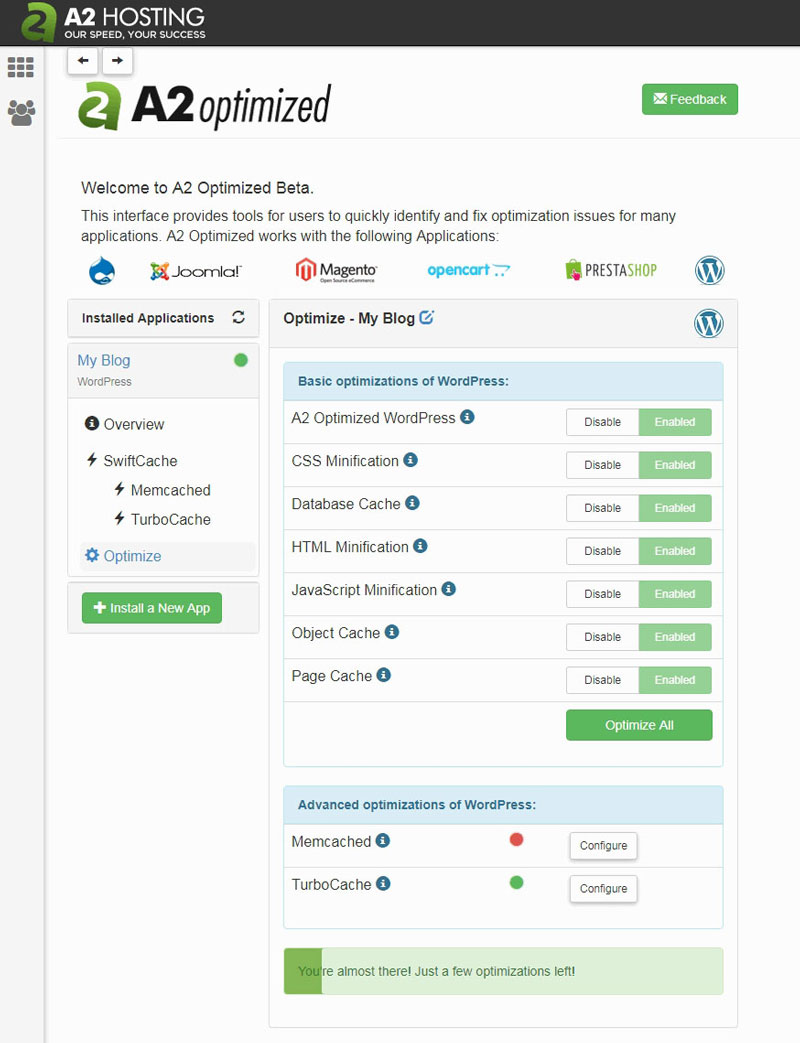
Historical screenshot: the A2 Optimized dashboard used on A2 Hosting's Turbo plans before the rebrand.
Site acceleration and caching
Caching comes preconfigured with your web hosting. Here is how the layers work.
The first is LiteSpeed Cache, which stores pages and serves them without running PHP on every request. The second is OPcache, which cuts PHP response time.
To speed up the database, you get Memcached on every plan and Redis object caching on Pro and Max. Object caching keeps the results of repeated database queries in memory, which helps busy WordPress and WooCommerce sites most.
"Constant Security" and 24/7 monitoring
Security is a crucial part of choosing a hosting provider. Hosting.com includes a solid set of protections on every shared plan.
A web application firewall (ModSecurity) and DDoS filtering protect your website from common attacks. Monarx detects and removes malware, brute-force login protection blocks password guessing, and each site runs in its own container.
As for individual site security, every plan includes free SSL certificates with automatic renewal. You can also turn on two-factor authentication for your account.
Ease of use

Score 4.5/5
In this review, I've said that this hosting has a strong developer focus. So, this section covers the ease of use for non-technical users.
The Hosting Panel has all the options in one place. You can manage your websites, email, domains and backups there, and renew your products with ease.
If you prefer cPanel, the cPanel plans give you the familiar dashboard. Both panels install WordPress and other apps in one click.
The built-in AI website builder for WordPress lets you start a site by describing what you want. Orbi, Hosting.com's AI assistant, answers setup questions and hands you to a human when needed.
Monarx automatically detects malware on your website. That way, you don't need to worry about security too much.
Overall, everything is easy to use. Dedicated servers are different: Hosting.com sells them unmanaged with root access by default, so ask sales whether cPanel or Plesk is available if you want a control panel. On shared hosting and managed plans, cPanel or the Hosting Panel lets you handle these tasks without much technical knowledge, but an unmanaged dedicated server needs someone comfortable with the command line.
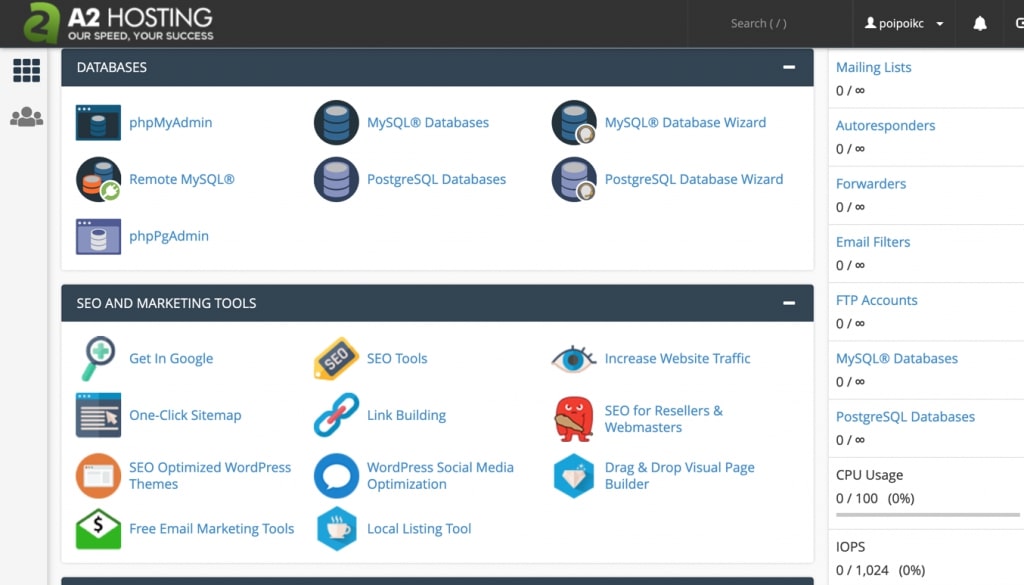
Historical screenshot: A2 Hosting's cPanel theme before the rebrand. Hosting.com's default plans now use its own Hosting Panel, with cPanel on the cPanel plans.
Price

Score 3.7/5
Next, let's look at Hosting.com's pricing.
There are three shared hosting plans to choose from. The main difference between them is the number of websites and the resources, from 5 websites on Starter to 50 on Max.
Starter costs $1.99 a month, Pro $3.79 and Max $7.79 on a 4-year term. On a 1-year term they cost $2.99, $4.99 and $9.49 a month, and they renew at $13.99, $19.99 and $27.99 a month, so the intro price only lasts for the first term.
There are unmanaged, managed and Windows VPS plans. Unmanaged Linux servers start at $6.49 a month on a 3-year term (renewing at $19), and managed cPanel servers start at $23.20 a month on a 1-year term (renewing at $58).
Managed Linux plans go up to 64 CPU cores and 256 GB of RAM. Windows VPS plans are sold self-managed or managed.
People with a very large amount of traffic, or who need a custom server, can go with dedicated hosting. There are three hardware configurations, each sold unmanaged or managed.
Unmanaged servers cost $199, $299 and $499 a month on monthly billing. The managed versions cost $299, $399 and $599 a month, or less on a 12-month term.
Hosting.com shared hosting plans
Hosting.com managed Windows VPS
Hosting.com reseller hosting plans

Hosting.com cPanel reseller hosting plans
Hosting.com unmanaged VPS plans
Hosting.com self-managed Windows VPS
Reliability and support

Score 4.3/5
Along with fast, scalable hosting, reliability matters a lot. Hosting.com publishes customer reviews on its own site and shows a 4.8 rating from about 7,250 reviews.
Treat those ratings as customer-reported experiences rather than measurements. They still give a useful picture of how the support team handles problems.
Software, servers and support team
Hosting.com has moved its shared hosting to cloud-based servers with AMD EPYC processors, NVMe storage and Anycast DNS. It says hardware is refreshed to the latest generation without downtime.
You get the server resources of the plan you choose, and higher plans add more CPU, RAM and IOPS. Its team watches the servers 24/7.
Support is in-house and available 24/7/365 by live chat, phone and tickets, and the contact page also offers email. The team works from offices including Bali, Sofia, Manila and Bangalore, and Orbi, the AI assistant, handles quick questions first.
The promise of "Constant Security": Monarx, WAF and more
Security is important, and Hosting.com builds it into every plan. Monarx checks new and edited files as they appear and removes malware, giving you protection against hackers and infected uploads.
A web application firewall filters out attacks and bad bots. Daily backups are kept on separate storage, and you can roll back to any day from the past month.
If something is wrong with a server, Hosting.com's 24/7 monitoring alerts the technical team so they can fix it. Further, every plan has free SSL, and shared plans include Cloudflare DNS sync, while the CDN itself is included on cloud servers and bare metal.
Site Transfer Policy
Hosting.com has a free managed migration service, with no limit on the number of sites. Its team moves your sites, email and domains from your current host, and you can check the copy on a temporary URL before any DNS change.
On cPanel, the move is a straight backup and restore. From other hosts, the team migrates manually and tells you exactly what it needs.
Conclusion: Is Hosting.com Right for You?
For an inexperienced user, things might be confusing at first. There are many different hosting packages, and depending on what you get, there are a ton of different functions at your disposal.
This could be confusing. But, once you have found your hosting package and the tools at your disposal, it becomes easier to find your way.
Hosting.com says more than 790 people work behind the scenes, with in-house support teams on several continents. In my opinion, its offer is a good balance between speed, reliability, competitive intro pricing and quality support, as long as you plan for the renewal prices.
No matter where you are on the scale of hosting needs, Hosting.com has a solution for you, from a single shared site to a bare metal server. I recommend it mainly to site owners whose visitors are in North America, Europe, India, Southeast Asia or Australia, close to its six data center locations.
If you are a developer or system administrator who is comfortable with server management, you will find that Hosting.com offers excellent solutions, especially when you consider the number of features that come with a typical plan.
How useful was this article?
Click on a star to rate it!
Average rating 3 / 5. Vote count: 1
Leave a comment
Your email address will not be published. Comments are reviewed before they appear.