

Hostinger is one of the cheapest ways to get a managed website online with a mainstream host, as long as you pay for a long term upfront. The entry Premium plan costs $2.49/month when you take the 48-month term, comes with free domain registration for the first year, and runs on LiteSpeed servers managed through Hostinger's own hPanel dashboard.
What you pay later is a different story. Premium goes up to $10.99/month at renewal, and the cheap rate only applies to the term you buy first. In this review, I look at what each Hostinger plan includes, where its servers are, how support works, and who should pick something else.
| Overall | Features | Performance | Ease of use | Price | Support |
|---|---|---|---|---|---|
| 8.2 | 8.7 | 8.4 | 9.0 | 8.3 | 6.5 |
Contents
Data sheet of the host
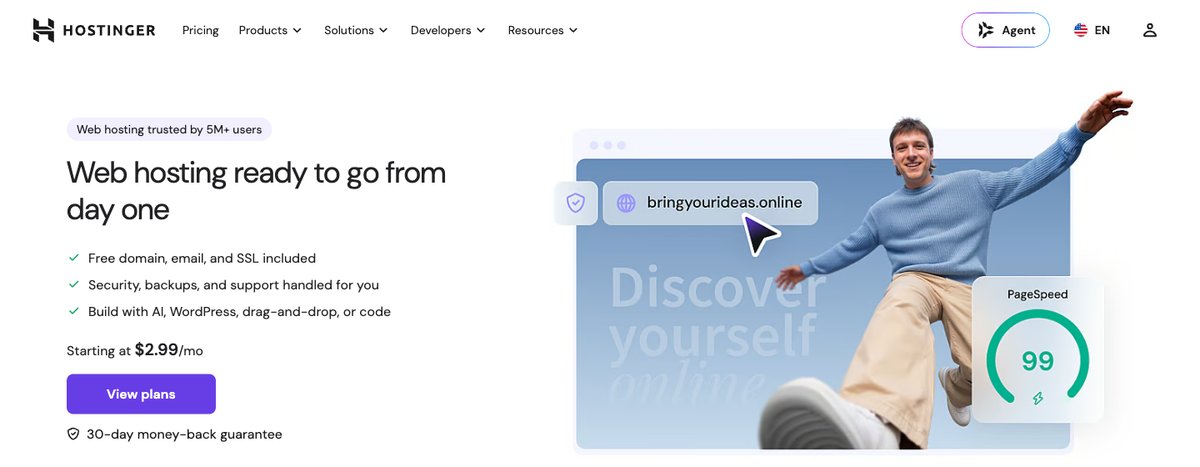
Hostinger sells managed web hosting, WordPress hosting, self-managed VPS servers and cloud hosting, all from one account. Most beginners will start on a shared plan, and the upgrade path to cloud or VPS stays inside the same dashboard, which makes it easy to grow without switching hosts.
Hosting Types
- Shared (web hosting)
- WordPress
- Cloud
- VPS
Operating Systems
- Shared, WordPress and cloud plans: Linux servers running LiteSpeed, managed by Hostinger
- VPS: Linux only (Ubuntu, AlmaLinux, Rocky Linux, CentOS Stream, openSUSE, Fedora and other templates); Hostinger does not sell Windows VPS
DataCenters
- Europe: France, Germany, Lithuania, the Netherlands and the United Kingdom
- Asia: India, Indonesia and Malaysia
- North America: USA (Phoenix, Boston and Asheville)
- South America: Brazil
Shared Hosting
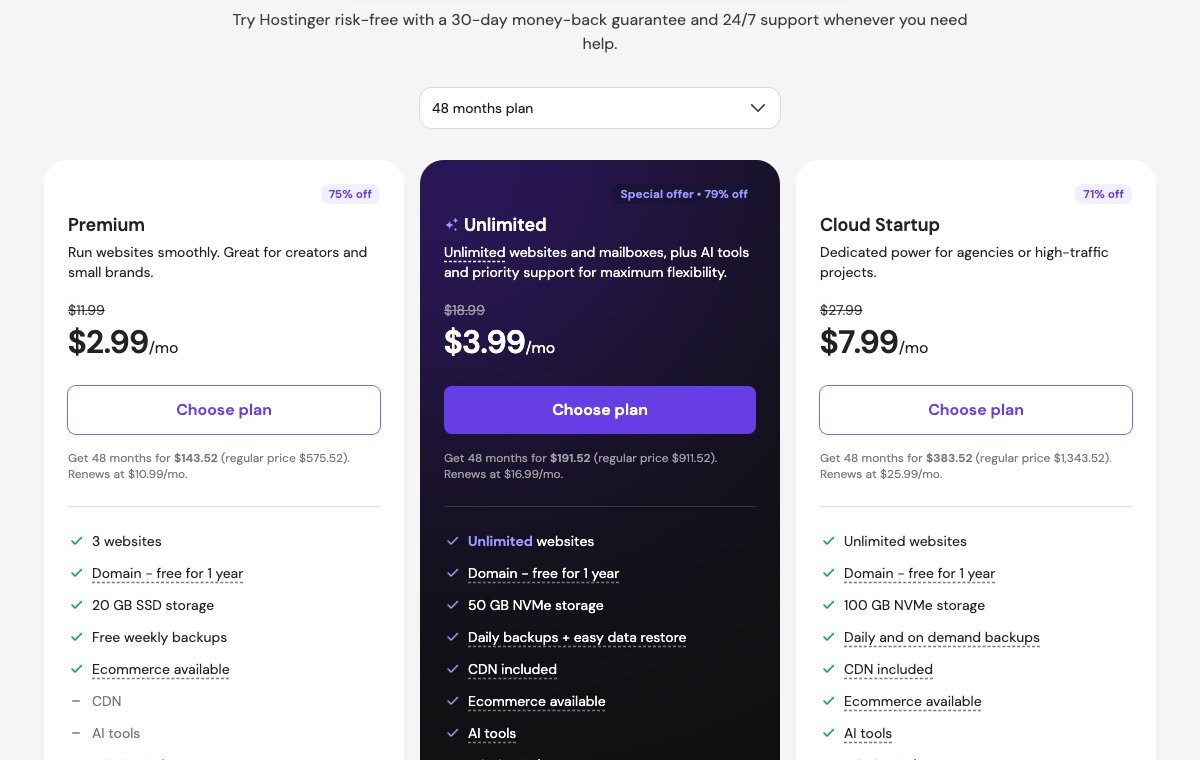
Hostinger offers two shared web hosting plans, Premium and Unlimited, with Cloud Startup shown next to them as the step up. Premium covers 3 websites with weekly backups and 20 GB of SSD space. Unlimited lets you host unlimited websites, upgrades you to 50 GB on NVMe drives, and brings daily backups. The CDN, Node.js support and priority support now come with Premium too.
For most people starting a first website, the real choice is between these two. Premium is enough for one or two small sites, but Unlimited costs only $1/month more on the 48-month term and fixes the two things Premium users usually miss: daily backups and NVMe storage.
WordPress Hosting
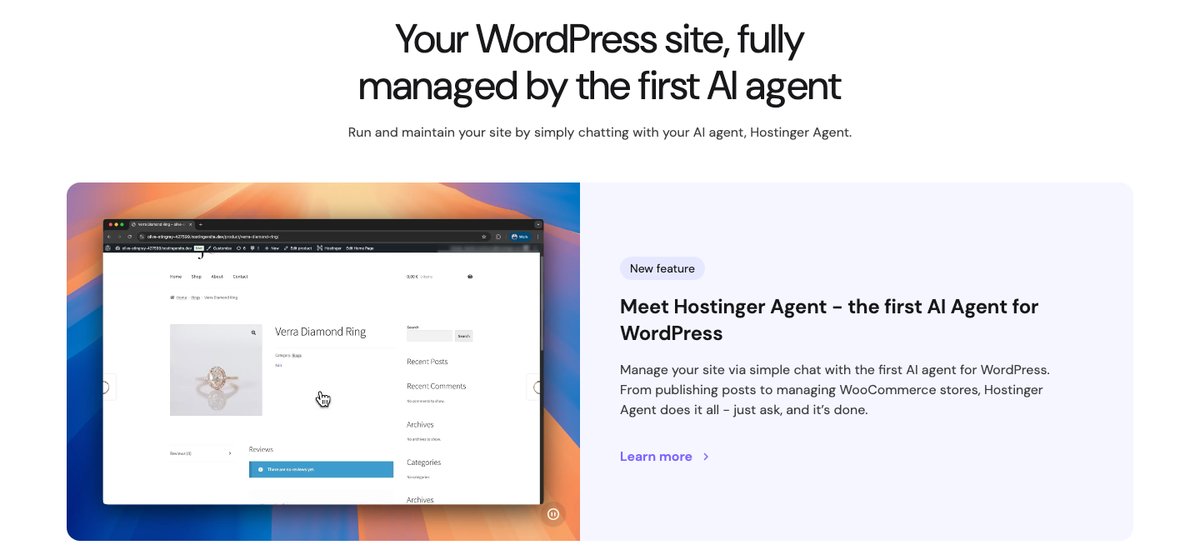
Hostinger's WordPress hosting uses the same three plans and the same prices as its web hosting. The difference is the setup: WordPress is installed in one click, and the plans are tuned for it with LiteSpeed caching, automatic updates and Hostinger's AI tools for WordPress.
So there is no reason to pay extra for a "WordPress" label at Hostinger. If you plan to run WordPress, pick the plan by resources, not by the product name.
Cloud Hosting
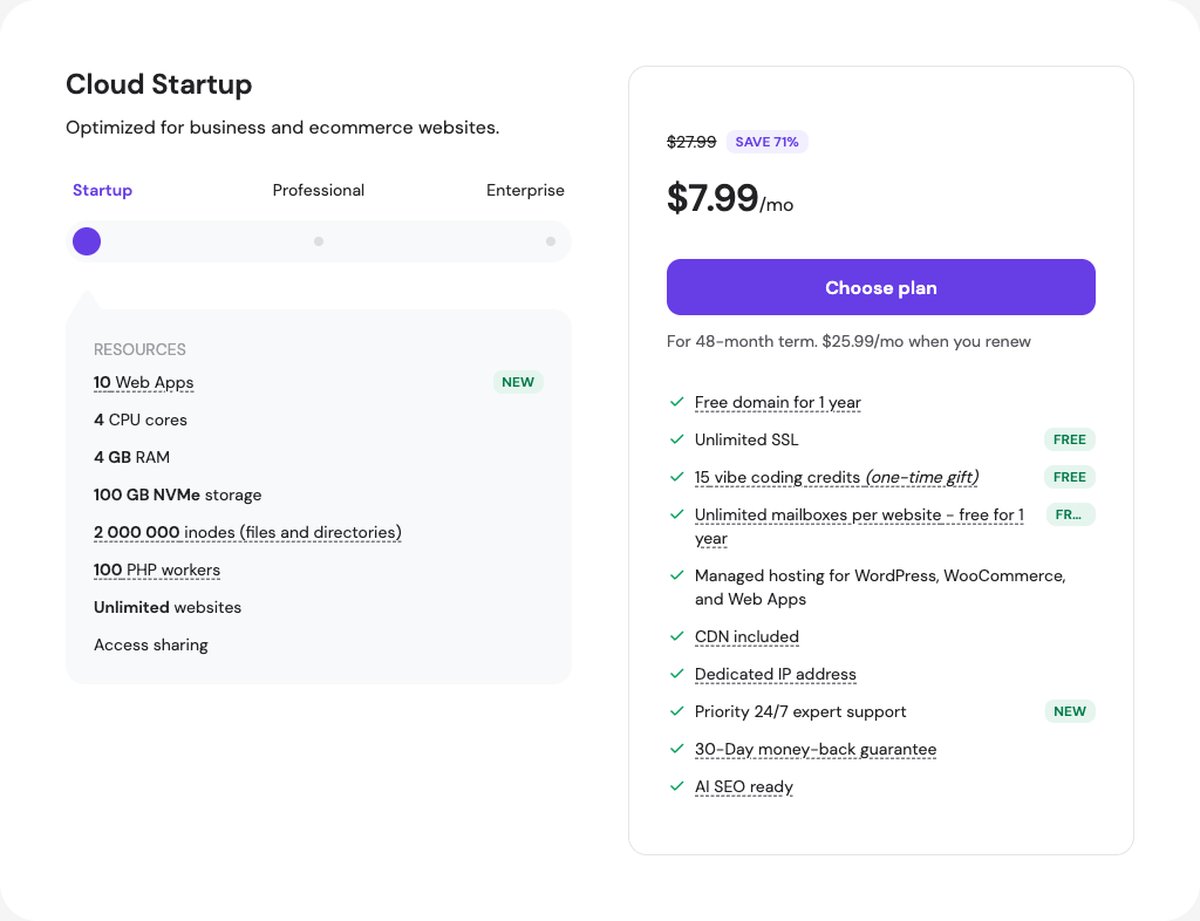
Cloud hosting is still fully managed, so you don't touch the server, but you get much more room than on shared hosting. Cloud Startup gives you 4 CPU cores, 4 GB of RAM, 100 GB of storage on NVMe, 2,000,000 inodes and a dedicated IP address. The Professional (5 cores, 6 GB RAM, 200 GB) and Enterprise (6 cores, 12 GB RAM, 300 GB) tiers add more resources on the same platform.
Cloud is the plan to look at for a busy WooCommerce store or an agency hosting many client sites, when you want more power but don't want to manage a VPS yourself.
VPS Hosting
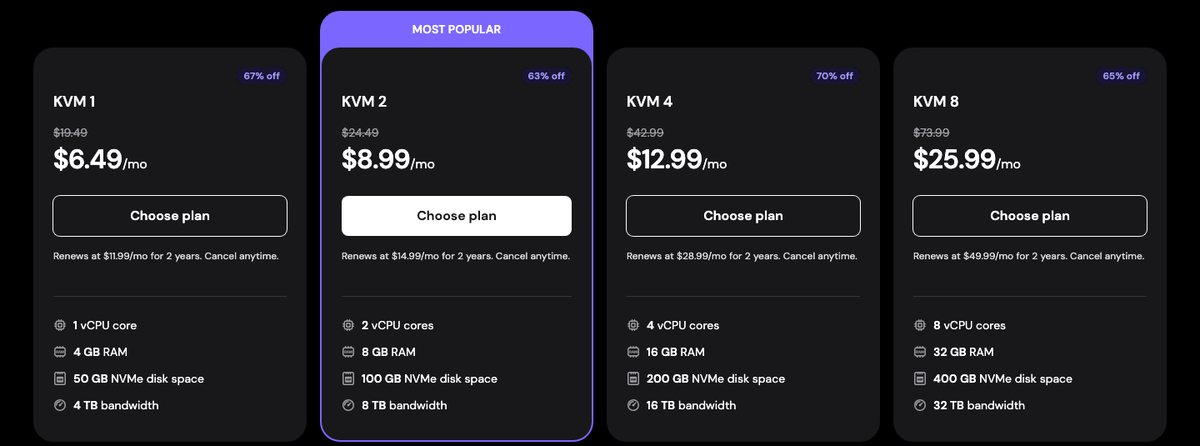
Hostinger's VPS line has four KVM plans, from KVM 1 (1 vCPU, 4 GB of memory, 50 GB of NVMe storage, 4 TB of monthly bandwidth) to KVM 8 (8 vCPU, 32 GB of memory, 400 GB of NVMe storage, 32 TB). All four run on AMD EPYC CPUs, a 1 Gbps network port, weekly backups and a dedicated IP address.
The VPS is self-managed. You get full root access plus one-click templates for control panels like CyberPanel, cPanel, Plesk and DirectAdmin, but you are responsible for the server itself. cPanel, Plesk and DirectAdmin need a separate license, so budget for one if a familiar panel matters to you.
About Hostinger

Hostinger has been around since 2004 and is based in Lithuania, with offices in Kaunas, Vilnius, Luxembourg and Yogyakarta (Indonesia). The company says it serves more than 5 million users, and its current shared plans use its own control panel, hPanel, instead of cPanel.
That in-house panel is why the experience feels different from hosts that use cPanel: everything is simpler, but some advanced settings live in other places or don't exist.
Pros
- Very low prices on long terms, with a year of free domain registration.
- LiteSpeed servers, NVMe storage on most plans and a built-in CDN on every plan.
- Data centers in 10 countries across Europe, Asia and the Americas.
- Simple upgrade path from shared to cloud to VPS in one account.
- 30-day money-back guarantee on hosting and VPS plans.
Cons
- Renewal prices are roughly 3 to 5 times the introductory rate.
- The best prices require paying up to 48 months upfront.
- Premium has weekly backups only and SSD instead of NVMe storage.
- No phone support; help is through live chat.
- No cPanel on shared plans and no Windows VPS.
Technical Features
Score: 8.7/10
hPanel instead of cPanel
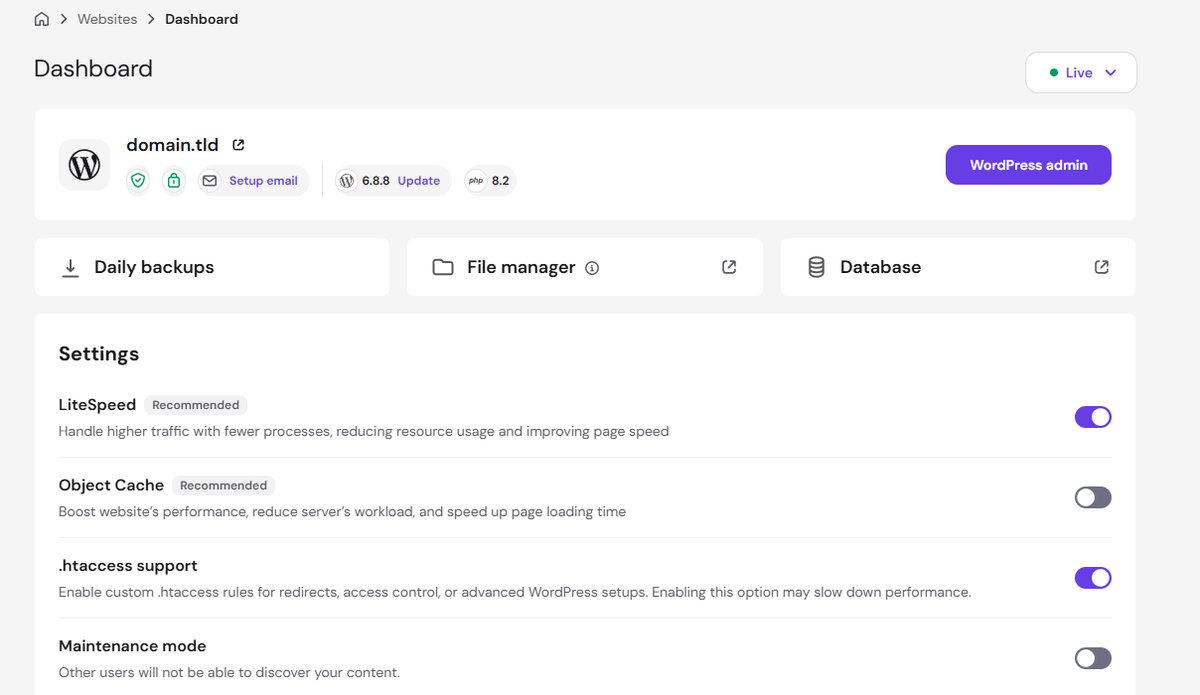
All managed plans use hPanel, Hostinger's own control panel. It covers the things most site owners need: one-click WordPress and app installs, databases, email accounts, PHP version control, SSH, Git and WP-CLI. If you have used cPanel before, you will find the same tools, just arranged differently.
LiteSpeed, caching and CDN
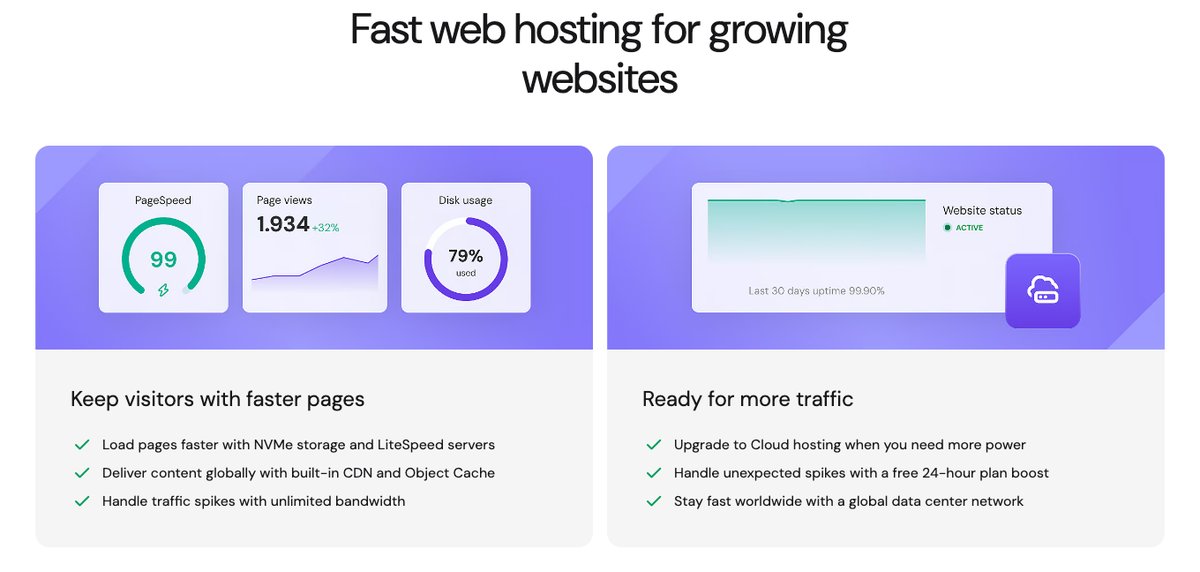
Hostinger runs its managed plans on LiteSpeed web servers, which handle caching at the server level for WordPress and other PHP sites. The Hostinger CDN is included on every plan, Premium too. It caches static files closer to visitors and adds locations in Johannesburg, Japan and Sydney on top of the data centers.
LiteSpeed and caching help most when your site is cacheable. A store with lots of logged-in users or uncached pages will depend more on the plan's CPU, RAM and PHP workers.
Resource limits
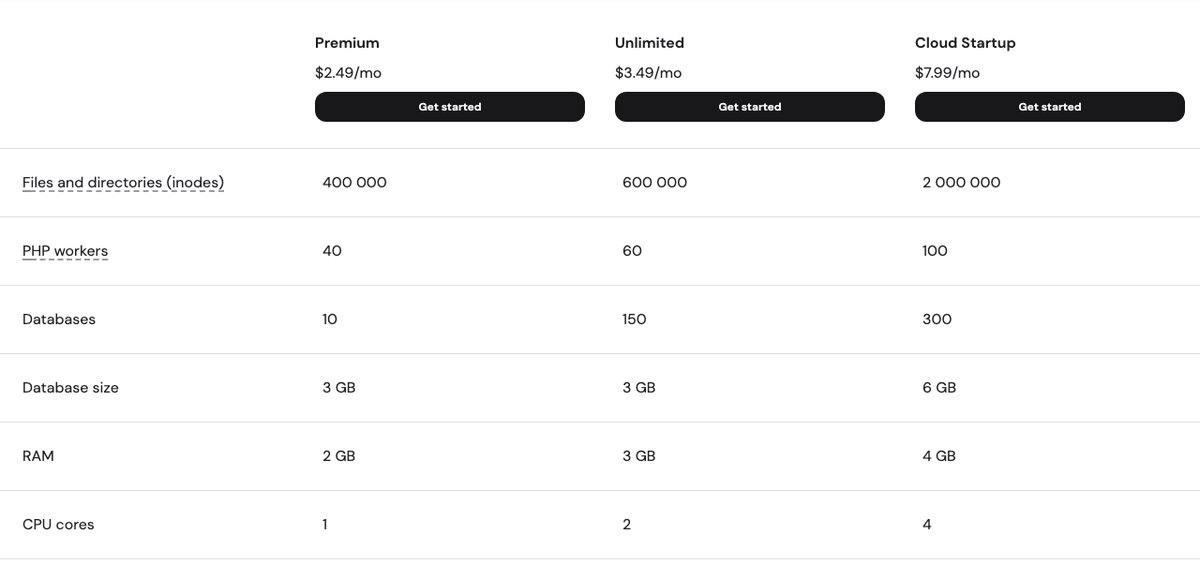
Shared hosting at Hostinger has clear limits, published in its own documentation. Premium gets 1 CPU core, 2 GB of RAM, 400,000 inodes and 40 PHP workers. Unlimited gets 2 cores, 3 GB of RAM, 600,000 inodes and 60 PHP workers, and Cloud Startup goes up to 4 cores, 4 GB, 2,000,000 inodes and 100 PHP workers.
There's also a process limit, shown in hPanel as Max Processes, and every thread counts toward it. My own Business plan, which has the same RAM, inode and PHP worker limits as today's Unlimited plan, allows 120.
In October 2026, 5 small Next.js apps and 3 WordPress sites reached that limit and took my sites offline with almost no traffic. If you run Node.js apps, count processes, not just visitors.
The inode limit is the one that catches people out, because every file counts, including cache and email. If you keep many backups or plugins with large caches, read our guide on inode limits in shared hosting before you choose a plan.
Backups
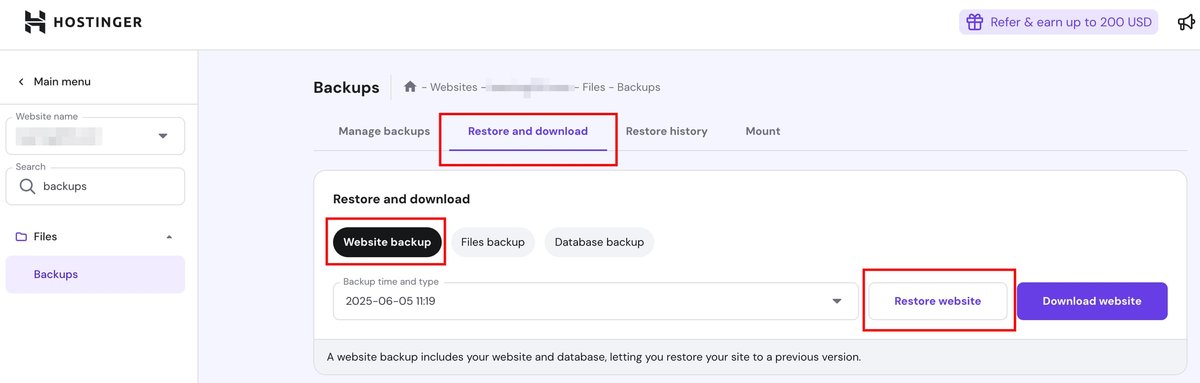
Premium includes weekly backups. Unlimited and Cloud include daily backups, kept for 7 days, plus weekly backups kept for 7 weeks, and you can restore files, databases or the full website yourself from hPanel. VPS plans get weekly backups and manual snapshots, with daily backups as a paid add-on.
Even with daily backups, keep your own off-site copy of important sites. A host's backups are stored within its own systems, so they don't replace your own backup strategy.
Email and free domain
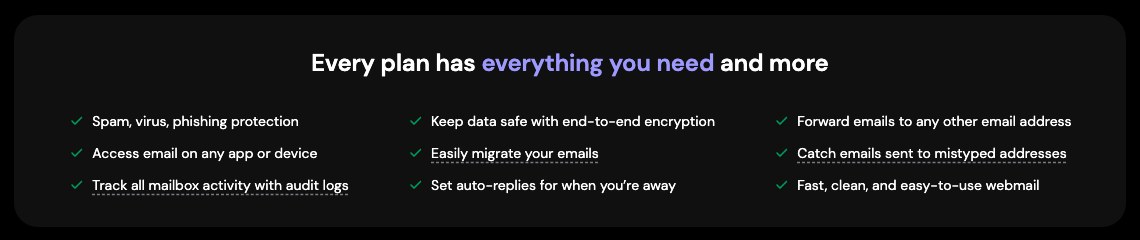
Hostinger gives you free email with your hosting. Every plan includes mailboxes for the first year: 2 per website on Premium and unlimited on Unlimited and Cloud, each with 1 GB of storage. After the first year, those mailboxes renew at $0.59/month each on a 12-month term.
If you need more room, Hostinger also sells paid Business Email plans, priced per mailbox. Starter comes with 5 GB and 5 aliases, Standard with 20 GB and 10 aliases, and Premium with 50 GB and 30 aliases. They renew at $1.59, $2.79 and $3.99 per mailbox per month on a 48-month term, and the two bigger plans add AI writing tools and read tracking.
For my own domains, I've used Titan Email's free version for years, and it's more than enough for me. I can create as many aliases as I need, and deliverability has been good.
The one drawback I've noticed is a slight delay. My emails don't arrive instantly like they do with some other services: they usually take a few dozen seconds to show up. That doesn't matter for everyday mail, but you'll notice it while waiting for a login code.
Yearly and longer plans get one year of free domain registration, though not every extension qualifies. Our page on the Hostinger free domain explains the conditions.
Performance and Security
Score: 8.4/10
Hostinger Speed Test Results (October 2026)
In October 2026, I tested a live WordPress dental clinic website on Hostinger shared hosting with a Grafana k6 load test for server speed and Google PageSpeed Insights for page performance.
- Hosting type: shared hosting
- Type of site: health (dental clinic), WordPress
Detected from the site’s server and network; the exact plan isn’t public.
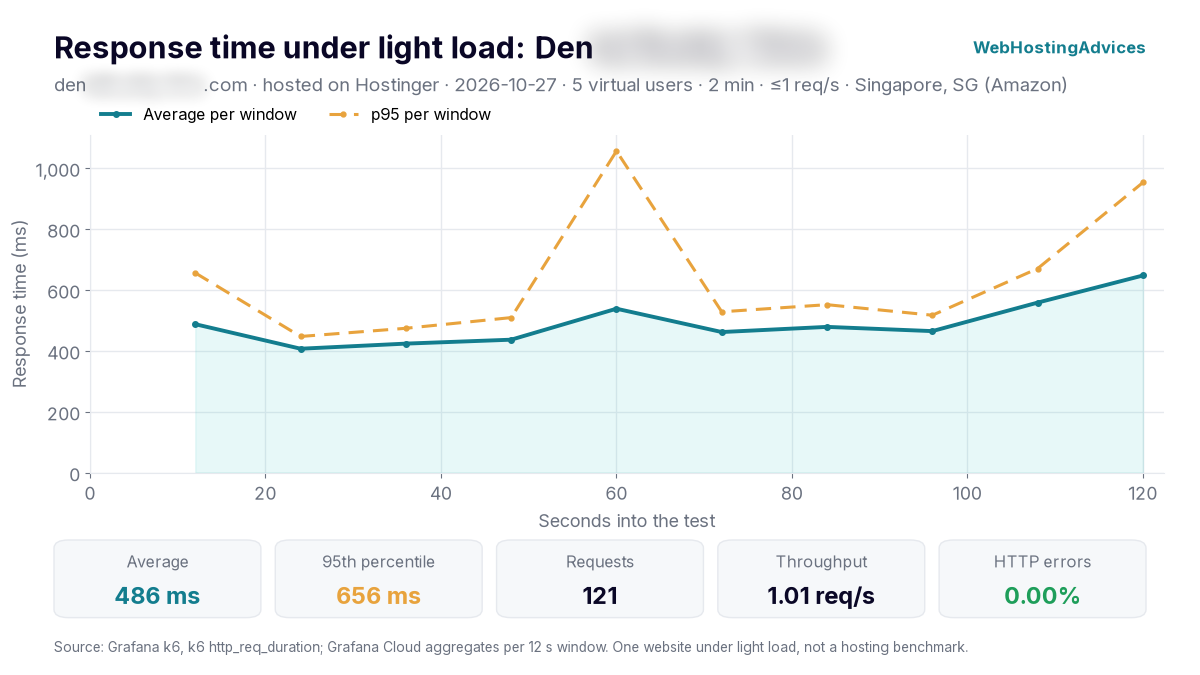
Grafana k6, 27 October 2026, from Singapore: 5 virtual users for 2 minutes, at most 1 request per second. One website under light load, not a hosting benchmark.
I ran this test from Singapore, where the site’s server and its audience are. The site answered all 121 requests without an error, with a 486 ms average response and 95% of requests within 656 ms.
Almost all of that time (484 ms on average) was the server preparing the page. No page cache was detected on this site, so a caching plugin such as LiteSpeed Cache would likely cut it a lot.
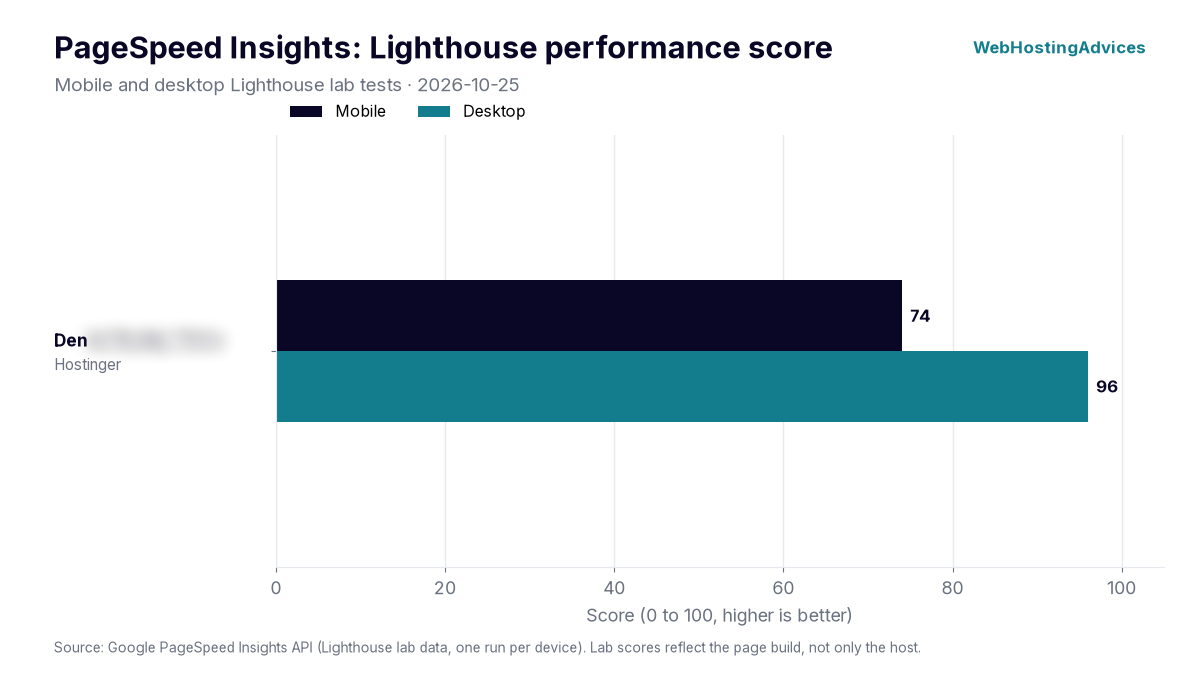
Google PageSpeed Insights lab tests, 25 October 2026, mobile and desktop.
The site scored 74 on mobile and 96 on desktop. Its largest element appeared after 4.43 s on mobile and 931 ms on desktop. No page cache was detected on this site.
PageSpeed scores depend mostly on how a site is built (theme, images, plugins), so treat these numbers as one real-world example, not a lab benchmark of Hostinger’s servers. Uptime figures come once the monitored site has 30 days of data.
Hostinger Uptime Guarantee
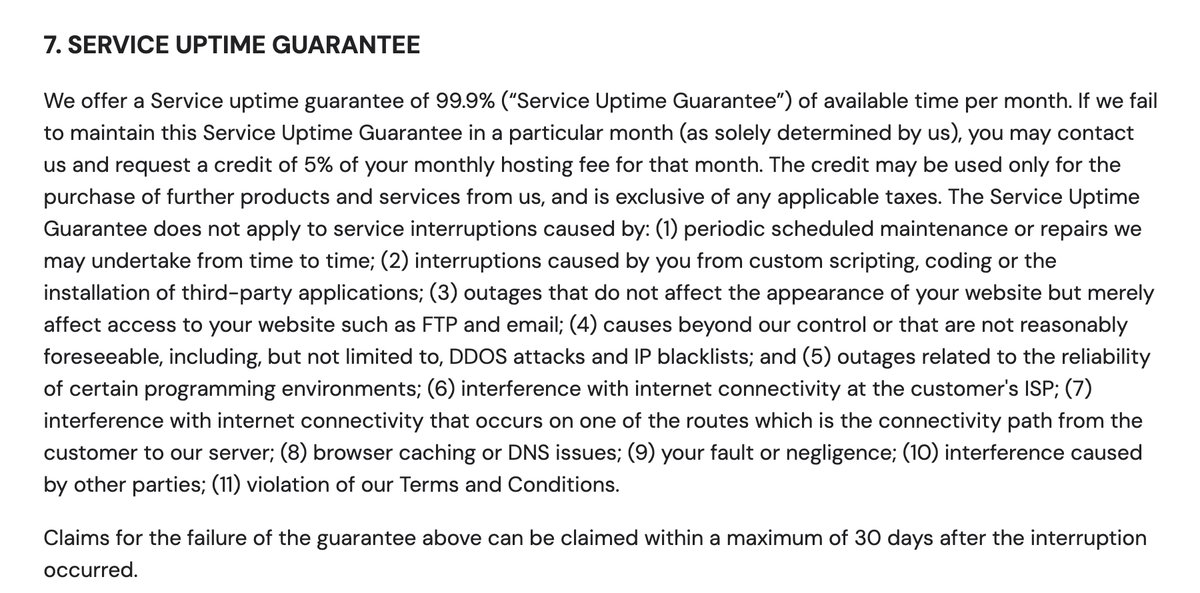
Hostinger's hosting agreement includes a 99.9% monthly uptime guarantee. If it is missed, you can ask for a credit of 5% of that month's hosting fee, usable only for other Hostinger products, and you must claim it within 30 days. The guarantee excludes scheduled maintenance, DDoS attacks and problems caused by your own code or plugins.
A guarantee isn't measured uptime. It tells you what Hostinger promises and what it pays if it falls short, and a 5% credit is small compensation for a site that was down.
My own sites went down on October 27 and 28, 2026, when my Business plan reached its 120-process limit. Traffic wasn't the cause: idle copies of my Node.js apps, left running after deploys, filled the limit. I describe what support said about it under Reliability and support.
Data centers to choose from
| Region | Data center | Web and cloud plans | VPS plans |
|---|---|---|---|
| Europe | France | Yes | Yes |
| Europe | Germany | Yes | Yes |
| Europe | Lithuania | Yes | Yes |
| Europe | Netherlands | Yes | No |
| Europe | United Kingdom | Yes | Yes |
| Asia | India | Yes | Yes |
| Asia | Indonesia | Yes | Yes |
| Asia | Malaysia | Yes | Yes |
| North America | USA (Phoenix) | Yes | Yes |
| North America | USA (Boston) | Yes | Yes |
| North America | USA (Asheville) | Yes | No |
| South America | Brazil | Yes | Yes |
You pick the data center when you set up your plan. VPS plans have a shorter list, without the Netherlands and Asheville.
Web and cloud plans can be moved to another data center later from hPanel. A VPS location is fixed after setup, so moving it means backing up and reinstalling in the new location. Our guide to Hostinger's data center locations covers each region in more detail.
Security features
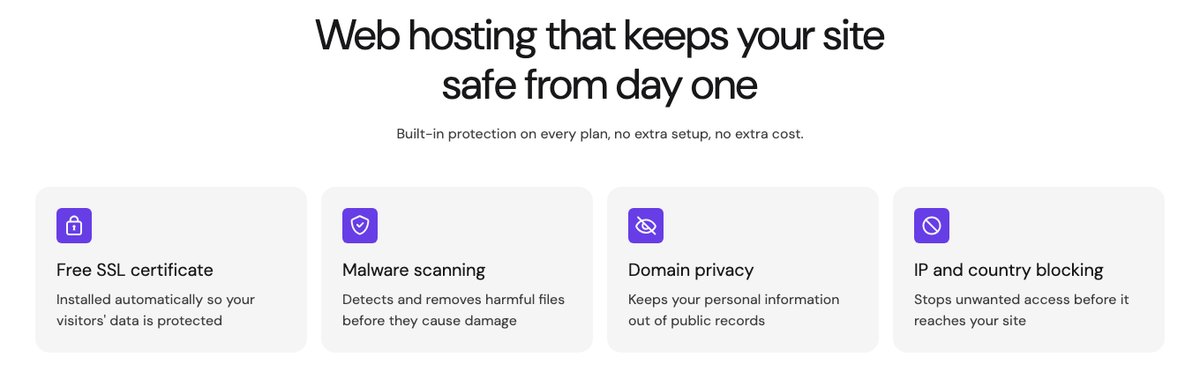
Every managed plan includes a free SSL certificate, malware scanning, domain privacy and IP and country blocking. VPS plans add a managed firewall and DDoS filtering. Hostinger handles server updates on shared and cloud plans, while with a VPS you are responsible for updating and securing the operating system yourself.
Ease of use
Score: 9.0/10
Setting up a website
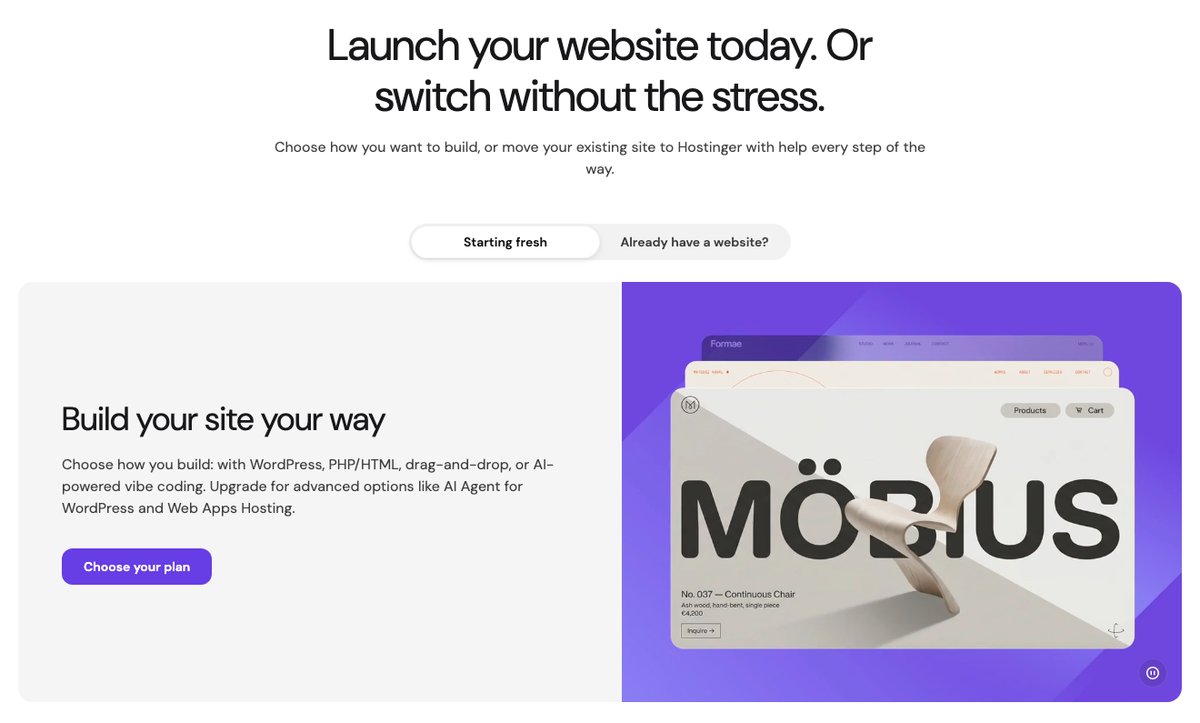
Hostinger is built for beginners. After checkout, you can install WordPress in one click, build with the AI or drag-and-drop builder, or upload your own code. Hostinger Agent, its AI assistant, can also handle tasks like connecting a domain, configuring DNS or activating email from a chat prompt.
Migrating an existing site
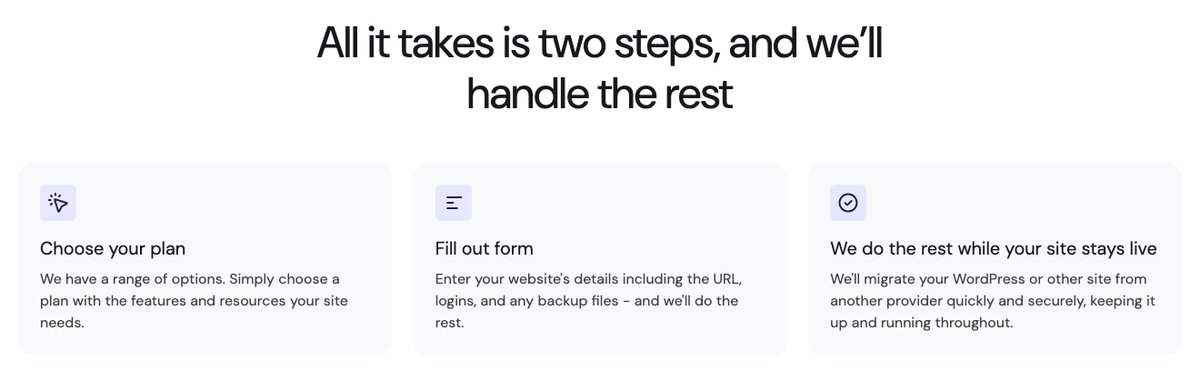
Website migrations are free and unlimited. You can request an automatic migration from hPanel or move the files yourself, and Hostinger says the site stays online during the transfer.
Managing a VPS
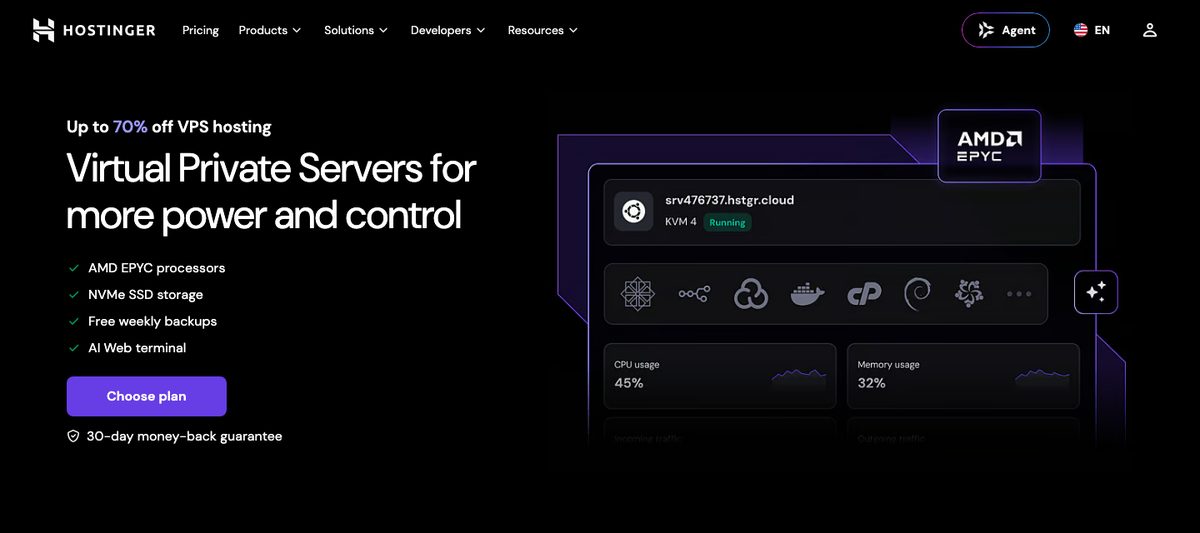
The VPS dashboard is friendlier than most unmanaged VPS panels. You get one-click OS and control panel templates, a browser-based terminal, a Docker application catalog and an API.
It still requires Linux knowledge, though. If you don't want to manage a server, cloud hosting is the better step up from shared.
Resource warnings in hPanel
hPanel's Resources Usage page shows CPU, memory, processes and the other limits in one place, which makes problems easy to spot. The warnings are less clear.
On October 29, 2026, my dashboard showed a red "Your plan has reached its resource limits" notice and an Upgrade plan button, while every live metric was well below its limit. The notice refers to the last 7 days, when my plan did hit its limits, but the dashboard to-do only says "Upgrade now to avoid website performance issues".
Price
Score: 8.3/10
You pay for every Hostinger plan upfront for the whole term. The monthly price shown is the total spread across the months of the term, and the low price only applies to the first term.
Web and WordPress Hosting
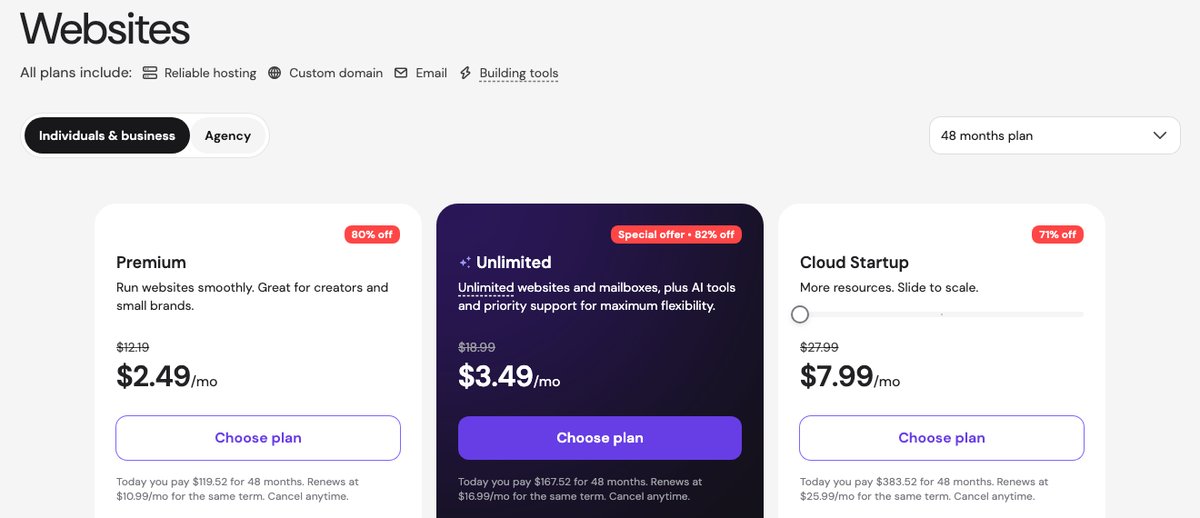
| Plan | 1 month | 12 months | 24 months | 48 months | Renewal |
|---|---|---|---|---|---|
| Premium | $12.19/mo | $3.99/mo | $3.49/mo | $2.49/mo | $10.99/mo |
| Unlimited | $18.99/mo | $4.99/mo | $4.49/mo | $3.49/mo | $16.99/mo |
| Cloud Startup | $27.99/mo | $9.99/mo | $8.99/mo | $7.99/mo | $25.99/mo |
The 48-month Premium term costs $119.52 upfront. That is a good deal for four years of hosting, but compare the renewal price too: after the first term, Premium costs about the same as many hosts' standard rates.
VPS Hosting
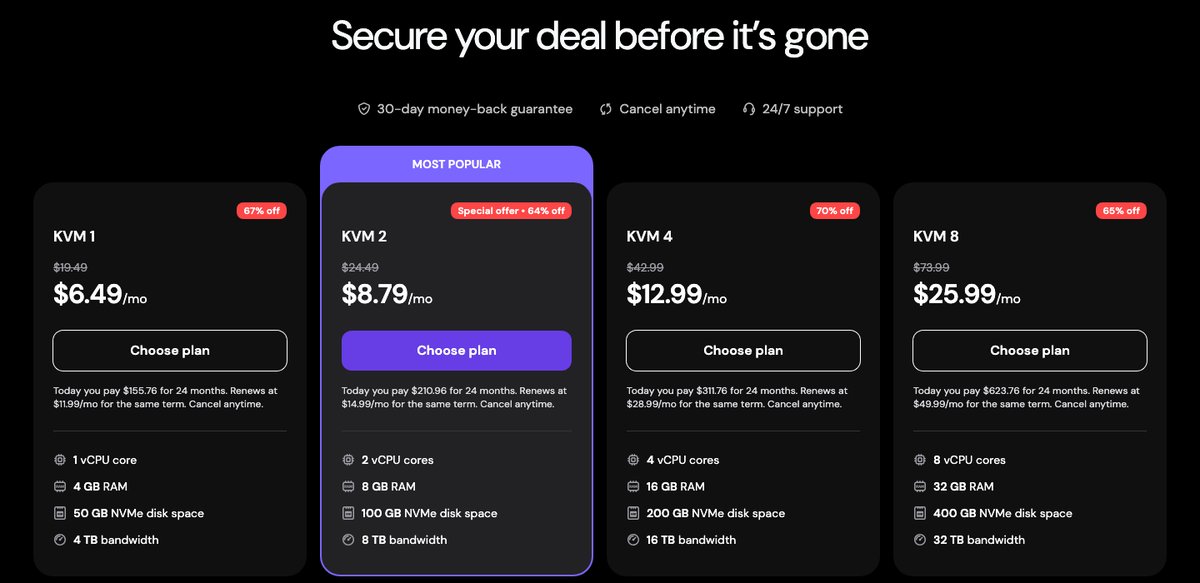
| Plan | Resources | 24 months | Renewal |
|---|---|---|---|
| KVM 1 | 1 vCPU, 4 GB RAM, 50 GB NVMe | $6.49/mo | $11.99/mo |
| KVM 2 | 2 vCPU, 8 GB RAM, 100 GB NVMe | $8.79/mo | $14.99/mo |
| KVM 4 | 4 vCPU, 16 GB RAM, 200 GB NVMe | $12.99/mo | $28.99/mo |
| KVM 8 | 8 vCPU, 32 GB RAM, 400 GB NVMe | $25.99/mo | $49.99/mo |
VPS plans are sold on 1, 12 and 24-month terms. The 24-month term gives the lowest price, and control panel licenses such as cPanel are extra.
Refund policy
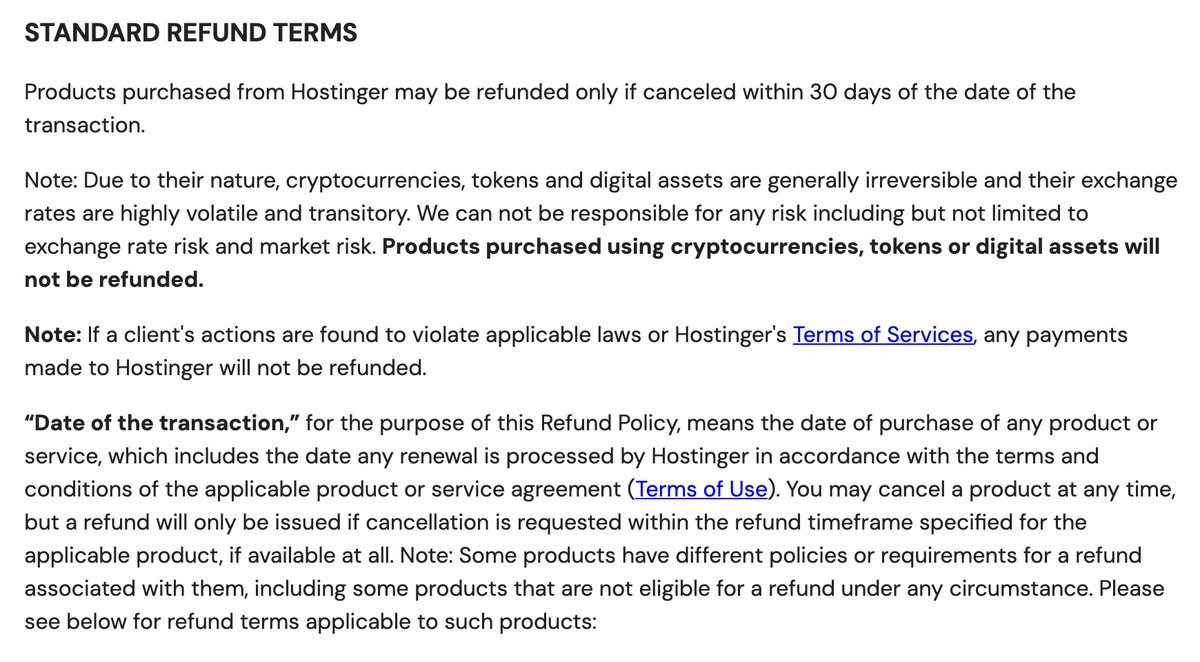
Hosting and KVM VPS plans can be refunded if you cancel within 30 days of the transaction. Domain renewals, domain privacy and VPS upgrades aren't refundable, and a newly registered domain can only be refunded within 96 hours. Payments made in cryptocurrency are not refunded at all, so pay another way if you want to keep the money-back option.
Reliability and support
Score: 6.5/10

Hostinger's support runs through live chat and email, 24/7, and both start with Hostinger Agent, its AI assistant. Hostinger says a Customer Success specialist steps in when the AI needs help. In my test, the specialists reviewed the AI's answers rather than chatting with me.
There is no phone line on Hostinger's contact page. Unlimited and Cloud plans include priority support.
On a VPS, support covers the platform, billing and your account, while the server itself is your responsibility. Hostinger's knowledge base, tutorials and Hostinger Academy videos cover most common setup tasks, and they are a good first stop before opening a chat.
If you want to see the problems some customers report, such as account suspensions or slow escalations, read our article on why some users say Hostinger sucks before you buy.
What Hostinger Support Told Me
I contacted Hostinger support from my own hPanel account on Wednesday, October 28, 2026, at 6:11 p.m. US Eastern time (22:11 UTC). My sites run on a Business plan in Hostinger's US data center: 5 Next.js apps and 3 WordPress sites.
The day before, the plan had hit its 120-process limit and my sites went down, even though they get very little traffic. I wanted to know why, and how to stop it happening again.
| What I checked | Result |
|---|---|
| Reaching a person | Never in a direct chat. A specialist reviewed the AI's reply 7 minutes after my third request |
| AI agent reply speed | Under 1 minute |
| Human-reviewed replies | 7 to 8 minutes each, not always by the same specialist |
| Diagnosis | A server-side process problem, confirmed only after I sent the error log |
| Escalation or fix | None offered |
| Email support | Answered by the AI within 2 minutes |
Reaching a person. The chat opens with Hostinger Agent, the AI assistant. I asked for a real person three times. The first two requests got more AI answers, and the third showed a choice between "Wait for a human review" and a highlighted "Continue with Hostinger Agent".
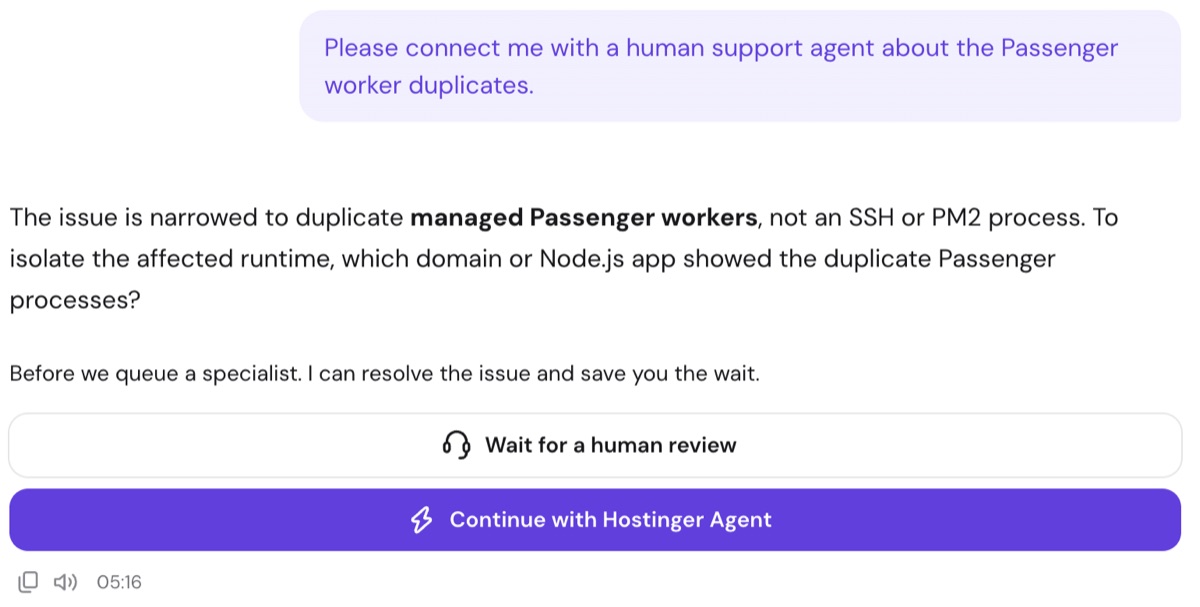
Hostinger's AI offers to "save you the wait" before it queues a specialist, October 28, 2026.
How the specialists work. Once I chose the human review, a specialist was assigned within seconds, with a 10-minute countdown. The specialist doesn't chat with you. They "pass Hostinger Agent the guidance it needs", and the AI still writes the reply, labelled "Reviewed by" the specialist.
Each follow-up went back into the queue. Abay reviewed my first answer, but my next message, addressed to Abay, was reviewed by Carol. The reviewed replies worked from my latest message, not the whole conversation: one asked me for a log line I had already sent.
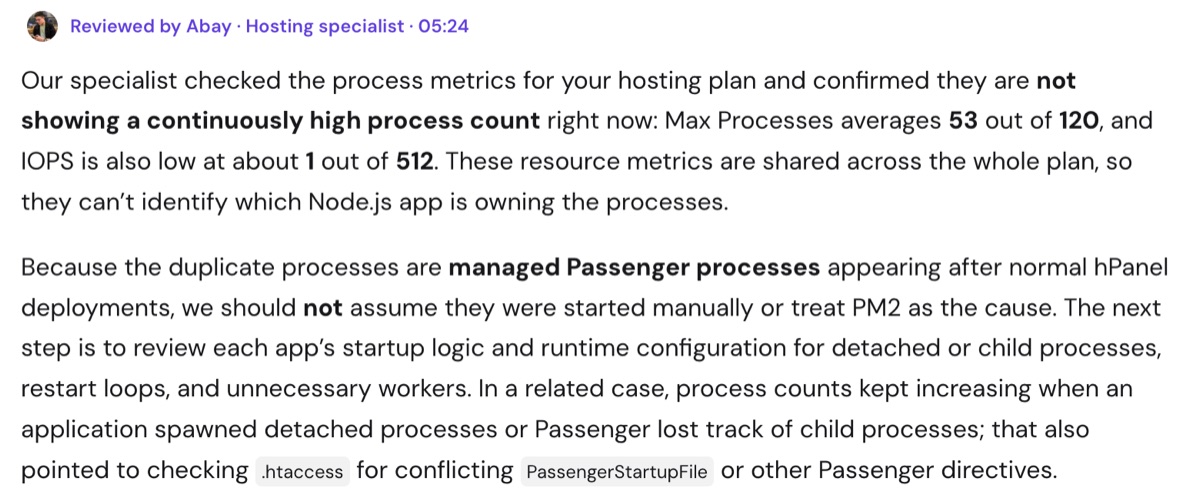
A reply "Reviewed by" a Hostinger specialist, in the same format as the AI's answers, October 28, 2026.
The diagnosis. The first answers pointed at causes on my side: apps started over SSH, PM2 or child processes. None applied, since hPanel deploys my apps from GitHub. The specialists then sent me to check my own startup code and the apps' stderr.log files.
Four of those logs were empty. The fifth held a "Resource temporarily unavailable" error from the night my sites went down. Once I sent it, the AI found 120 of 120 processes with 5 process-limit faults in my account data and called it "a managed Passenger lifecycle problem requiring server-side investigation".
No escalation. I asked for that investigation. The next reviewed reply said Hostinger can't inspect those logs and has no verified permanent fix to apply. The final advice was to keep stopping the stale processes myself, the workaround I had already set up.
Email. My email to [email protected] was answered by the AI within 2 minutes, signed "Hostinger Agent". When I asked for a person, a specialist reviewed the next reply, which checked only my latest deployment and called it normal. The line "This response was generated by AI" sits behind a collapsed "..." button.
What you only notice as a customer:
- Chat history: every chat stays under Chats in the Agent panel, with timestamps.
- Account access: the AI checks your account live, including process usage and deployment logs.
- Before you buy: the chat on Hostinger's website can't transfer you to a person and sends you to hPanel, which needs an account. Without one, email is the only route.
- Upsells: a banner for the paid Agent plan stays at the top of the chat. That plan adds AI business tools, not human support.
The limits of one test. This was one account on one server, on a Wednesday evening, US Eastern time. A simpler question, such as a billing or WordPress issue, may get a faster and more useful answer.
Conclusion: Is Hostinger Hosting Right for You?
Hostinger is a good choice for blogs, small business sites and first WordPress projects when you are willing to commit to a long term. For most people the Unlimited plan is the better buy, because daily backups and NVMe storage are worth the extra $1/month.
Choose another host if you need phone support, a real person for technical problems, cPanel on shared hosting or a Windows server, or if you only want to pay monthly. Several Node.js apps on one shared plan can also hit the process limit long before traffic does. And plan for the renewal price, not just the first-term deal.