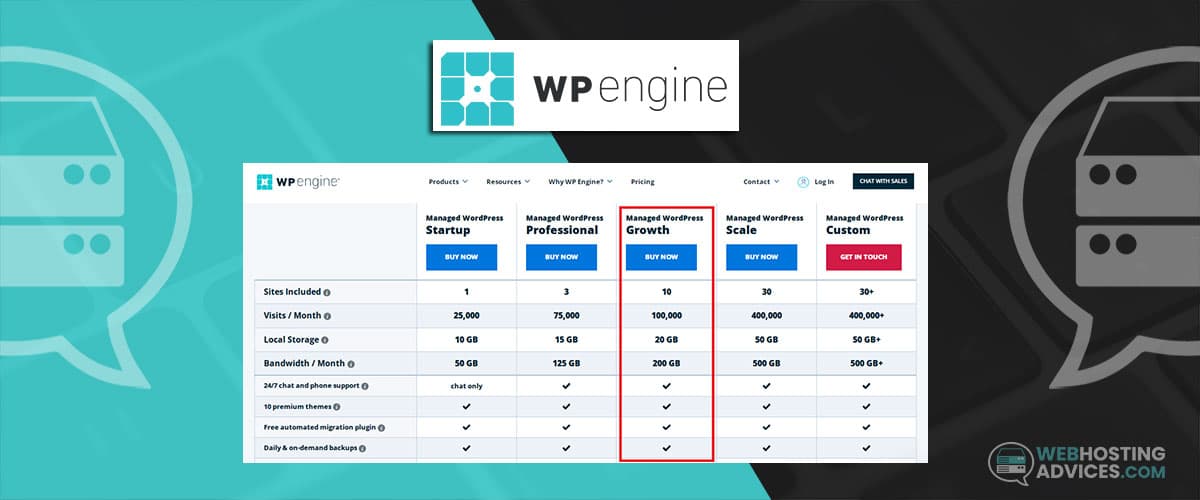


WP Engine no longer sells a plan called Growth on its pricing page. The same package (10 sites, 100,000 visits a month, 20 GB storage) is now the "Up to 10 sites" option of the Essential plan, at $130 a month billed monthly or $1,248 for the first year billed annually.
So if you're researching the WPEngine Growth plan, that Essential tier is what you can actually buy today. It costs more than the old Growth plan did ($115 a month list price, often discounted to $92), while its storage and visit limits stayed the same.
Below I cover what changed, the current pricing, the limits that matter (visits, storage, bandwidth and overages), the benefits, and the best alternative to WP Engine.
Contents
- WPEngine Growth Plan
- Pros & Cons of Growth Plan
- Benefits of using Growth Plan by WP Engine
- Ease of Use
- Performance: Is WPengine Fast?
- Customer Support
- Pricing of the Growth plan
- Limitations of the WP Engine Growth plan
- What Users Say about WPEngine
- Verdict: Is WPEngine Worth It?
- Best Alternative to WPengine?
- FAQ (Frequently Asked Questions)
WPEngine Growth Plan
The Growth plan was WP Engine's managed WordPress hosting plan for up to 10 websites. It runs on shared infrastructure, but WP Engine handles the server side for you: WordPress and PHP updates, backups, caching and security patches.
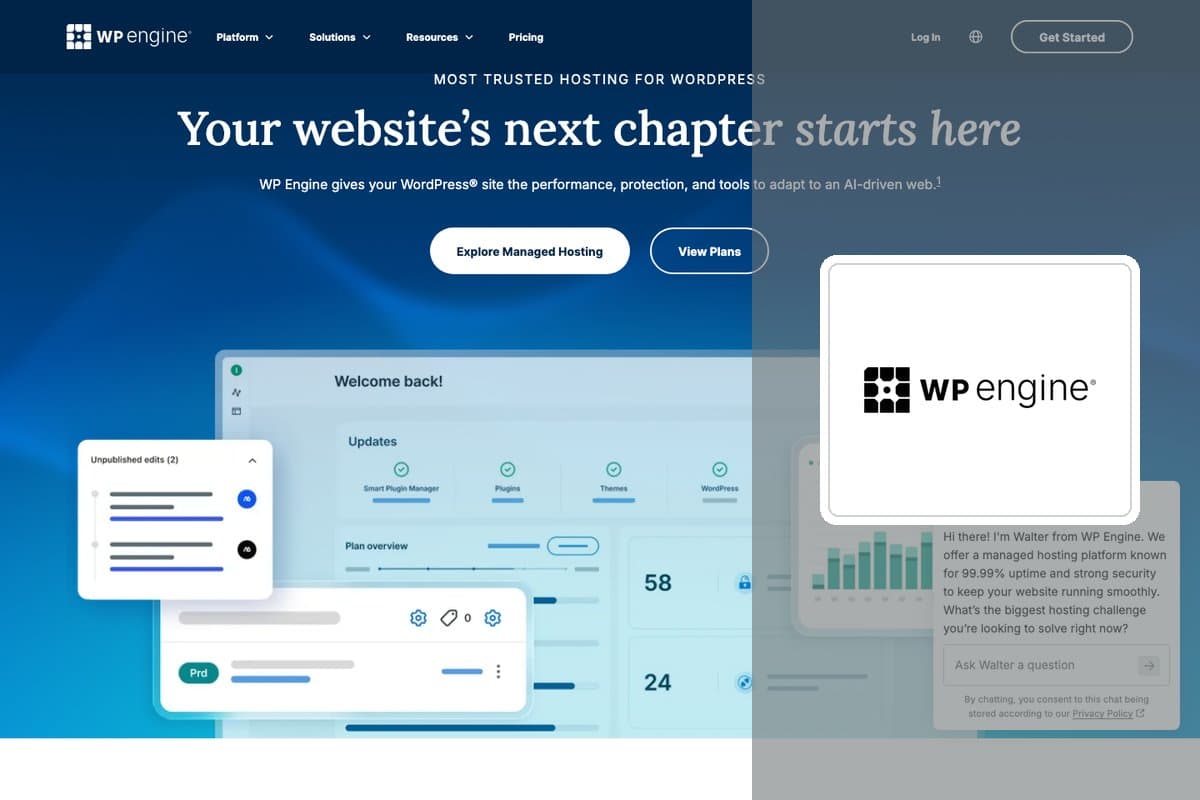
WP Engine still shows its old plan names in some help articles, but its plans page now groups Startup, Professional, Growth and Scale under one Essential plan with four capacity options. The Growth name still appeared on the plans page in August 2026 and was gone by October 2026.
Here is what the "Up to 10 sites" Essential option (the former Growth plan) includes in November 2026:
- 10 websites, with extra sites available for $20 a month each.
- 100,000 estimated monthly visits and 20 GB of storage.
- 240 GB of monthly bandwidth, according to WP Engine's bandwidth support article.
- Daily automated and on-demand backups.
- 24/7 chat support (phone support is now listed under the Business plan).
- Free SSL, SSH access, security patching, plugin risk scans and Layer 3+4 DDoS protection.
- EverCache, a Cloudflare-powered CDN, and one-click staging.
You can scale up to the "Up to 30 sites" option (the former Scale plan) or to the Business plan, which adds isolated resources, phone support and a 99.99% uptime SLA.
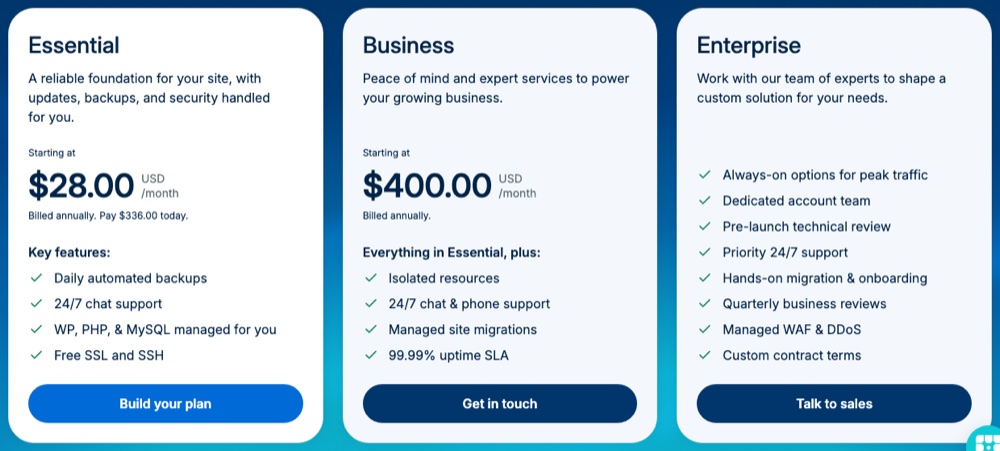 WP Engine's current plans page: the former Growth plan is now an option inside Essential (November 2026).
Pros & Cons of Growth Plan
Now that you have a basic idea of the plan features, let's look at its pros and cons:
Pros
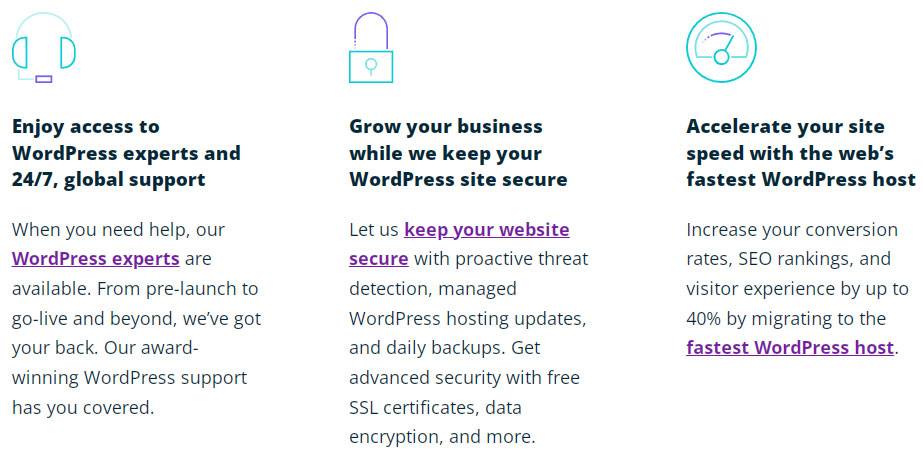
- The plan comes with WordPress-specific support around the clock.
- EverCache and the included CDN help pages load quickly for visitors.
- You get a free CDN, SSL, and daily site backups.
- Security patching, plugin risk scans and DDoS protection are included.
- The host provides easy staging and development environments with this plan.
Cons
- The plan doesn't include email hosting. WP Engine's own FAQ suggests a third-party email host.
- It offers limited storage space for 10 sites.
- Monthly visits are capped, and WP Engine charges an overage fee when you go over.
- You won't receive a free domain name with this plan.
- The price went up to $130 a month on monthly billing, and phone support is no longer listed for Essential plans.
Benefits of using Growth Plan by WP Engine
Here is an overview of the benefits that the Growth plan (now Essential, up to 10 sites) offers:
Speed: WP Engine uses EverCache, its WordPress-optimized caching layer, plus a Cloudflare-powered CDN to serve cached pages quickly.
Advanced Security Features: The plan includes free auto-renewing SSL, SSH access, security patching, plugin risk scans and Layer 3+4 DDoS protection. An advanced managed WAF is available as an add-on.
24/7 Support: WP Engine's WordPress support team is available around the clock through live chat on Essential plans.
Staging Environments: One-click staging and development environments let you test changes on a copy of your site before you push them live.
Data center choice: You pick your data center when you create a site. My WP Engine data center locations page lists the options.
Automatic backups: WP Engine runs daily automated backups and lets you create on-demand backups. It keeps them for at least 30 days and no longer than 60 days.
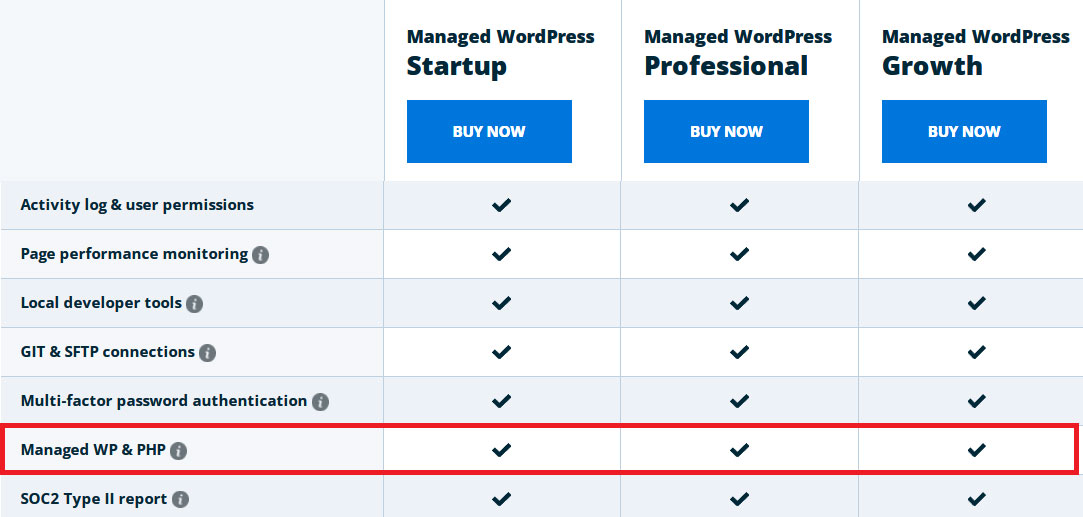
Automatic updates: The plan includes automatic WordPress and PHP updates. Automatic plugin and theme updates (Smart Plugin Manager) are a paid add-on on Essential.
Ease of Use
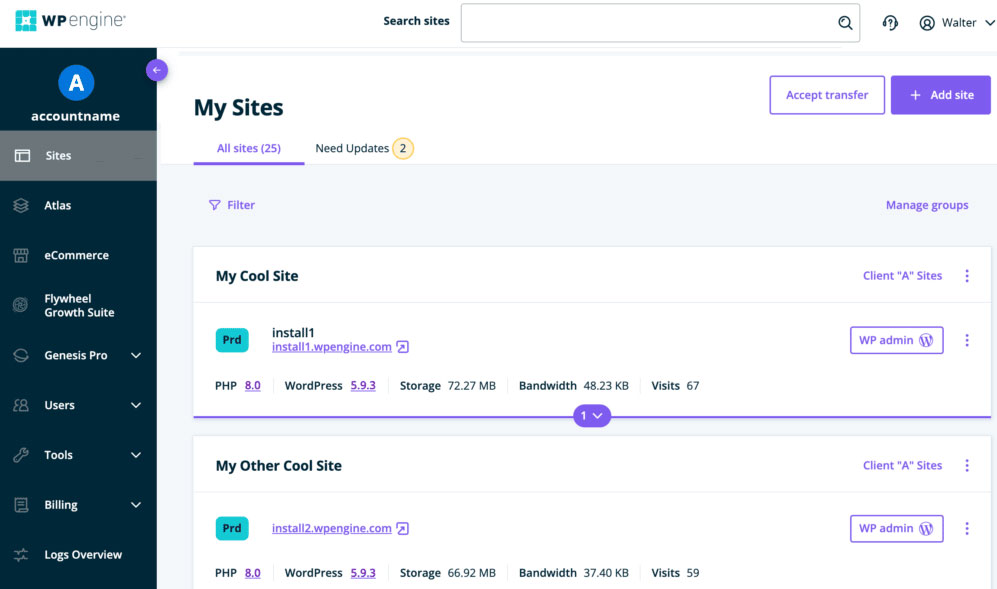
WP Engine's User Portal has a clean design, and the main tasks (adding a site, creating a staging copy, restoring a backup) are a few clicks away.
It still has a learning curve for beginners. There's no cPanel, and some settings live in different parts of the portal, so give yourself some time to get comfortable with it.
The portal now lets you upgrade or downgrade your plan and add extras such as additional sites yourself.
Performance: Is WPengine Fast?
The Growth plan runs on shared infrastructure with EverCache and a CDN in front, so cached pages usually load fast. Uncached pages (carts, searches, logged-in users) depend on the server itself.
For current numbers, see my WP Engine review. It has k6 load tests from November 2026 on live WP Engine sites, measured from Ashburn, USA, with every request skipping the page cache. Those sites' exact plans aren't known, so treat them as real-world examples rather than a test of this specific plan.
The tests below are older ones from when this review was first published.
Speed
To test this plan's speed, I set up a test site on WP Engine servers. Then I ran the speed test on my empty sample website using the Pingdom tool.
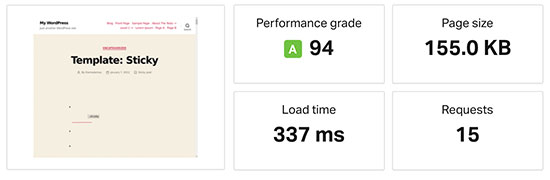
My test site took less than half a second to load. An empty site with no optimization is the best case, so a real site with a theme, plugins and images will load more slowly.
Uptime
WP Engine's Essential plans don't list an uptime SLA on the current plans page. The 99.99% uptime SLA is listed for the Business and Enterprise plans, which run on isolated resources.
When this review was first written, I monitored two of my sample sites for eight days. The monitor recorded four minutes of downtime on each site.

Stress testing
I used the Grafana k6 (formerly LoadImpact) tool to stress test my WP Engine test site. I sent 50 virtual users at the same time for 5 minutes to check for any site slowdown.
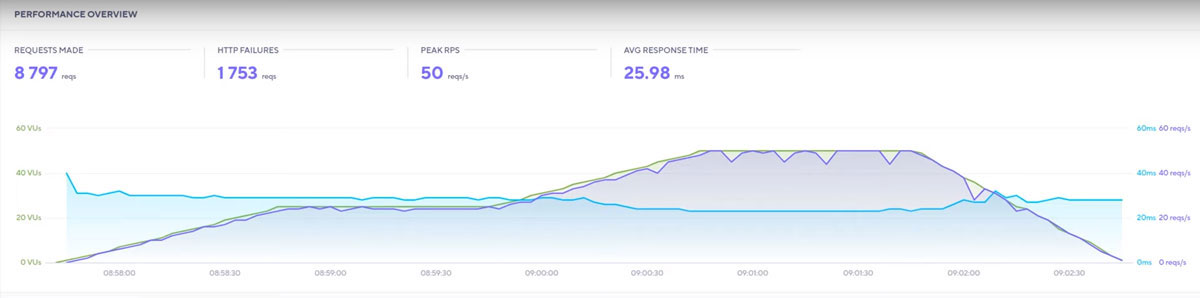
In the above image, the green line represents the website user count, and the blue line shows the response time. My sample site performed well, with a few spikes along the way.
Response times stayed steady through the test, even as the number of users rose, and no downtime was recorded during the stress test.
Also, remember that the host lets you choose your server location when you create a site. Pick the one closest to your site audience, since that usually gives the best response times.
Customer Support
WP Engine's current plans page lists 24/7 chat support for Essential plans, including the 10-site option that replaced Growth. Phone support is listed for the Business plan.
That's a change: the Growth plan used to include both chat and phone support. If phone access matters to you, ask WP Engine's sales team before you buy.
The support team is WordPress-specific, so agents can help with things like plugin conflicts, caching and migrations, not only server issues.
Pricing of the Growth plan
The former Growth plan (Essential, up to 10 sites) costs $130 a month on monthly billing. On annual billing, the first year costs $1,248 (about $104 a month), thanks to a 20% first-year coupon that WP Engine applies automatically.
Here is the pricing structure in November 2026:
| Billing term | First term | Regular price |
|---|---|---|
| Monthly | $130 per month | $130 per month |
| Annually | $1,248 for the first year (about $104/mo) | $1,560 per year (about $130/mo) |
The first-year discount is for new customers on Essential plans only, and WP Engine says renewal pricing is subject to change. Taxes, visit overages and add-ons (extra sites at $20 a month, Smart Plugin Manager, Global Edge Security) cost extra.
For comparison, the old Growth plan listed at $115 a month (often sold at $92 with a coupon). In mid-2026 the annual Growth price started at $109 a month.
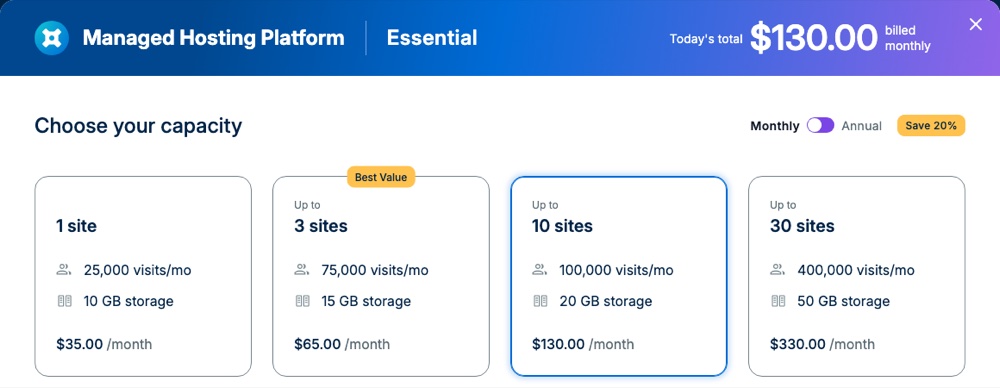 The "Up to 10 sites" Essential option at $130 a month on monthly billing (November 2026).
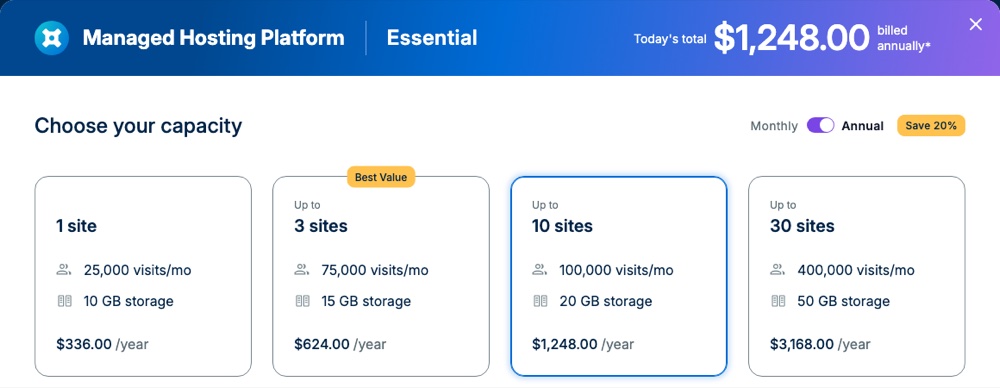 The same option on annual billing: $1,248 for the first year with the automatic 20% coupon (November 2026).
Limitations of the WP Engine Growth plan
For the price, you get fairly limited resources for hosting up to 10 websites.
Storage space
The 1-site Essential option (the old Startup plan) gives 10 GB of storage for one website. The 10-site option gives 10 websites but only 20 GB of storage. That's a huge gap.
A total of 20 GB storage for 10 websites means you can use an average of only 2 GB per site.
An empty WordPress install is small, but a site with media uploads, backups of its own and a staging copy grows quickly. You won't have much room for several media-heavy sites on this plan. WP Engine sells extra storage as an add-on, or you can move to a bigger option.
Visits and Bandwidth Limits
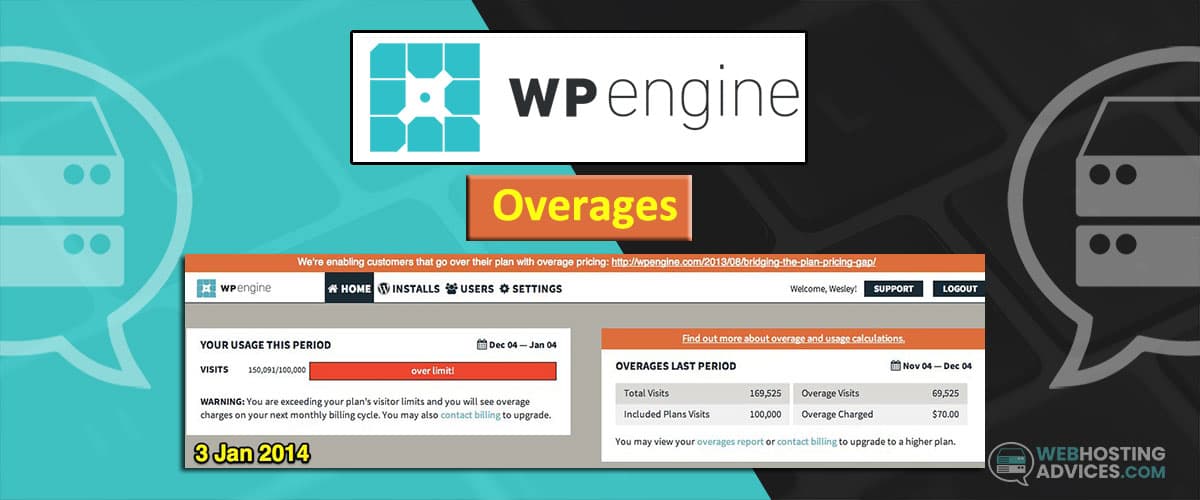
The plan includes 100,000 monthly visits and, according to WP Engine's support article, 240 GB of monthly bandwidth (up from 200 GB before August 2024). Overage fees are based on visits: WP Engine charges $2 for every 1,000 visits above your plan's limit.
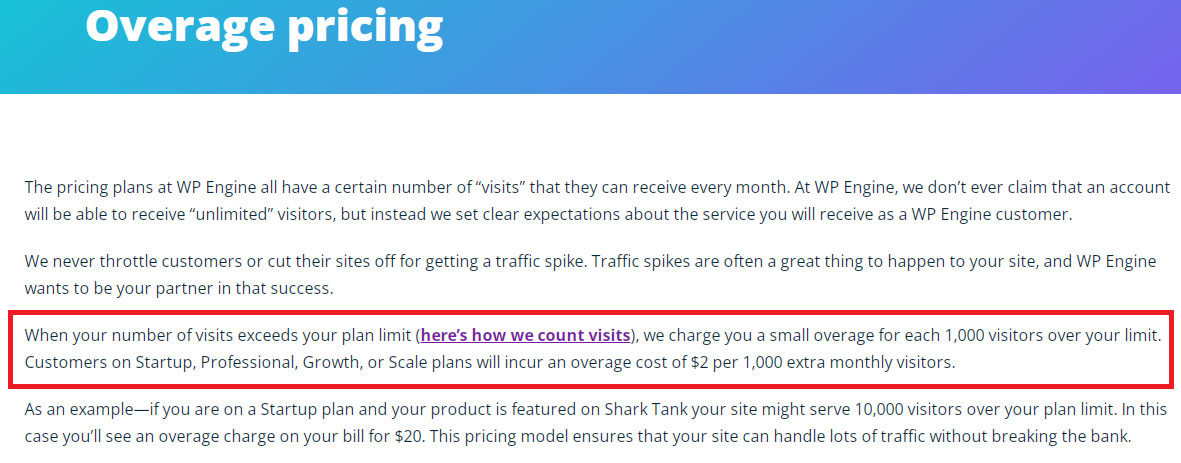
Visit overages are billed every month, even if you pay for your plan annually. Bandwidth works differently: WP Engine says shared plans aren't charged overages for bandwidth, but it may contact you about reducing usage or changing plans.
Also keep in mind that WP Engine counts visits its own way. Repeat hits from the same IP address within 24 hours count as one visit, and WP Engine says known bots don't count, but its numbers can still come out higher than Google Analytics.
So check your WP Engine usage dashboard, not only your analytics, to avoid paying for overages.
Disallowed plugins
WP Engine disallows some plugins, including many caching, backup, related posts and database-heavy plugins. Its reason for caching plugins is that they "can conflict with our platform's built-in caching structure".
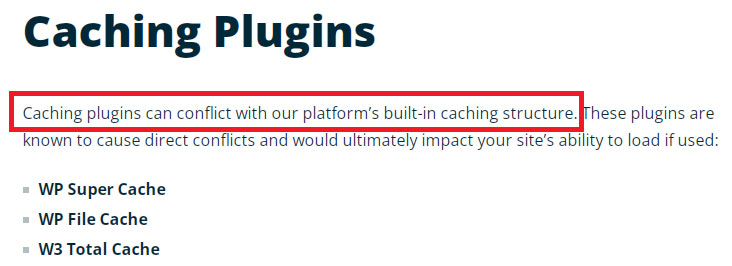
These restrictions exist to prevent feature conflicts and extra server load. The plan already includes caching and backups, so most sites don't need those plugins anyway.
What Users Say about WPEngine
I looked at what WP Engine users said about the host on Twitter (now X):
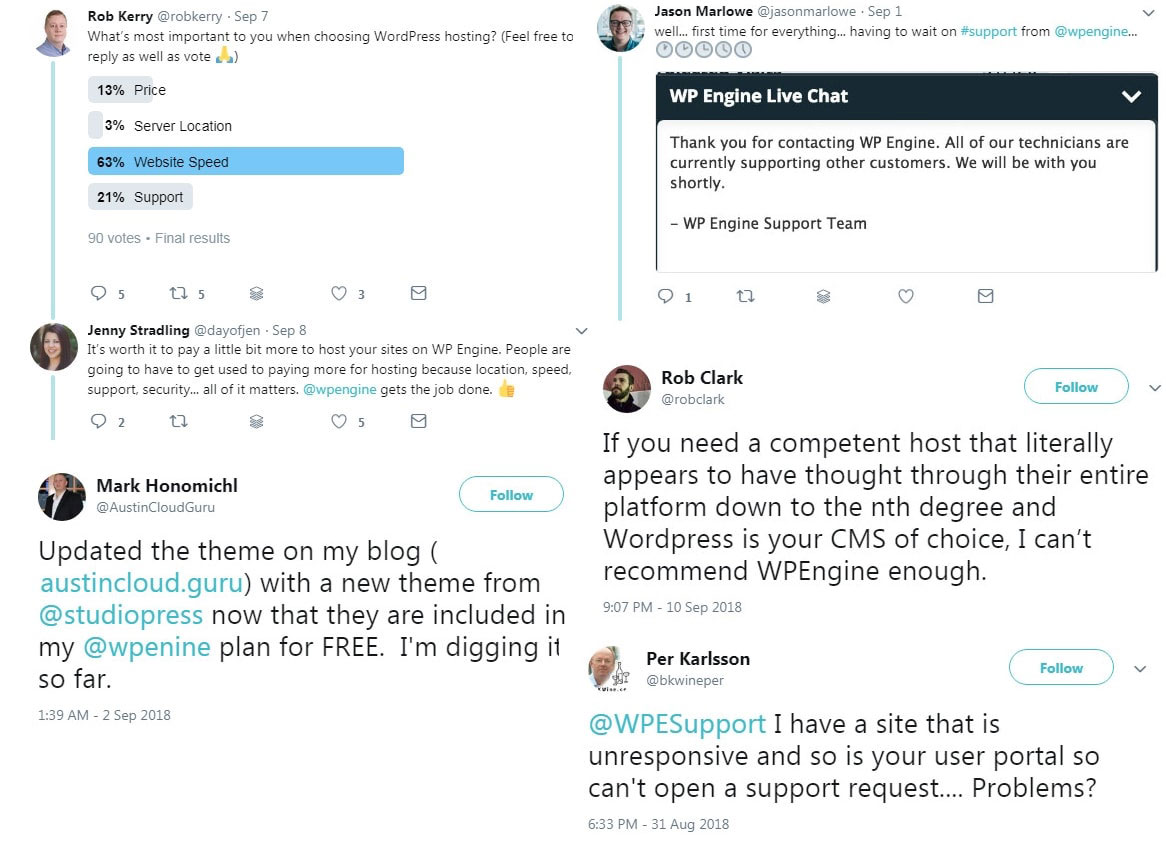
These posts are from 2018, so treat them as older opinions. Most were positive, though one user complained about waiting for chat support and another about the user portal being down.
Verdict: Is WPEngine Worth It?
The former Growth plan is not worth the money for its resources. At $130 a month, 20 GB of storage and 100,000 visits shared across 10 sites is a small allowance, and phone support is no longer listed for Essential plans.
It can still make sense for a small agency or a business that wants WordPress fully managed and values WP Engine's tools (staging, transferable sites, built-in caching) more than raw resources.
If you run many sites, compare the "Up to 30 sites" option (the former Scale plan) at $330 a month. It costs more, but the storage and visit limits are much more generous per dollar.
Who is it for?
- Multi-site owners like freelance developers, small agencies, or people with several low-traffic business sites.
- Site owners who want hands-off WordPress maintenance and are fine paying extra for it. (You can move up to the 30-site option or the Business plan when you need more visits, storage or phone support.)
Since WP Engine is an expensive host for the resources you get, I suggest looking at the alternative discussed in the next section.
Best Alternative to WPengine?
Cloudways is the best alternative to WP Engine since it offers managed WordPress hosting at a much more affordable price.
Here's a feature comparison table showing the differences between the two plans:
| Features | WP Engine Essential, up to 10 sites (former Growth) | Cloudways DigitalOcean 4 GB server |
|---|---|---|
| Storage space | 20 GB | 80 GB NVMe |
| Bandwidth | 240 GB | 4 TB |
| No. of websites supported | 10 | Not capped (limited by server resources) |
| Monthly visits | 100,000 (overages charged) | Not capped (limited by server resources) |
| Monthly price | $130 | $54 |
Cloudways gives you a server with 4 GB of RAM and 2 vCPUs instead of a visit allowance, so your real limit is how much traffic that server can handle. You also manage more yourself, for example scaling the server when a site grows.
You can see the full features of Cloudways WordPress hosting plans here.
FAQ (Frequently Asked Questions)
Does WP Engine still offer the Growth plan?
Not under that name. Since late 2026, WP Engine's plans page sells the same limits (10 sites, 100,000 visits, 20 GB storage) as the "Up to 10 sites" option of its Essential plan, at $130 a month.
Is WP Engine owned by WordPress?
No, WP Engine is not owned by WordPress. It was founded by Jason Cohen in 2010 and is majority-owned by the private equity firm Silver Lake.
Is Kinsta better than WP Engine?
Kinsta and WP Engine are close when you compare features and plan pricing. Both are managed WordPress hosts, so the better choice depends on the limits and support level you need.
Did WP Engine buy Flywheel?
Yes, WP Engine acquired Flywheel in 2019.