


Are you a victim of a malware attack and considering SiteLock to fix the issue? But before that, you need to know more about this website security service. This is because many users are concerned about malware scams related to Bluehost, HostGator, and SiteLock.
You must also look for these warnings when using the services of any of the above companies. We carried out in-depth research to help you with that.
So let’s find an answer to our main query, “Is SiteLock a scam or a genuine malware removal solution?”
Contents
Is SiteLock a scam?
Many customers think so. SiteLock has a poor reputation across forums and review sites, and complaints about pushy upsells and unclear scan results are common. However, different people have different perceptions of this solution. That’s why some website owners still depend on it to secure their sites.
Let’s look at a few situations to understand why users have mixed reactions to SiteLock:
Your website got hacked
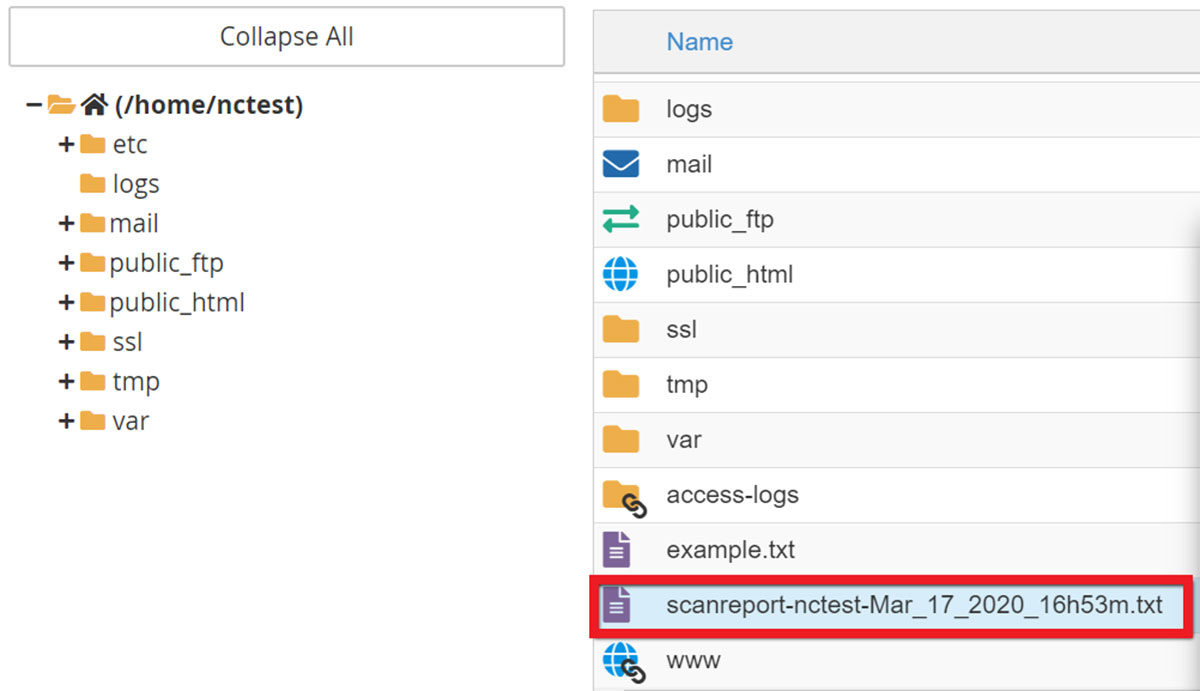
Generally, people do not consider it a scam in such a scenario. Your hosting provider saves the report in your home directory when your website is truly infected with malware. You can always check it to confirm the authenticity of the situation.
You might also receive a legitimate email from Bluehost or HostGator promoting SiteLock. It is still not a criminal scam but a classic upsell tactic. However, it is better to avoid clicking the link in the email even in such a situation.
Phishing attempt by another party
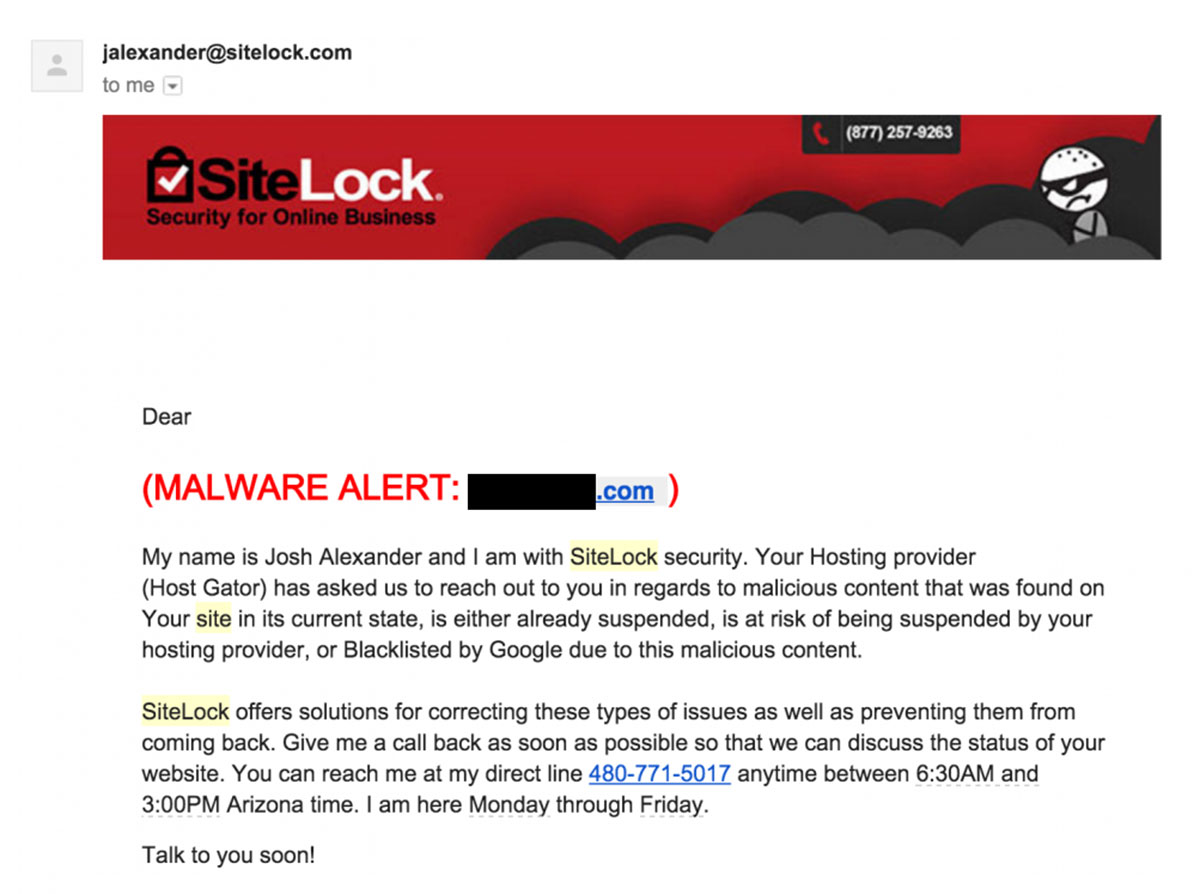
In some cases, people have fallen victim to phishing attacks by third parties who pretend to be SiteLock.
For instance, you might receive an email from SiteLock that looks legit but it is actually from a scammer. Such emails aim to collect your private information and are considered criminal scams.
What does the Sitelock scam look like?
Under this scam, you will start receiving emails from SiteLock even before your site develops a critical error. It won’t matter if your website is infected with malware or not. Instead of helping, your hosting provider will keep on pushing you towards SiteLock to fix the issue.
Here are some tactics involved in the SiteLock scam:
Pushy Tactics
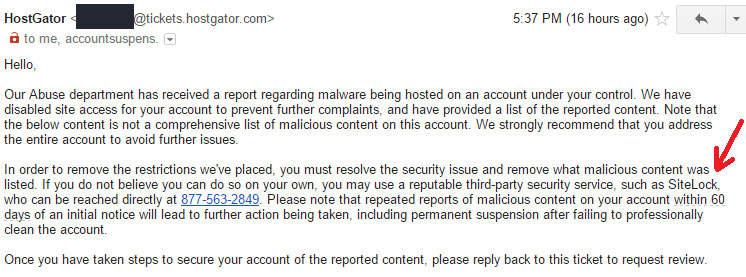
Bluehost or HostGator will present you with SiteLock as the only solution to your problem and will try to convince you to purchase its security services. Once forwarded to SiteLock, the sales representative will use scare tactics apart from being pushy to get you in.
Scarcity tactics
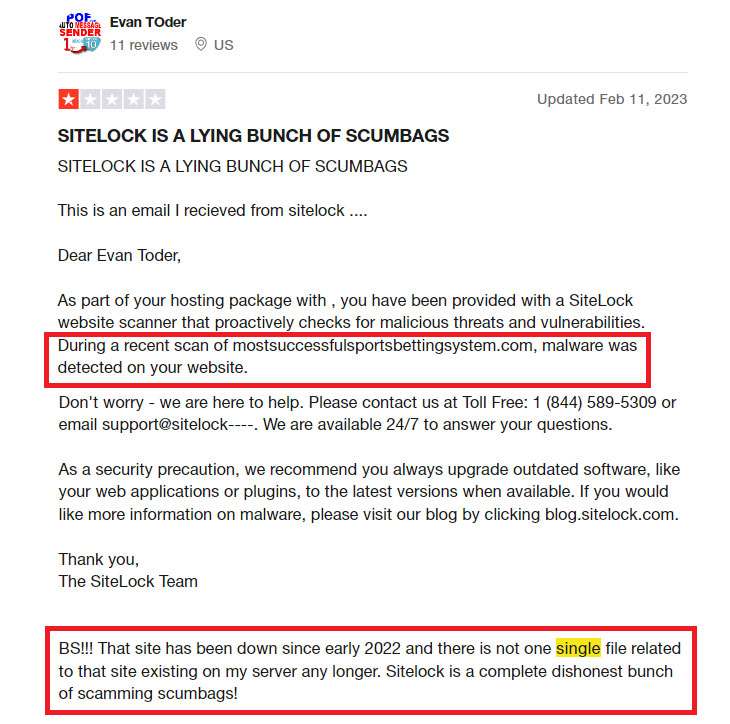
Many customers complain that SiteLock flags security issues they can't find themselves. On forums and review sites, users describe it as pushy and expensive, with sales reps recommending more and more paid services.
SiteLock is also notorious for offending the rules of ethical hacking. It exploits your website security issues intentionally which is valid under ethical hacking. However, the company, then, charges you to fix these vulnerabilities, thereby violating ethical conduct.
Ransom tactics
These hosting providers also use ransom tactics to push you into buying SiteLock services. You will understand the difference better by comparing their behavior with other hosts. Let’s do it here:
If Godaddy detects malware on your website, it will notify you about the issue. Since the host doesn’t use SiteLock, it will give you a month to remove the malware on your own. It will also send you reminders to treat your website within the due period.
Bluehost closes your account immediately on malware detection without a notice leaving a bad impression on customers. The host will continuously push you into using SiteLock to reactivate your website when you contact them.
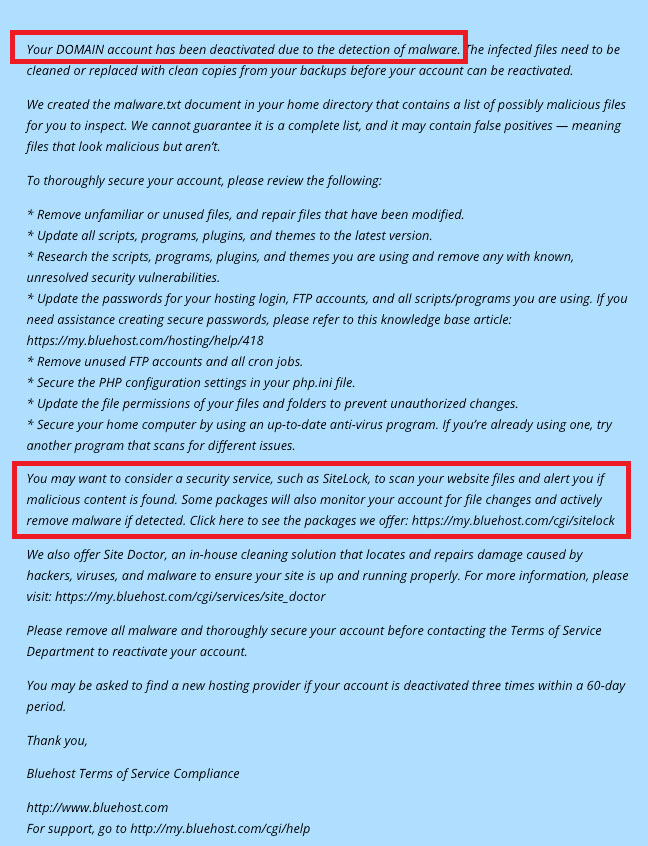
Comparing the hosts’ behaviors above, you will get access to your website in GoDaddy’s case only. If you’re a developer or have a team that can remove malware, you won’t get that opportunity with Bluehost.
Bluehost will immediately shut down your account and won’t allow using the malware removal tools that a developer can.
Why Web Hosting Companies Use SiteLock?
Web hosting companies use SiteLock because of their affiliation with the company. Both Bluehost and HostGator also have an alliance with the security firm.
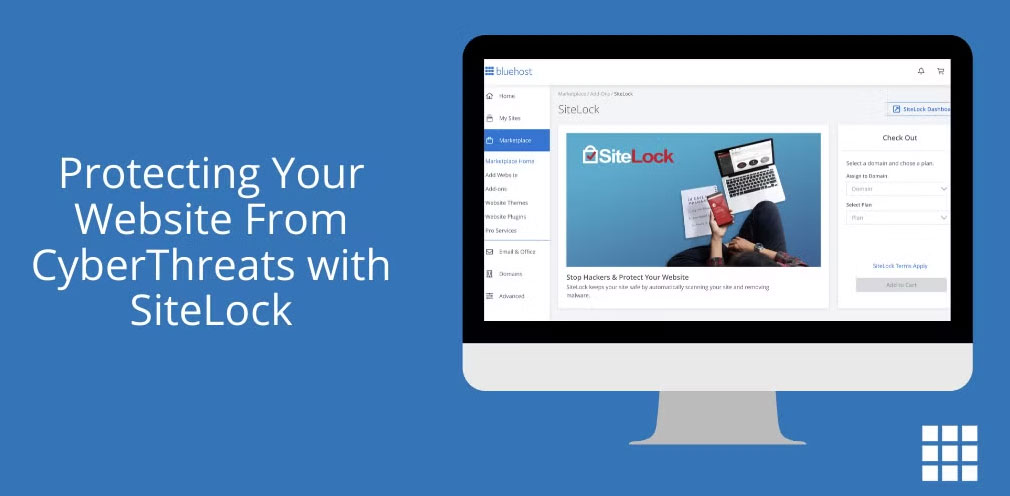
Many other hosts have also joined hands with SiteLock.
The website security company actively boasts about its business partnership with a few of these hosts. Probably, these hosting providers recommend SiteLock because they receive commissions on successful sales.
Earnings are a major motivation for hosting providers to use SiteLock. About 60 hosting brands operate as a part of the Endurance International Group (EIG) (now Newfold Digital). SiteLock add-ons are offered by many of these brands, so selling it is a meaningful source of commission income for them.
How effective is SiteLock?
SiteLock is not an effective solution for website security. It fails in several aspects, including crucial areas like firewall, scanning, and malware removal.
SiteLock representatives state that they do not consider server vulnerabilities during security assessments. The absence of server vulnerability checks hints at the ongoing scam.
SiteLock might be ignoring server vulnerabilities because almost all of its revenue is earned from partnerships with hosting providers. Many of these hosting companies are run by SiteLock stakeholders.
The process that SiteLock uses to scan websites also tells a lot about the efficacy of using its services. The security firm generates risk scores for sites labeling them as low-risk, medium-risk, or high-risk. Their risk score depends solely on the website’s characteristics.
But unfortunately, SiteLock gives these risk scores on a random basis.
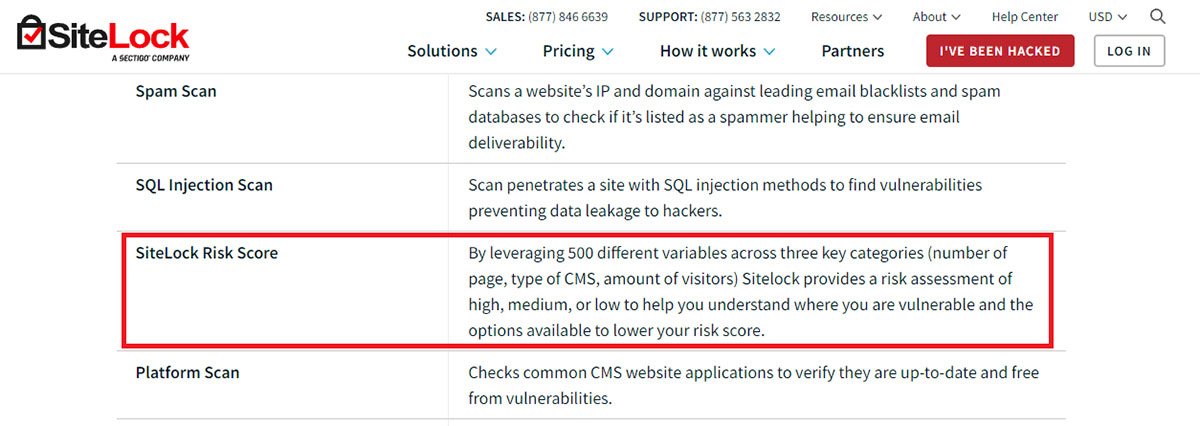
A Forbes contributor running a single-page website with a few static files shared his experience with SiteLock. The company rates his website as a medium-risk one. However, SiteLock couldn’t provide a valid reason behind this score when the site owner inquired.
The company shared that the size and distinct components of the website contributed to this score.
However, this random reason didn’t go well with the one-page website in question. This cements our doubt about the ongoing scam where the company extracts money from website owners using cheap tactics.
Are the Positive reviews true?
Only some of the SiteLock positive reviews are true. These come from those users who do not have much knowledge and experience of web development.
They review the company positively because they believe that their website has never been hacked due to SiteLock’s efforts. They are also happy to pay exorbitant prices because of this belief.
Apart from that, you’ll find a lot of 1-star reviews from SiteLock users. On reading and analyzing 1-star and 5-star reviews, you’ll notice that high-rated reviews are bought and completely fake.
Here are some true experiences of SiteLock users:
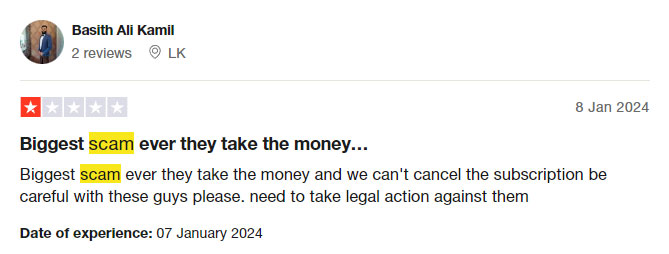
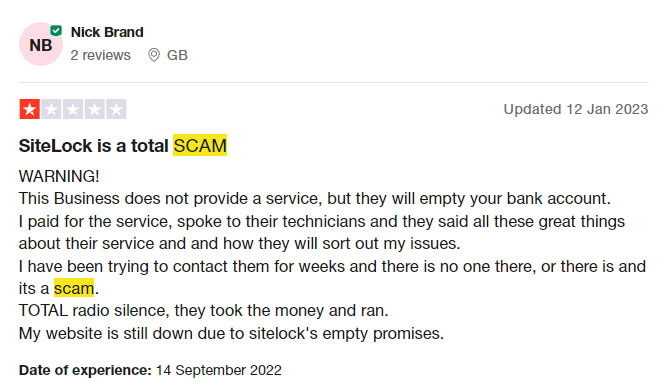
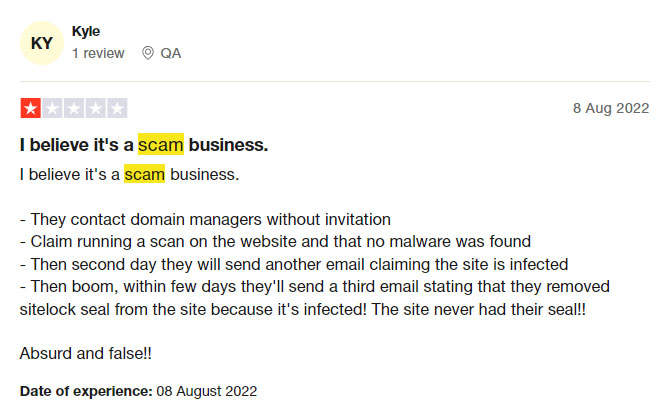
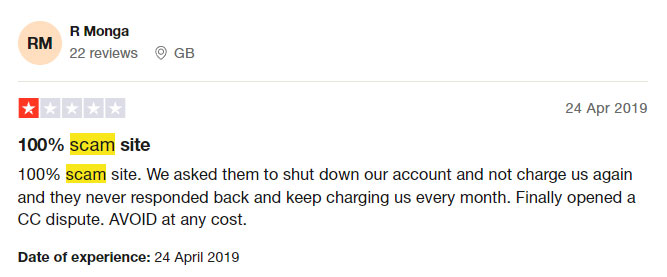
These reviews can easily help answer the question “Is SiteLock a scam?”. All SiteLock reviews above indicate negative experiences of its existing or past users. Many customers feel they paid for services they didn't need.
Conclusion
Based on the volume of customer complaints, I don't recommend SiteLock, and I don't like that many web hosts push it so hard to earn extra money from their customers.
Talking about website security, it is your responsibility to recover your site if it genuinely gets hacked. If you do not have technical knowledge, hire a professional to get back your website.
Once recovered, migrate your site to a host offering better server security. Also, use all available measures to harden the security of your website.
FAQ (Frequently Asked Questions)
Should you get SiteLock for my website?
No, you shouldn’t get SiteLock for your website. Its users aren’t happy with its services and many believe it to be a scam. The company tries to extract money from its customers by making false claims that their websites are getting infected.
How do I get rid of SiteLock?
If SiteLock isn’t helping you with the deactivation process, follow the steps below to get rid of it:
- Enter cPanel > File Manager > Web Root (public_html/www)
- Tick “Show hidden files” here and click on “Go”.
- Select the “public_html” folder and delete the “.fastinclude” file.
Also, delete the “SiteLock” folder from your root directory.