

Confused between Contabo vs DigitalOcean? This full comparison covers all the factors that set the two big hosts apart.
In short, I found DigitalOcean better in most cases. I still recommend using the one that suits your needs.
Prices, plans, support answers and test results were checked in November 2026.
Let’s start with the basic overview, and then we will jump to all the comparison factors.
Contents
Contabo Vs DigitalOcean
Let’s begin with the overview.
Contabo overview
Contabo is known for offering cheap VPS with high specifications. They offer many cloud VPS plans.
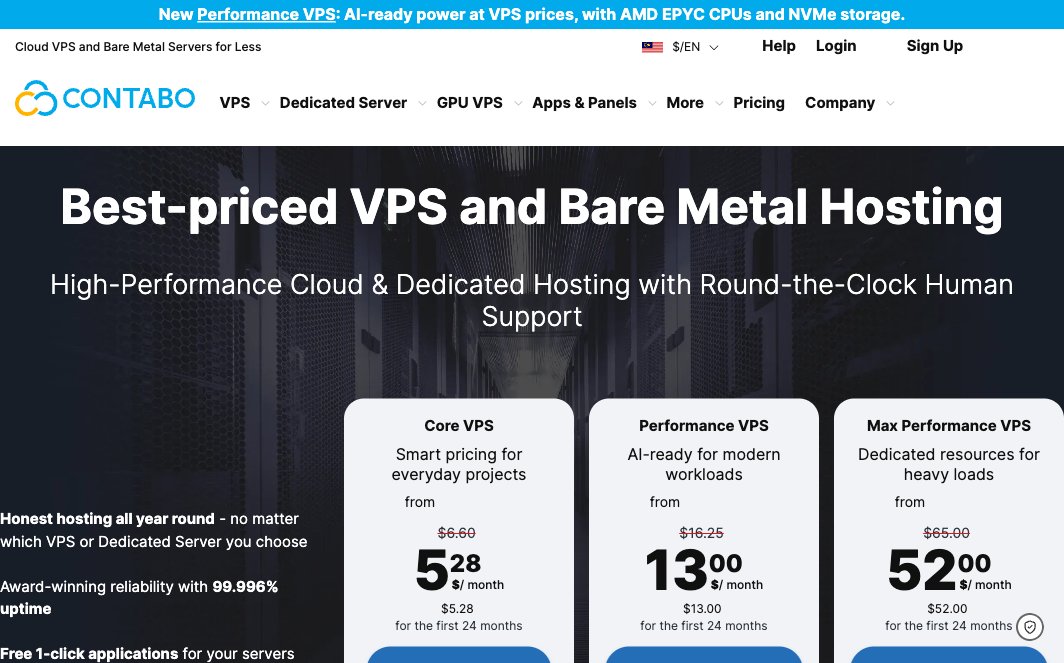
Contabo's homepage in November 2026.
Pros of Contabo
- There are servers in 9 regions across 4 continents.
- You can choose your OS as well as control panels.
- The pricing is affordable, and the add-ons are cheap too.
- Colocation services are also available. Colocation lets you rent space for your own servers.
Cons of Contabo
- Their support is extremely slow.
- The performance is unreliable.
- You can’t buy individual domains without purchasing the hosting.
- There is a small setup fee ($2.40) on a monthly Cloud VPS 4 contract.
DigitalOcean overview
DigitalOcean is a cloud provider offering affordable droplets. Droplets are DigitalOcean's version of a cloud VPS.
DigitalOcean's homepage in November 2026.
Pros of DigitalOcean
- Their plans are affordable.
- You can also try the cloud for free.
- It's easy to use, and setting up projects in the cloud is simple.
- There are many products.
- The pricing is transparent, and they offer a pay-as-you-go model.
- There are no service disruptions, even during maintenance.
- At first, they offered only droplets. Now, they offer many more services.
Cons of DigitalOcean
- It’s recommended only for advanced users.
- Free support is ticket only; live chat starts with the $99/month support plan, and there is no phone support.
- Backups are a paid add-on, from 20% of the Droplet's price.
- You can only use Linux cloud as Windows cloud is not available.
- Their IP addresses have a bad blocklist reputation. There are many complaints about it.
- They have an easy control panel, but there are no managed servers
Contabo Vs. DigitalOcean: Features
Ease of Use
Contabo: Ease of Use
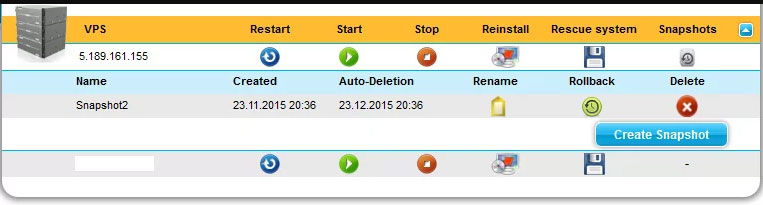
The server interface seems a bit outdated compared to others. So it can feel old-school to use.
DigitalOcean: Ease of Use
DigitalOcean offers a pleasant and super-easy-to-use interface. All options are easy to find and use.
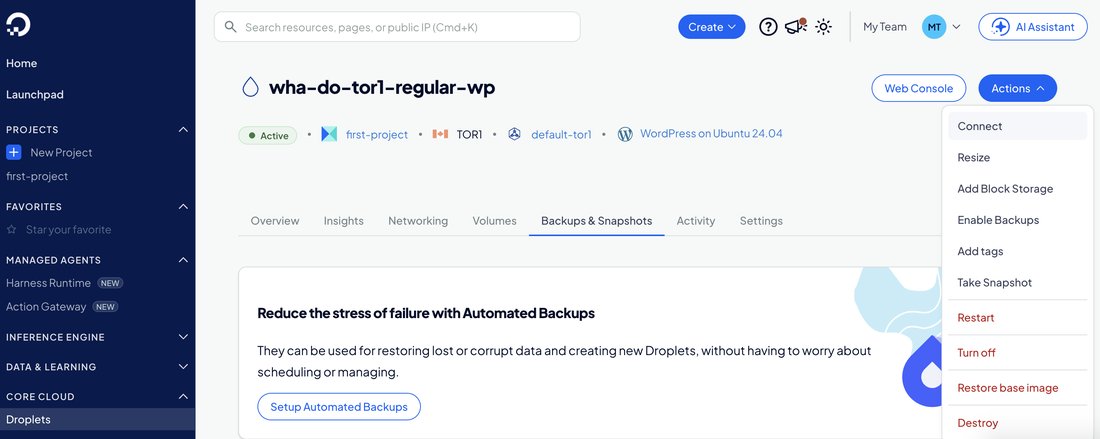
The control panel for my own $6 Droplet (November 2026), with resize, backups, snapshots and destroy in one menu.
Backups (snapshots)
Contabo: Backups
Contabo's Auto Backup is a paid add-on: daily backups stored off the server, with the last 10 versions kept and one-click restore. It costs $2.00/month on Cloud VPS 4 and $4.00/month on Cloud VPS 6.
Snapshots are included: one on Cloud VPS 4, two on Cloud VPS 6 and three on the larger Core plans.
DigitalOcean: Backups
DigitalOcean's automatic backups are off by default. Weekly backups cost 20% of the Droplet's price and daily backups 30%, or you can choose usage-based backups that are billed per GiB of data. For my $6 Droplet, the control panel showed $1.20 a month for weekly backups and $1.80 for daily ones.
Datacenters locations
Both hosting providers have servers across 4 continents (North America, Europe, Asia and Australia), but which one has more locations? Let’s find out.
| Country | DigitalOcean | Contabo |
|---|---|---|
| United States | New York City, San Francisco, Atlanta, Richmond, Kansas City, Memphis | New York (US East), St. Louis (US Central), Seattle (US West) |
| Canada | Toronto | None |
| United Kingdom | London | Portsmouth |
| Netherlands | Amsterdam | None |
| Germany | Frankfurt | EU region (5 data centers in Germany) |
| India | Bangalore | Mumbai |
| Singapore | Singapore | Singapore |
| Japan | None | Tokyo |
| Australia | Sydney | Sydney |
| Total | 13 cities in 8 countries | 9 regions in 7 countries |
Contabo Vs. DigitalOcean: Performance
Even though Contabo offers better specs, DigitalOcean had better performance in my tests. Neither host publishes the exact CPU of its cheapest plans, so part of the reason may be how heavily each host shares its servers.
CPU
Contabo CPU
There are no restrictions on CPU usage under Contabo's VPS policy. The bad news is that your neighbors can also do the same, and this decreases the overall performance.
Contabo doesn't publish the CPU model of its Core Cloud VPS line, and the vCPUs are shared. VPSBenchmarks, which tests plans it buys, has reported AMD EPYC processors on several Contabo Cloud VPS plans between March 2025 and September 2026.
DigitalOcean CPU
DigitalOcean's cheapest Droplets (Basic) use a shared vCPU, like Contabo's VPS plans. Dedicated vCPUs start with the pricier General Purpose and CPU-Optimized Droplets.
On my own $6 Basic Regular Droplet (Toronto), the model name is hidden ("DO-Regular"), but the processor identifies itself as an Intel Xeon of the Broadwell generation (E5 v4 family, about 2.3 GHz). That CPU generation dates from 2016. DigitalOcean sells its Premium Intel and Premium AMD Droplets as the ones with newer CPUs and NVMe storage.
Provisioning time
Contabo Provisioning
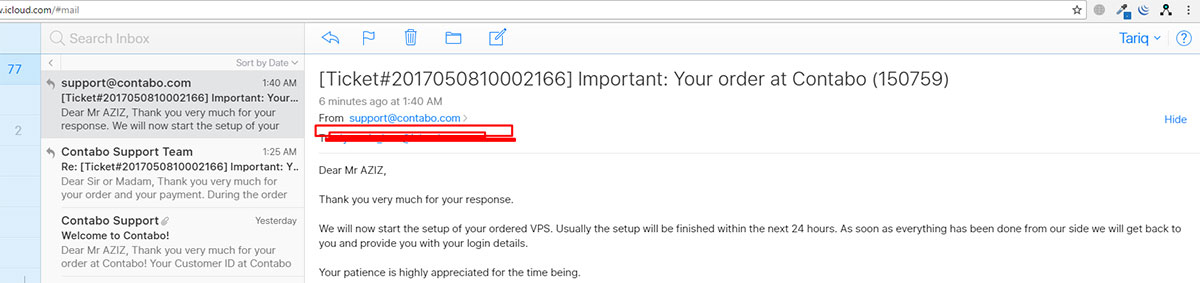
- Contabo's FAQ says a VPS is ready a few minutes after payment clears, but support told me that a new server takes a few hours, with a verification step.
- Dedicated servers take up to 48 hours (only on business days).
DigitalOcean Provisioning
DigitalOcean server provisioning is automated. When I created my $6 WordPress Droplet, I could log in about 1 minute 44 seconds after clicking Create.
Now let’s discuss the speed of Contabo vs DigitalOcean.
Speed
In my benchmarks I measured two live sites on each host with Grafana k6 from Ashburn, USA (for DigitalOcean, one customer site and a $6 Basic Droplet I set up myself), ranked on server time (uncached TTFB minus the network round trip), the same method as my full web hosting benchmarks.
| Host | Server time | Uncached TTFB (Ashburn) | Grade | Rank in VPS/cloud |
|---|---|---|---|---|
| DigitalOcean | 175 ms | 192 ms | B | 9th of 29 |
| Contabo | 591 ms | 656 ms | D | 21st of 29 |
Grafana k6 from Ashburn, USA (November 2026); median of 2 sites per host; not a controlled test of each plan. Full method: web hosting benchmarks.
DigitalOcean's servers were clearly faster: a median server time of 175 ms against 591 ms for Contabo, and grade B against D. Under load (1 to 50 visitors at once), DigitalOcean's two sites finished the test at a median 2.6 s, while one of Contabo's two tests had to be stopped at 47 visitors. On a VPS the exact result depends on the plan and setup, so treat this as the servers I measured, not a verdict on every plan.
Storage
Contabo storage
Contabo offers SSD storage by default, but it doesn't publish disk speed, IOPS or RAID levels.
The disks are shared with the other servers on the host, so their speed can vary.
From Cloud VPS 6 up, you can swap to NVMe storage at half the disk size.
The base plan, Cloud VPS 4, offers 100 GB SSD.
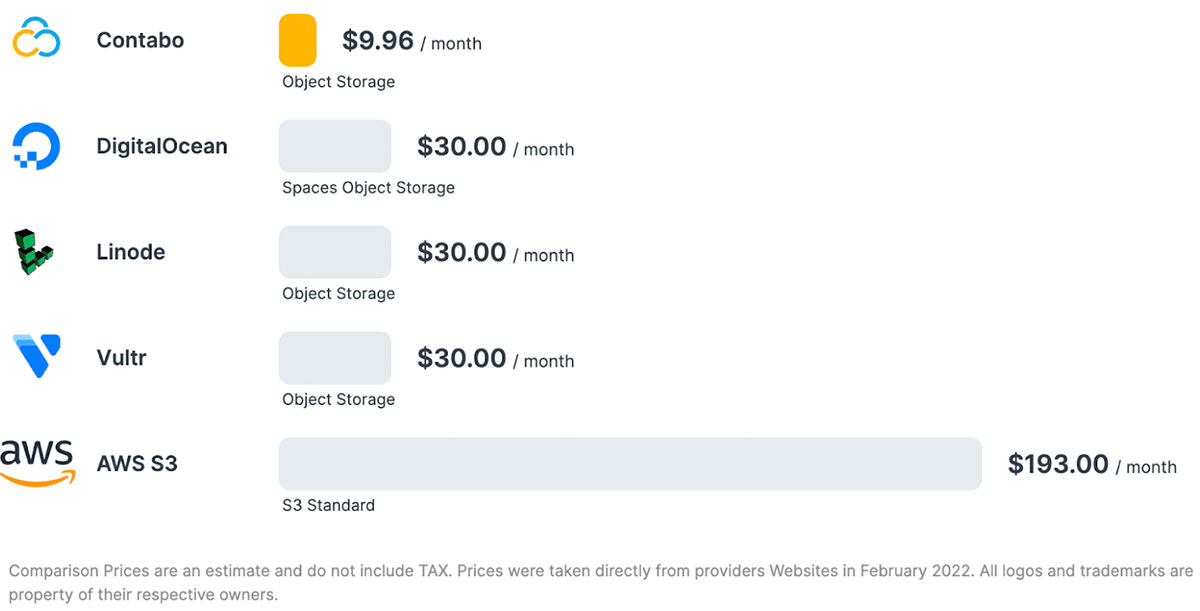
Here’s a quick overview of object storage.
DigitalOcean storage
DigitalOcean's Regular Droplets use standard SSDs, and Premium Droplets use NVMe. Even the SSD was quick on my $6 Droplet: about 58,000 random reads and 46,000 random writes per second (4 KB blocks, measured with fio).
The base plan starts with 10 GiB of storage.
Network
Contabo network
Traffic is unlimited, with outgoing traffic under a fair use policy. The port speed is 200 Mbit/s on Cloud VPS 4, 300 Mbit/s on Cloud VPS 6, and 1 Gbit/s only on the 16- and 18-vCPU plans.
Contabo's terms promise 99.9% annual average availability for physical connectivity, excluding maintenance, and don't mention service credits.
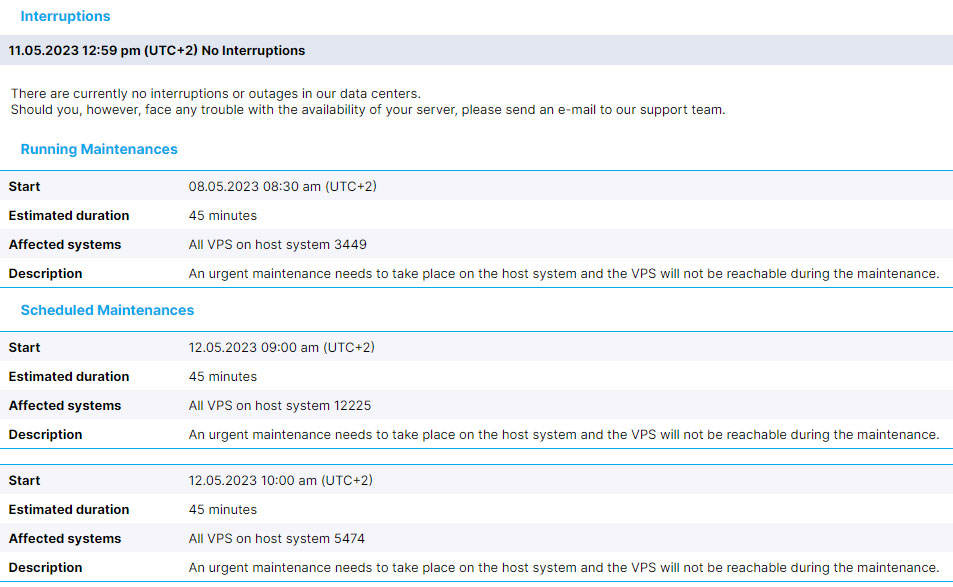
The network speed is slow.
- Download: 45 Mbit/s
- Upload: 97 Mbit/s
DigitalOcean network
DigitalOcean doesn’t publish a port speed for Regular Droplets, but its support told me they top out at 2 Gbps, and my own $6 Droplet peaked at about 1.8 Gbps. Premium Droplets have a network limit of 10 Gbps.
Bandwidth is limited, starting at 500 GB per month.
On my $6 Droplet in Toronto, single-stream transfers ran at:
- Download: 583 to 839 Mbit/s (from a server in Ashburn, USA)
- Upload: 238 to 859 Mbit/s (to Cloudflare)
The speed changed from run to run, which is normal on a shared port.
Contabo Vs. DigitalOcean: Security
Contabo
- A firewall you configure in the Customer Control Panel is included at no extra cost.
- They have DDoS protection. It filters about 99% of common attack patterns and keeps your server online for those, but heavy or complex attacks can still exceed its limits: the IP can be null-routed and, if the attack continues, the account suspended for a couple of days.
- No SSL certificate is included, but you can install a free Let's Encrypt certificate yourself.
DigitalOcean
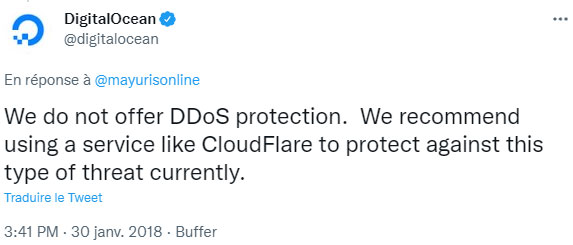
- DDoS protection is free and always on for Droplets, load balancers and other resources. It covers network-layer (layer 3 and 4) attacks, not attacks on your application.
- Cloud Firewalls are free, but none is set up for you: my new Droplet had no firewall until I created one.
- DigitalOcean's free managed certificates for load balancers need your DNS on DigitalOcean, but free Let's Encrypt certificates work on any Droplet. On my one-click WordPress Droplet, the web server (Caddy) fetched one in seconds once I added my domain, with the DNS at Cloudflare.
Contabo Vs. DigitalOcean: Support
Contabo
- Contabo doesn't publish its support hours.
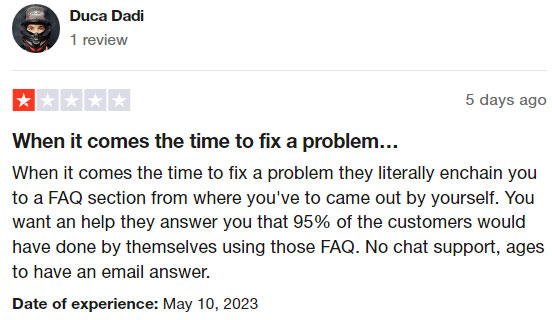
- Ticket replies can be slow: my pre-sales ticket in November 2026 got an answer about 19 hours later, against an advertised 2-hour average.
- There's no money-back guarantee, only the legal 14-day withdrawal right for consumers (not for businesses).
- The technical support is limited to the network and hardware, since the VPS is unmanaged.
- You can use the chat in the Customer Control Panel (the ContaBro virtual assistant first, then a person), a ticket or email. I found no published phone line.
DigitalOcean
- DigitalOcean offers free ticket support 24/7, with a response target of under 24 hours on the free Starter plan.
- Faster answers cost extra: $24/month for under 8 hours, or $99/month for under 2 hours plus live chat.
- There's also a large community Q&A and tutorial library.
- Support doesn't manage your server, since Droplets are unmanaged.
Contabo Vs. DigitalOcean: Pricing
Both hosts accept credit card and PayPal payments.
Contabo
- The pricing starts at $5.28 a month on a 24-month term, or $6.60 on a monthly contract, where Cloud VPS 4 also has a one-time $2.40 setup fee.
- Every region outside the European Union adds a monthly surcharge, for example $1.30 to $1.90 a month on Cloud VPS 4 for the US regions.
- There's no money-back guarantee. Consumers have the legal right to withdraw within 14 days, but that right doesn't apply to businesses.
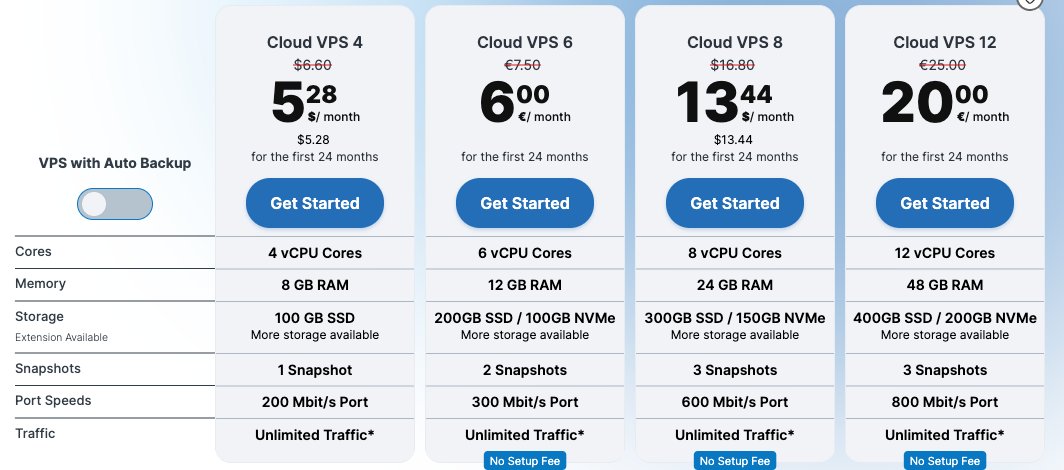
Contabo's Core VPS plans on November 17, 2026, with intro prices for the first 24 months.
DigitalOcean
- The plan starts at $4 per month. If you need droplets only for a short time, DO is a good fit, as Droplets are billed per second (since January 2026), capped at the monthly price.
- There is no setup fee, nor will you have to pay extra for specific data centers.
- New accounts get a $5 free credit, valid for 90 days.
- The strict identity verification process is sometimes a big problem and can even lead to suspension.
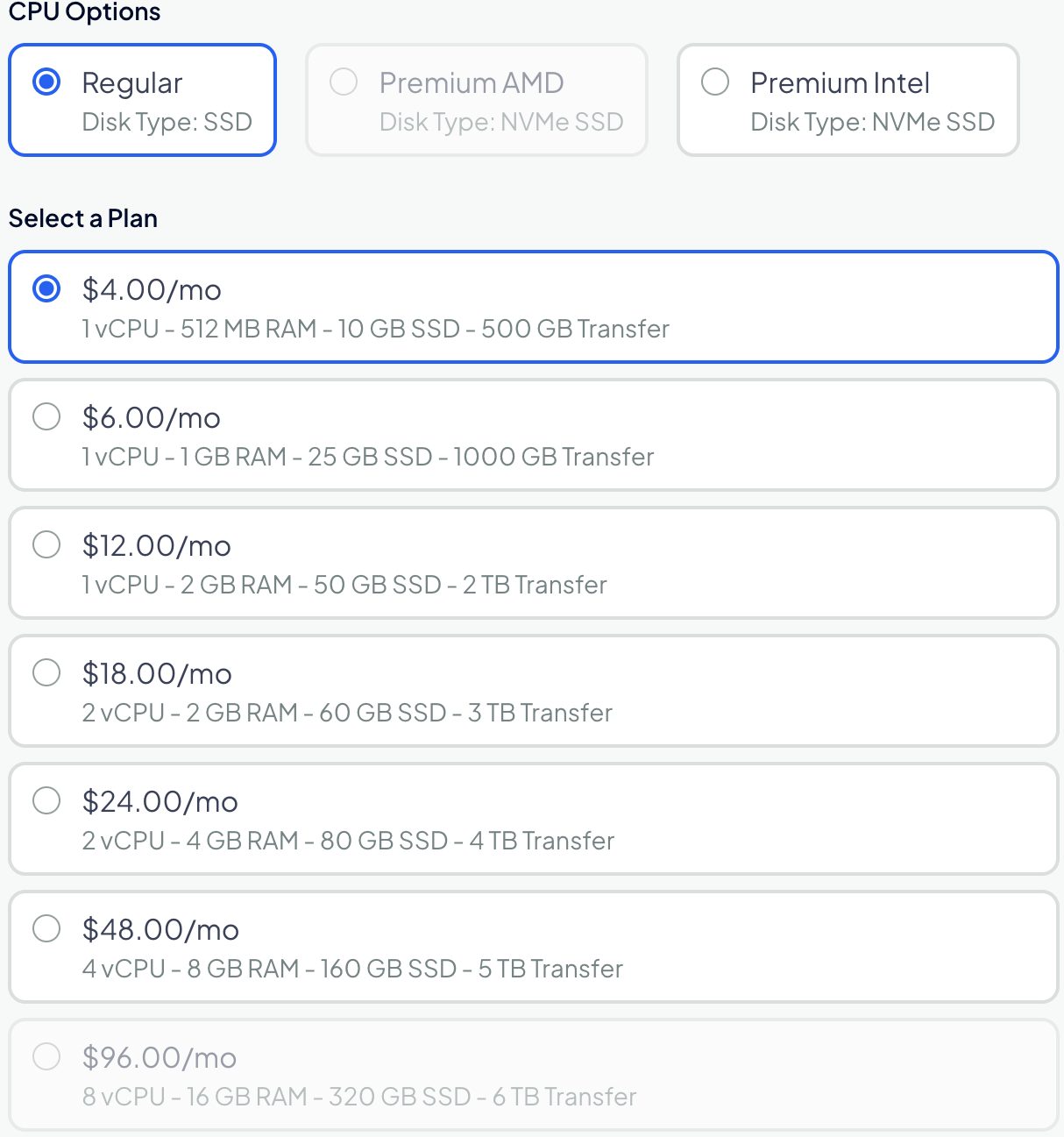
Basic Regular Droplet plans on the create page in my DigitalOcean account (November 2026).
Conclusion
Contabo is a cheap option with average service. On the other hand, DigitalOcean requires a bit of technical knowledge to handle your server.
Use Contabo if:
- You want to use it for personal projects or small business projects.
- Your web apps are burner projects or experimental.
- You can live with occasional downtime on your side projects.
- Your target audience is the Asian market.
Use DigitalOcean if:
- You have the technical knowledge, or you are a developer/system admin.
- You need excellent uptime for your apps, blogs, and websites.
- Your main goal is to host it for a sandbox or staging environment.
- You or your team want to manage the server on your own.